How-to guide
Select the stops, tell Map when you leave and how long you spend at each, and Map Pro works out the quickest order by road - with arrival and leaving times, the miles and minutes between stops, and a run sheet to print or send.
Ctrl+click the day's stops in the list - or filter the list and use all the locations shown.
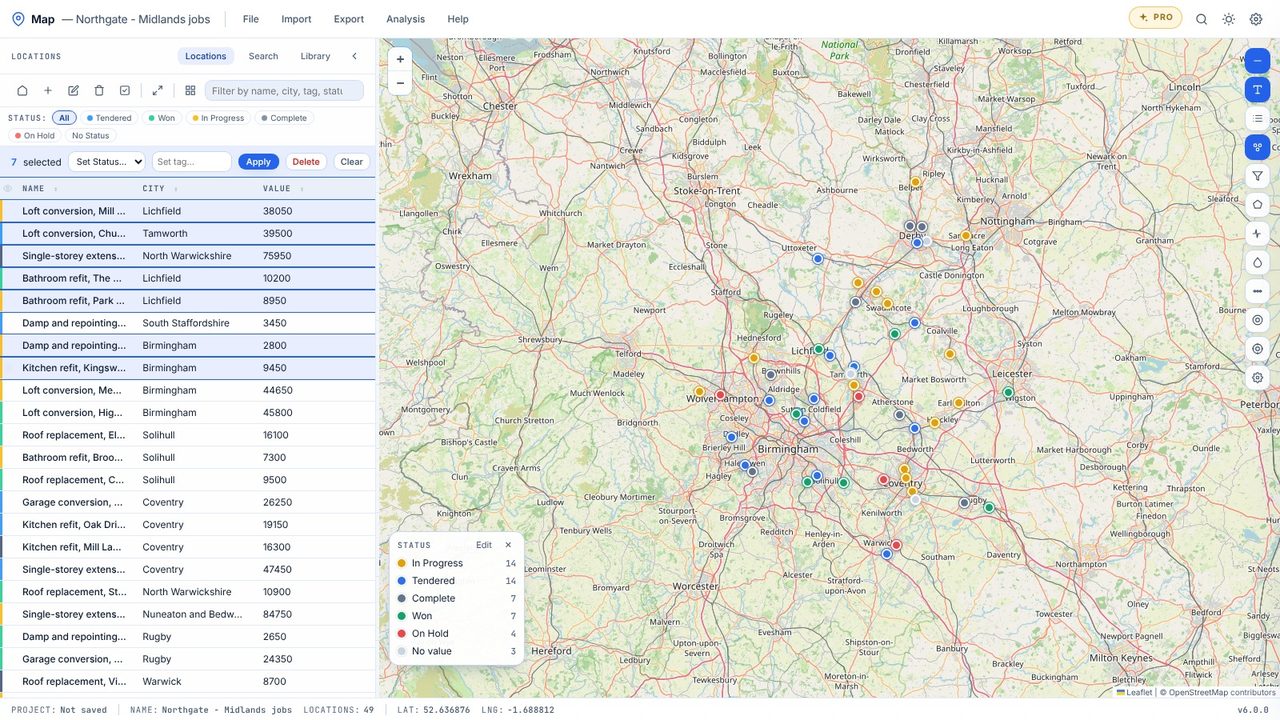
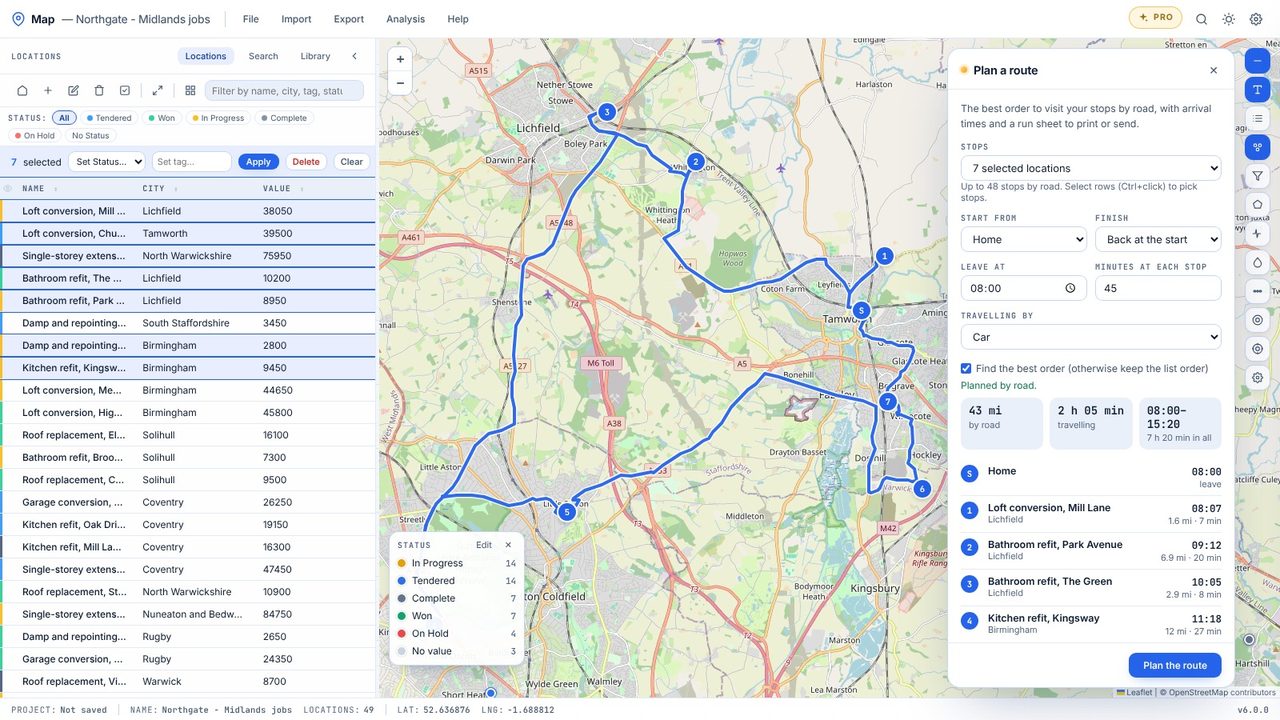
Choose Analysis → Plan a route and run sheet.
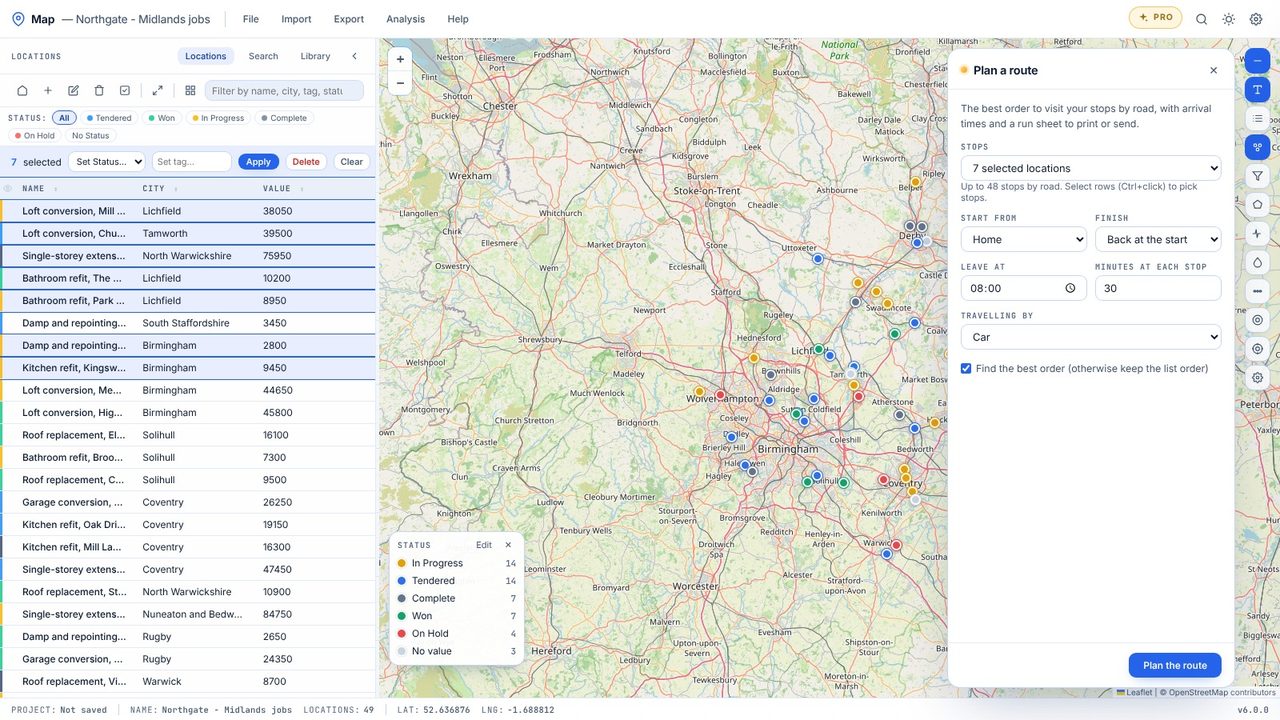
Start from home or the first stop, finish back at the start or at the last stop, set the leaving time and the minutes at each stop.
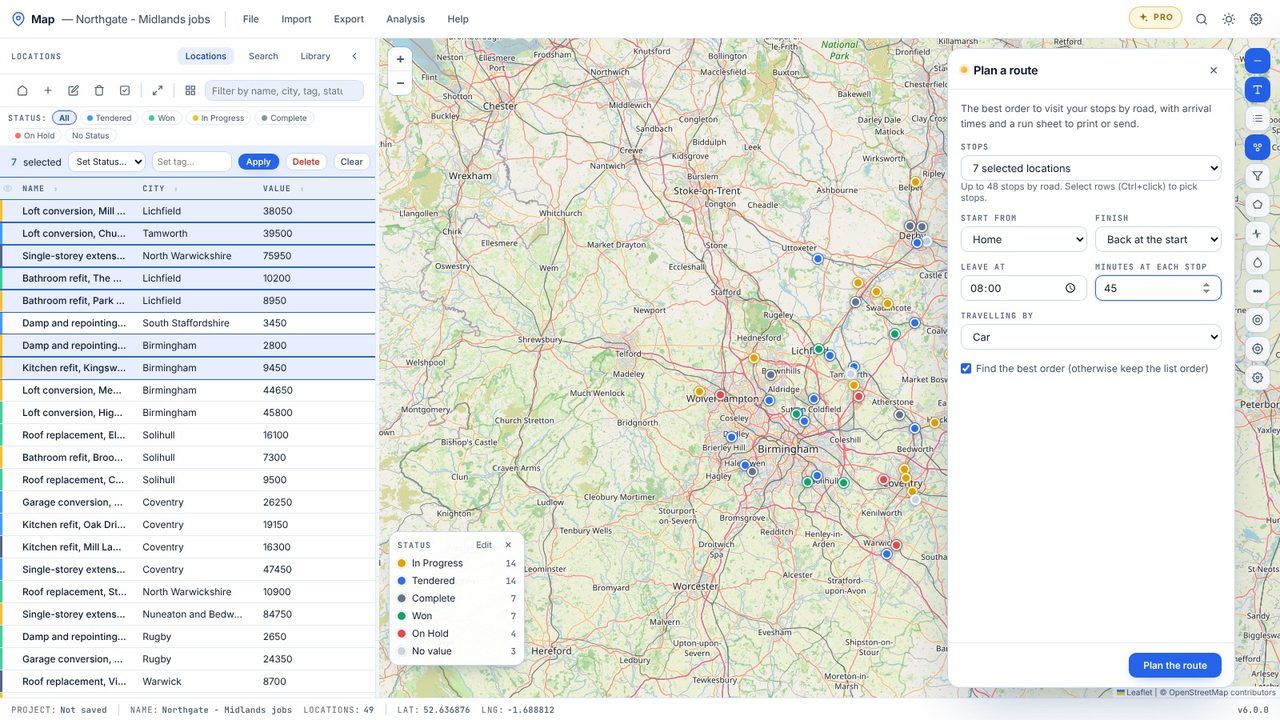
Click Plan the route. Map finds the best order by road and draws the route, with the miles, the driving time and the finish time.
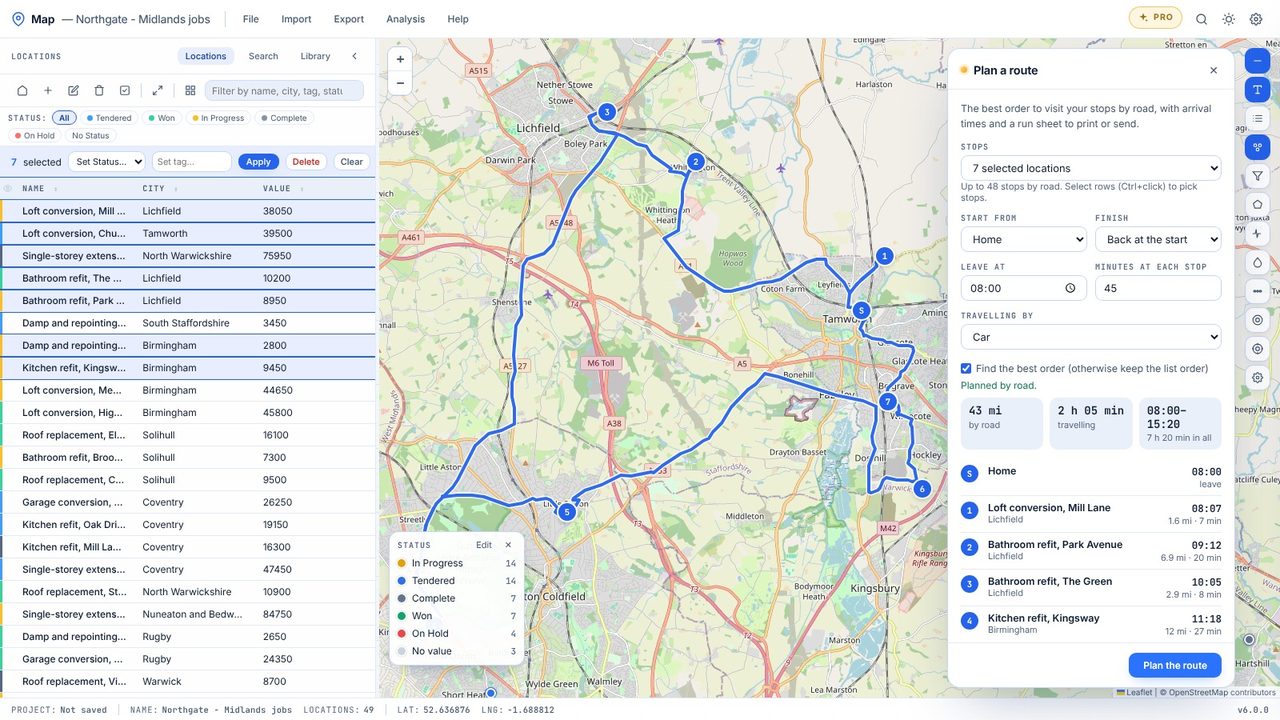
Each stop shows its arrival time and the distance and time from the last one.
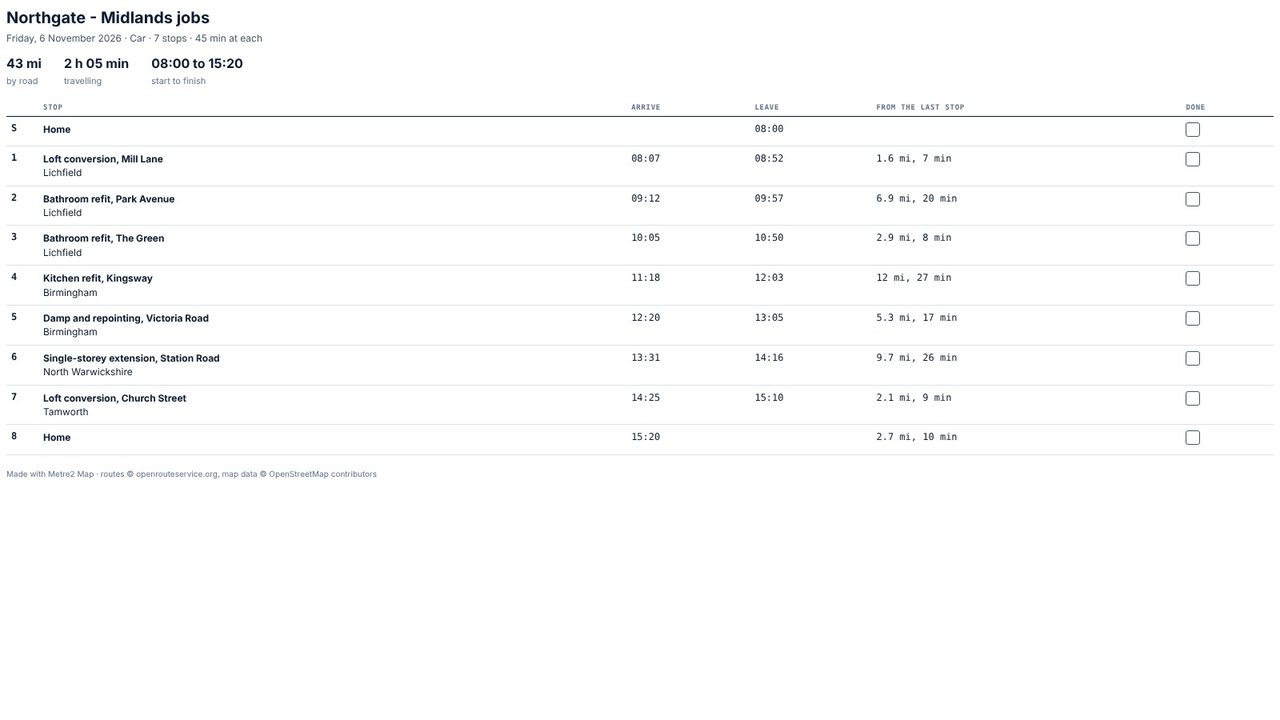
Print run sheet gives a page with a tick box for each stop; CSV and GPX are there for a spreadsheet or a sat nav.
The route planner and run sheet are part of Map Pro (£19.99 one-off, 7-day free trial). Map's quick straight-line route stays free.
No - times are typical driving times on OpenStreetMap's roads, not live traffic. Allow for rush hour.
Export GPX and load it into a sat nav or a mapping app that takes GPX routes.
