How-to guide
Under the NEC4 Engineering and Construction Contract the programme is central: a programme submitted for acceptance has to show the items listed in clause 31.2, and until one is accepted the assessment of compensation events is harder for the Contractor. Most rejections are for missing information rather than bad planning. Metre2 Programme Studio Pro checks a programme against the clause 31.2 items and the clause 32.1 items for revised programmes, says what it found for each and saves the checklist to Word.
Open Analyse > NEC4. The checklist opens in the bottom panel with a count of items shown, to check and missing, measured against the programme as it stands.
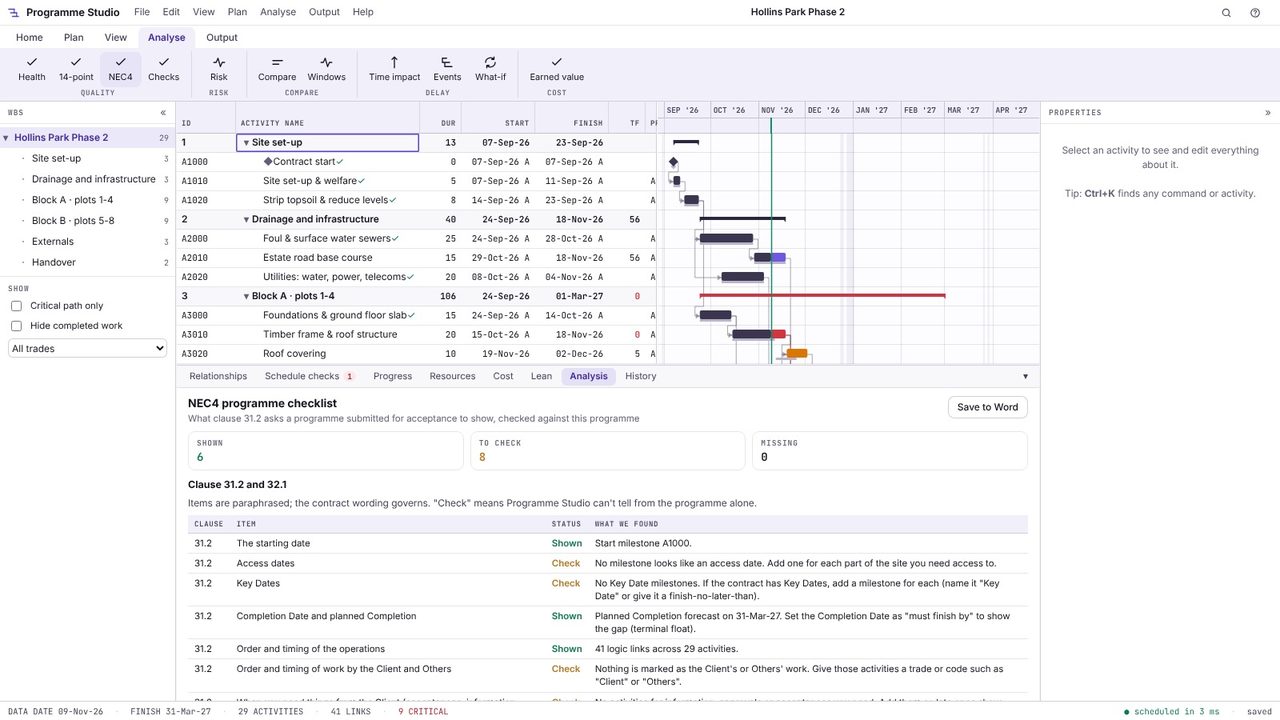
Each clause 31.2 item has a status and what Programme Studio found: the starting date and start milestone, access dates, Key Dates, the Completion Date and planned Completion, the order and timing of operations, work by the Client and Others, what you need from the Client, float, time risk allowances, health and safety requirements, procedures in the Scope, method statements and resources, and the clause 32.1 items for revised programmes. "Check" means it cannot tell from the programme alone, so look yourself.
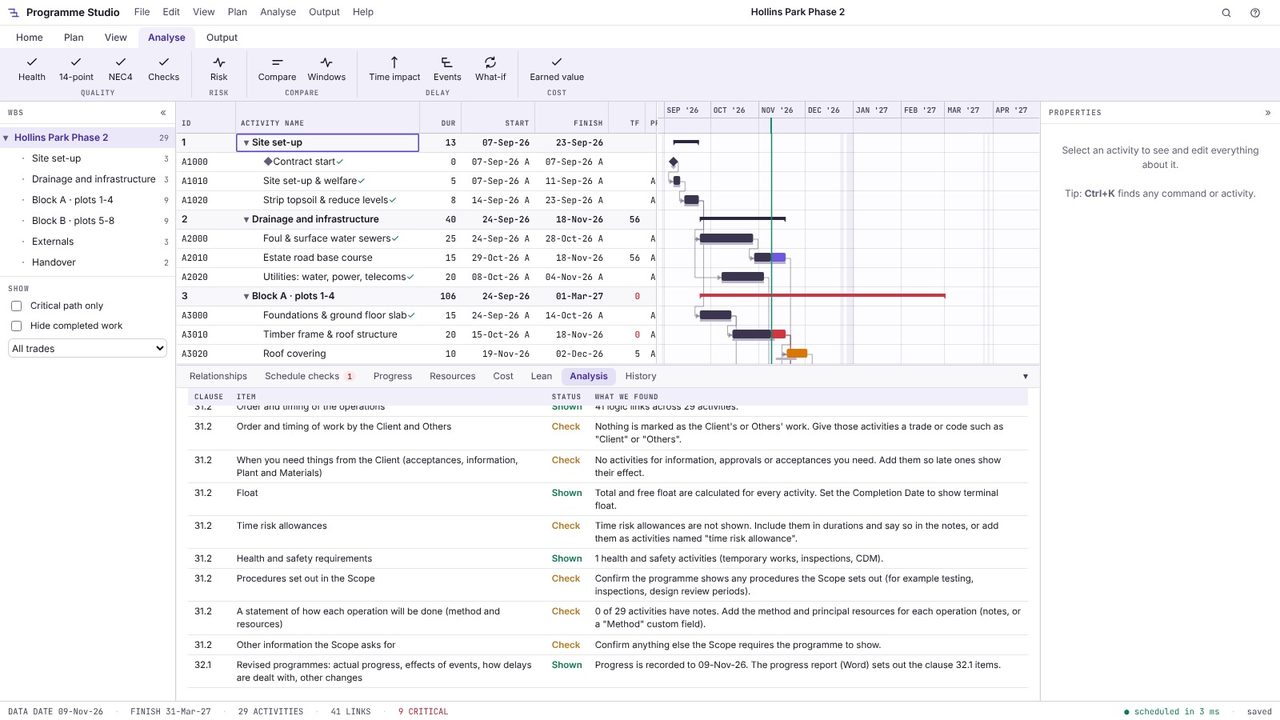
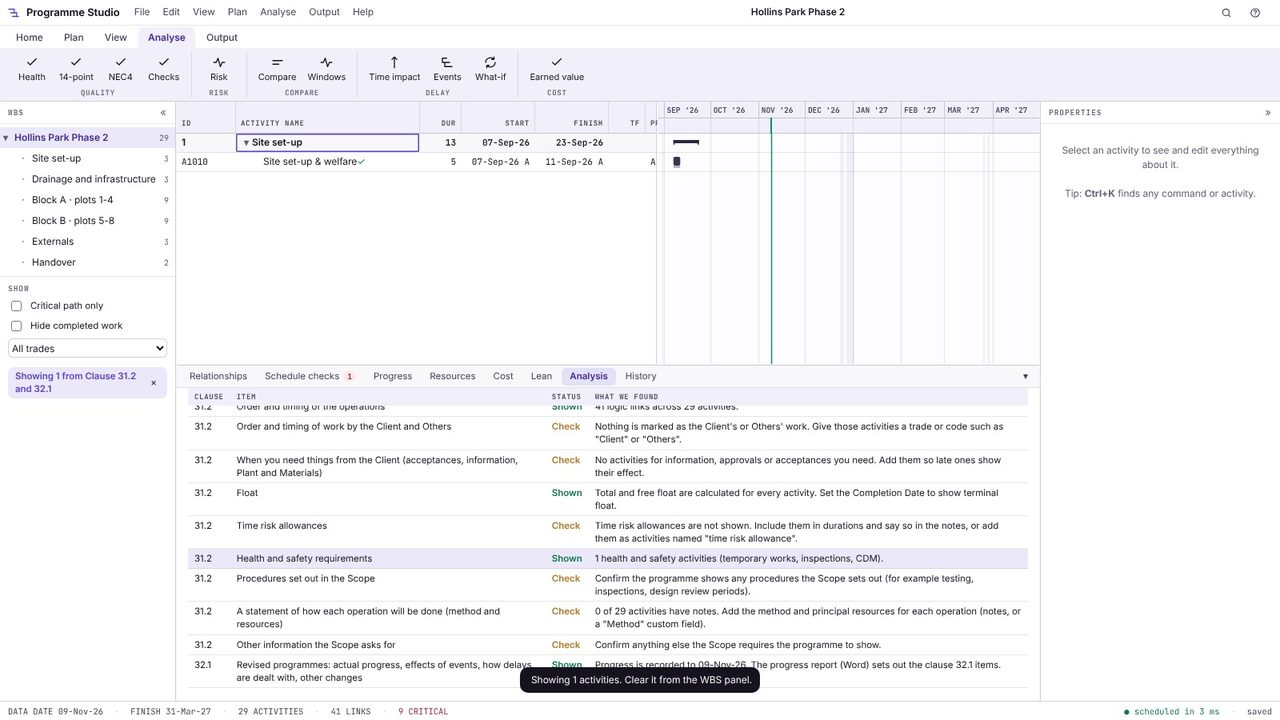
Click an item to select the activities it found, here the health and safety activity. Fix what is missing in the programme: add an access milestone for each part of the site, name or constrain the Key Dates, give the Client's and Others' work a trade or code, add the information and acceptances you need, and show time risk allowances.
Choose Save to Word for a checklist to send with the submission or keep on file. The items are paraphrased and the contract wording governs.
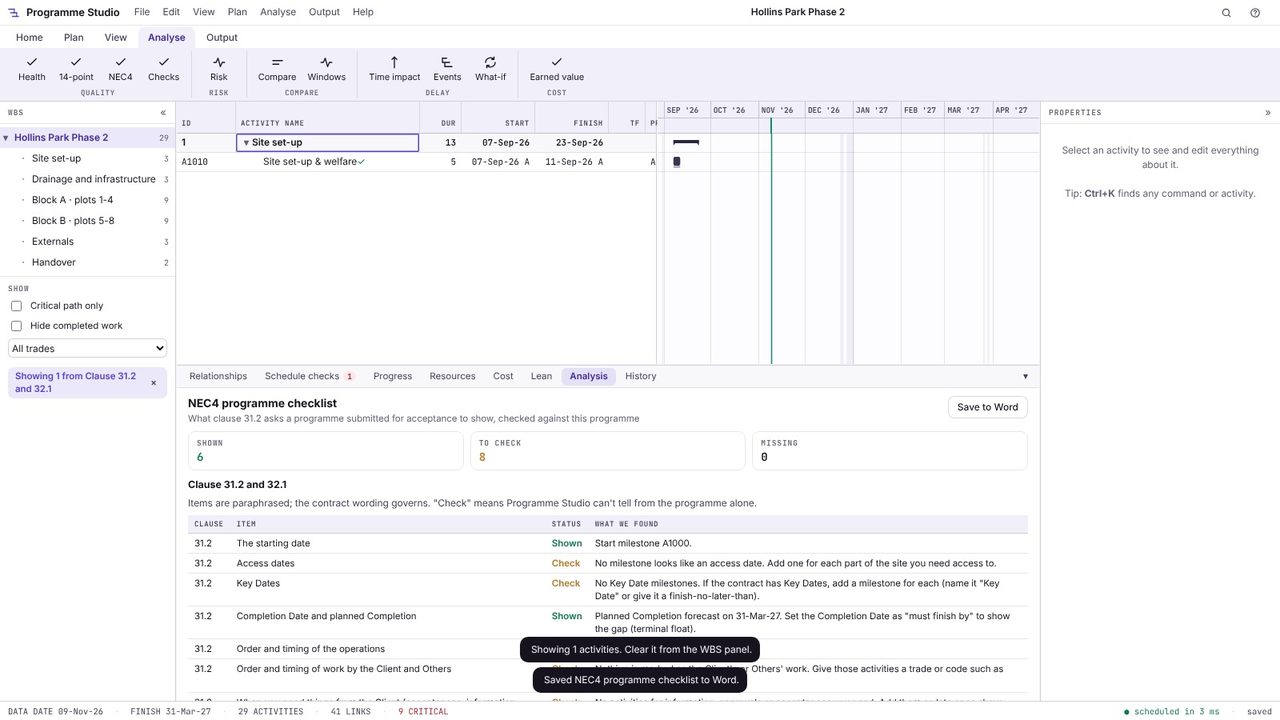
Clause 31.2 lists them: the starting date, access dates, Key Dates and Completion Date; planned Completion; the order and timing of the operations and of the work of the Client and Others; float and time risk allowances; health and safety requirements; the procedures in the Scope; when the Contractor needs access, acceptances, Plant and Materials and information from others; a statement of how each operation will be done; and anything else the Scope requires. Check the contract itself for the exact wording.
Clause 31.3 gives the reasons the Project Manager can use, including that the Contractor's plans are not practicable, it does not show the information the contract requires, it does not represent the Contractor's plans realistically, or it does not comply with the Scope.
Time risk allowances are the Contractor's own allowances for risk, built into durations or shown as activities, and they belong to the Contractor. Float is the spare time in the programme; terminal float is the gap between planned Completion and the Completion Date.
Programme Studio is free to open and view programmes of any size and to build or edit programmes of up to 50 activities. Pro adds this and every other planning tool, with no activity limit, for £29.99 a month or £249 a year. The 7-day free trial needs a Metre2 account but no payment details.
