How-to guide
Plastering, rendering and painting are priced on the wall area with the windows and doors taken out. Measuring that off a PDF elevation takes about half a minute in Takeoff Studio, which is free on Windows: draw round the wall, then cut out each opening. Your drawing never leaves your PC.
Open the drawing with Load PDF and go to the elevation. In the PDF tab choose Set Scale from Title Block and click Set Scale to the scale it finds - here 1/8" = 1'-0". No scale note? Use Calibrate (R) on a dimension you trust instead.
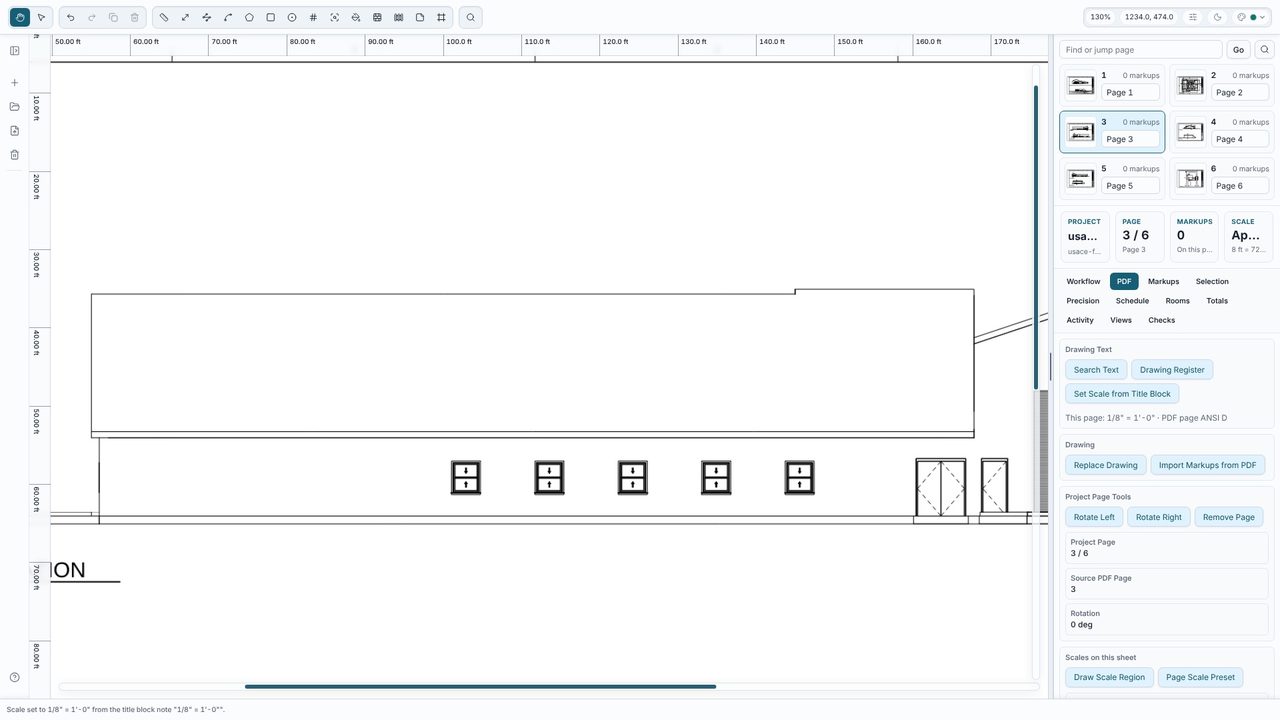
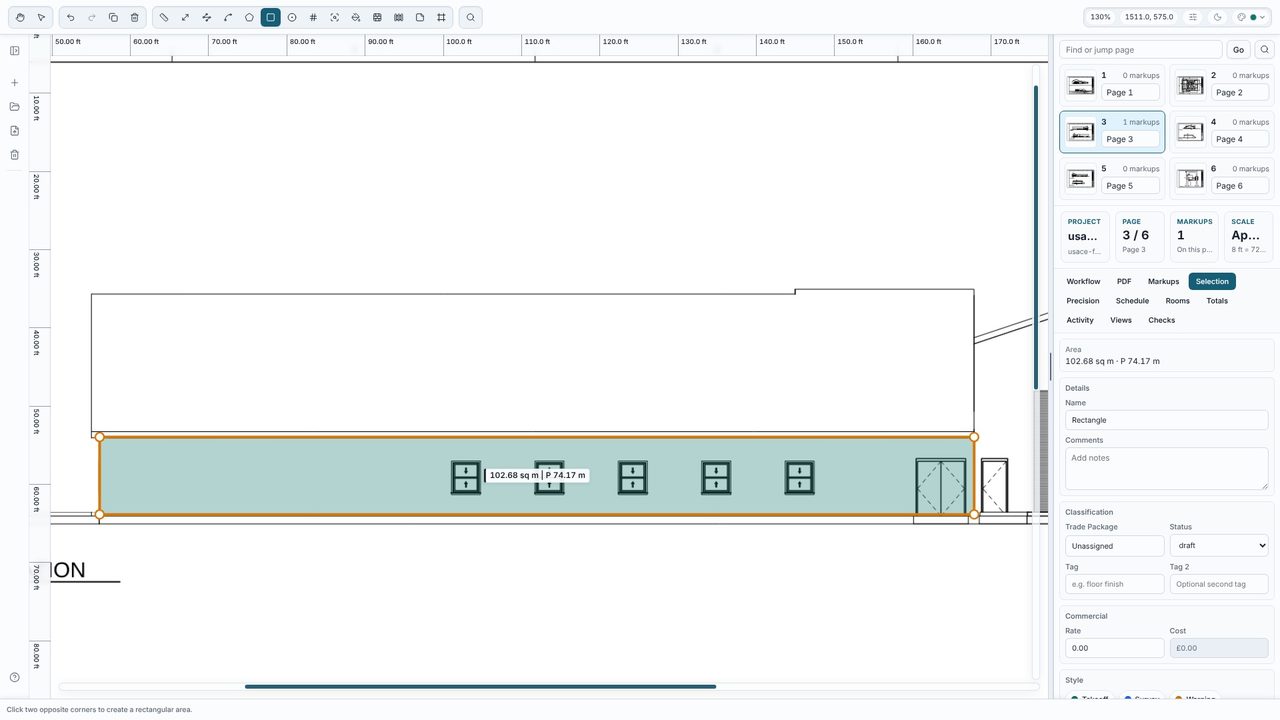
Choose Rect (B) and click two opposite corners of the wall face you're plastering - here from the ground line up to the underside of the fascia. For a gable or any other shape use Area (A) and click each corner. The gross area shows on the drawing: 102.68 m².
Select the wall, and in the Selection tab under Cutouts choose Add rectangular cutout, then click two corners of a window. Do the same for every window and door. Each opening shows as a gap in the fill and the label changes to the net figure. Use Add cutout for an arched or odd-shaped opening.
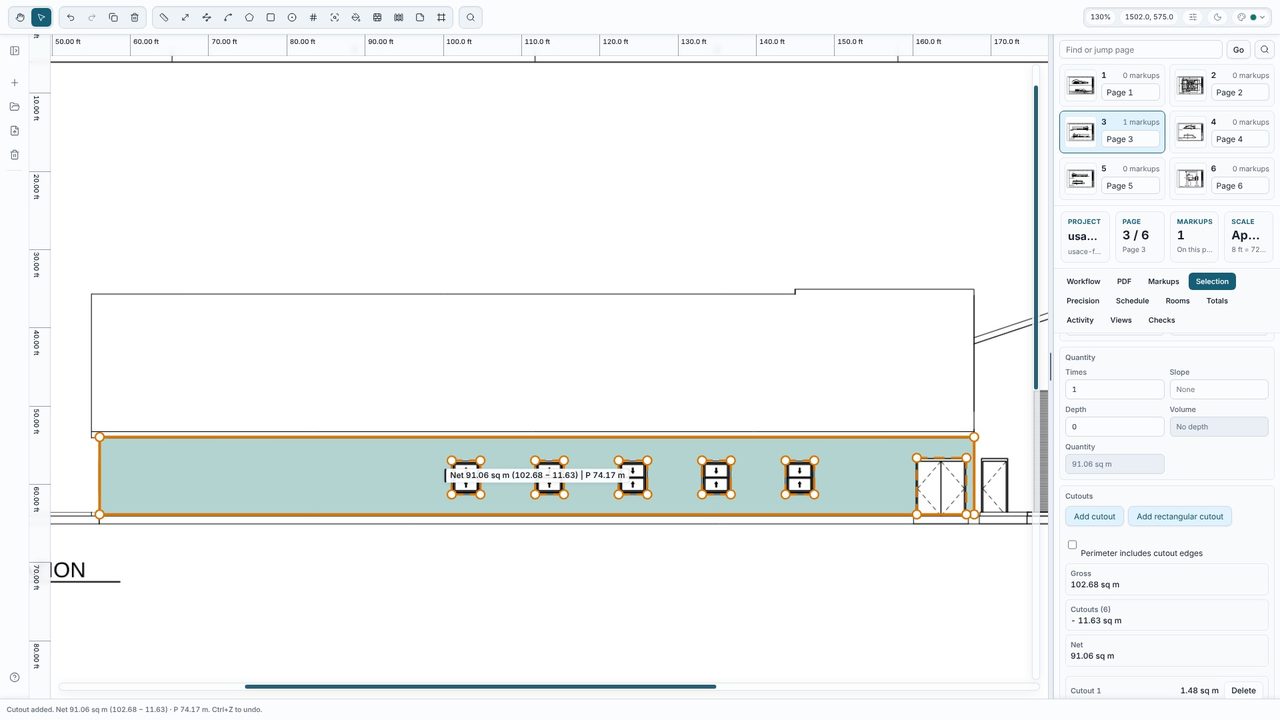
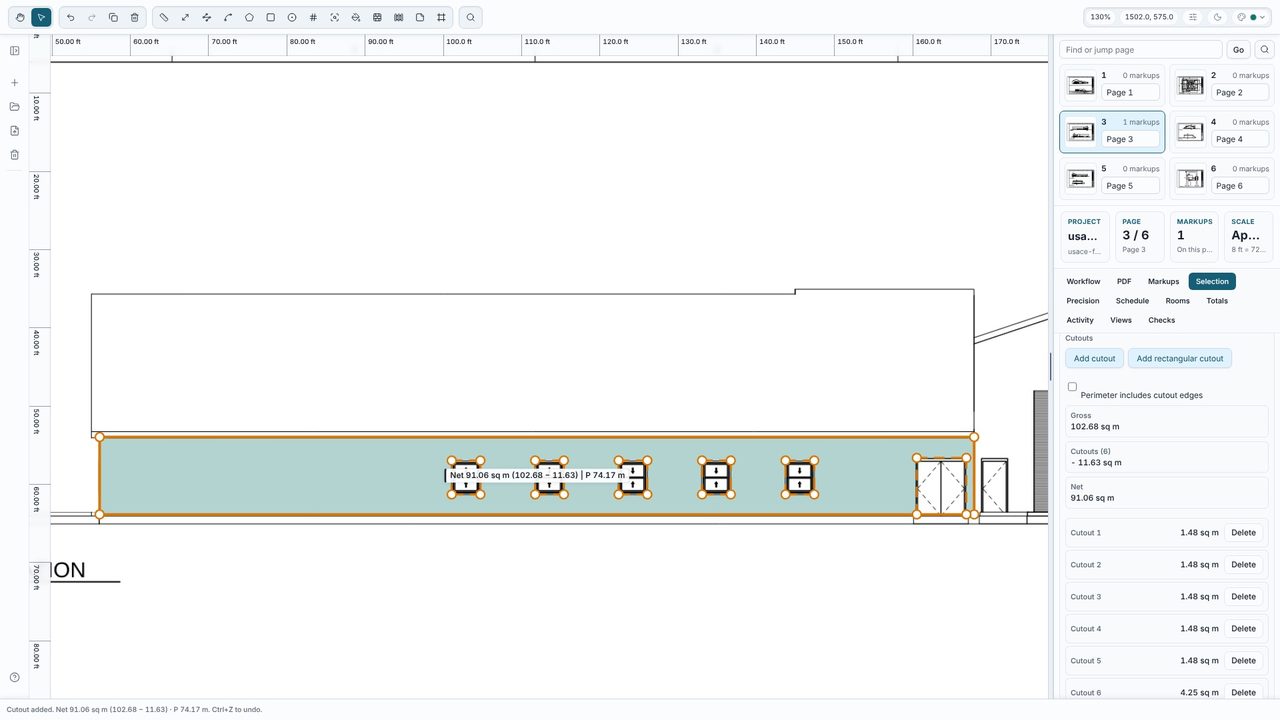
The Selection tab lists the gross area, each cutout and the net area - 91.06 m² here, after 11.63 m² of openings. The net figure is what goes into the Totals, the schedule and any export, so the wall is priced on what you'll actually plaster.
Render - north elevation so the totals group the way you price.Yes. Areas, rectangles and cutouts are all part of the free Takeoff Studio, with no account. Takeoff Studio Pro (£24.99 a month or £199.99 a year, first month free) adds rooms and finishes, which work out wall areas from a plan and ceiling height, plus exports and costed schedules.
Yes. Measure the wall length with Polyline and multiply by the wall height yourself, then take off the openings. Or, with Pro, make each room a room: give it a ceiling height and add its doors and windows, and the Rooms tab lists the wall area less openings for every room.
Yes. In View Options choose Units: Imperial to show square feet. Metric and imperial can be switched at any time - the measurements don't change.
No. Takeoff Studio is a Windows app and works offline - the PDF and your measurements stay on your PC.
