How-to guide
Copy the rows from your spreadsheet, paste them into Map and choose which column is the postcode. UK postcodes are looked up 100 at a time, so a sheet of jobs or customers is on the map in seconds.
In Map choose Import → Paste rows from Excel, or press Ctrl+Shift+V.
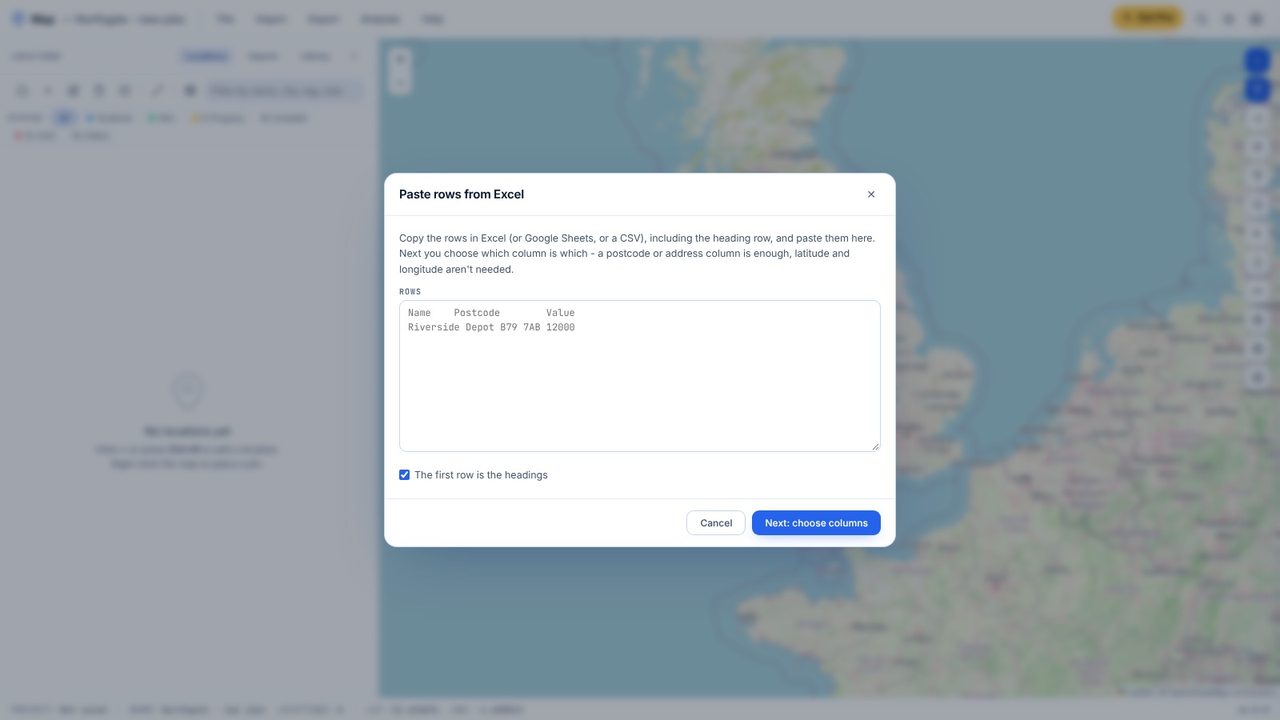
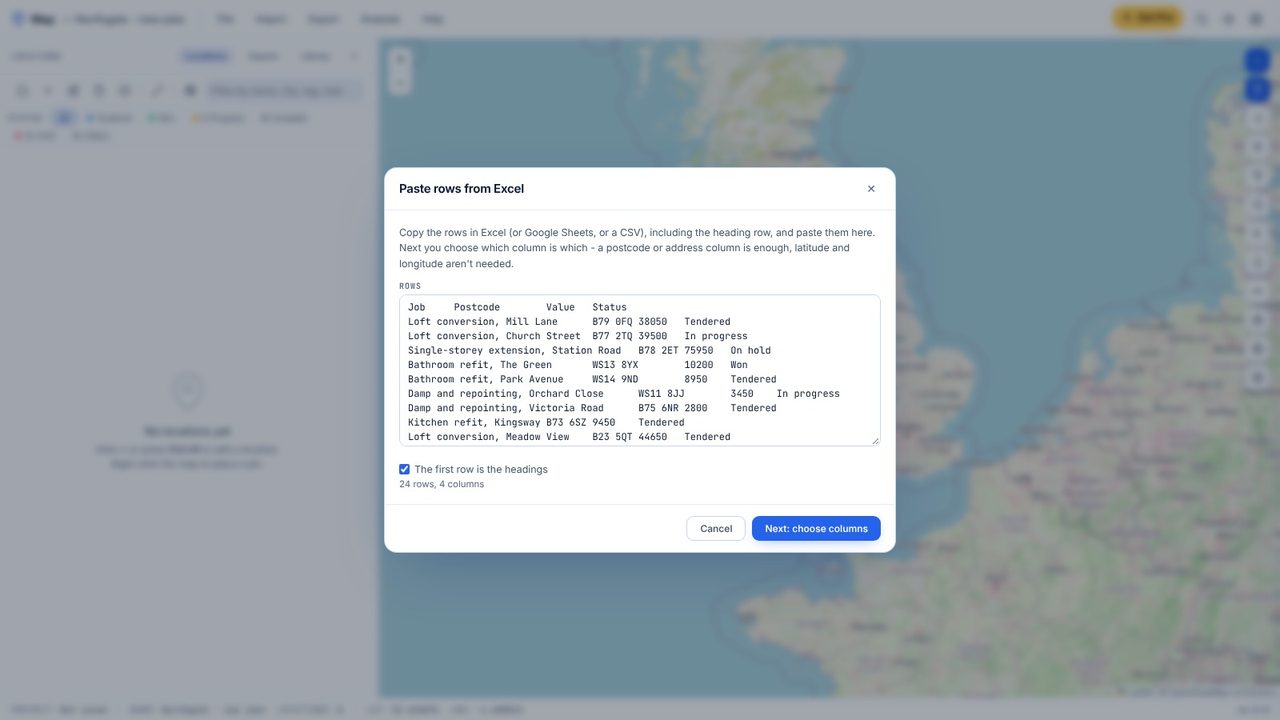
Copy the rows in Excel, headings included, and paste them into the box. Map counts the rows and columns.
Map guesses the name and postcode columns - check them, and match any others (status, tag, your own fields).
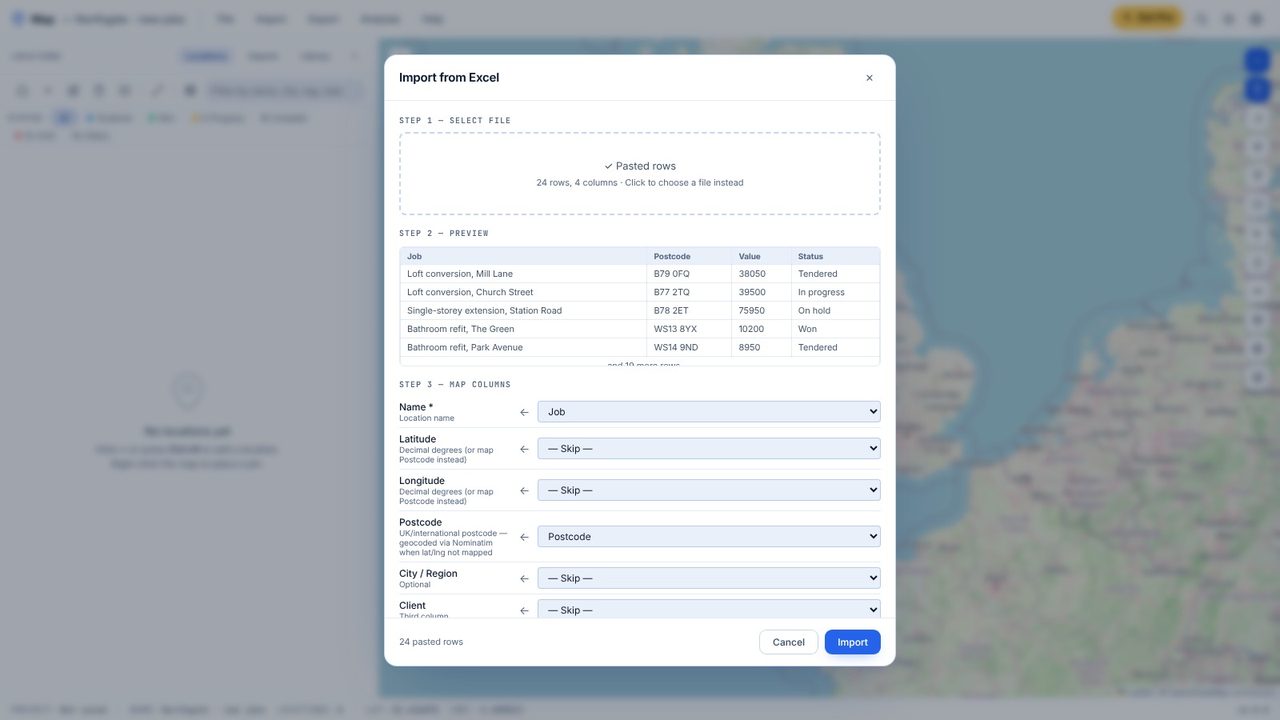
Click Import. UK postcodes are looked up in batches of 100; anything else (a street address, a place name) one a second.
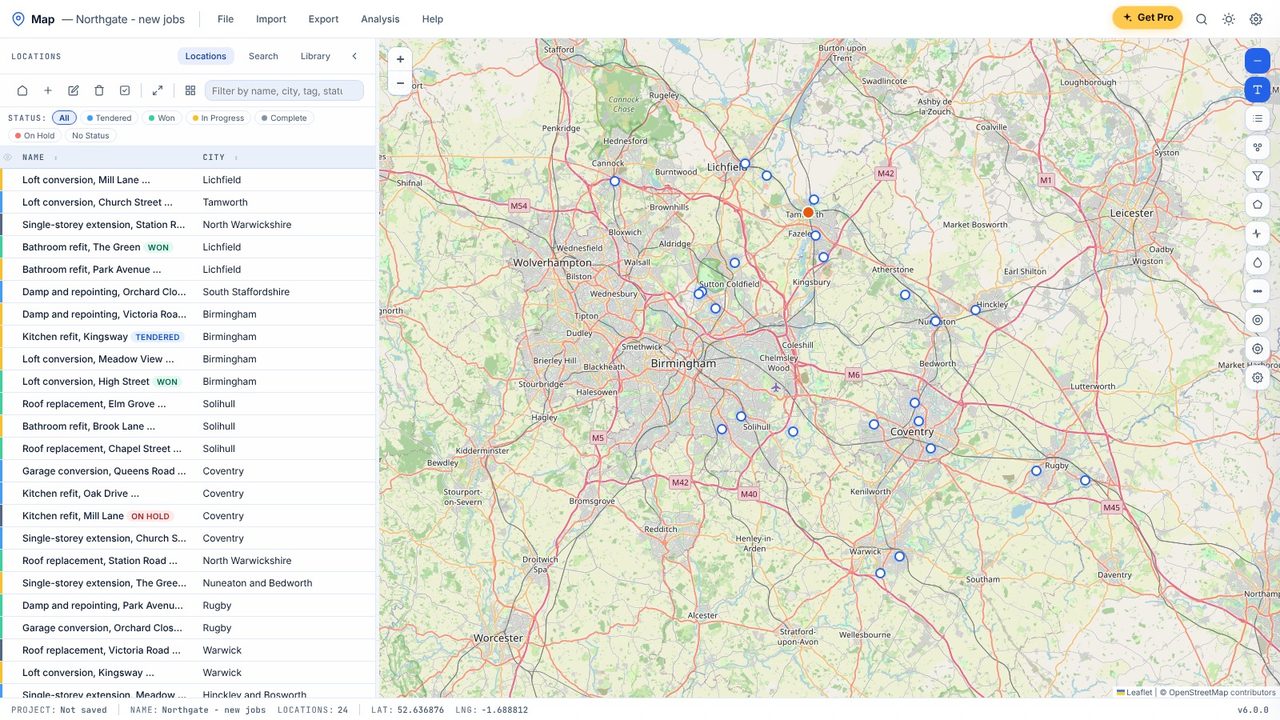
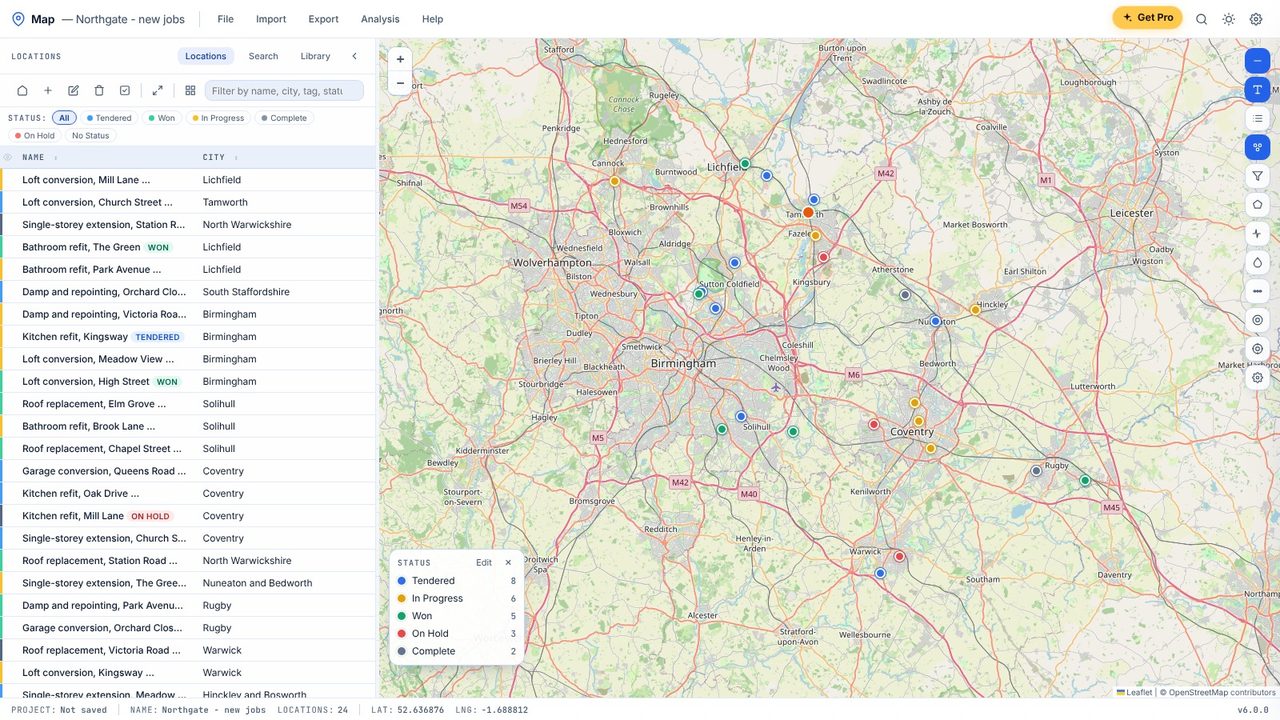
The locations appear on the map and in the list - colour them by any column with C.
Yes. Pasting rows, importing Excel and CSV files and the postcode lookup are free in Map, with no account.
No. A postcode or address column is enough - Map looks the places up for you.
From postcodes.io, which uses the Office for National Statistics' postcode directory (Open Government Licence). Other addresses come from OpenStreetMap.
