How-to guide
Once the drawing is measured, the bill still has to be written: items, units, work sections, references. Takeoff Studio Pro does that part too. Assemblies turn each measurement into the items it needs, and NRM2 bill exports an Excel bill in NRM2 work-section order, with live formulas so it recalculates as you price it. Pro has a free first month, and your drawings never leave your PC.
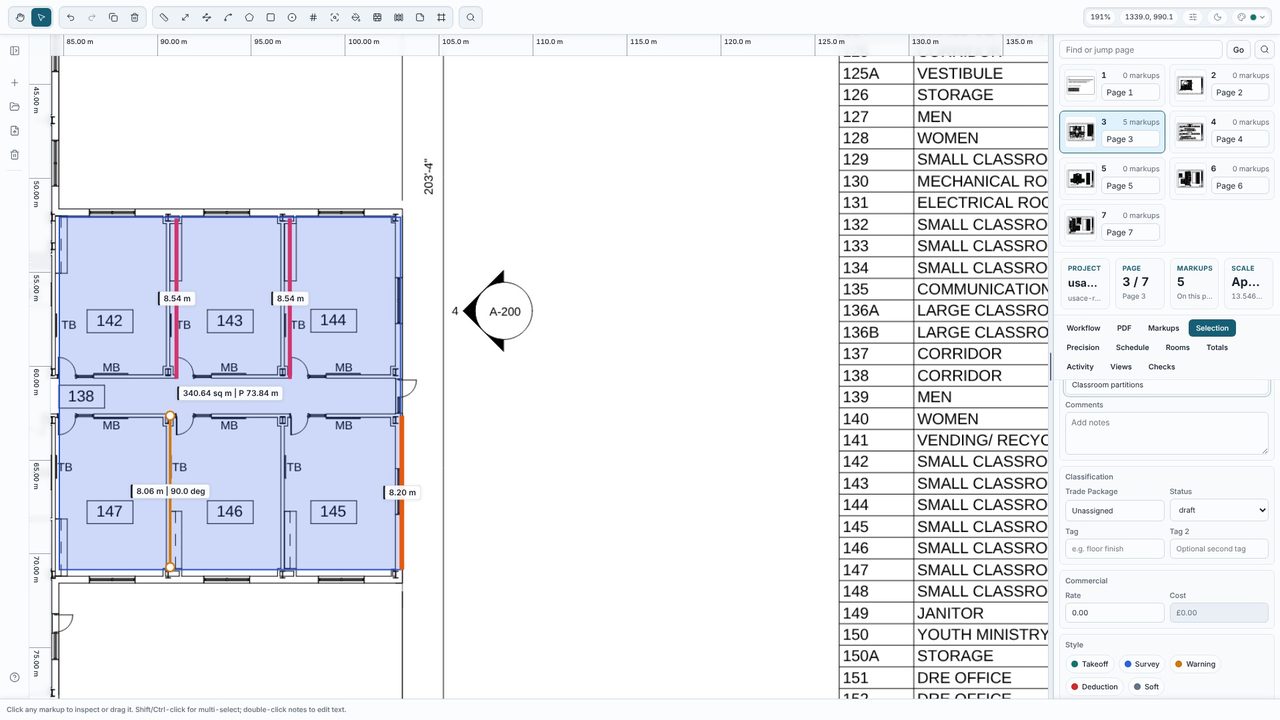
Measure the drawing as usual - here a slab, external blockwork and classroom partitions on a calibrated plan. Select each measurement and give it a clear name in the Selection tab, such as Classroom partitions; the name becomes the description in the bill.
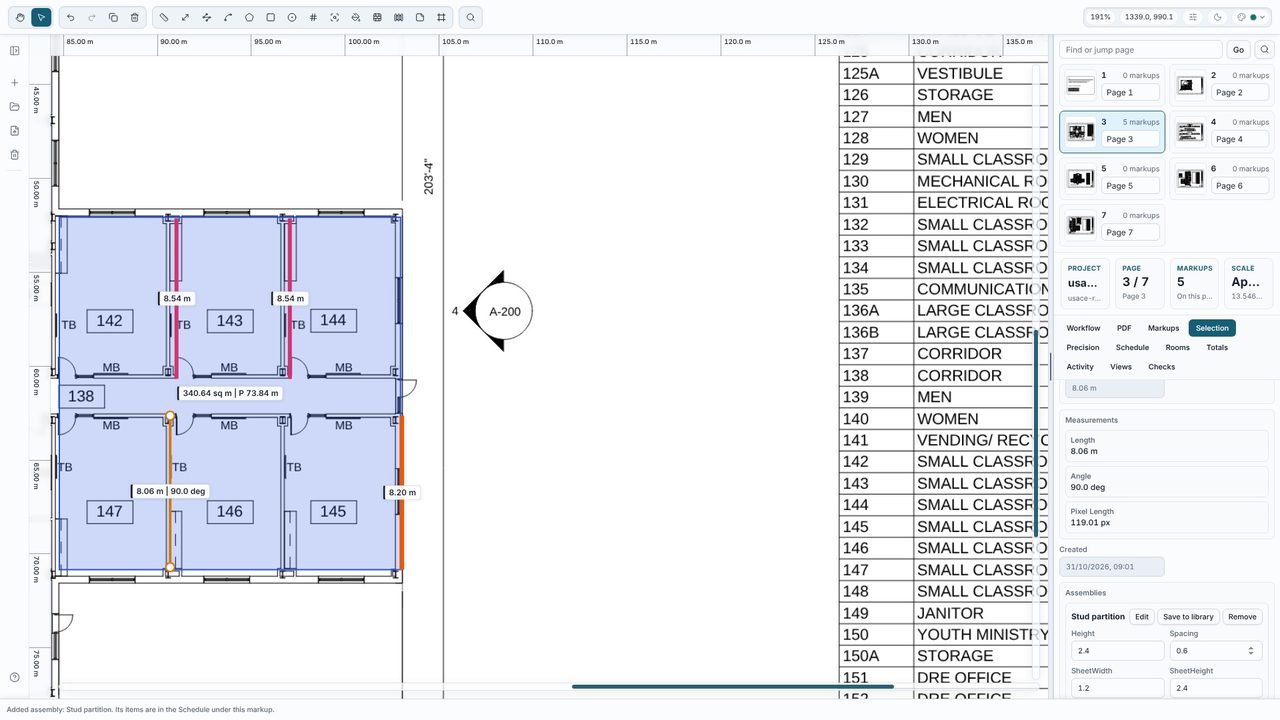
Under Assemblies in the Selection tab, choose a preset - Stud partition, Concrete slab, Block wall or Skirting - and click Add. One partition length becomes plasterboard sheets, metal studs at centres, head and floor track, screws, joint tape and labour, worked out by formulas. Change the variables (height, spacing and so on) right there, or click Edit for the full recipe.
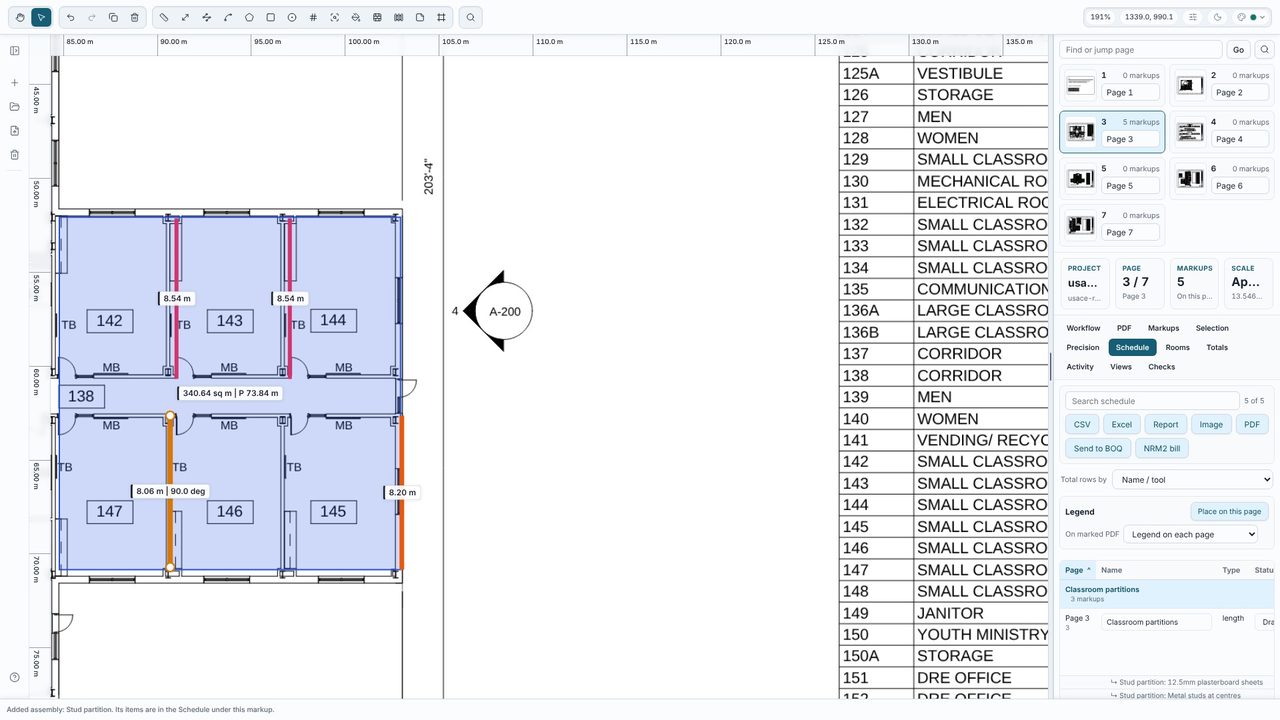
Open the Schedule tab. Each measurement is listed with its assembly items underneath, with quantities and units. Add rates here if you want a priced bill - they carry through to the export.
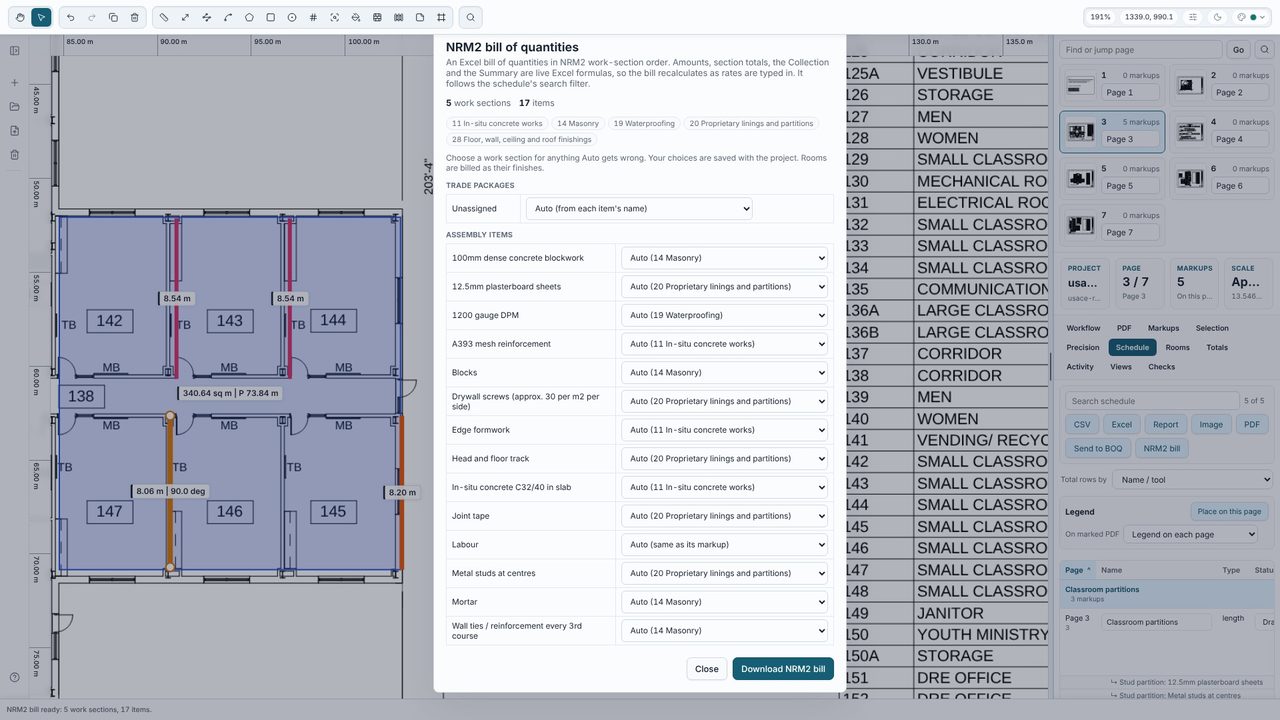
Click NRM2 bill in the Schedule tab. Takeoff Studio puts every item in an NRM2 work section - picked automatically from its name, tag or trade package - and lets you change any of them; here that's 5 work sections and 17 items. Click Download NRM2 bill for an Excel workbook with Bill, Collection and Summary sheets: item references, NRM2 units, a Drawings column, and amounts and totals as live formulas (quantity x rate).
No - assemblies and the NRM2 bill are part of Takeoff Studio Pro (£24.99 a month or £199.99 a year, first month free). Measuring is free in Takeoff Studio, with no account.
Yes. Amounts are live Excel formulas (quantity x rate), as are the section totals, the Collection and the Summary, so the bill updates as you type rates.
It picks a work section for each item from its name, then its tag and trade package - for example 11 In-situ concrete works, 14 Masonry, 28 Floor, wall, ceiling and roof finishings or 29 Decoration. You can change any of them in the NRM2 dialog before you download.
No. Takeoff Studio is a Windows app and works offline - the PDF, your measurements and the bill stay on your PC.
