How-to guide
A housing scheme is the same sequence of trades repeated plot after plot. Drawn as a Gantt chart that is hundreds of bars; drawn as a line of balance, each trade is one line moving through the plots, its slope is the gang's rate of work, and lines that converge show trades about to catch each other up. Metre2 Programme Studio Pro draws the line of balance from the programme itself, so it stays in step with the logic and the critical path.
Open your housing programme, or choose Housing development on the start screen for 12 plots in three blocks with their trades, infrastructure and handovers. Each activity needs a location, a code such as Block or Plot; the template sets one up.
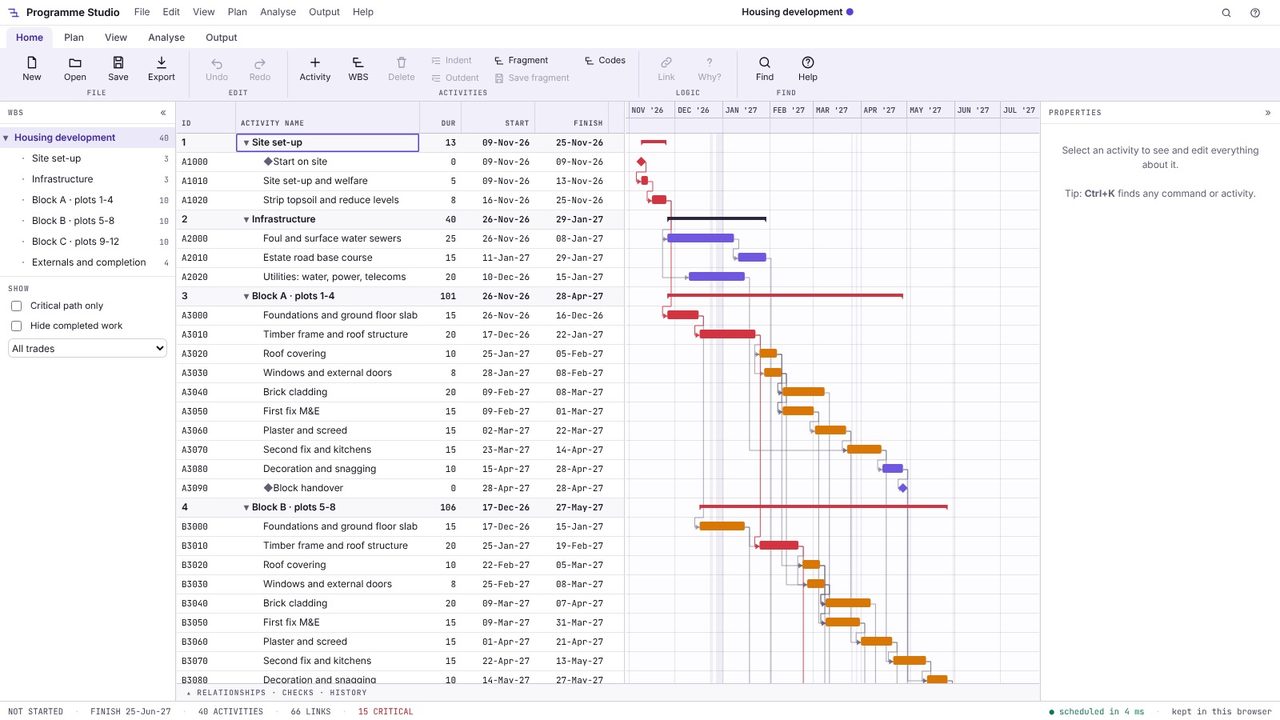
Choose View > Line of balance. Locations run up the side and time along the bottom; each trade is a flow line moving through the blocks. A steep line is a fast gang; a shallow line is a slow one. Lines that close up show a trade catching the one in front, and milestones such as block handovers are diamonds.
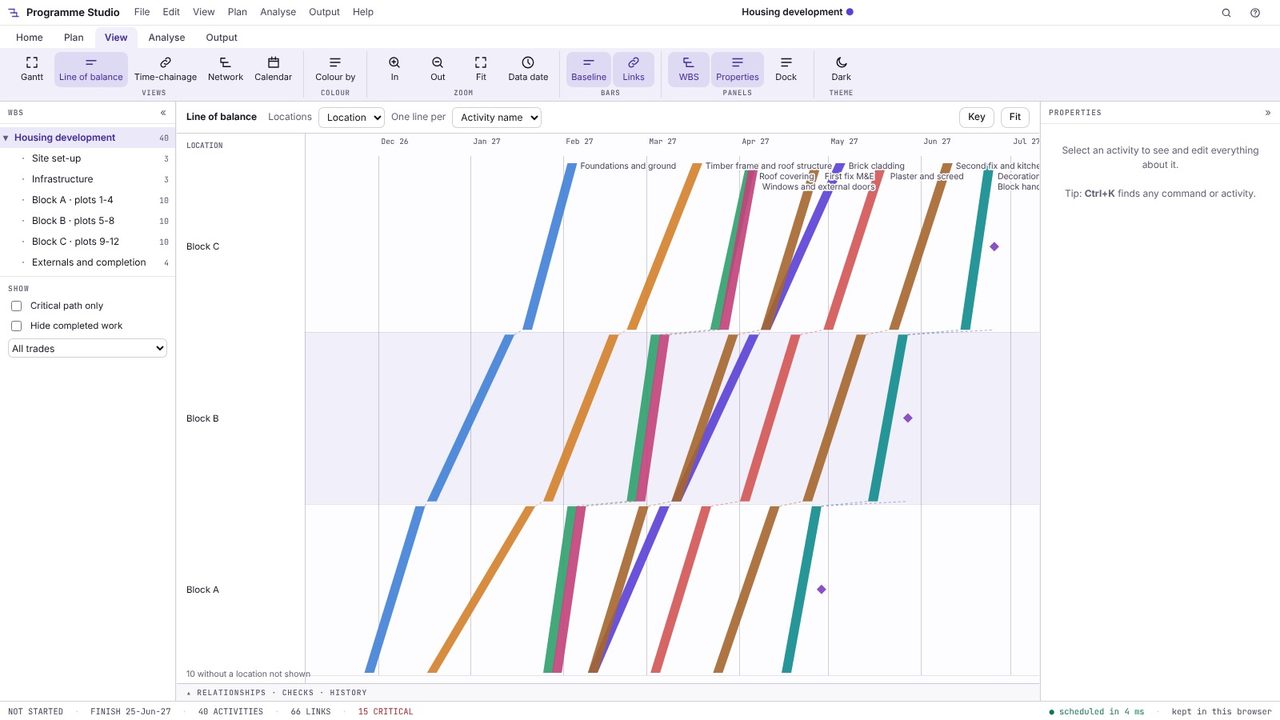
Choose Key for what the colours mean. Lines are coloured by trade here; change it in View > Colour by to colour by WBS or any activity code.
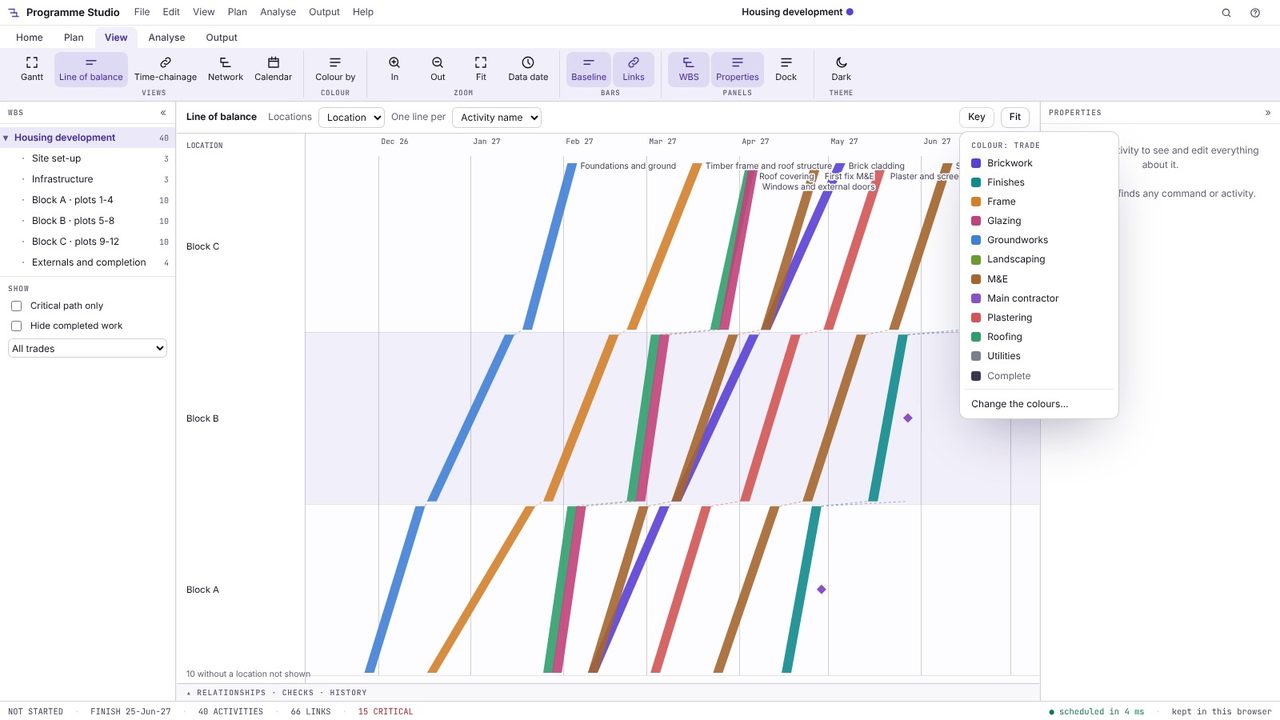
Hover over a line for its dates and float, and click it to select the activity; its properties, logic and why it is on its dates open on the right, as in the Gantt chart. Change a duration or a link and the lines move.
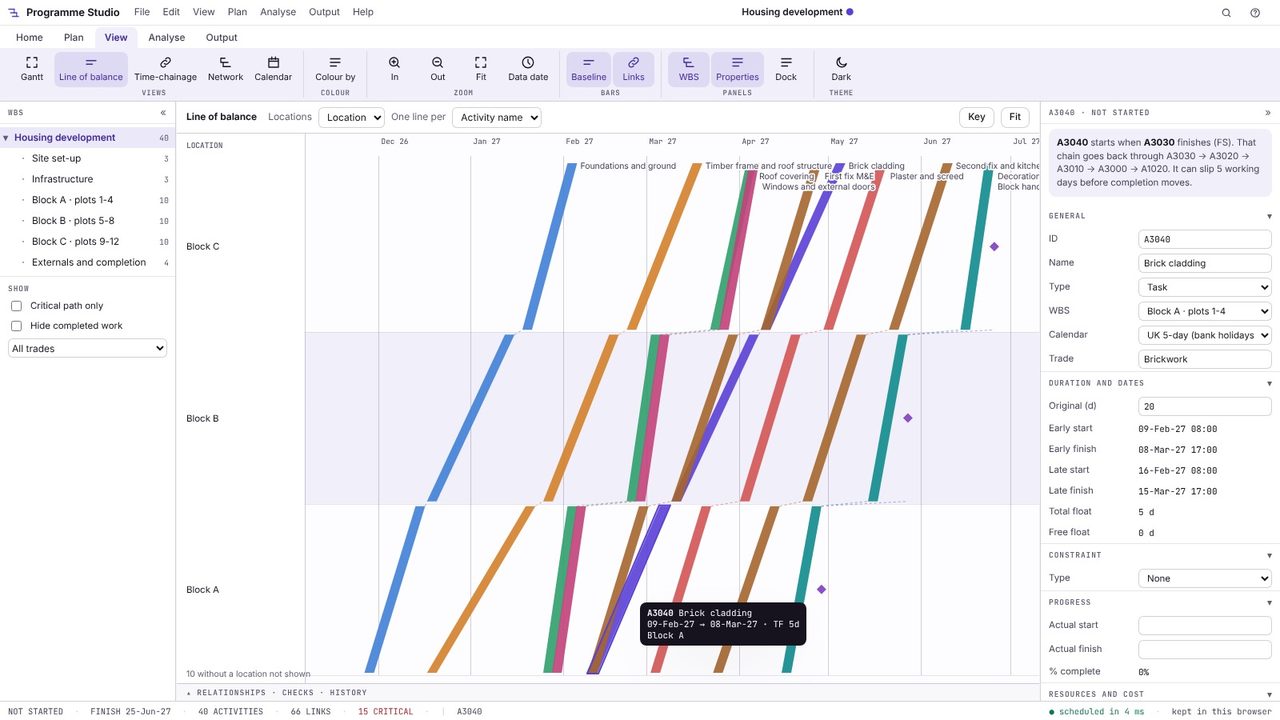
Use One line per to draw a line for each activity name, each trade or each location, and Locations to choose which code goes up the side (block, plot, floor or zone).
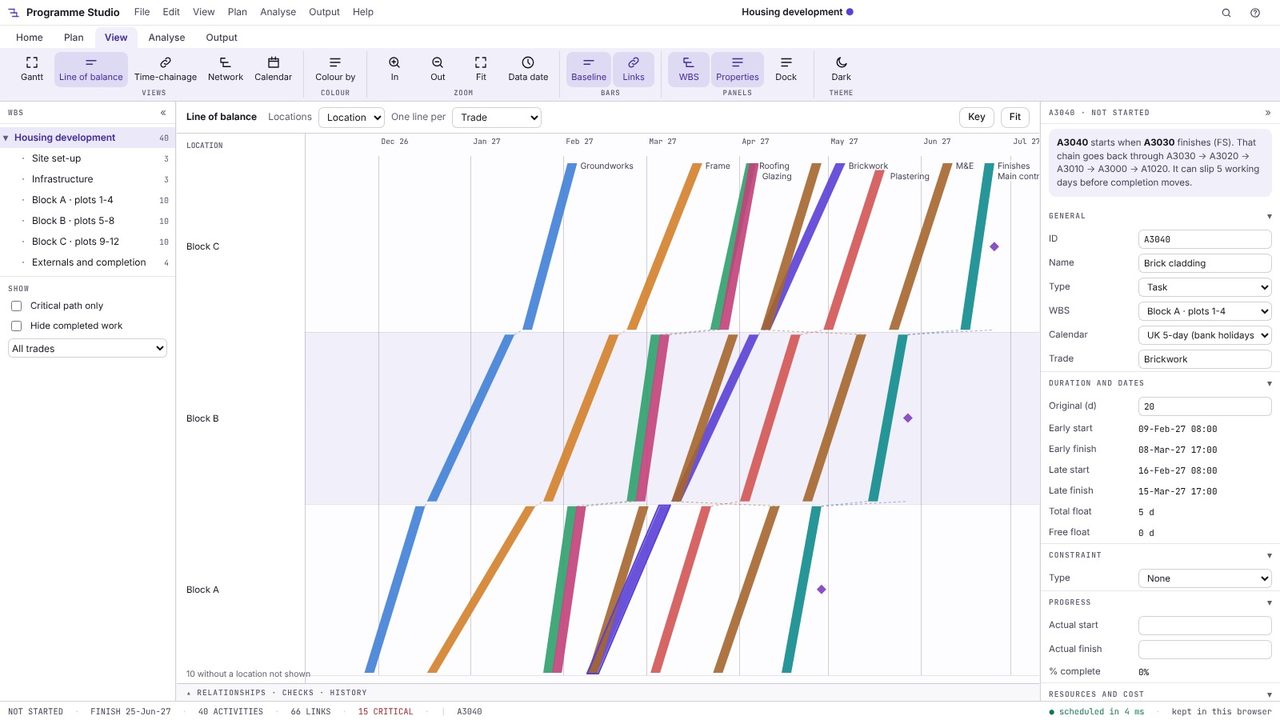
A way of drawing a programme for repetitive work, with locations (plots, floors, blocks) on one axis and time on the other, so each trade's work through the locations is a single line. The slope of the line is that trade's production rate.
For repeating work it is far easier to read: you see the rate of each trade, where trades would clash or wait for each other, and how changing one gang's rate affects the rest, which a Gantt chart of hundreds of similar bars hides.
Yes. Open it in Programme Studio Pro and give the activities a location code (activity codes from P6 come through), then switch to the line of balance view.
Programme Studio is free to open and view programmes of any size and to build or edit programmes of up to 50 activities. Pro adds this and every other planning tool, with no activity limit, for £29.99 a month or £249 a year. The 7-day free trial needs a Metre2 account but no payment details.
