How-to guide
Years of email can sit in a single .pst file long after the program that made it has gone. Metre2 Mail, free on Windows, reads the file itself, shows every folder in it, and imports the ones you pick into your account - in matching folders, with duplicates skipped.
Right-click the folder you're importing into - the Inbox here - or go to Settings > Accounts.
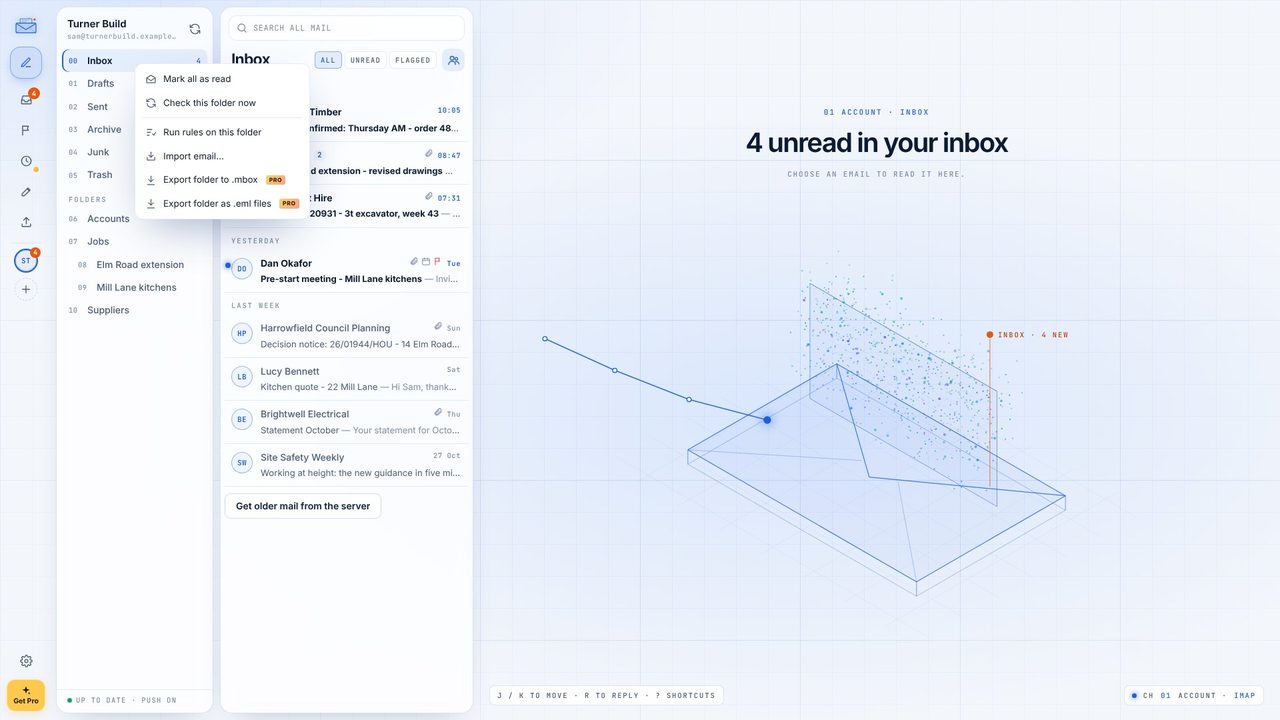
Import email... opens the import window. It takes .pst, .ost, .mbox and .eml files.
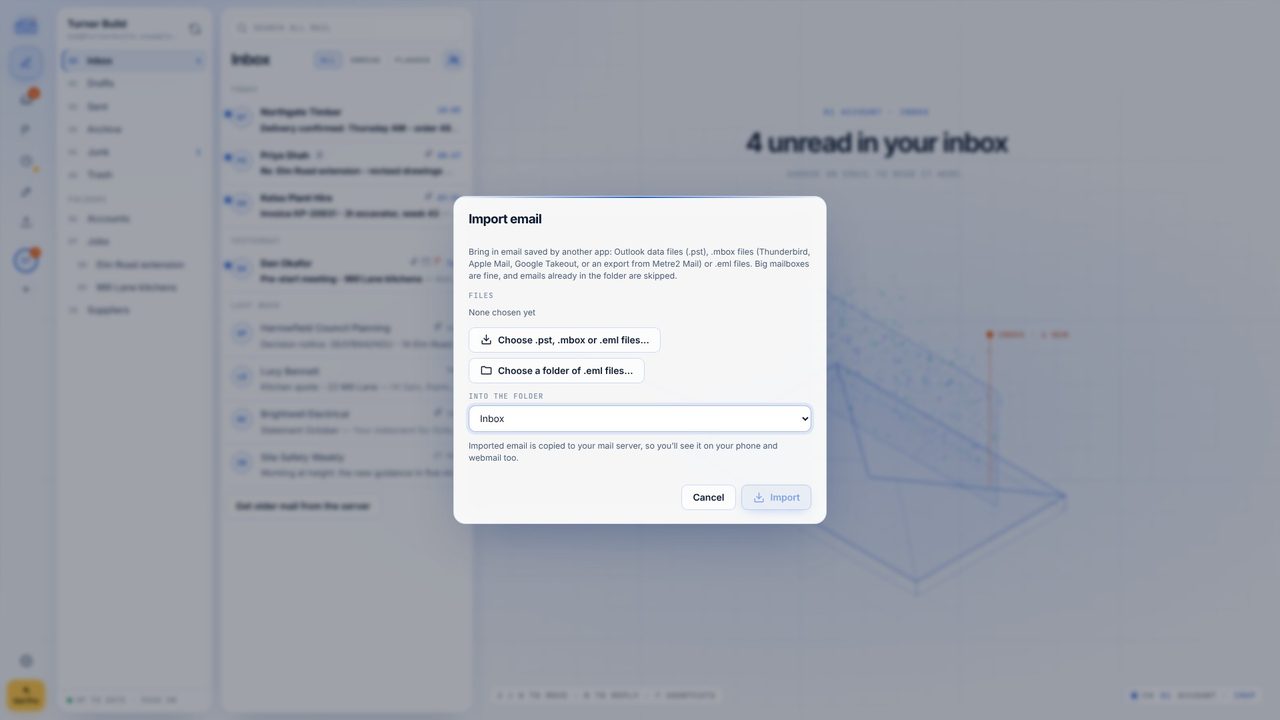
Choose Choose .pst, .mbox or .eml files... and pick your .pst on its own. Mail reads its folders and counts the emails in each.
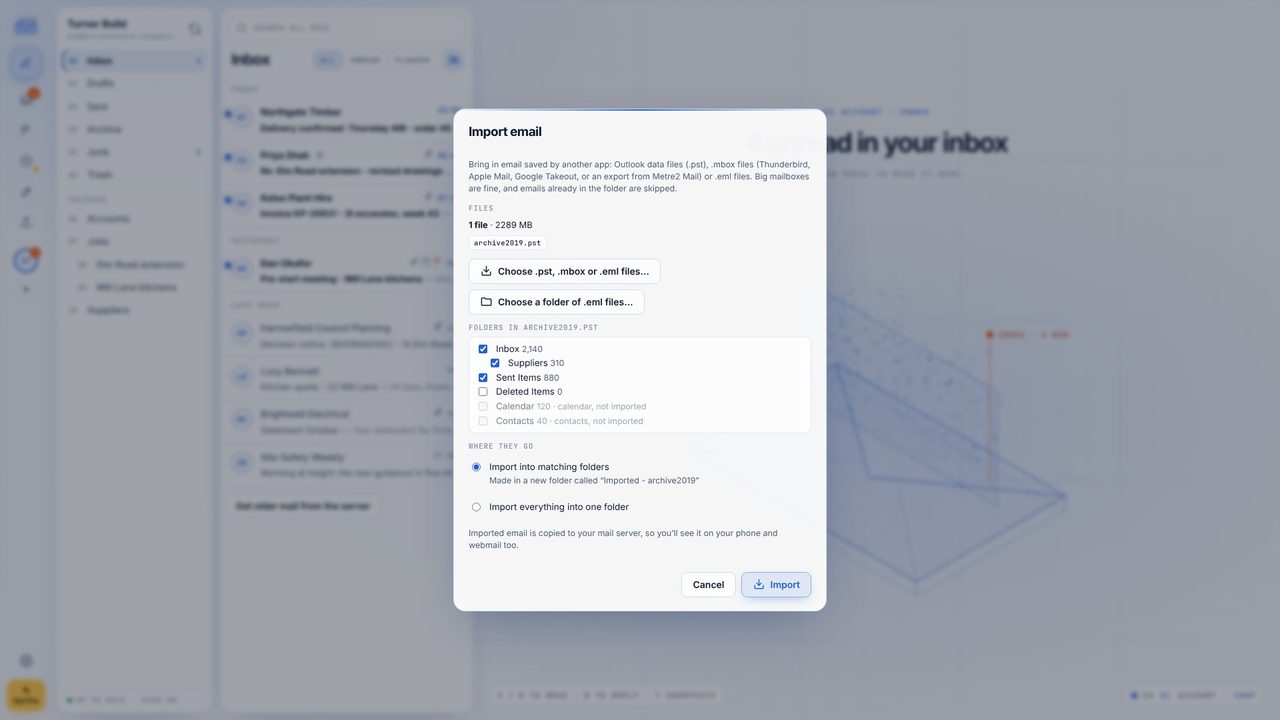
Untick anything you don't need - Sent Items here. Calendar items, contacts and tasks aren't email, so they're left out and counted.
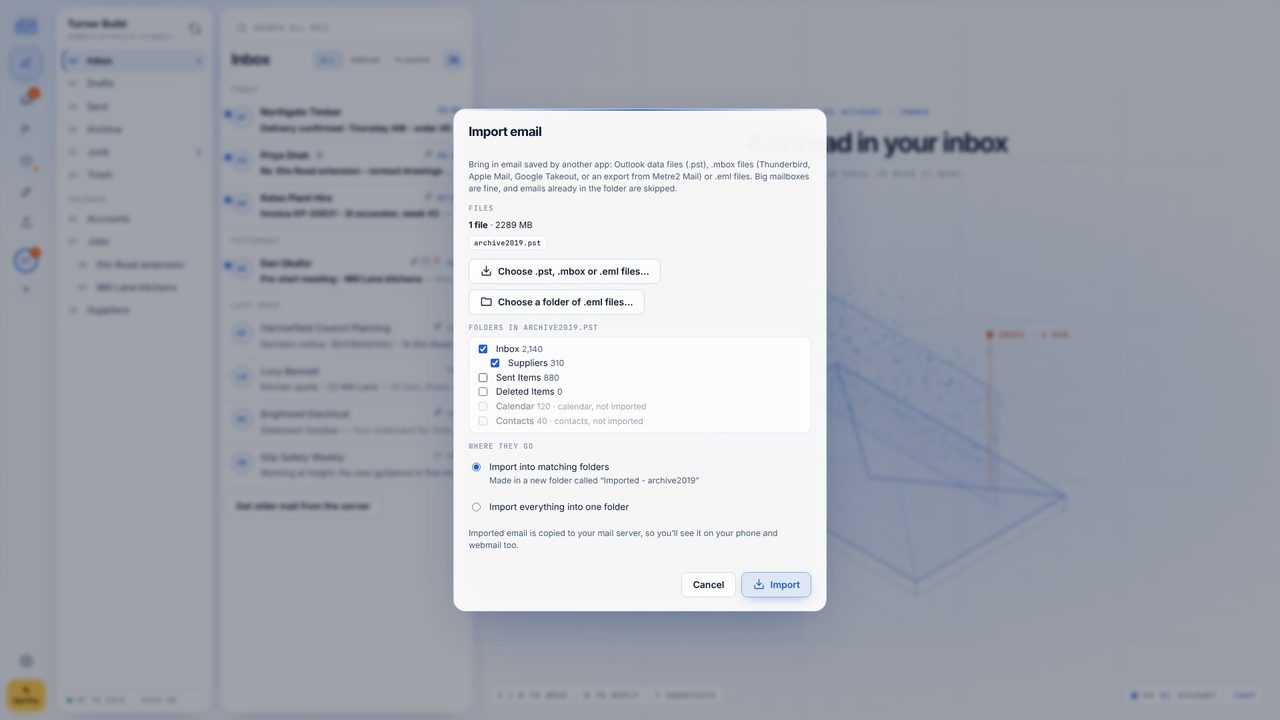
Import into matching folders makes a new folder called "Imported - file name" with your folders inside. Or import everything into one folder.
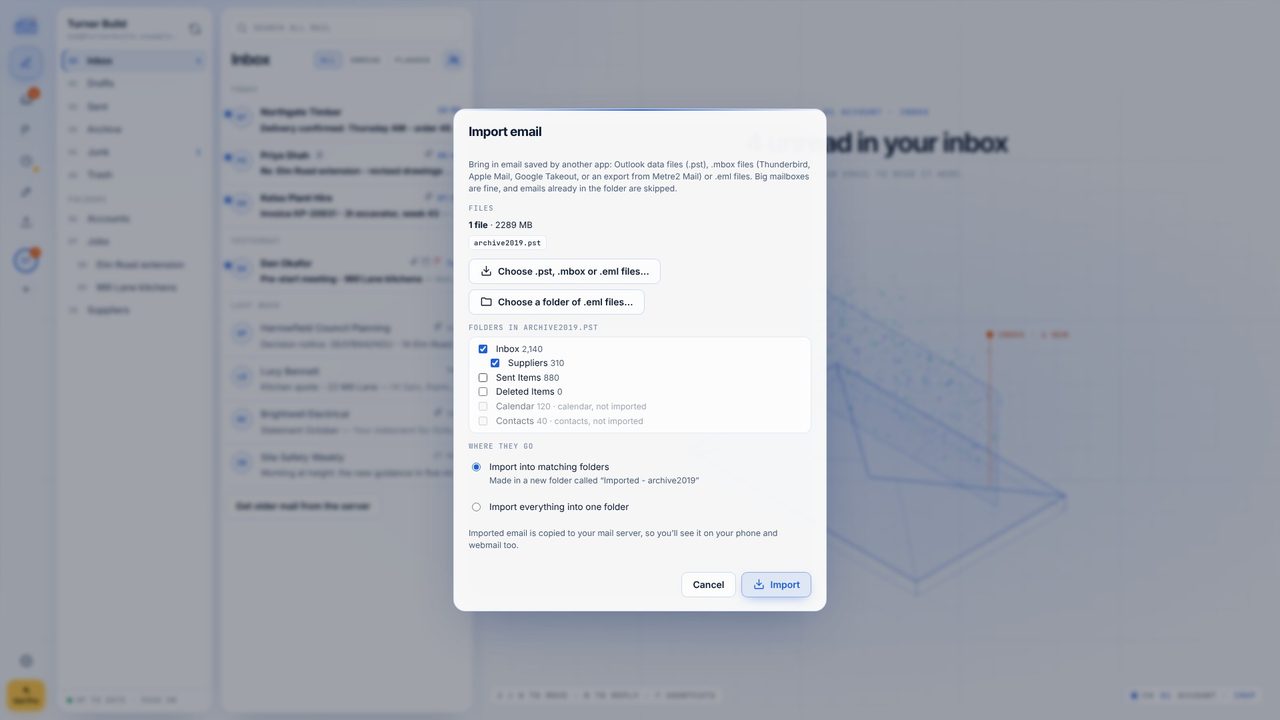
Progress shows as it goes, with duplicates skipped and Cancel if you need it. You can close the window - it carries on.
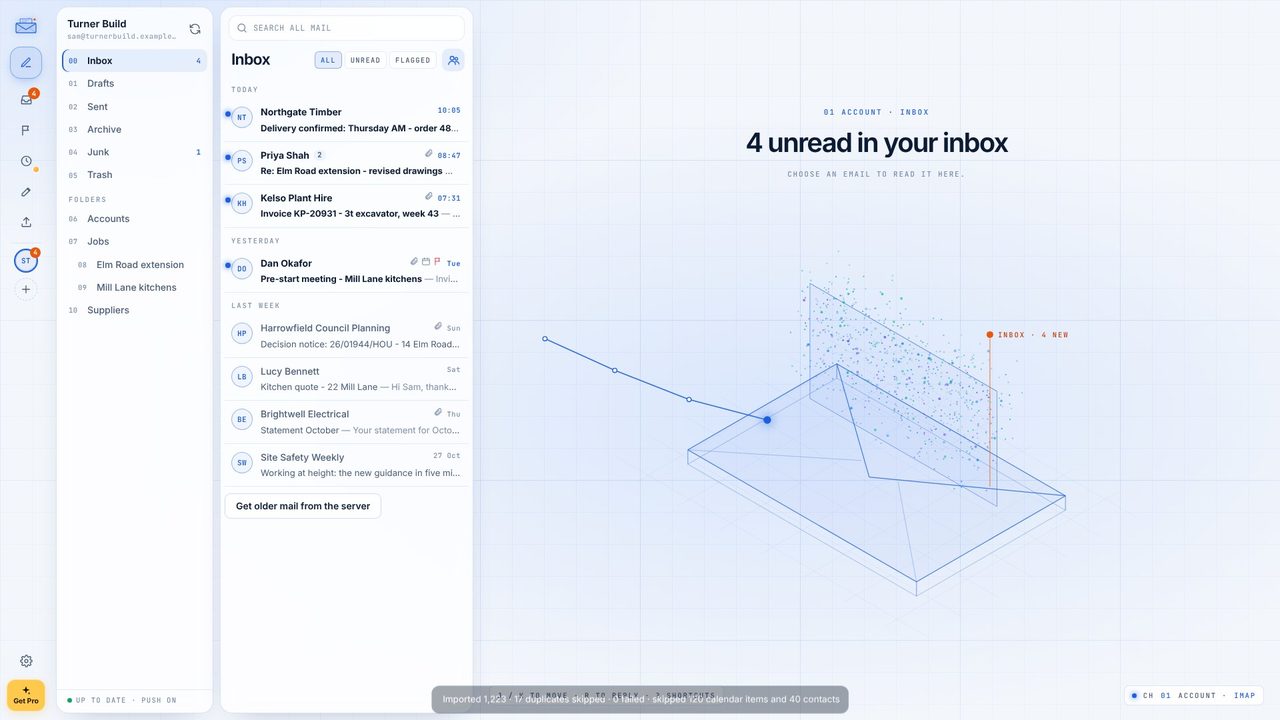
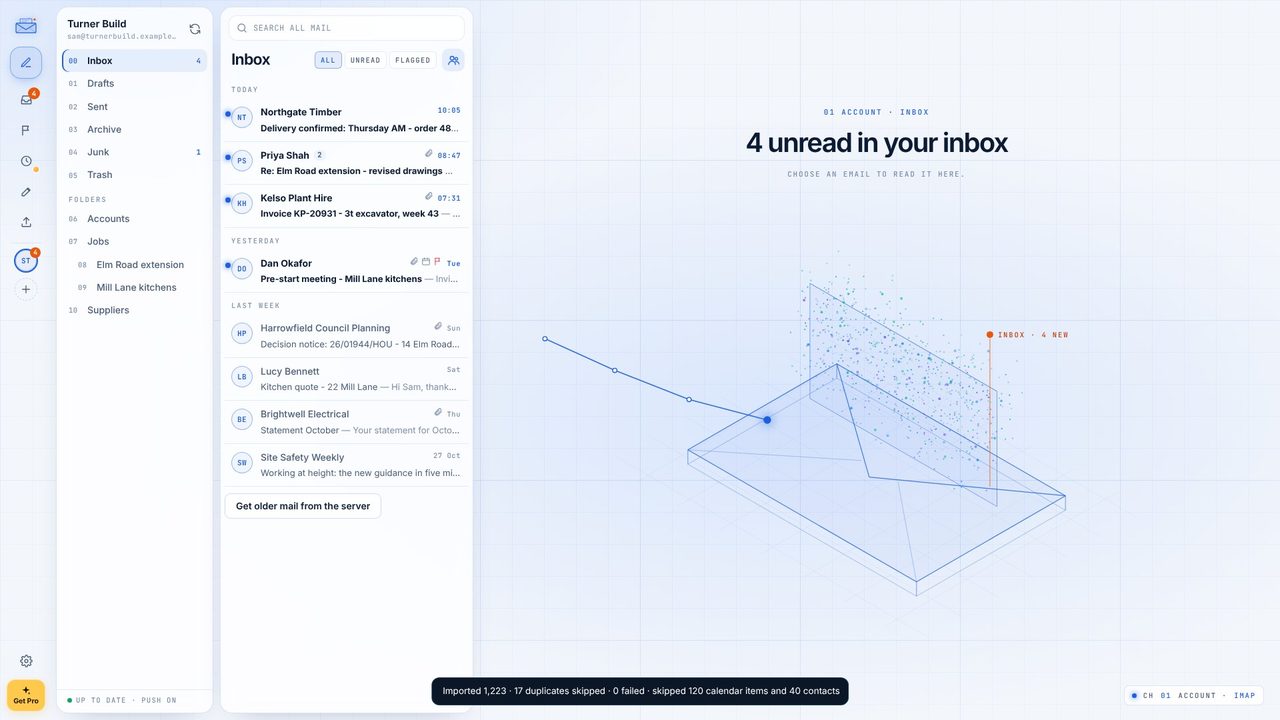
The summary says how many came in, how many were already there and what wasn't email.
No. Metre2 Mail reads .pst and .ost files itself.
Yes. Importing .pst, .ost, .mbox and .eml files is free in Metre2 Mail. Exporting is part of Mail Pro.
Yes - original dates, read and unread, attachments and attached emails come across.
