How-to guide
A saddle-stitched booklet is printed on sheets that are folded, nested inside each other and stapled through the spine. So the pages can't print in order: page 1 shares a sheet with the last page, and some pages print upside down so the fold brings them the right way up. Imposition is putting each page in the right place. This guide imposes a 16-page A5 newsletter on SRA3 in Metre2 Print Imposition, checks it with the folding dummy and saves the PDF for the printer, free in your browser.
Drop your PDF on the window or use Open PDF: one page per booklet page, in reading order, ideally with 3 mm bleed. Print Imposition reads the page size and lays it out as a saddle-stitched booklet. To follow along, open the 16pp A5 newsletter sample from the start screen.
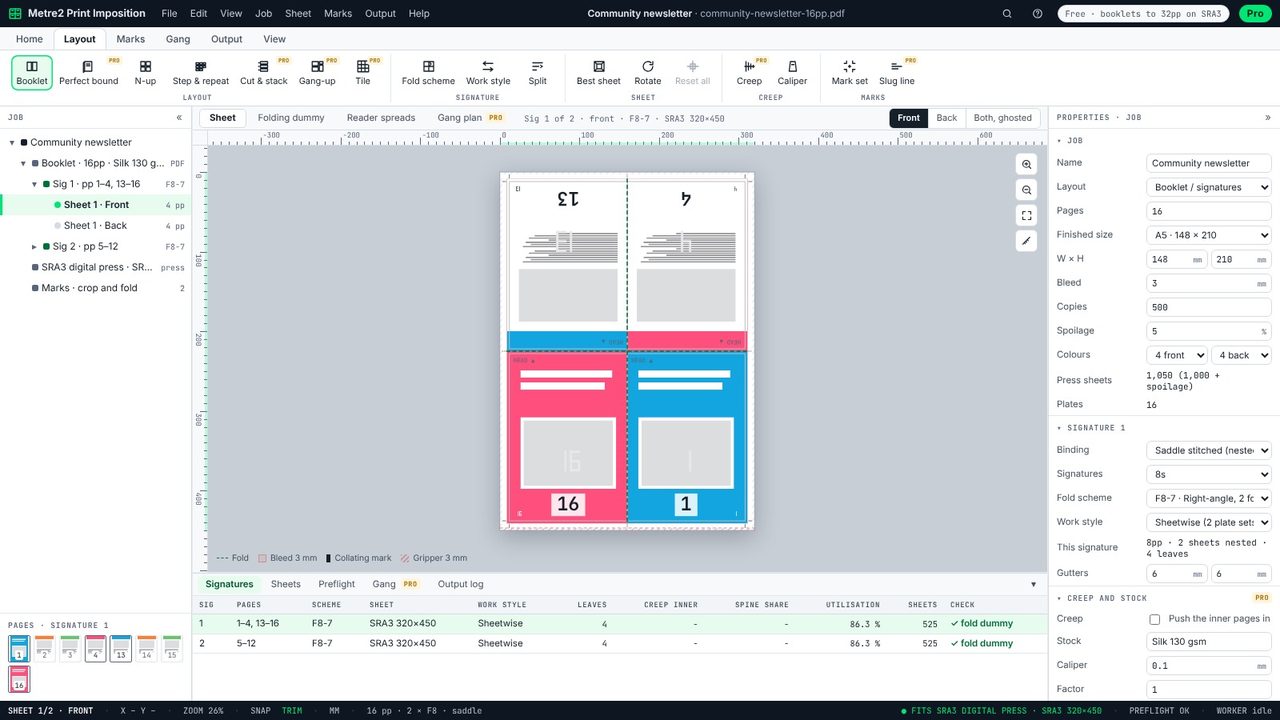
On SRA3 a 16-page A5 booklet prints as two 8-page sections. The front of the outer sheet carries pages 13 and 4 upside down above 16 and 1: page 1 and the back cover share the sheet, and the top row is turned head to head so the fold brings it round. The bleed, the fold lines and the gripper margin are drawn to scale.
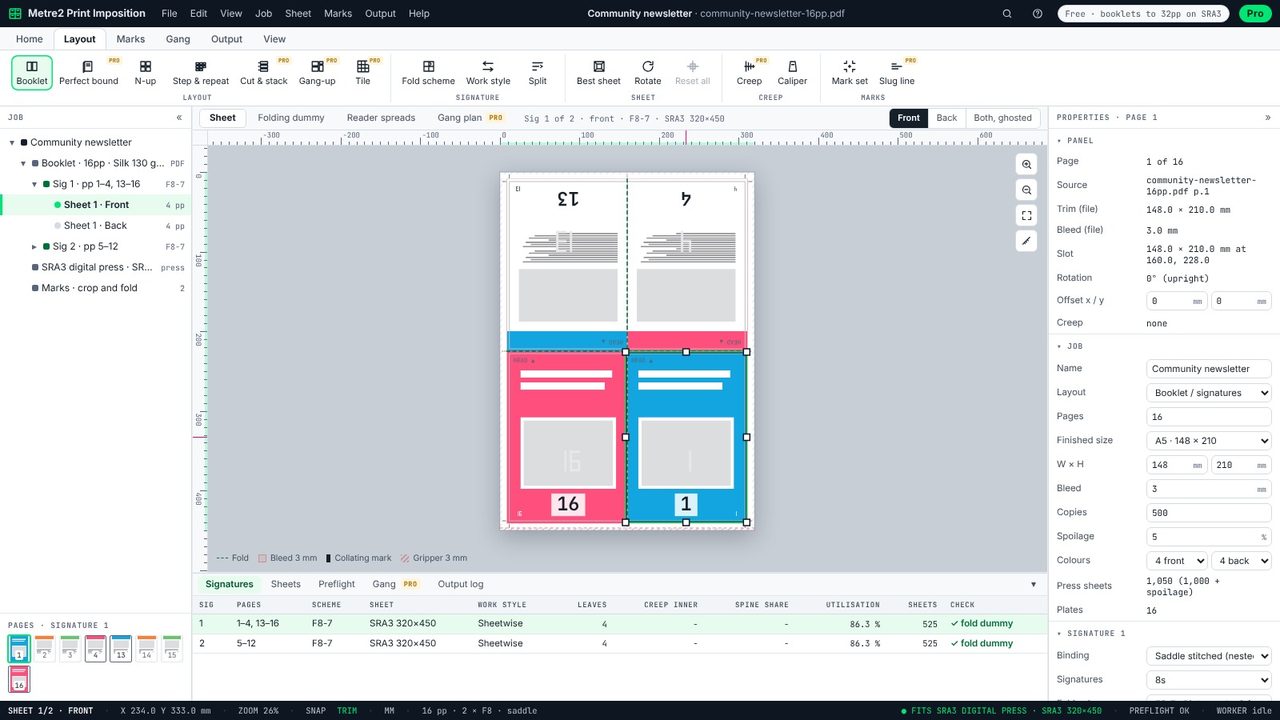
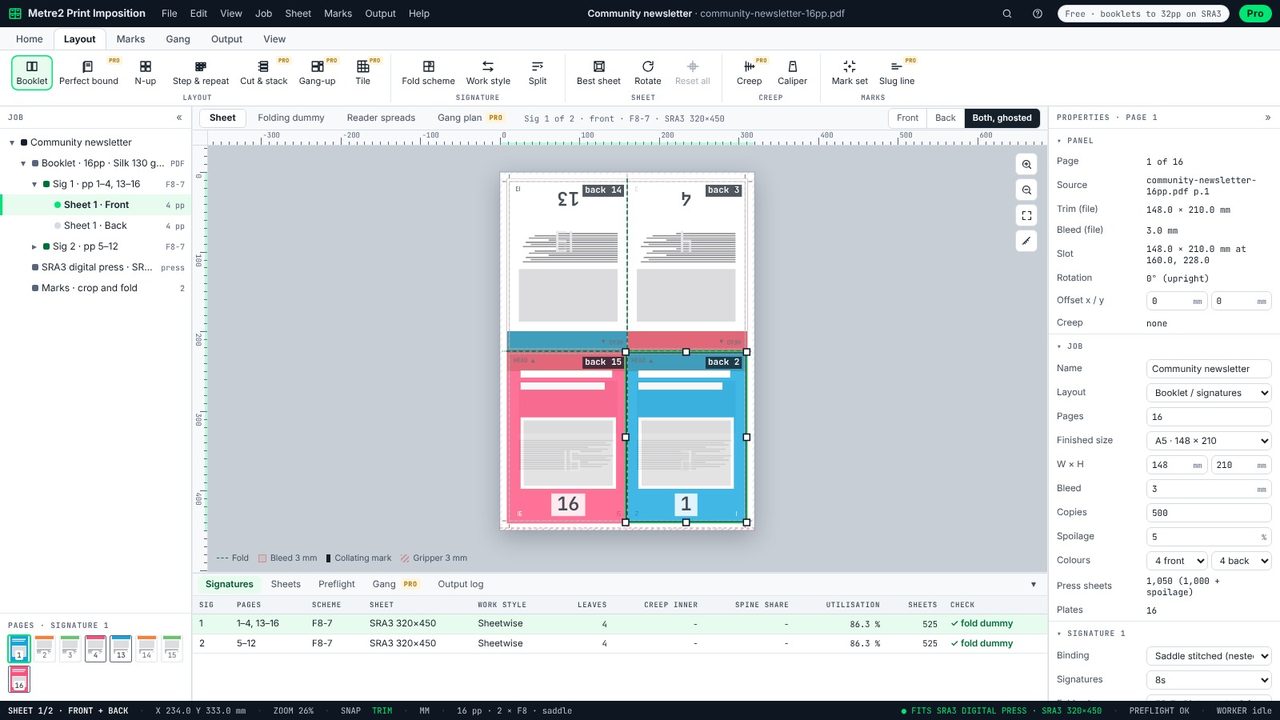
Switch to Back to see the other side, or Both, ghosted to see the back showing through the front, with each page labelled - page 1 backs onto page 2, page 16 onto 15. If a page lands on the wrong back, the job would come out in the wrong order.
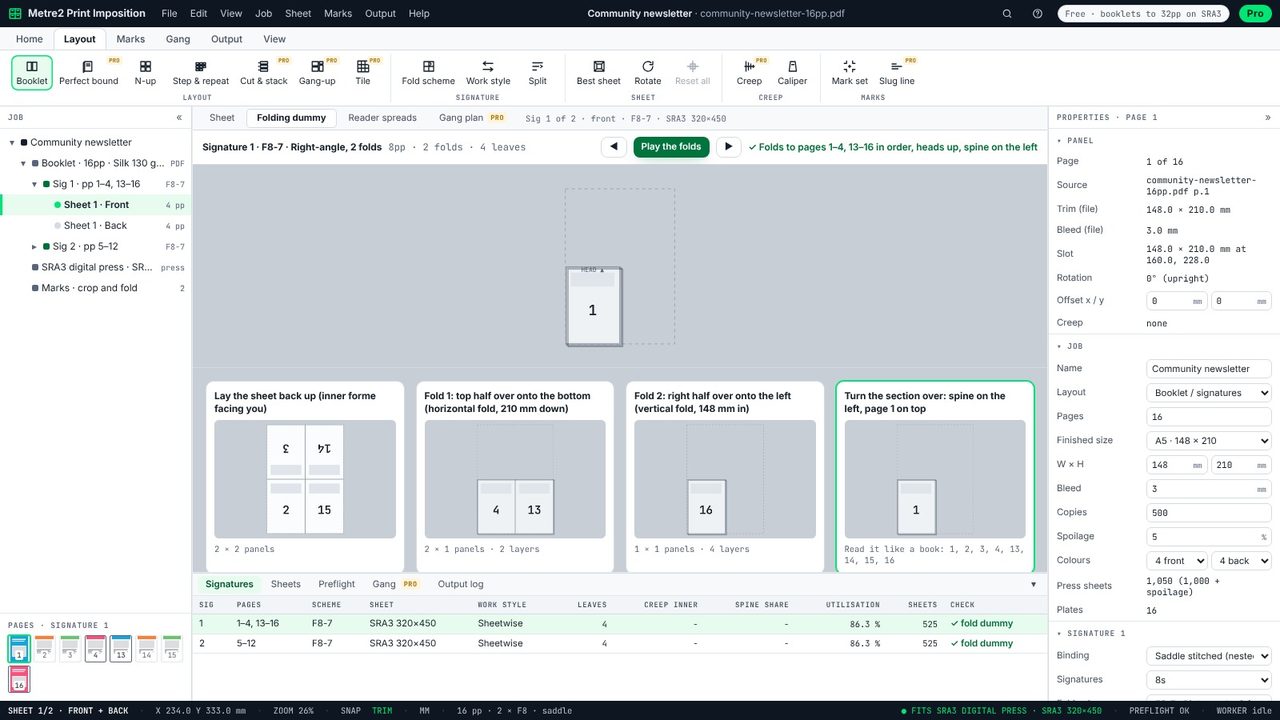
The Folding dummy view folds the sheet step by step: lay the sheet down, fold the top half down, fold the right half over, turn the section over. At the end the pages are read off the folded section, and the check says they come out in order with every head up and the spine on the left.
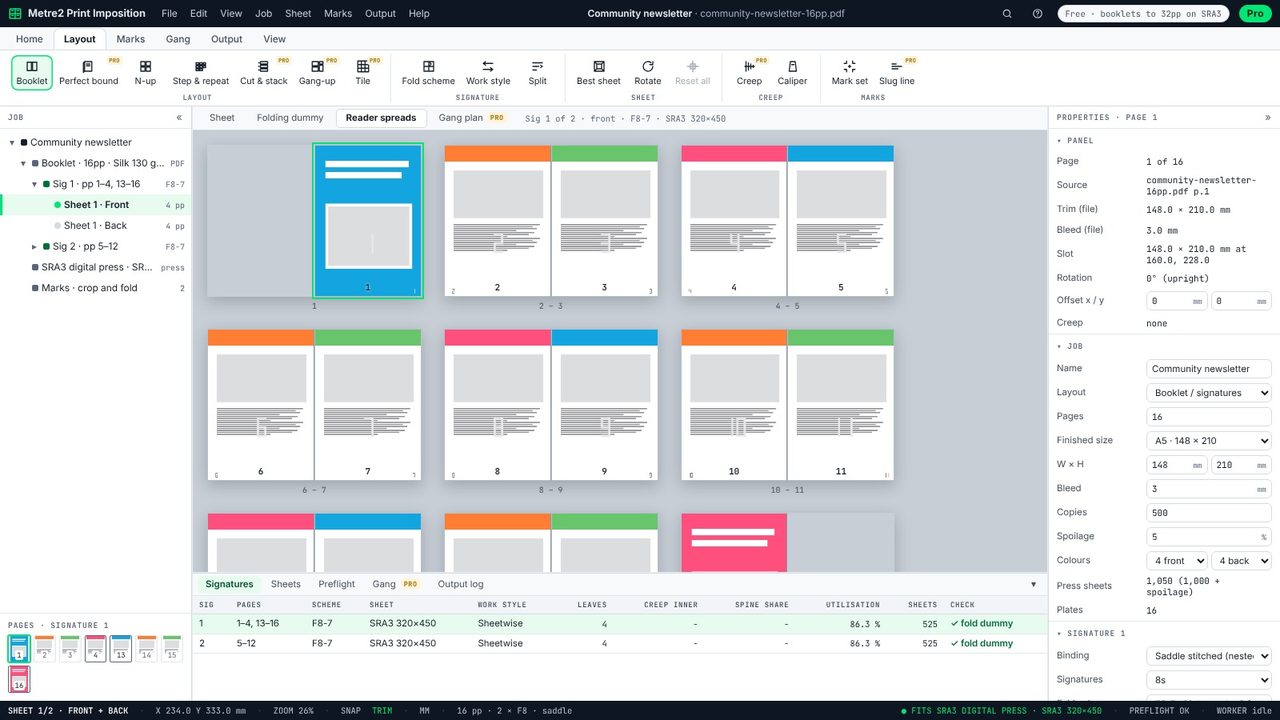
Reader spreads shows the booklet as the reader will see it: page 1 on its own, then 2-3, 4-5 and so on, with any blank pages marked. Click a page to find it on the sheet.
Output > Imposed PDF writes one PDF page per sheet side, with your pages placed as they are - fonts, vectors and colours kept, nothing rasterised - plus crop and fold marks. Send that to the printer, or print it yourself on a duplex printer. The free version has no watermark.
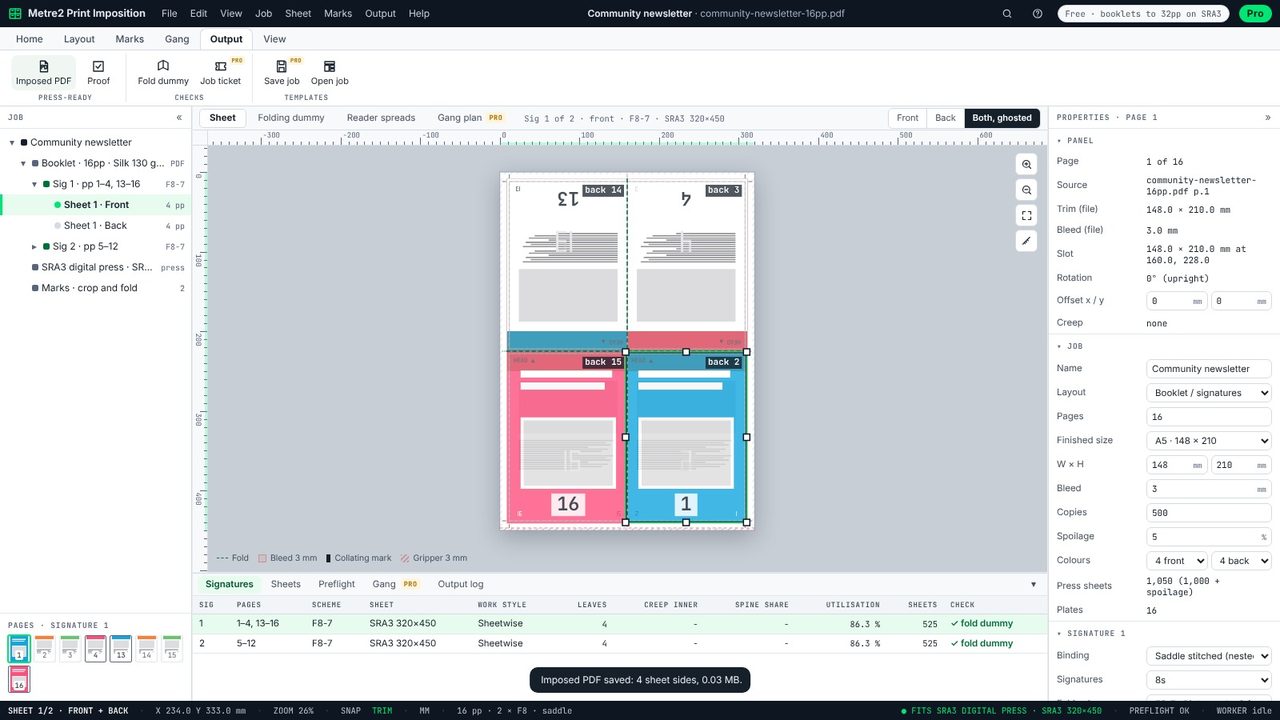
Because the sheet is folded. On a sheet that is folded across its height, the pages on the top half are turned head to head with those on the bottom, so when the top half folds down, they come out the right way up.
On each side of a folded sheet, the page numbers add up to the page count plus one: in a 16-page booklet, 1 sits next to 16, 2 next to 15, 3 next to 14 and so on. Print Imposition works this out for you and checks it by folding.
Yes for saddle-stitched booklets up to 32 pages on sheets up to SRA3, with crop and fold marks and no watermark. Print Imposition Pro adds perfect binding, longer books, bigger sheets, creep, work and turn and more.
No. Print Imposition runs in your browser: the PDF is read and imposed on your computer, and the imposed PDF is saved straight to it.
