How-to guide
A construction programme is a list of activities, how long each one takes, and the logic between them: what has to finish before the next thing can start. Get those three right and the dates, the float and the critical path follow. Metre2 Programme Studio works them out every time you type, on a UK working calendar with bank holidays, and it is free in your browser for programmes of up to 50 activities. This guide builds a house extension programme from a blank page.
Open Programme Studio and choose New programme on the start screen. Give it a title, a start date and the bank holidays to use (England and Wales, Scotland or Northern Ireland). It starts on a Monday to Friday, 8-hour calendar with a Christmas shutdown, and you can change calendars later. To start faster, pick one of the six templates instead: housing, office fit-out, M&E, highways, small works or refurbishment.
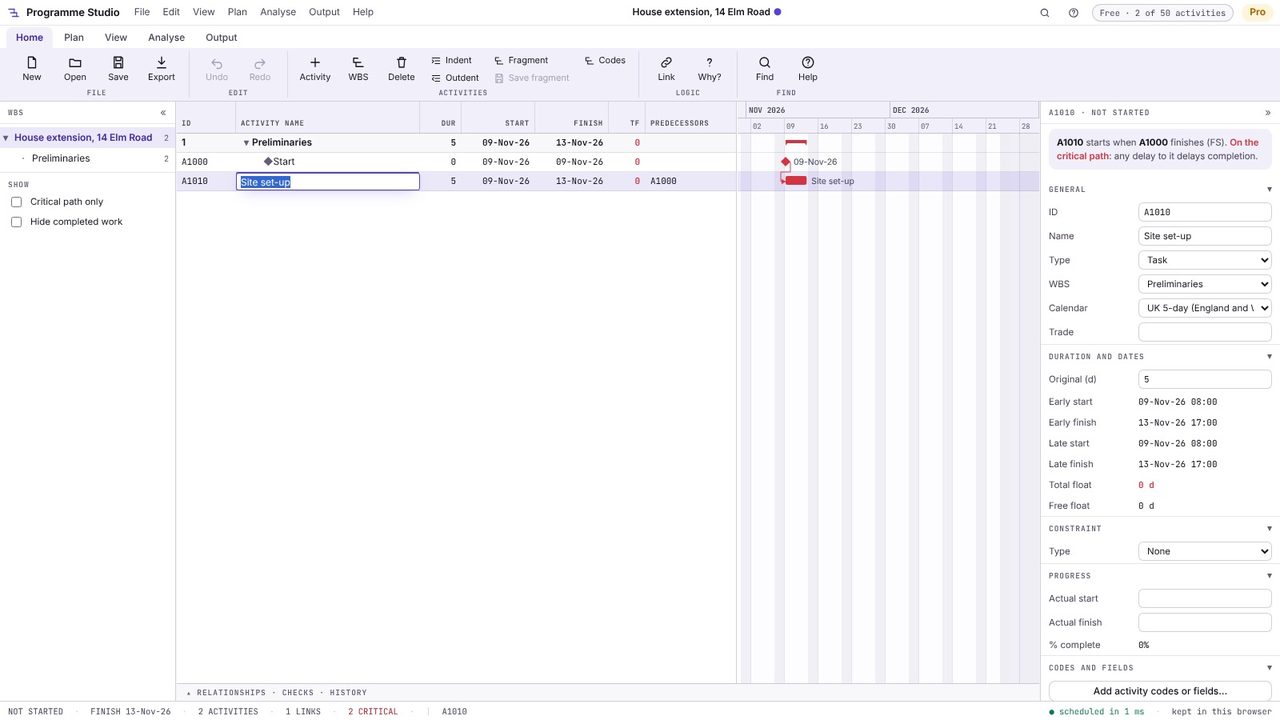
Select the last activity and press Insert: a new activity appears below it, already linked finish-to-start, ready for its name. Press Enter, move right to the duration and type it: 5 or 5d is five working days, 2w two weeks, 16h sixteen hours and 0 a milestone. Keep pressing Insert and you have a chain of linked work in a few seconds.
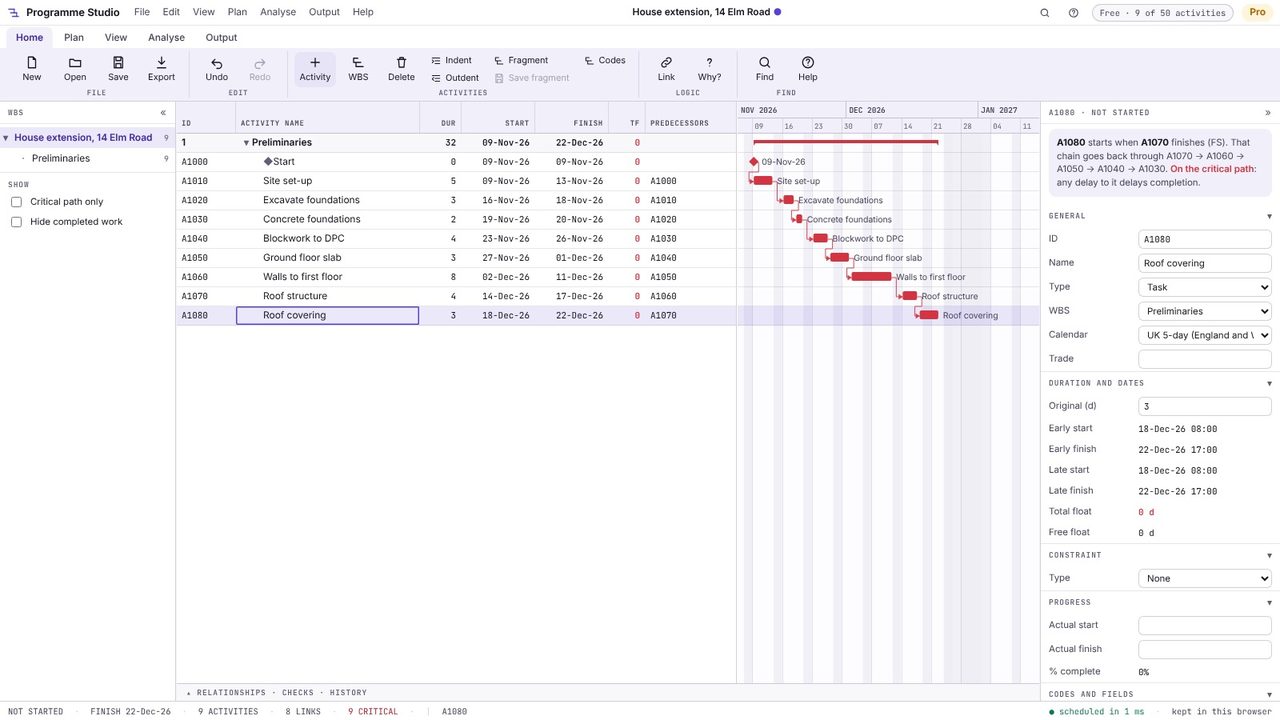
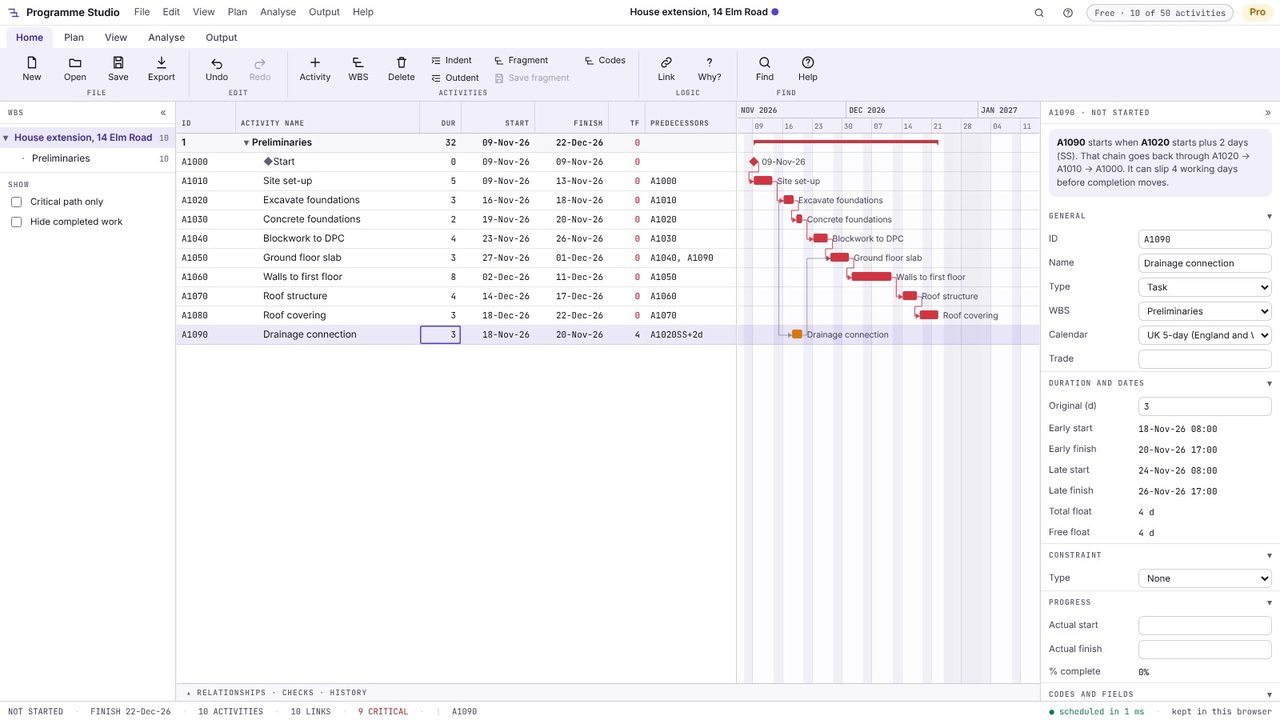
Not everything follows in a line. In the Predecessors column, type the activities something waits for, separated by commas. A1020SS+2 means start two days after A1020 starts; FF is finish-to-finish, a minus sign is a lead and SS+50% starts when the predecessor is half done. Here the drainage connection starts two days into the excavation, and the ground floor slab waits for it as well as for the blockwork.
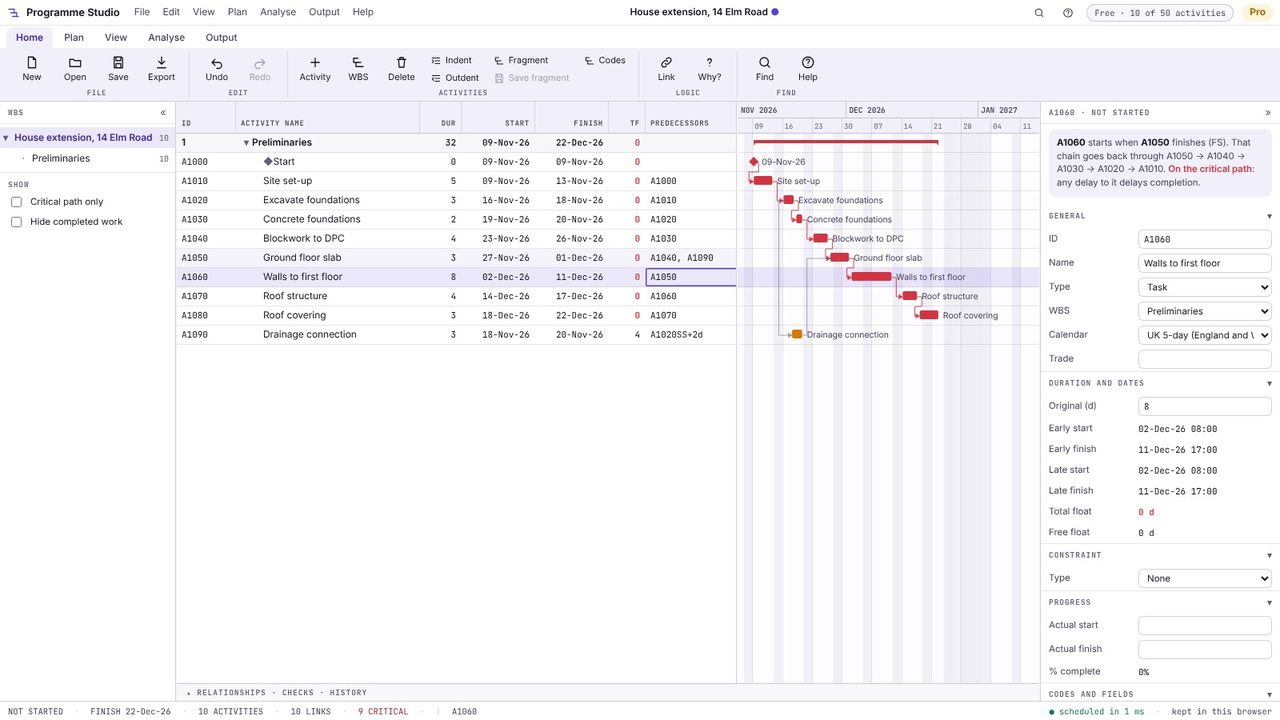
The programme reschedules as you type (or press F9). Red bars are the critical path: the chain of work with no float, where any delay moves completion. Tick Critical path only in the left panel to see just those, and the finish date is in the status bar along the bottom.
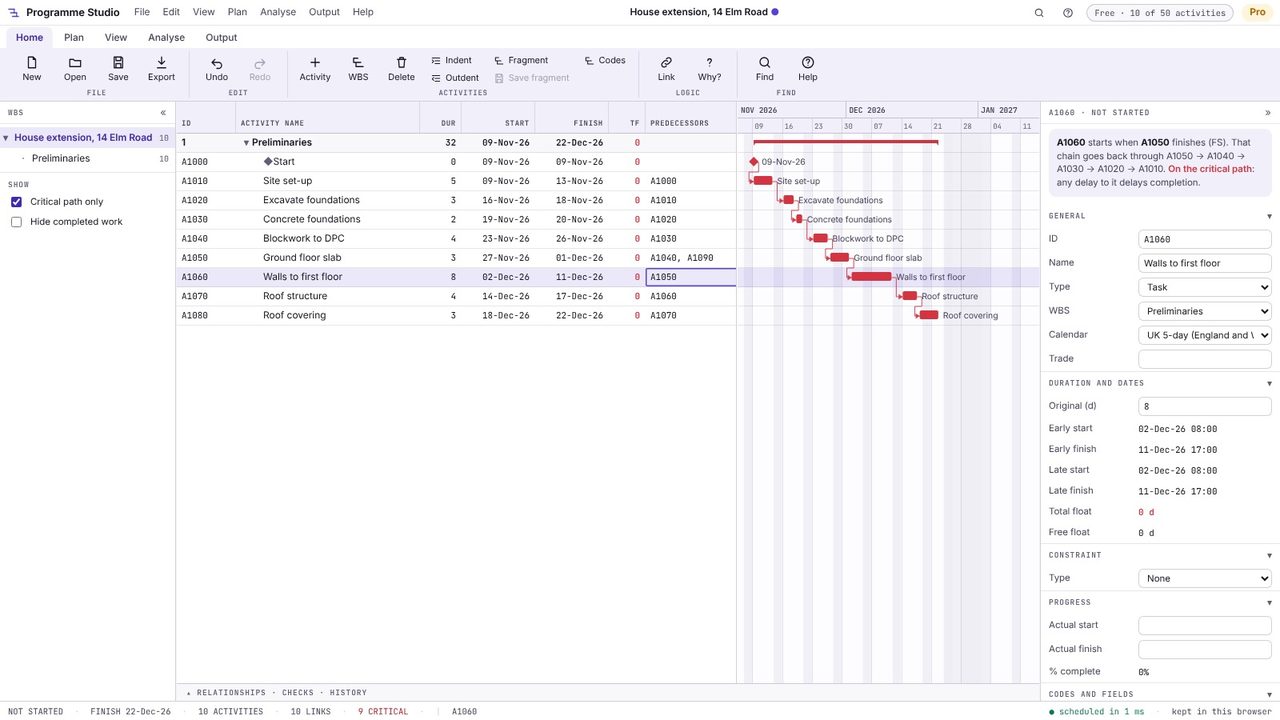
Click any activity. The properties panel says, in plain words, what it starts after and how far it can slip before completion moves: the drainage connection here has four days of float, so it is amber (near-critical) rather than red. The TF column shows total float for every activity.
In the UK the time plan for a construction project is usually called the programme; in the US and in P6 it is the schedule. They are the same thing: activities, durations and logic, scheduled by the critical path method to give dates, float and the critical path.
Yes. Metre2 Programme Studio is free in your browser for building and editing programmes of up to 50 activities, with the critical path, float, UK calendars and bank holidays, the network and calendar views and A4/A3 printing. It opens P6 and MS Project programmes of any size to view, free.
Press Insert to add an activity already linked to the one you selected, type predecessors such as A1010 or A1010SS+2 in the table, drag from the end of one bar to another in the Gantt chart, or select activities in order and press Ctrl+L.
No. Programme Studio runs in your browser and your programme stays on your computer: it is kept in the browser as you work and saved as a file when you choose Save. The only exception is an MS Project .mpp file, which a browser cannot read: Programme Studio asks before converting it on Metre2's server, in memory, and nothing is kept.
