How-to guide
A gang run puts several customers' jobs of the same size on one sheet, so five sets of business cards share one print run. The skill is sharing out the slots: a job with twice the quantity needs twice the slots, or the run is as long as its slowest job. This guide gangs five business card jobs on SRA3 in Metre2 Print Imposition Pro and finds the plan with the fewest sheets.
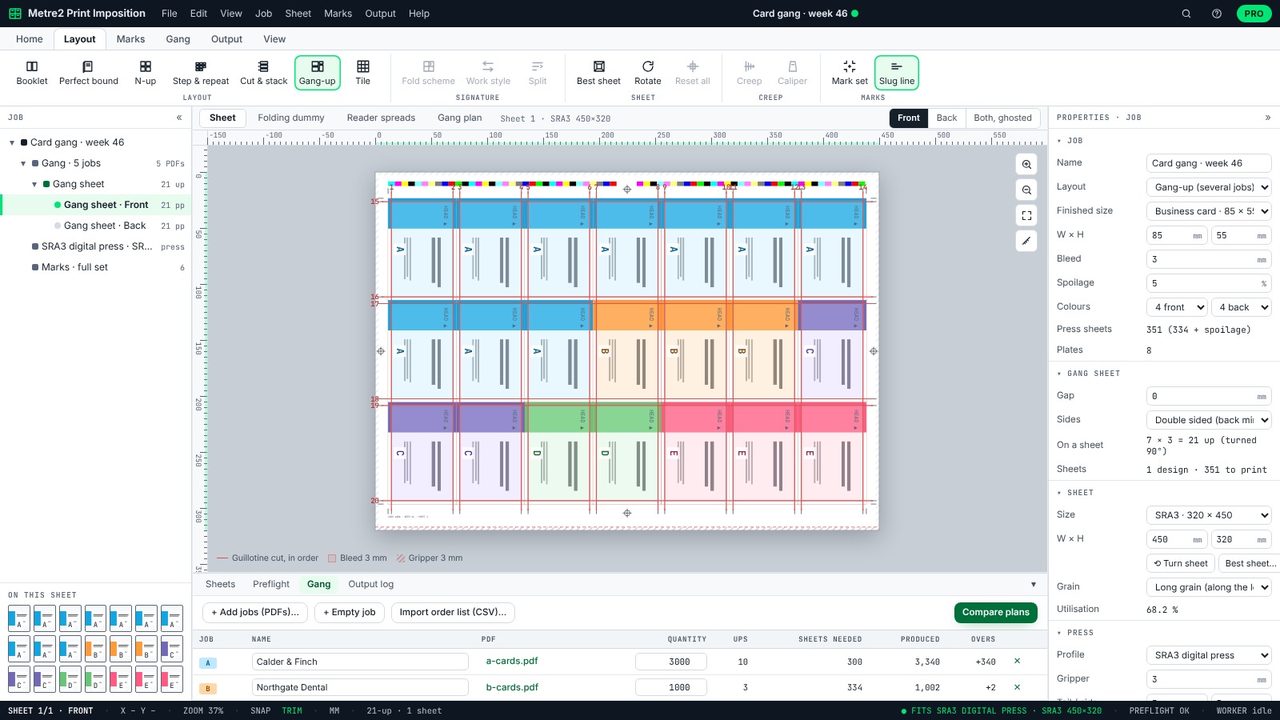
Choose Gang-up on the Layout tab and add each job's PDF on the Gang tab, or import an order list as CSV (name, quantity). The sample Five card jobs has five business card jobs, 21-up on SRA3, both sides.
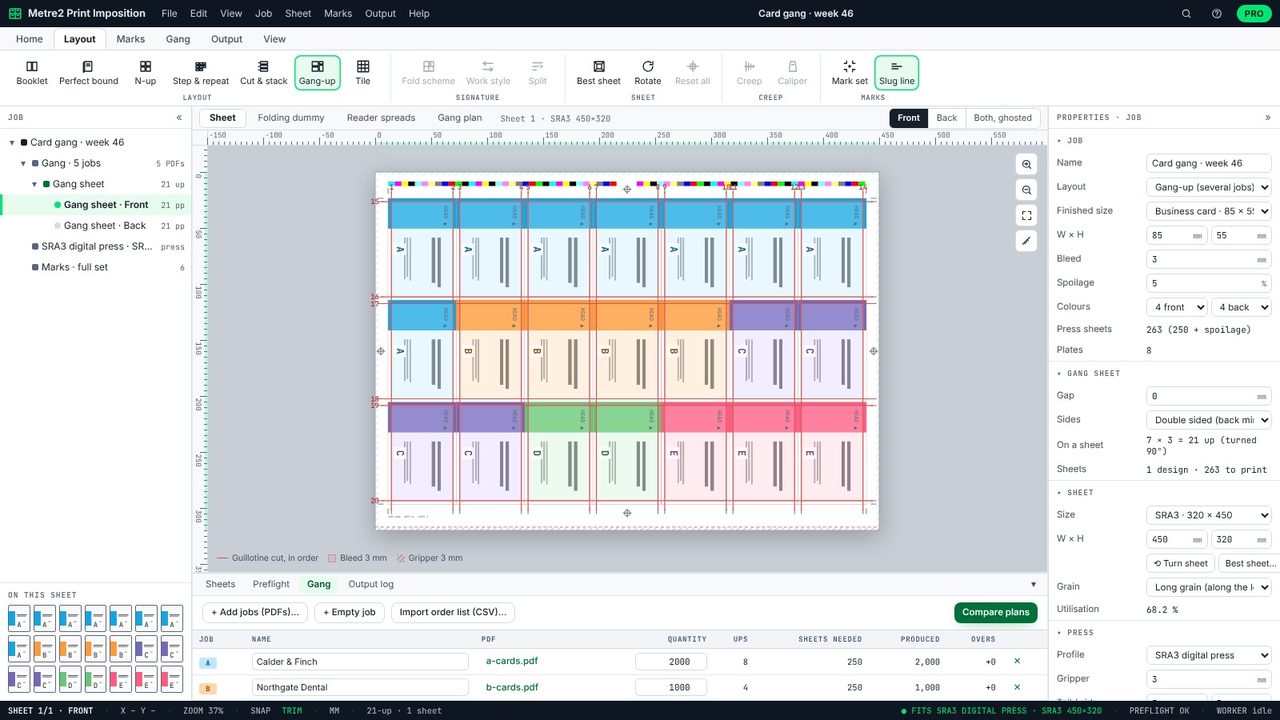
The Gang tab lists each job with its quantity, its ups (slots on the sheet), the sheets it needs, what it produces and its overs. With A 2,000, B 1,000, C 1,000, D 500 and E 750, the balanced plan gives A8 B4 C4 D2 E3: 250 sheets for every job, no overs.
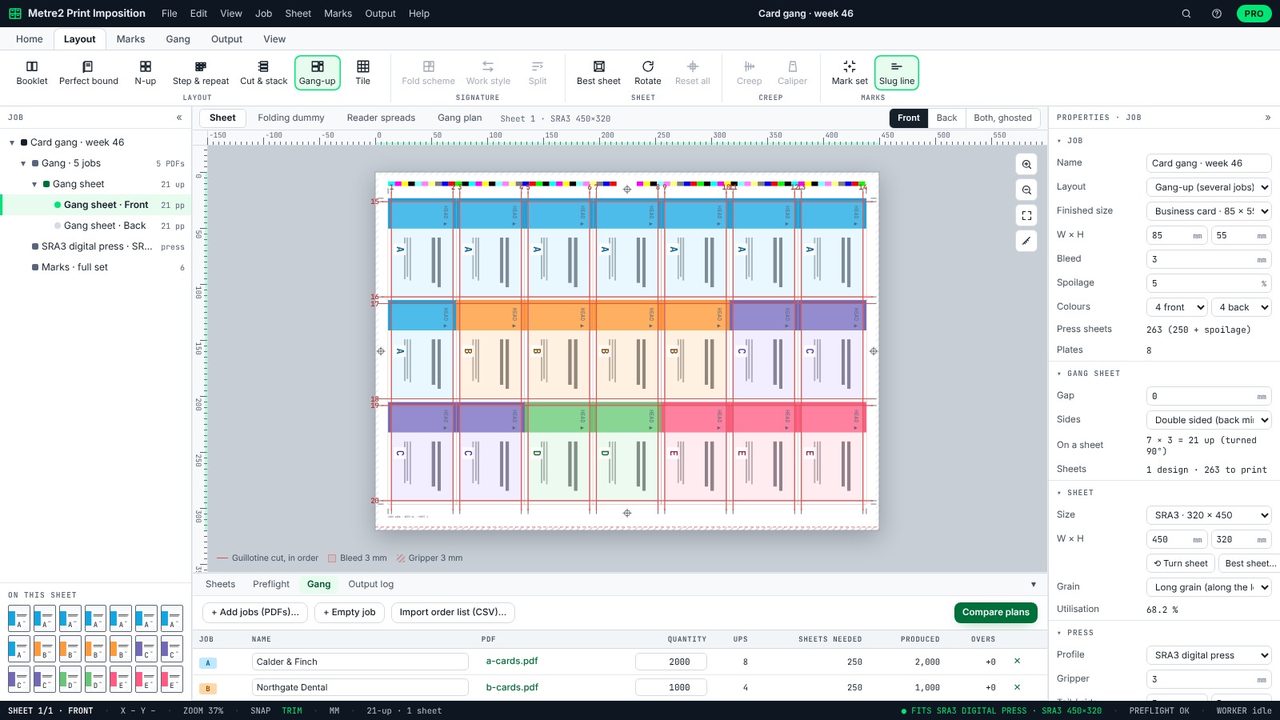
Type a new quantity and the plan updates. With job A at 3,000 the slots become A10 B3 C3 D2 E3: 351 sheets with 5% spoilage.
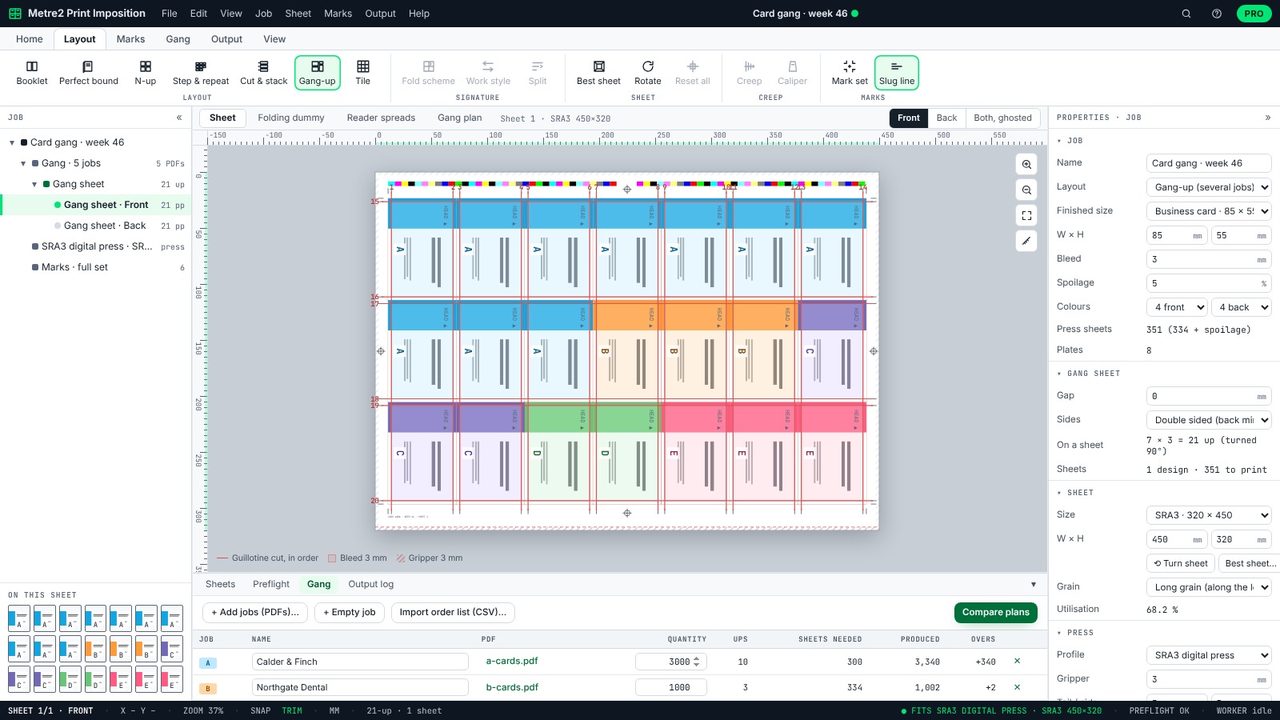
The Gang plan view compares the balanced plan with equal ups: 4 each would take 788 sheets and make 8,750 cards nobody ordered. Click a plan to use it, or set the ups by hand.
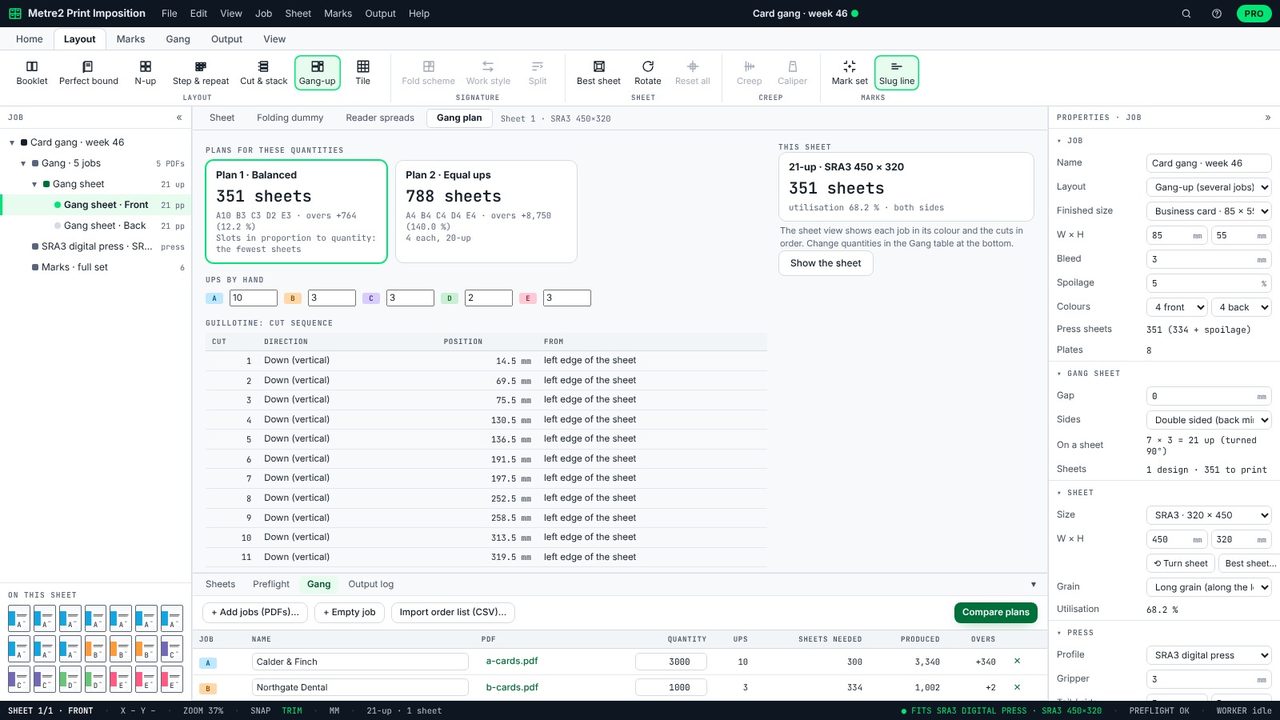
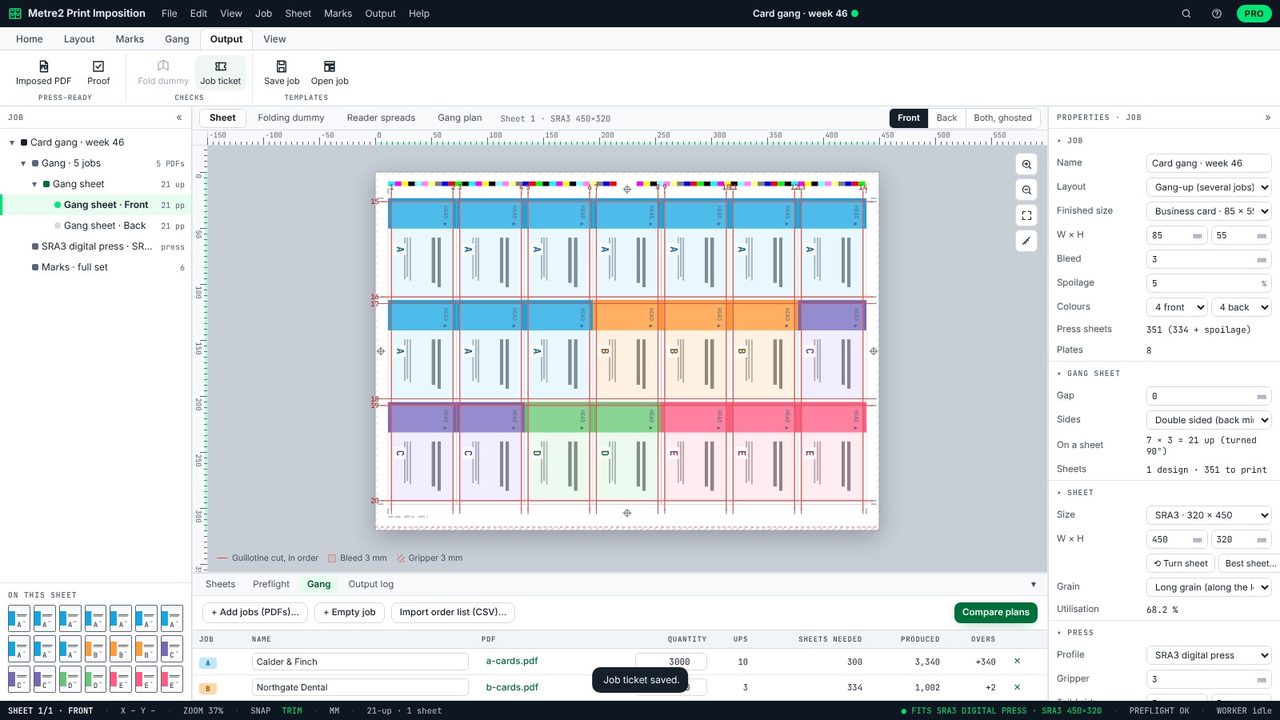
Back on the sheet, each job is in its own colour and the guillotine cuts are numbered in order: the vertical cuts from the left, then across. The Gang plan view lists each cut's position in mm.
Output > Job ticket saves a PDF for the press room and finishing: the jobs, quantities, ups and overs, a drawing of the sheet and the cutting guide.
Printing several jobs of the same size and stock together on one sheet, then cutting them apart. Each customer shares the set-up cost of the run.
So that every job needs about the same number of sheets: each extra slot goes to the job with the most copies per slot. That gives the fewest sheets for the whole run.
Copies printed beyond the quantity ordered, because every sheet carries every job's slots. The table shows each job's overs.
The gang-up optimiser is in Print Imposition Pro, with a 7-day free trial.
