How-to guide
The design area that needs the most pressure at the supply isn't always the one furthest from the riser. On a long cross main, a different pipe size or a change in elevation, a position nearer the middle can govern. Metre2 Sprinkler Design Pro moves the design area to every position along the branch lines, solves each one in full and ranks them, so the hydraulically most remote area is found, not guessed - then auto-sizes the pipes until every area has your margin.
Open your project, or pick the Office floor (sample) on the Start screen: 96 sprinklers on eight branch lines, a riser, an alarm valve, a backflow preventer and a flow test.
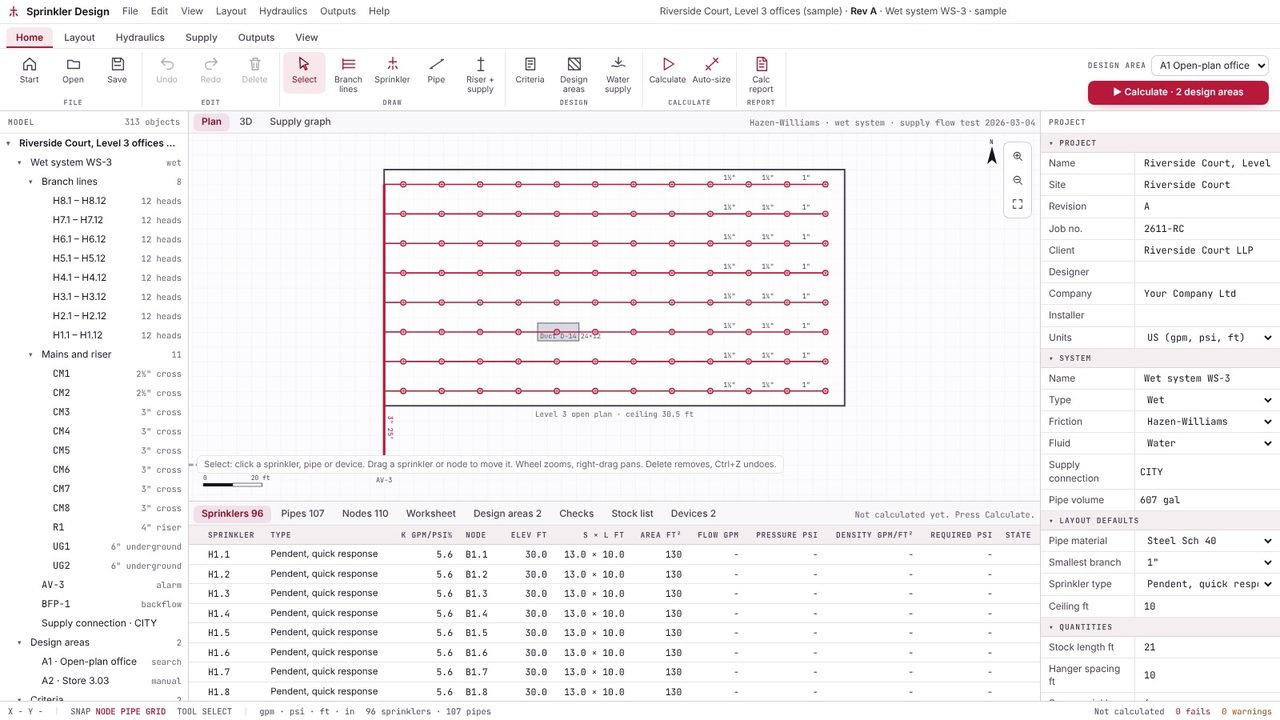
In Design areas, set the mode to Remote area search. The number of sprinklers comes from your design area and area per sprinkler, and the length along the branch lines from your area length factor.
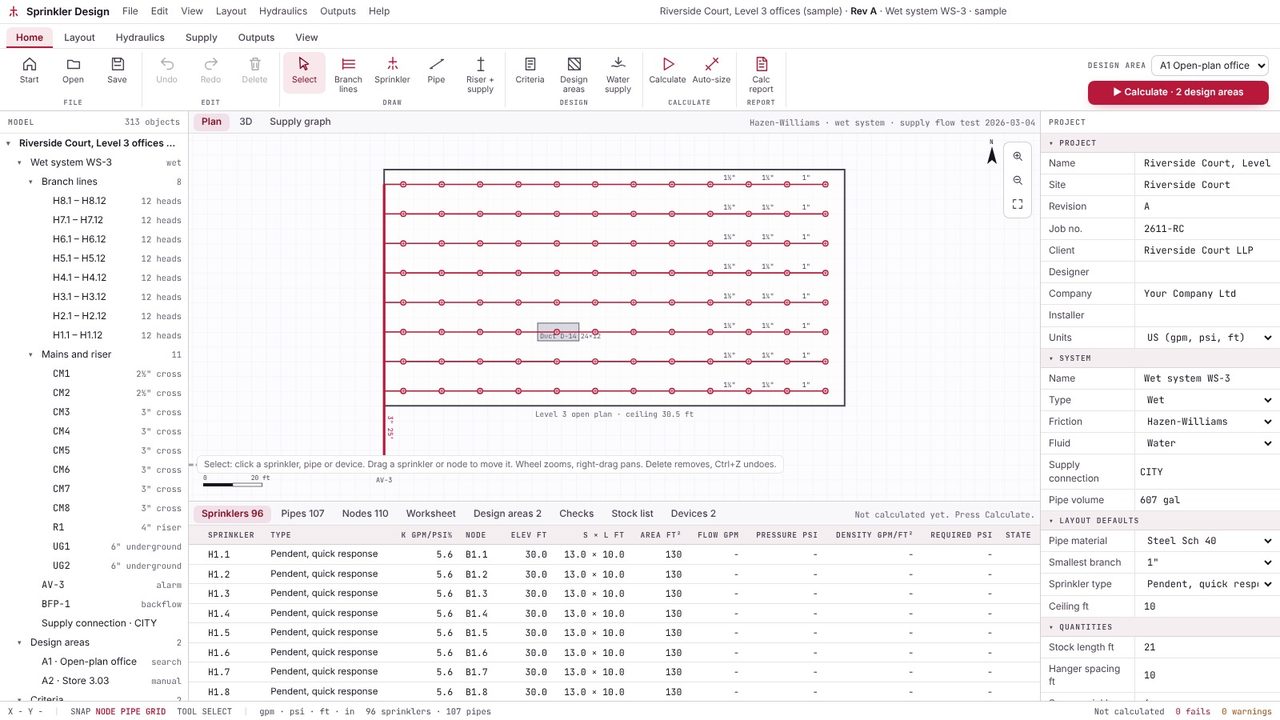
Click Calculate. Every position of the design area along the branch lines is solved in full - on the sample, 54 positions in a fraction of a second.
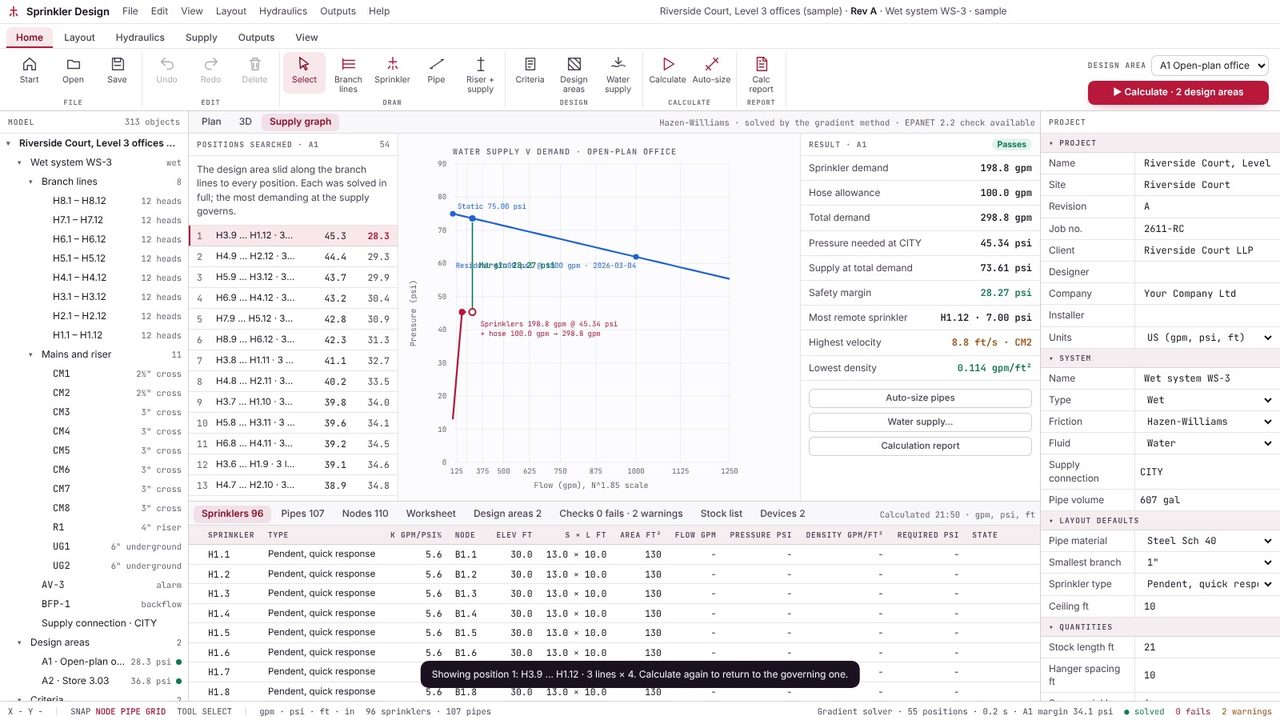
The Supply graph view ranks every position by the pressure needed at the supply, with its margin. Click one to see it on the graph and the plan; the top one governs.
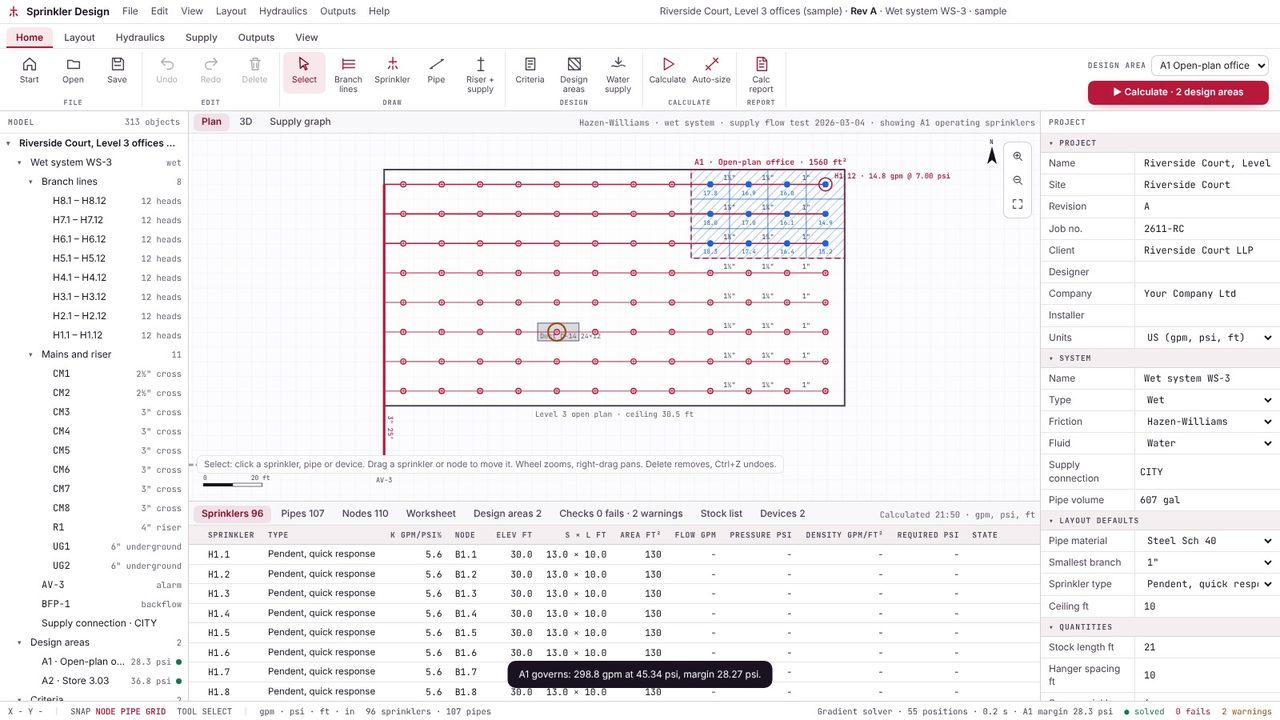
On the Plan the governing area is hatched with each sprinkler's flow, and the Worksheet shows its calculation from the most remote sprinkler back to the supply.
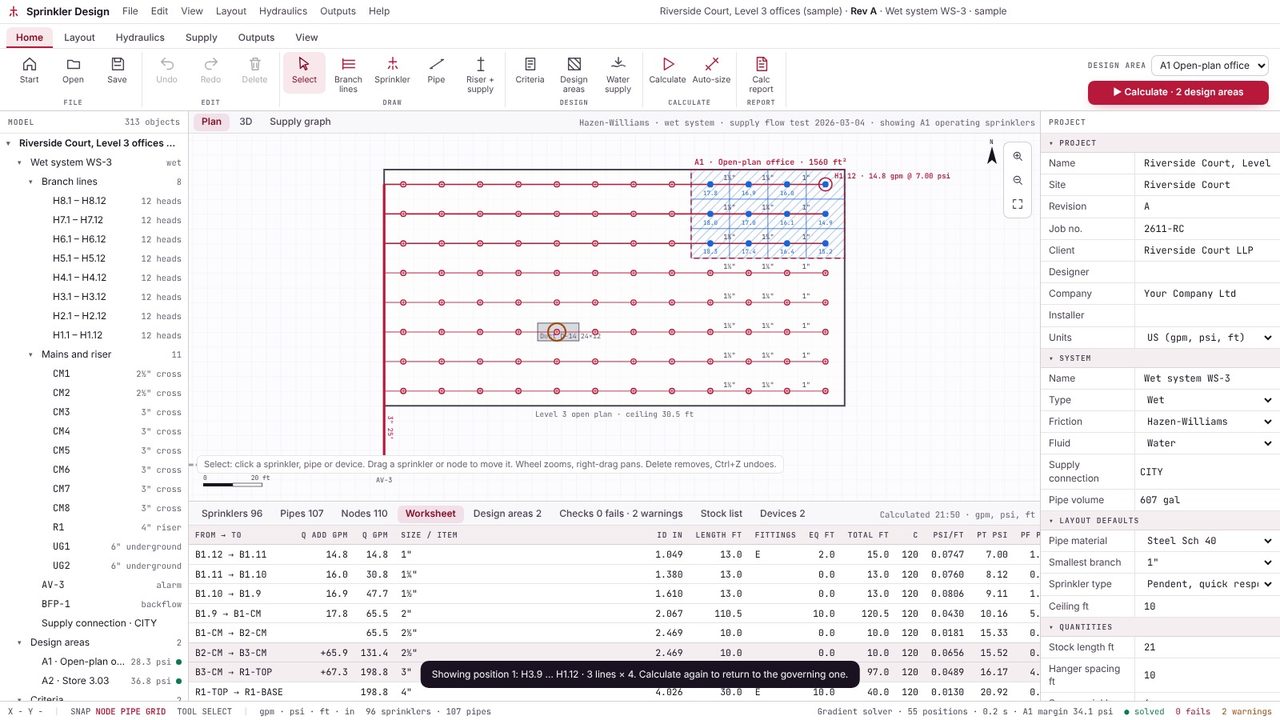
Click Auto-size. It upsizes the pipes on the critical paths until every design area has the margin you asked for and no velocity is over your limit. Tick Start from the smallest sizes to size the whole system from scratch.
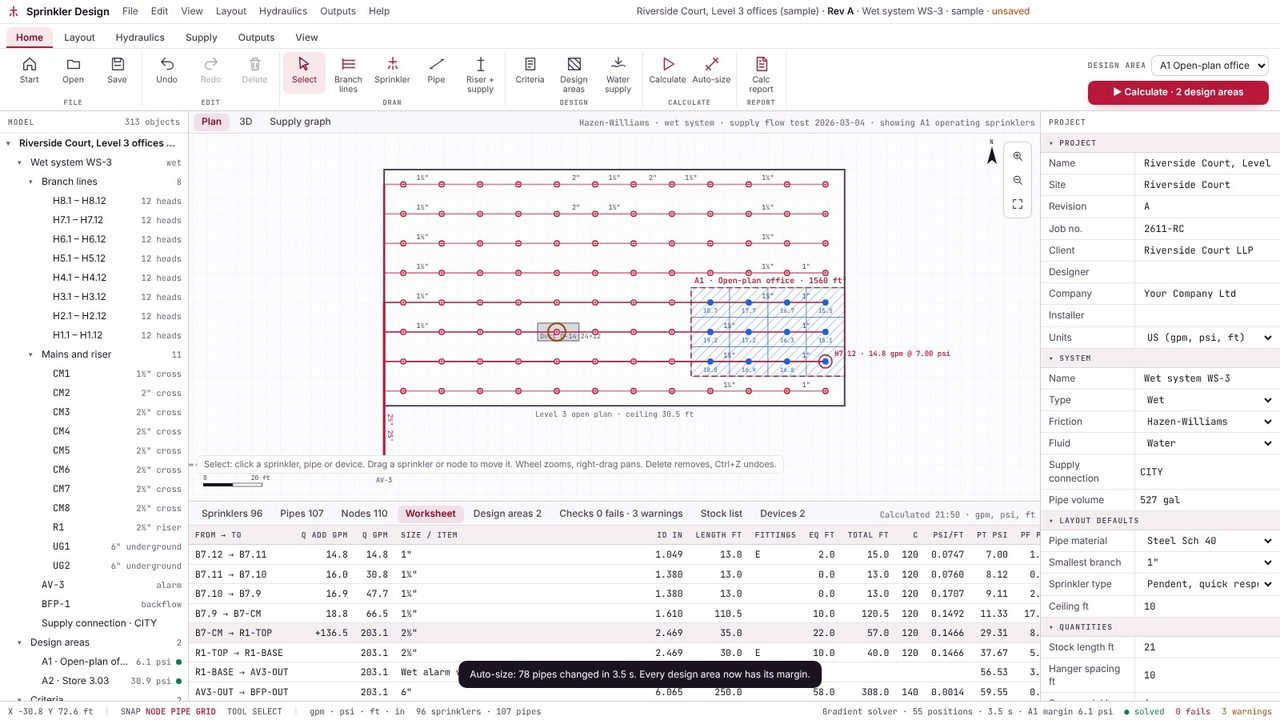
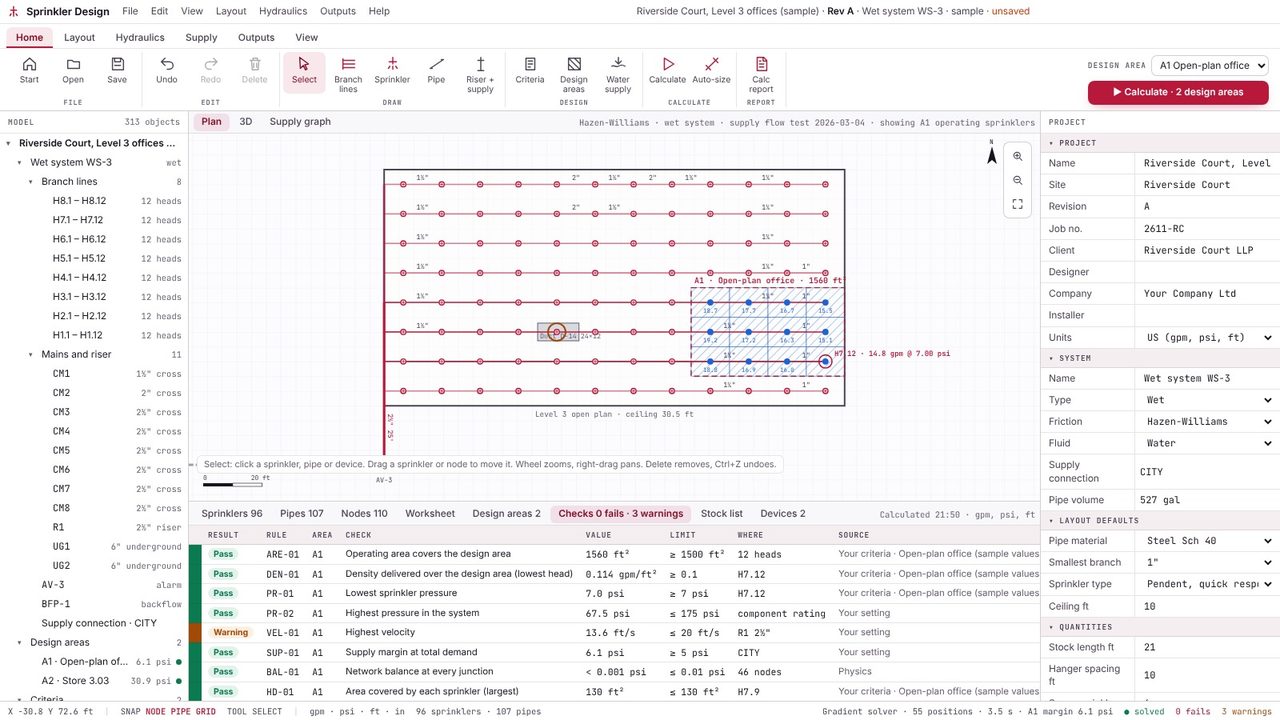
The Pipes tab shows the new sizes and the Checks tab confirms the margin, velocities and pressures against your criteria. Print the report to send with the drawings.
It's the position of the design area that needs the highest pressure (or flow) at the water supply. It's often at the far end of the system from the riser, but not always - pipe sizes, elevations and loops can move it. A reviewer will expect the calculation to show it's the most demanding position.
The design area is moved along the branch lines one sprinkler at a time, in both directions, with the number of sprinklers and the length along the lines from your criteria. Each position is solved exactly with the gradient method, and they're ranked by the pressure needed at the supply.
It's part of Sprinkler Design Pro (£29.99 a month or £249.99 a year, first week free). In the free version you pick the design area's sprinklers yourself.
Yes. Each step is checked with an exact solve of the whole network, so loops and grids are sized as they really behave.
