How-to guide
The critical path is the longest chain of linked activities through a programme: the work with no spare time, where every day of delay is a day on completion. Float is the spare time everything else has. Knowing which activities are critical, and how much float the rest have, tells you where to put your attention on site and which delays a contractor can absorb. This guide reads both on a real programme, eight homes part built, in Metre2 Programme Studio, free in your browser.
Open your own programme (a P6 .xer or XML file, MS Project XML, Excel or Programme Studio's .m2prog), or choose Open the sample on the start screen to follow along with Hollins Park, an eight-home scheme with progress recorded. Add the TF (total float) and FF (free float) columns from View > Choose columns.
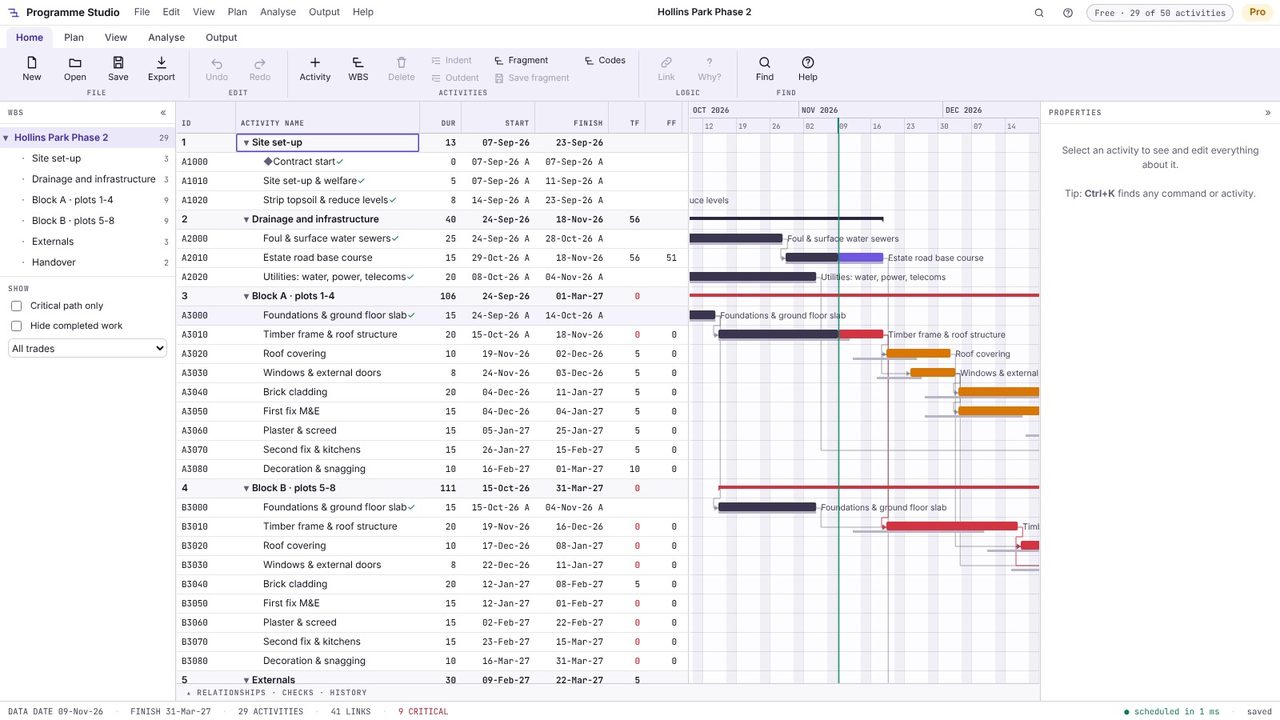
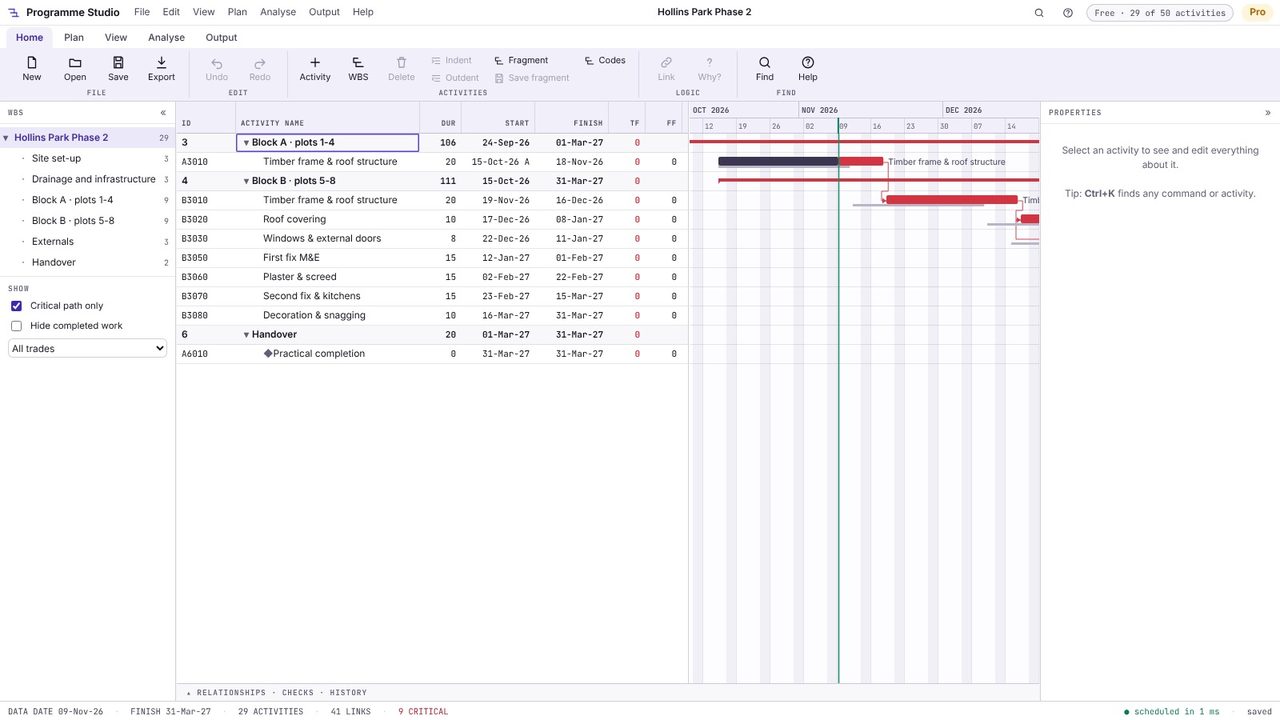
Red bars are critical. Tick Critical path only in the left panel and the programme shrinks to the chain that drives completion: here it runs through Block B's frame, roof, windows and finishes to practical completion. Nine of the 29 activities are critical, and the status bar says so.
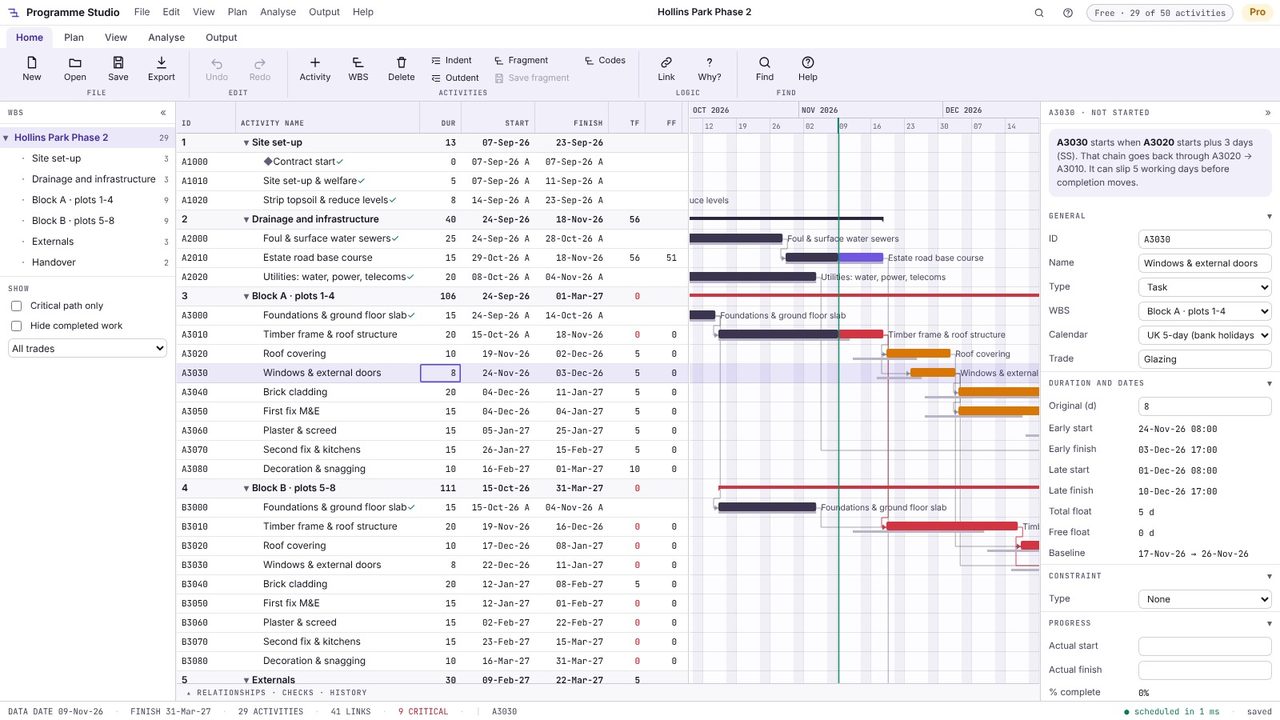
Click an activity. Total float is how far it can slip before it delays completion; free float is how far it can slip before it delays the next activity. The windows for Block A have 5 days of total float but no free float: any slip pushes the brickwork after them, which then uses up its own float.
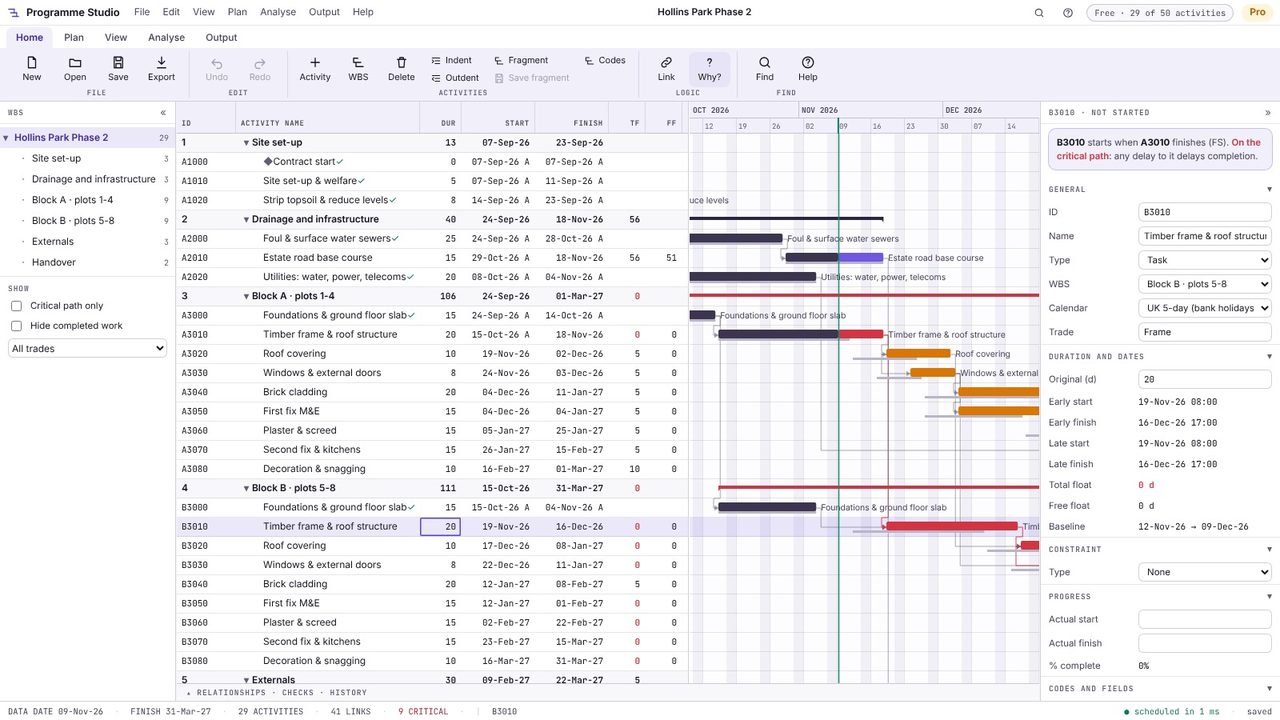
Select an activity and press Why? on the Home tab. The properties panel says what drives it, in words: its driving predecessor and the chain behind it, a constraint, its calendar or the progress recorded. That is quicker than tracing links back through the chart, and it is how you check that the critical path is real logic rather than a constraint someone typed in.
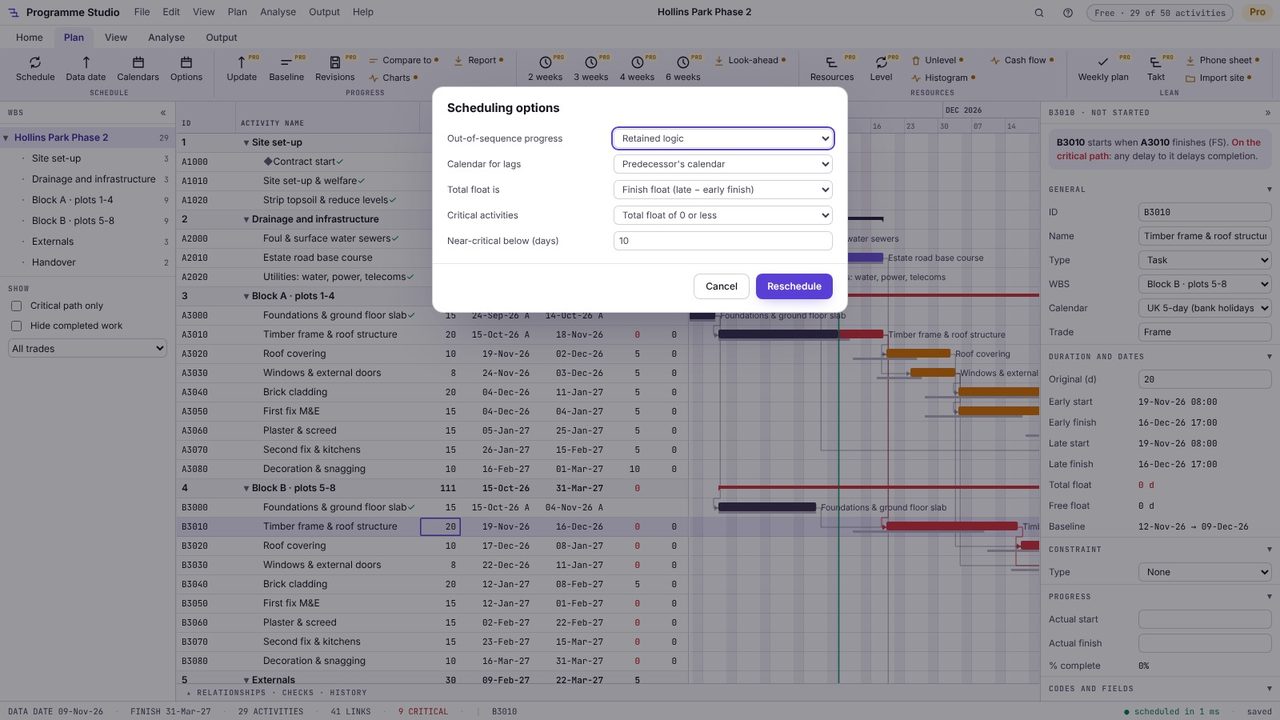
Open Plan > Options. Critical activities can be those with total float of 0 or less (the usual rule) or the longest path. Activities with less float than the near-critical limit (10 days to begin with) are drawn amber: they are not critical yet, but a small delay will make them so. You can also choose finish float, start float or the smaller of the two, as in P6.
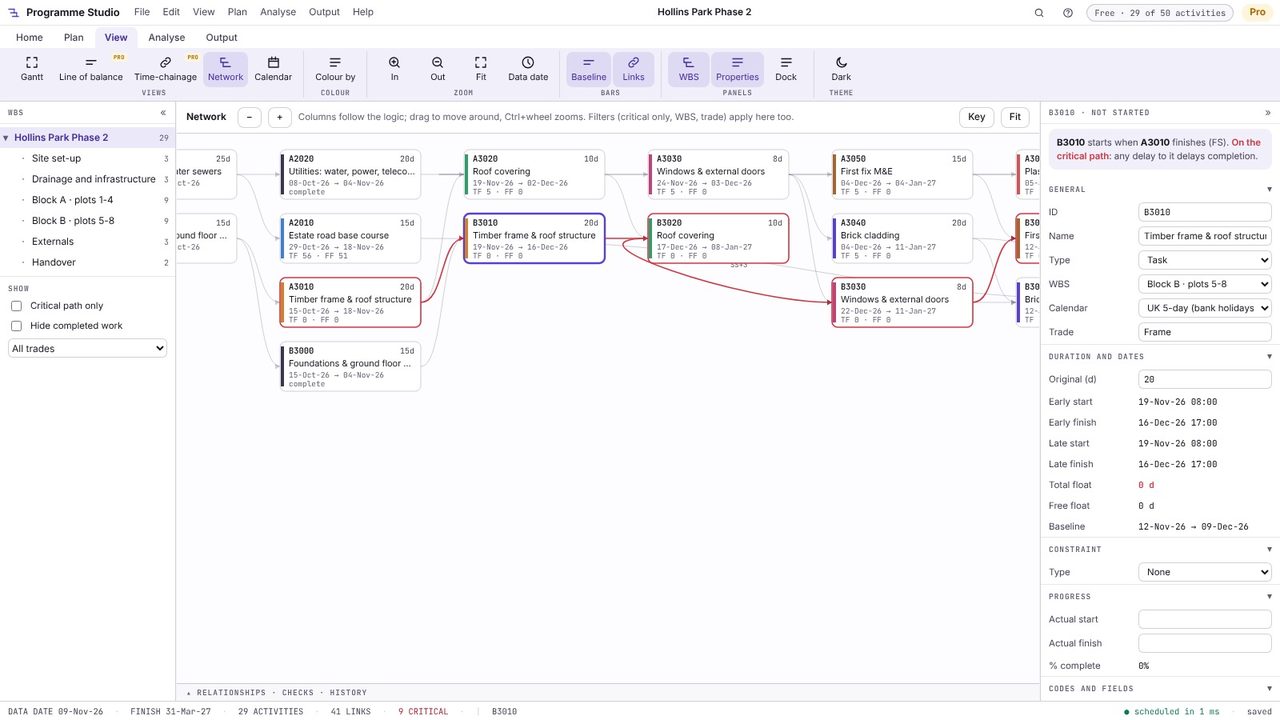
Switch to the Network view (Alt+4) to see the same programme as boxes and arrows, with each activity's dates, total float and free float, and the critical path in red. The selected activity stays selected, so you can follow its predecessors and successors.
It is the sequence of linked activities that takes longest to get from start to completion. Those activities have zero total float, so a day lost on any of them is a day lost on completion unless the programme is changed. A programme can have more than one critical path.
Total float is how long an activity can be delayed without delaying completion (or a constraint). Free float is how long it can be delayed without delaying the early start of any activity that follows it. Free float is never more than total float.
By the critical path method: a forward pass gives each activity its earliest start and finish from the logic and the calendars, a backward pass from completion gives the latest, and float is the difference. Programme Studio does this on each activity's own calendar every time something changes, the same way Primavera P6 does.
No. Programme Studio runs in your browser and your programme stays on your computer: it is kept in the browser as you work and saved as a file when you choose Save. The only exception is an MS Project .mpp file, which a browser cannot read: Programme Studio asks before converting it on Metre2's server, in memory, and nothing is kept.
