How-to guide
How many joists at 400 centres across this room? How many studs at 600 along that wall? Takeoff Studio's Spacing tool works it out from the drawing: set the centres, draw the run or the area, and it places and counts every member, with their total length. It's free on Windows, and your drawing never leaves your PC.
Open the drawing with Load PDF, then set the scale: Set Scale from Title Block in the PDF tab, or Calibrate (R) from a dimension you trust. Spacing needs a calibrated page, because the centres are real distances.
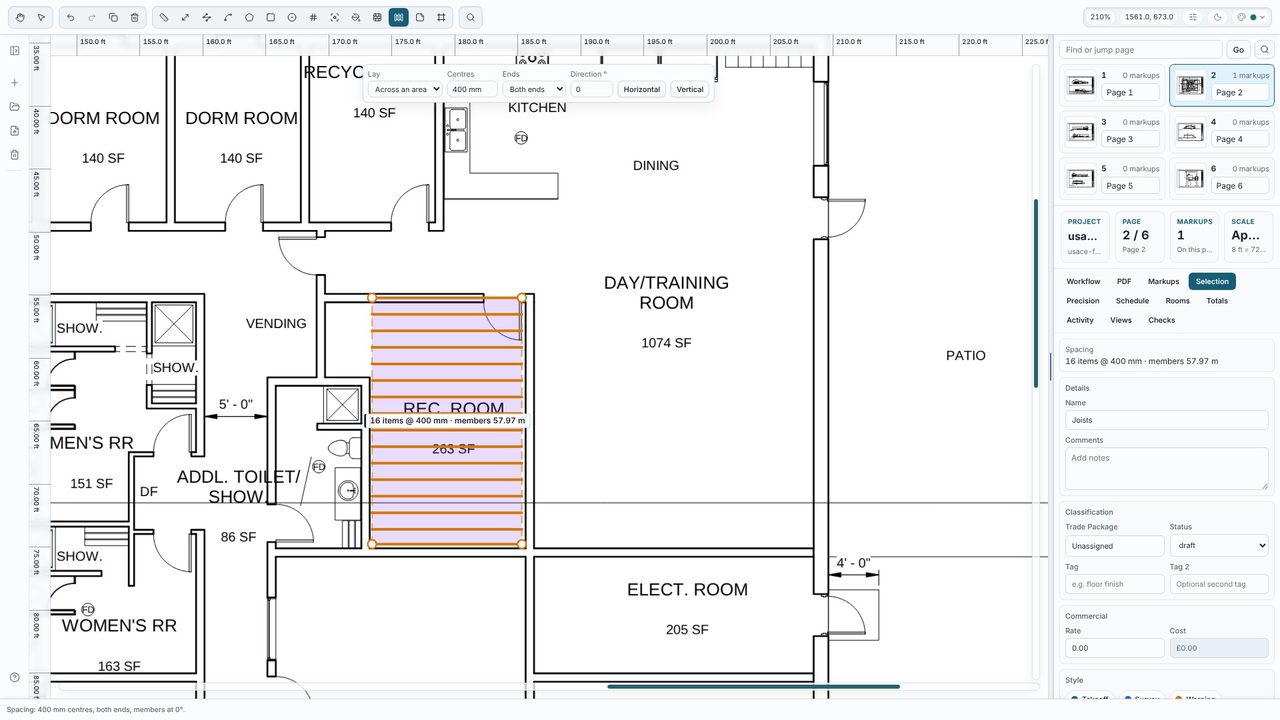
Choose Spacing on the toolbar (J). In the bar above the drawing set Lay to Across an area, type the Centres (400mm, 0.4 m and 16" all work) and pick the direction the joists run - Horizontal, Vertical or an angle. Click round the room and press Enter. Each joist is drawn and clipped to the outline: here 16 joists, 57.97 m in all.
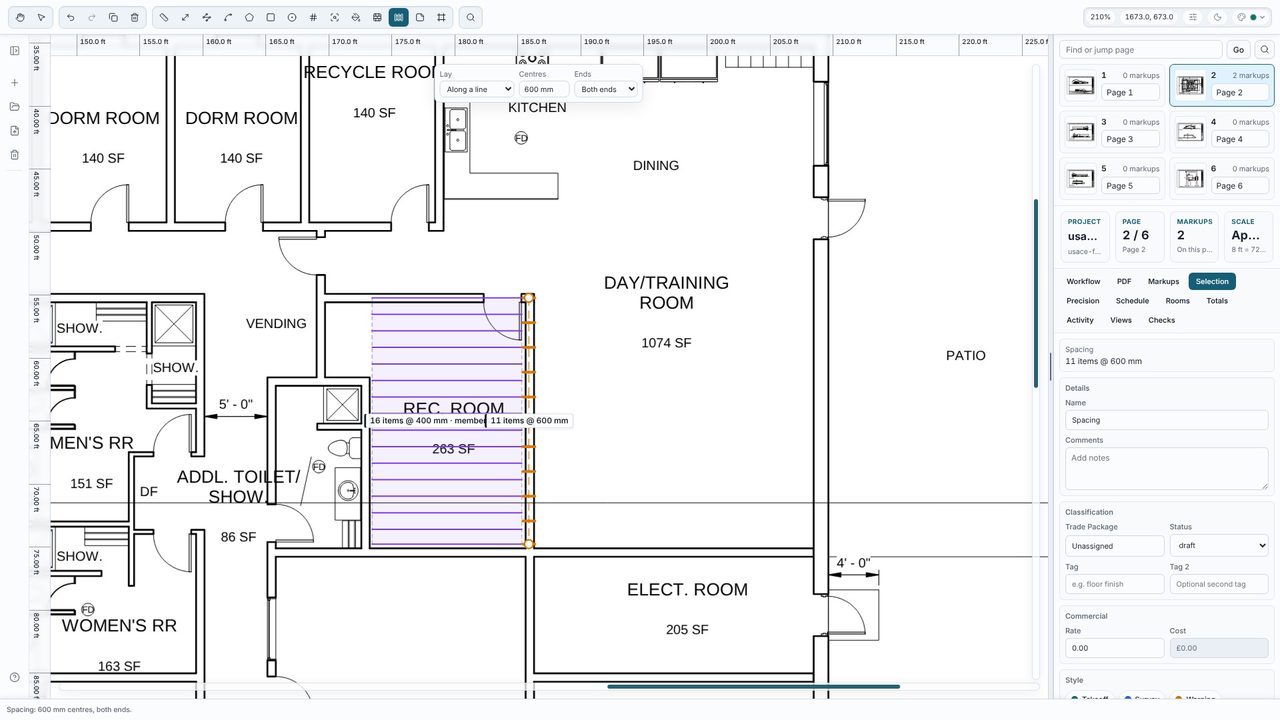
For studs, posts or fixings, set Lay to Along a line, type the centres (600mm) and choose the Ends - both ends, start only or neither. Click along the wall and press Enter. A tick marks each item and the count shows on the drawing: 11 studs along this partition.
Select a spacing markup to see its count, centres and member length in the Selection tab, and change the centres, ends or direction there - or drag its points - and the count updates straight away. Spacing runs go into the Totals (a count and a length) and the schedule.
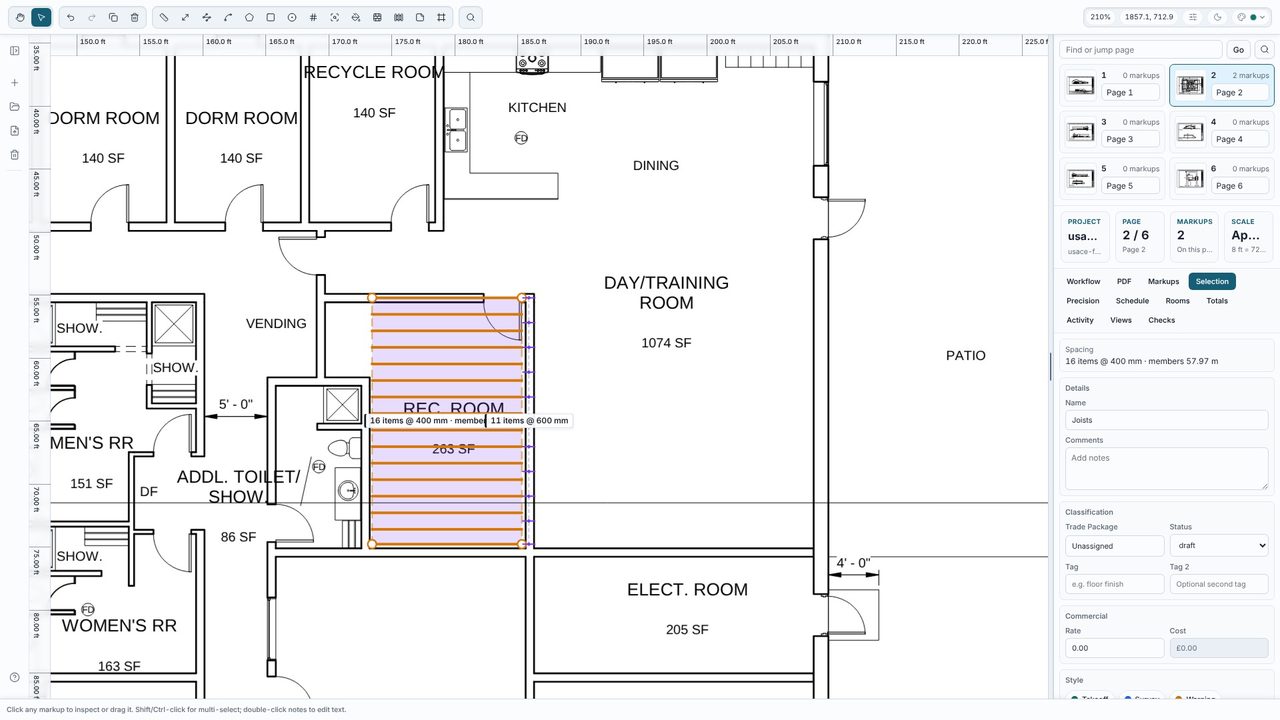
Floor joists 47x200 C24 so the totals group by size.Yes. The Spacing tool and every other measuring tool are free in Takeoff Studio, with no account. Takeoff Studio Pro (£24.99 a month or £199.99 a year, first month free) adds assemblies, exports, costed schedules and more.
Yes. Across an area, each member is clipped to the outline, and the total member length is shown with the count - in the label, the Selection tab, the schedule and the Totals.
Yes. Type 16" or 2' for the centres, and switch the display to feet and inches in View Options if you want the lengths in imperial too.
No. Takeoff Studio is a Windows app and works offline - the PDF and your measurements stay on your PC.
