How-to guide
Clients and main contractors often ask for the programme in Primavera P6 when it was written in MS Project, or the other way round. P6 cannot open an MS Project file directly, and the usual answer is a P6 licence and an import wizard. Metre2 Programme Studio Pro reads MS Project XML, .mpx and (with your agreement) .mpp, and writes P6 XER and XML, MS Project XML, MPX, Excel and IFC, rescheduling on the way so you can check the dates before you send it.
Choose Open and pick the file. MS Project XML (in MS Project, File > Save As > XML) and .mpx open directly. A .mpp file is a closed format a browser cannot read: Programme Studio asks whether to convert it on Metre2's server, in memory, and nothing is kept. Check the activities, logic, calendars and the finish date.
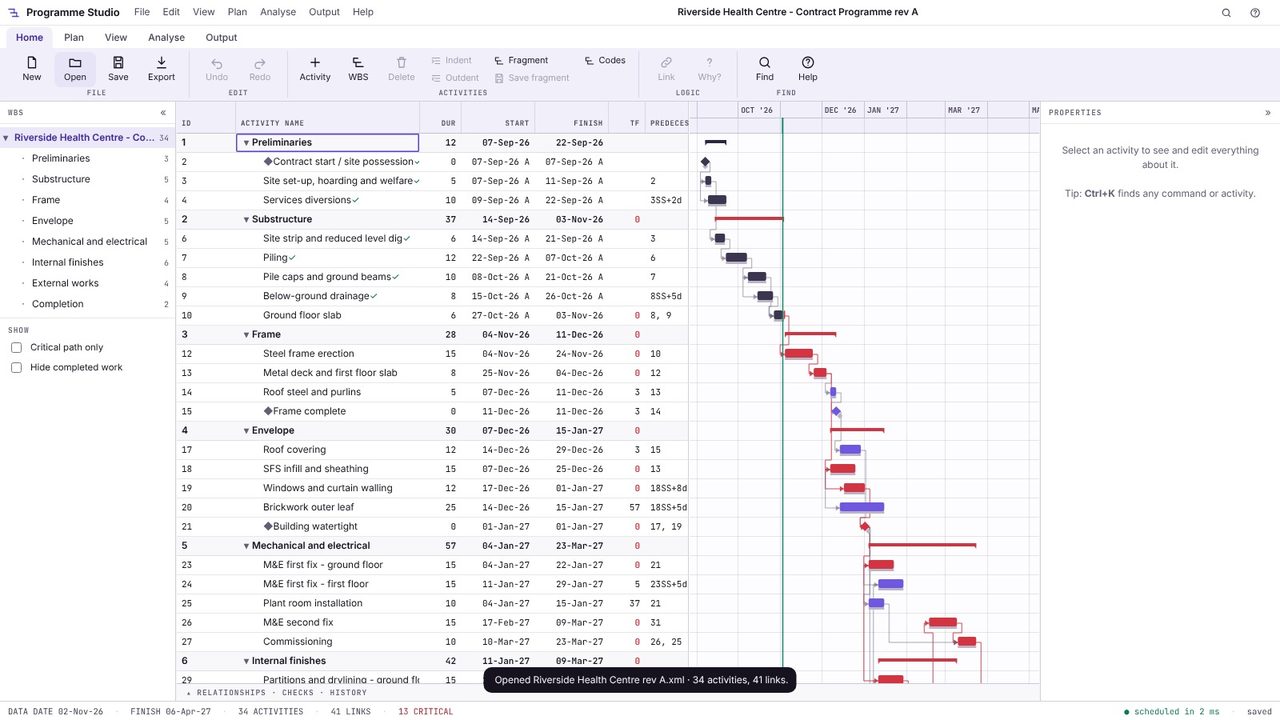
Choose Output > Primavera P6 to save a .xer file, or Primavera P6 XML for P6's XML format. Activities, the WBS, logic with lags, calendars, constraints, activity codes, user fields, resources, baselines and progress go across, with the dates as scheduled.
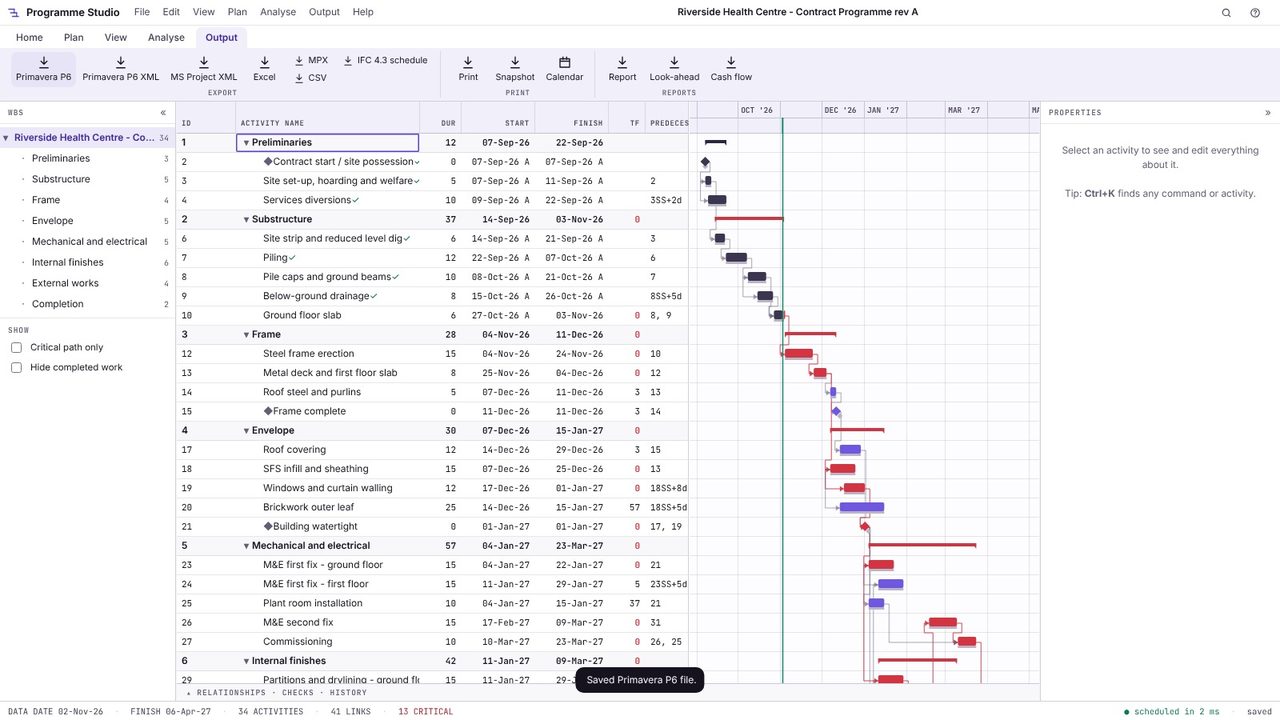
Open the .xer you saved: here it comes back with the same 34 activities, 41 links and completion on 6 April. In P6, import it with File > Import as a new project or to update an existing one.
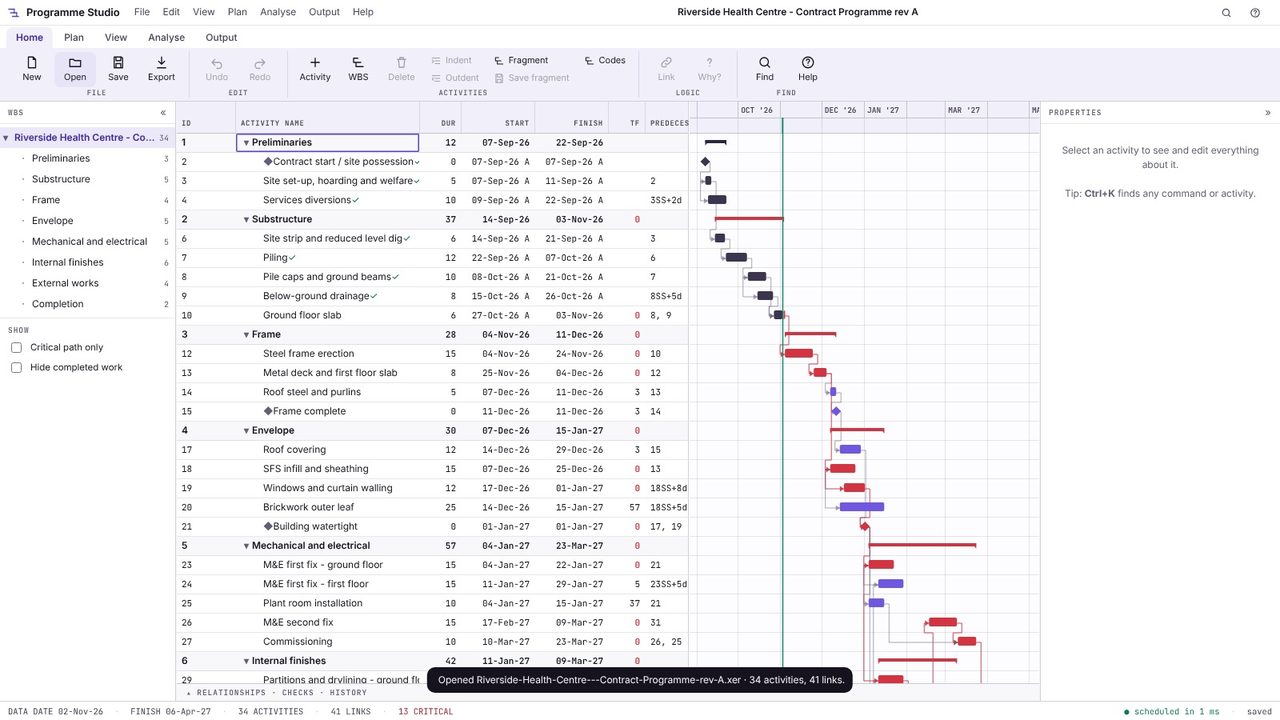
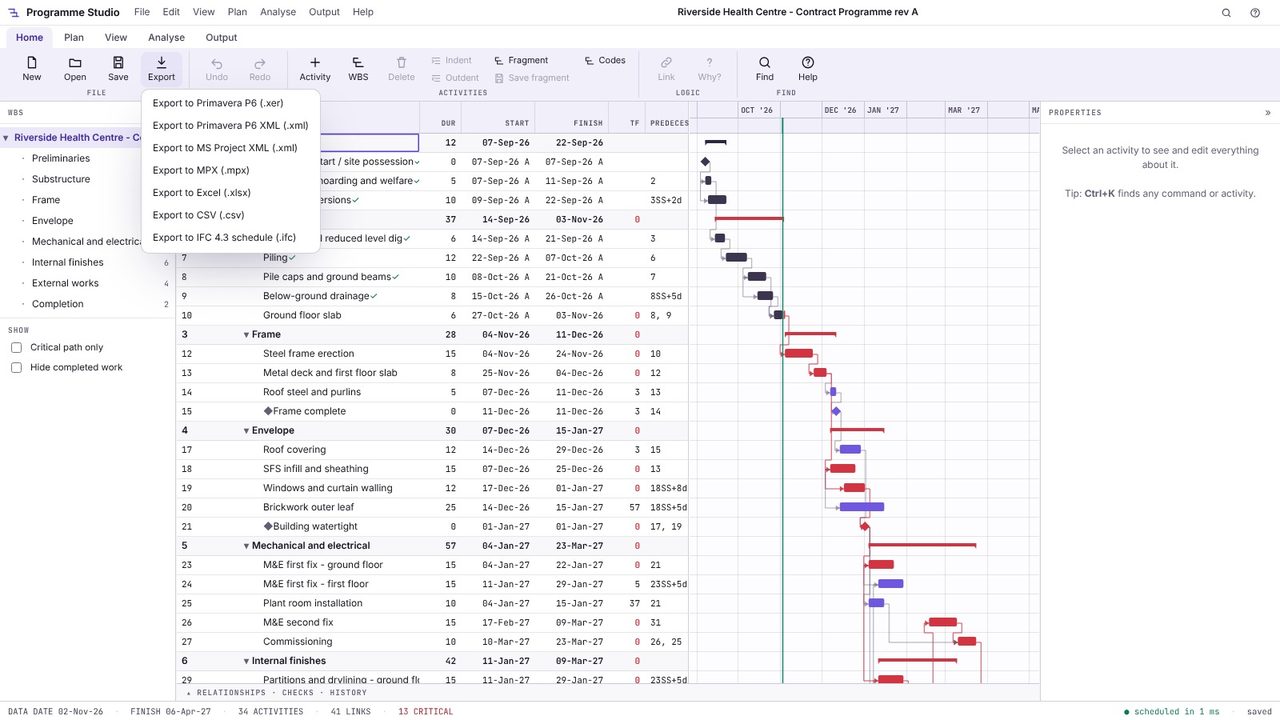
To go from P6 to MS Project, open the .xer or P6 XML and choose MS Project XML from the Export menu; MS Project opens it with File > Open. The same menu saves MPX, Excel, CSV and an IFC 4.3 schedule.
P6 can import MS Project XML through its import wizard, but not a .mpp file directly, and the import needs a P6 licence. Programme Studio converts MS Project XML, .mpx and .mpp to a P6 .xer or XML file that P6 imports as a normal P6 project.
Yes. Open the .xer in Programme Studio Pro and export MS Project XML, which MS Project opens directly.
The logic, durations, calendars and constraints go across, and Programme Studio reschedules with the critical path method as P6 and MS Project do, so the dates match when the scheduling options match. Open the converted file to check before you send it.
Programme Studio is free to open and view programmes of any size and to build or edit programmes of up to 50 activities. Pro adds this and every other planning tool, with no activity limit, for £29.99 a month or £249 a year. The 7-day free trial needs a Metre2 account but no payment details.
