How-to guide
Got three quotes back for a package and need to know which is really cheapest? The lowest total isn't always the lowest price - one quote may have left items out. Instead of a quote comparison template in a spreadsheet, the free Quote Comparison app puts every rate next to your estimate, shows what each subcontractor hasn't priced and ranks the totals. It runs in your browser, with nothing to install.
Create a project and a package - here a drylining package with eight items, from metal stud partitions to tape and joint. Type the bill in, or copy it from Excel and use Paste lines. Put your own rates in the Your estimate column so every quote can be measured against them.
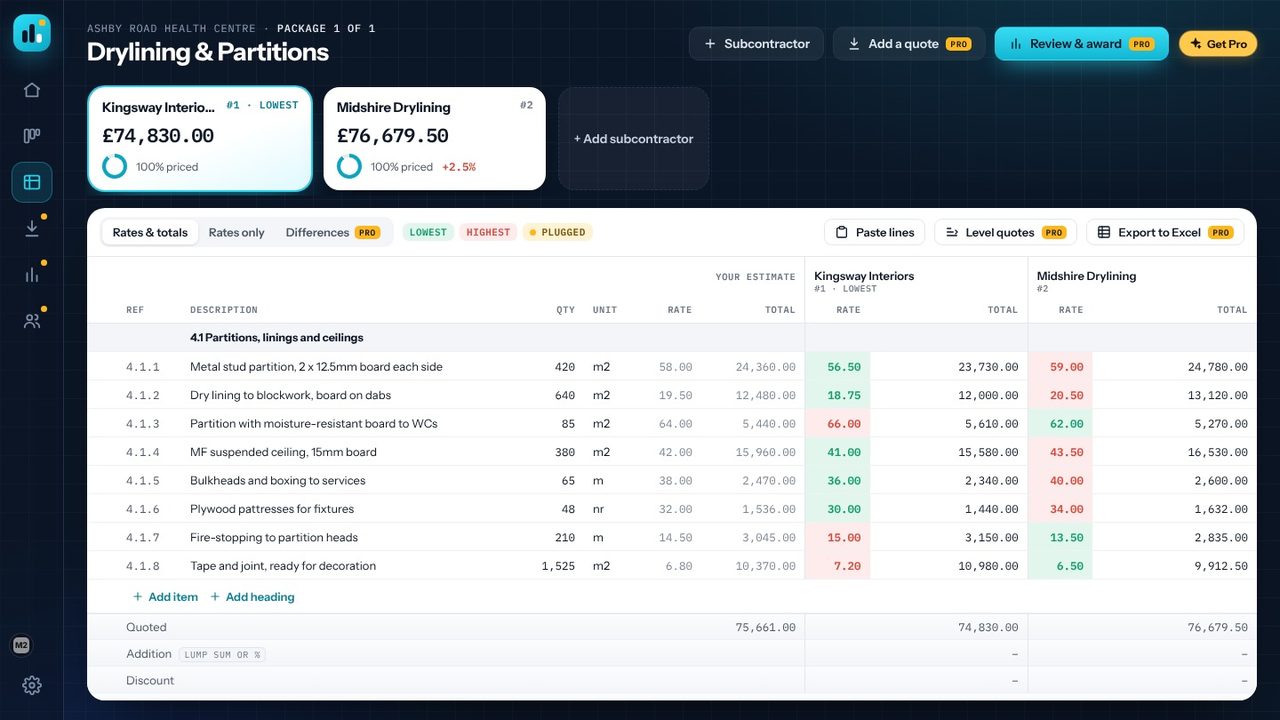
Choose + Subcontractor and enter the company name (contact, phone and email are optional). Each subcontractor gets a rate and total column on the sheet and a card along the top with their total and rank.
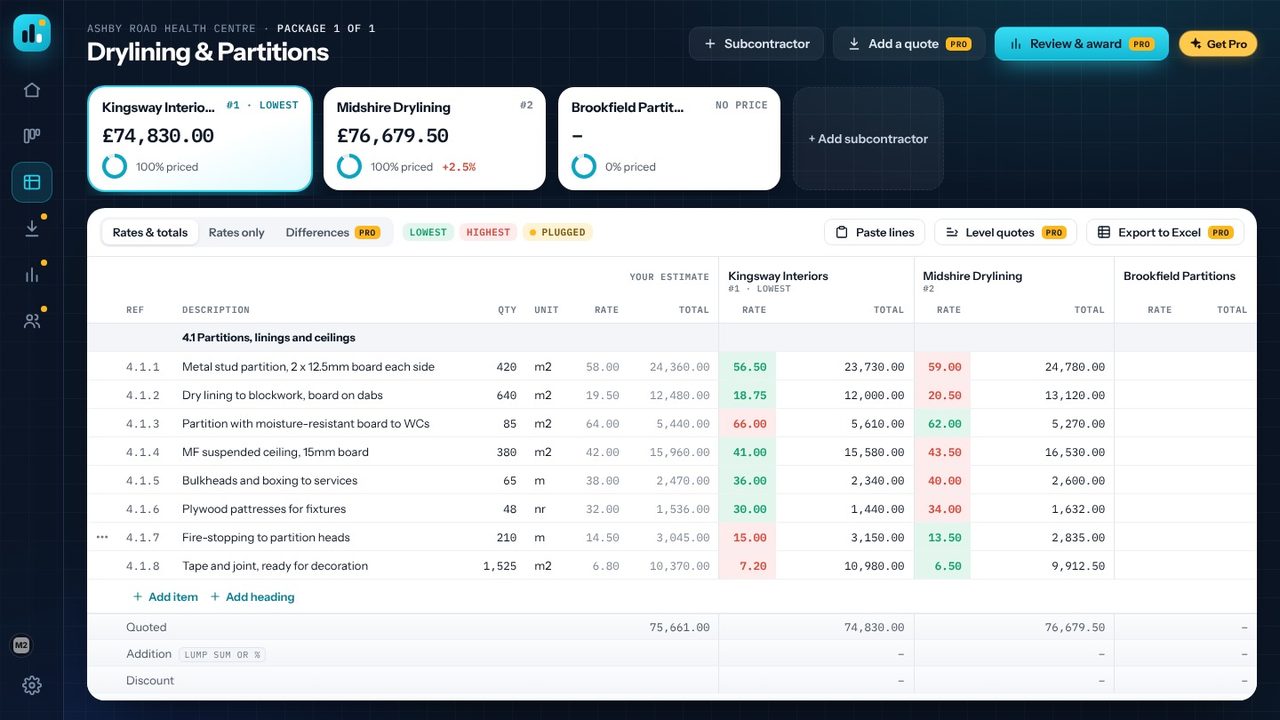
Click the first rate cell for that subcontractor and type, pressing Enter to move down the bill. If their rates are in a spreadsheet, copy the column, click the first rate cell and press Ctrl+V - the rates fill down the bill. Leave a line blank if they haven't priced it.
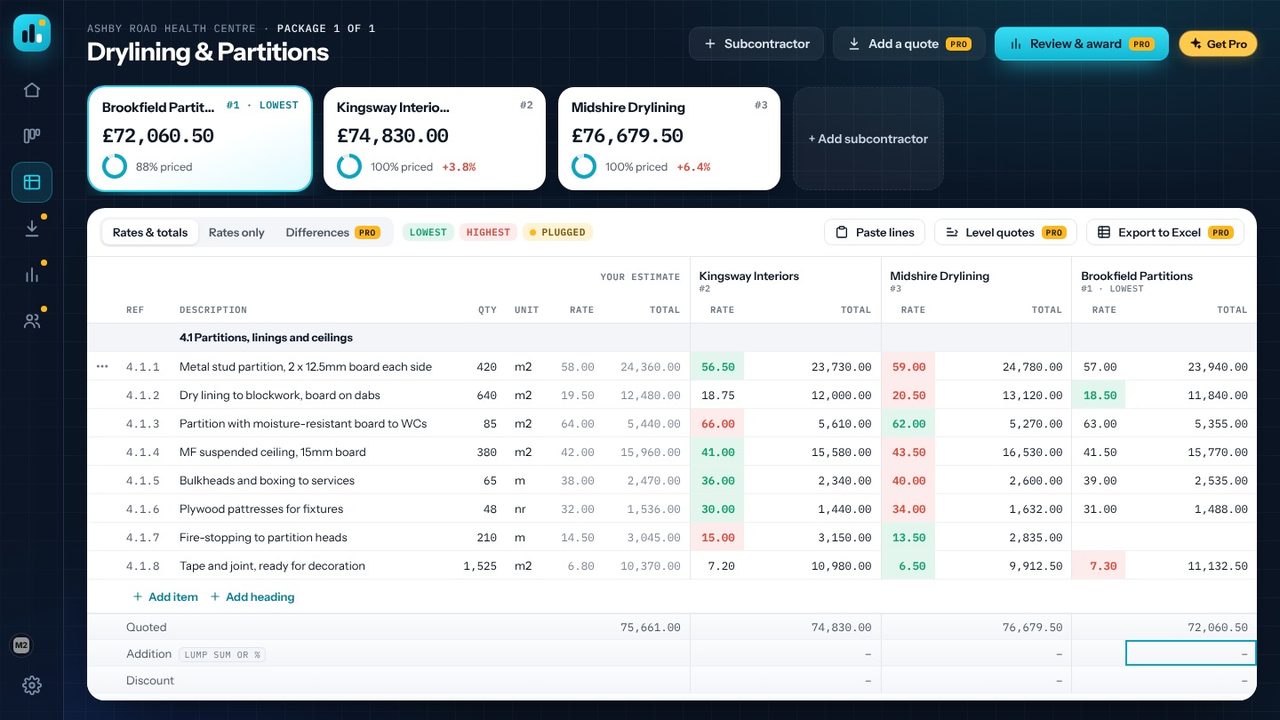
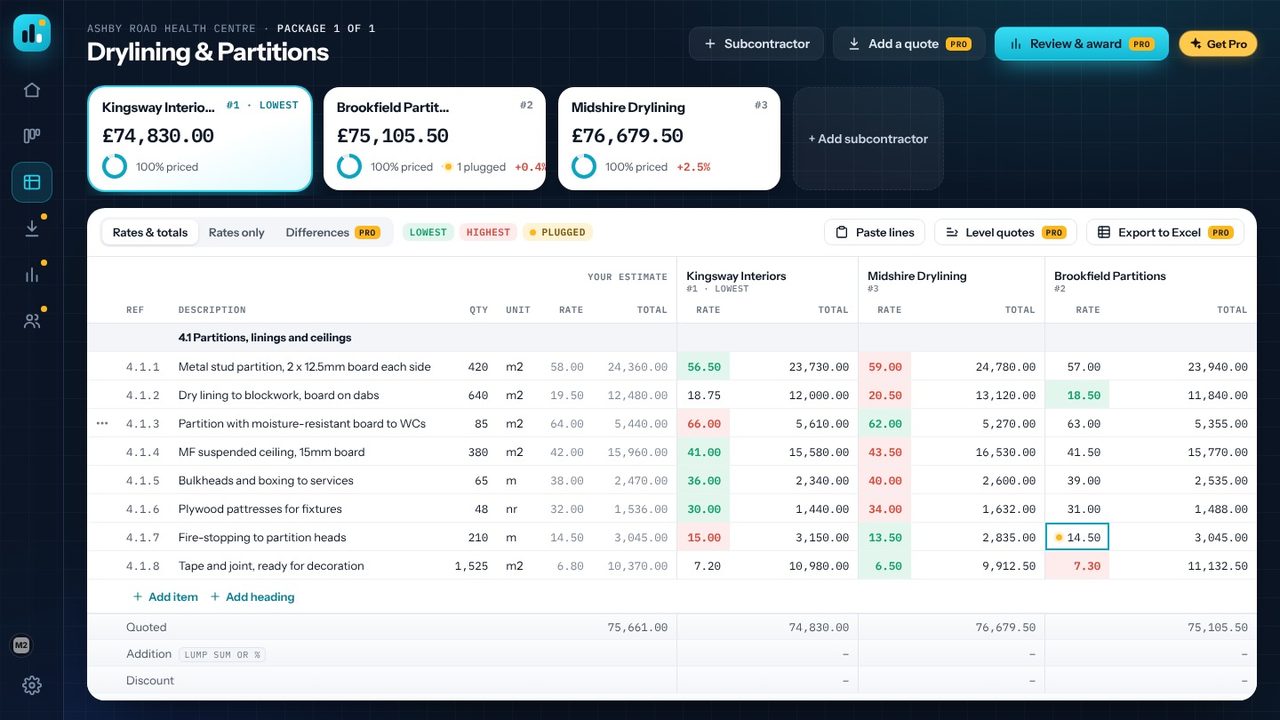
Each card shows how much of the bill that quote has priced. Here Brookfield Partitions comes out lowest at £72,060.50 - £2,770 under the next quote - but it's only 88% priced. On every line the lowest rate is green and the highest red, so rates that are out of line stand out too.
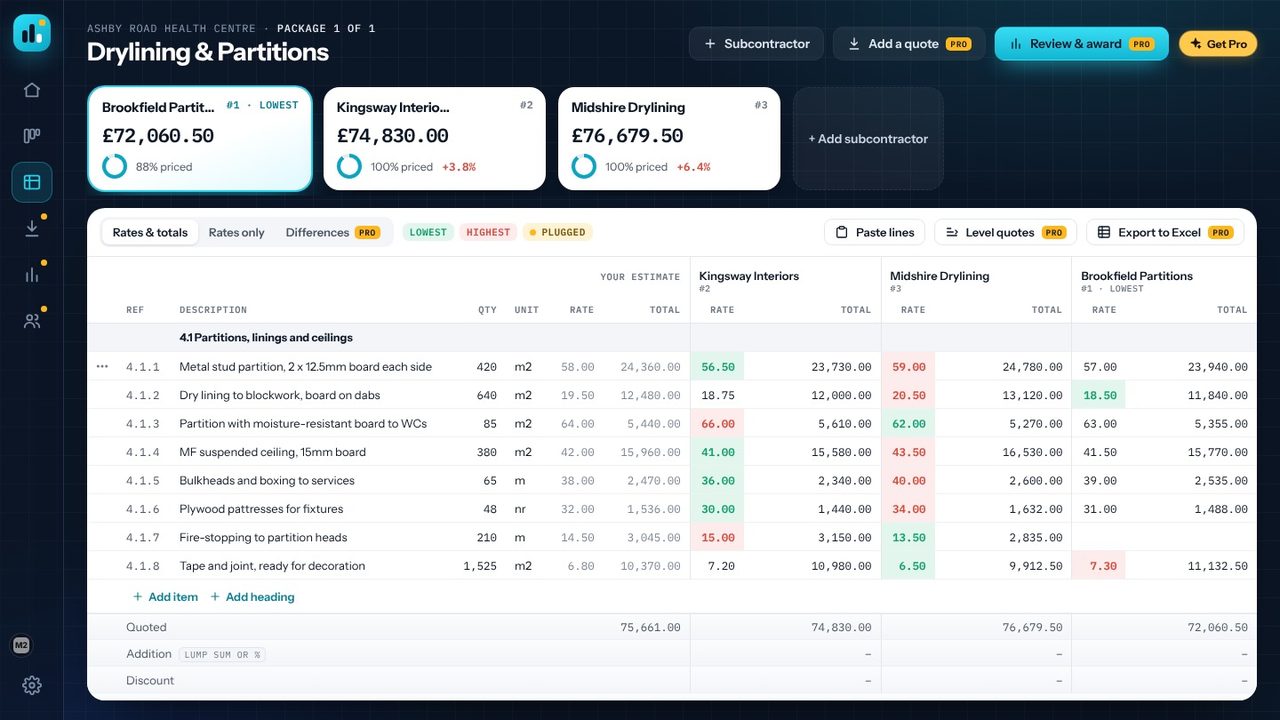
Brookfield left out 210 m of fire-stopping. Right-click the empty rate and choose Use the estimate rate (plugged), or type your own figure and choose Mark as plugged. A plugged rate keeps a marker, and the subcontractor's card shows how many of their rates are plugged, so nothing is hidden in the total.
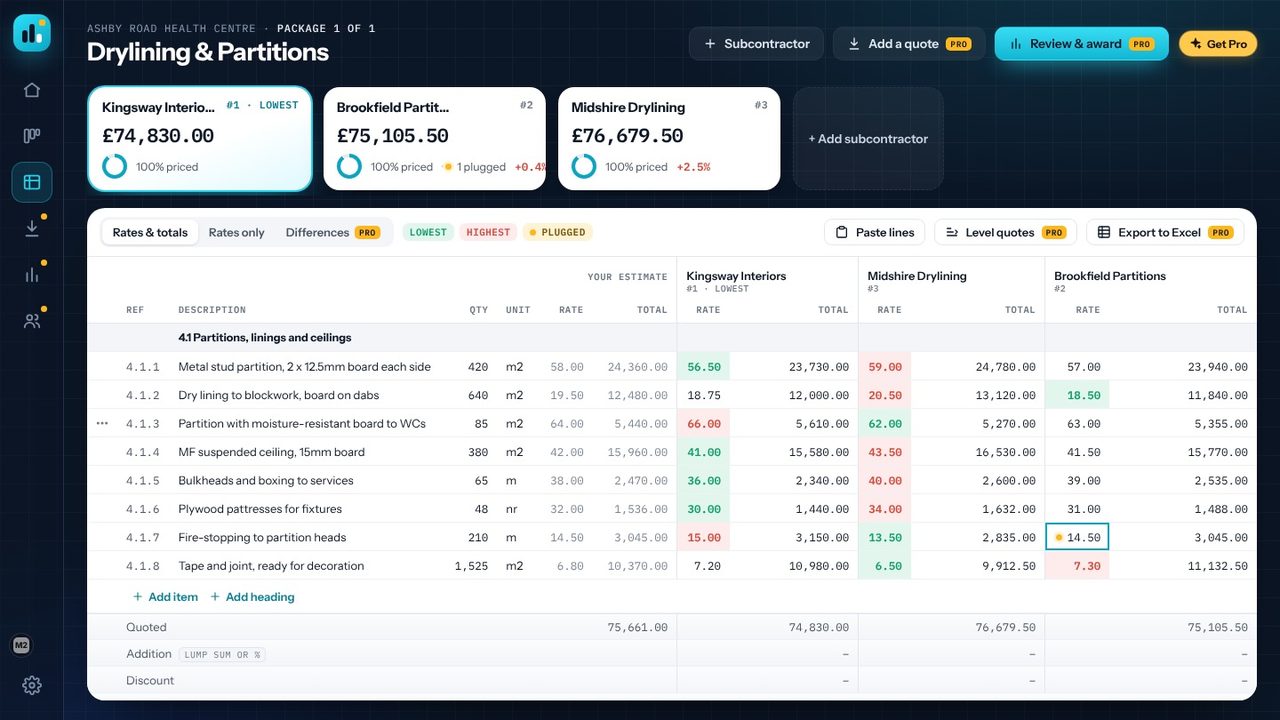
With the gap filled at £14.50/m, Brookfield goes up to £75,105.50 and drops to second, 0.4% above Kingsway Interiors at £74,830 - which is 1.1% under the £75,661 estimate. Below the bill, the sheet shows each adjusted total against your estimate, its gap to the lowest, and how many items each quote has left unpriced.
Yes. Projects, packages, the tender board, the side-by-side comparison, plugged rates, adjustments, ranks and awarding are free, in your browser and in the Windows app, with no account. Quote Comparison Pro is an optional one-off £9.99 upgrade in the Windows app that adds reading quotes from Excel, importing your estimate, Review & award, levelling all the gaps in one go, the Differences view, Excel export and a tender report.
Fill the missing rate so every quote covers the same bill, and mark it as plugged so you can see it was added. In Quote Comparison you can right-click the empty rate and choose Use the estimate rate (plugged). With Pro, Level quotes fills every gap in one go from the lowest, average or highest of the other quotes, or your estimate.
Yes. Copy a column of rates in Excel, click the first rate cell for that subcontractor and press Ctrl+V - the rates fill down the bill. Paste lines adds bill lines the same way. With Pro you can open the subcontractor's spreadsheet instead and every line is matched to your bill for you.
In the browser edition, projects are kept in that browser on that device. The Windows app saves them on your PC as you work, and Save a copy writes a .m2quotes file you can keep elsewhere or send to a colleague. Nothing is uploaded and there's no account.
