How-to guide
A cash flow forecast built from the programme moves when the programme does: if the frame slips a month, so does the money. Cost each activity, through the labour, plant and materials it uses or a fixed cost, and the programme gives you the monthly spend, the cumulative S-curve and earned value. Metre2 Programme Studio Pro works them out from the dates and the progress, and exports the cash flow to Excel.
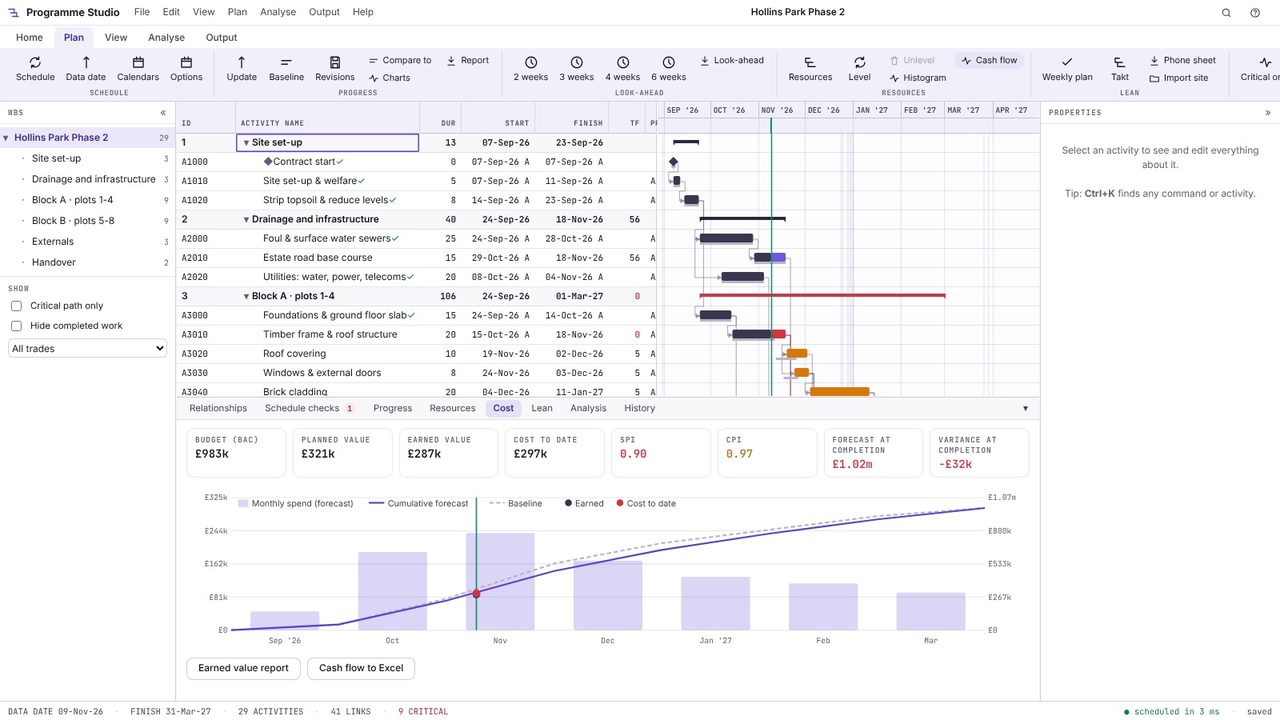
Open Plan > Cash flow. The Cost tab shows the budget at completion, planned value, earned value, cost to date, SPI and CPI, the forecast at completion and the variance, then the monthly spend as bars with the cumulative forecast, the baseline and the earned value and cost to date so far.
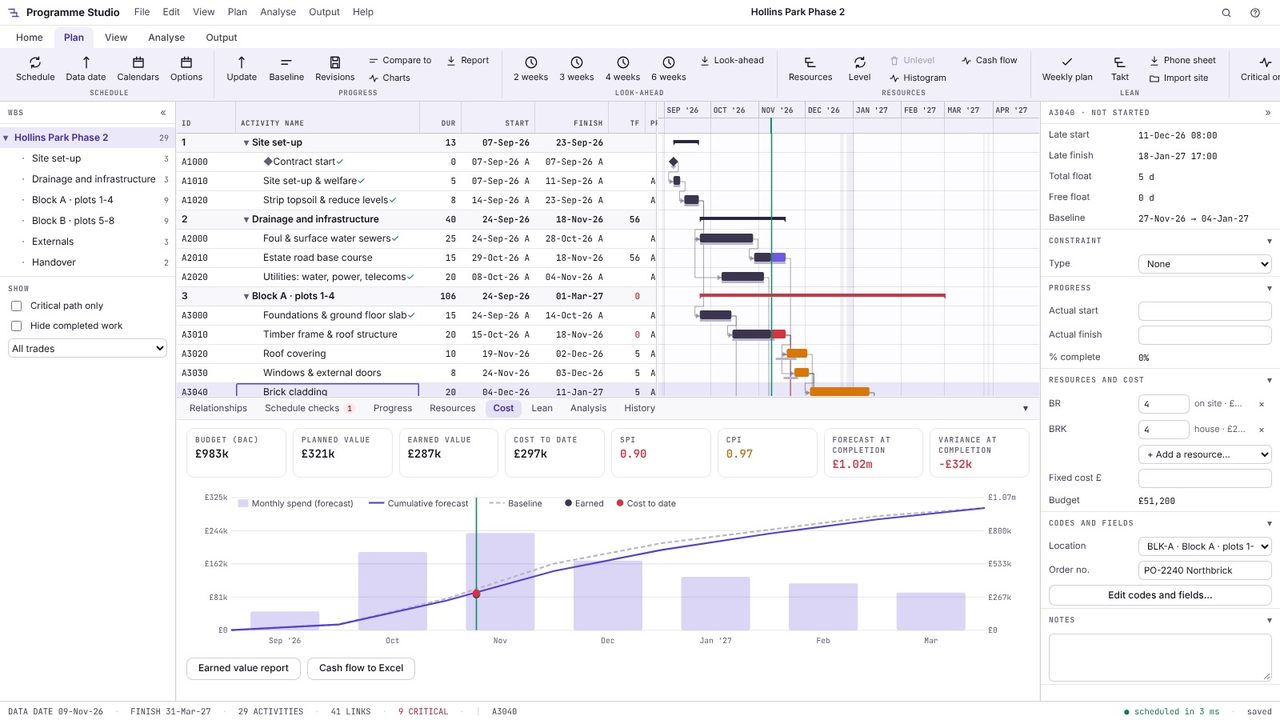
Select an activity: its Resources and cost section lists the resources on it with their quantities, any fixed cost and its budget. Here the brick cladding has four bricklayers on site and 4 houses' worth of bricks, £51,200 in all. Rates come from Plan > Resources.
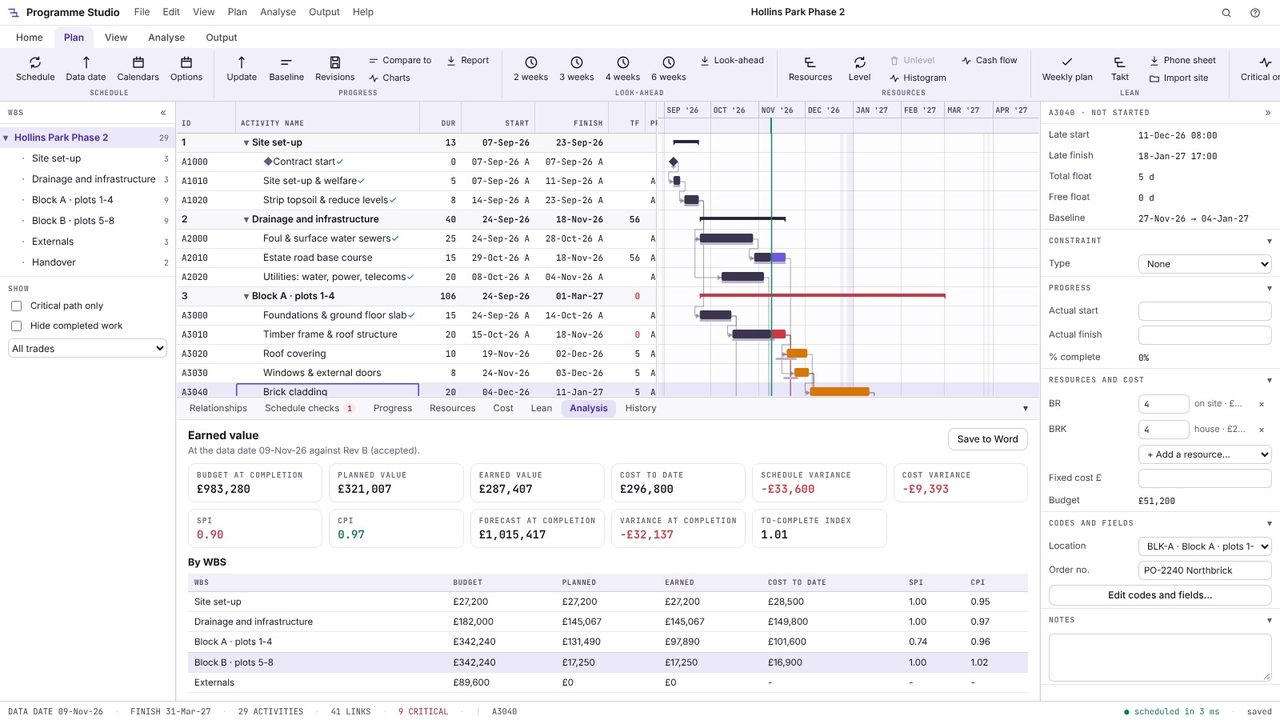
Choose Earned value report for the full picture at the data date: budget, planned and earned value, cost to date, schedule and cost variance, SPI and CPI, the forecast at completion and the to-complete index, by WBS. An SPI under 1 means less work done than planned; a CPI under 1 means it cost more than planned.
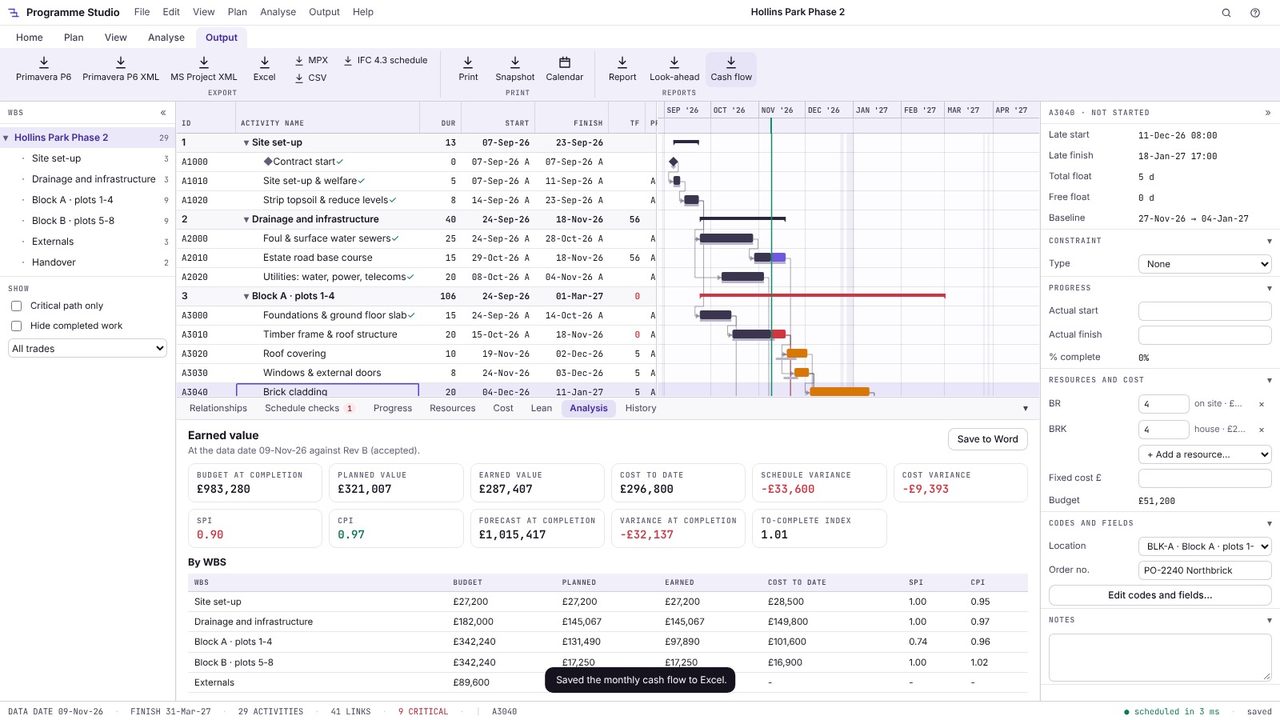
Choose Output > Cash flow to save the monthly cash flow to Excel, ready for the cost report or the valuation forecast.
Cost the programme, either by giving each activity a budget or by loading it with resources that have rates, and spread each activity's cost over its duration. Adding up the cost in each month gives the monthly cash flow, and the running total is the cumulative S-curve.
The budgeted cost of the work actually done. Comparing it with the planned value (the work that should have been done by now) gives the schedule variance and SPI, and with the actual cost gives the cost variance and CPI.
Spending is slow at the start while the site is set up, fastest in the middle when most trades are working, and slows again during finishing and commissioning, so the cumulative total traces an S.
Programme Studio is free to open and view programmes of any size and to build or edit programmes of up to 50 activities. Pro adds this and every other planning tool, with no activity limit, for £29.99 a month or £249 a year. The 7-day free trial needs a Metre2 account but no payment details.
