How-to guide
Business cards are printed many to a sheet and cut out: 21 standard 85 x 55 mm cards fit on an SRA3 sheet with bleed. The back has to land exactly behind the front, so the back of the sheet is mirrored. This guide steps and repeats a two-sided business card on SRA3 in Metre2 Print Imposition, checks the backs, picks the best sheet and saves the PDF, free in your browser.
Open a PDF with the front as page 1 and the back as page 2. Print Imposition sees a small two-page PDF and lays it out as Step & repeat, both sides. Or open the Business cards sample.
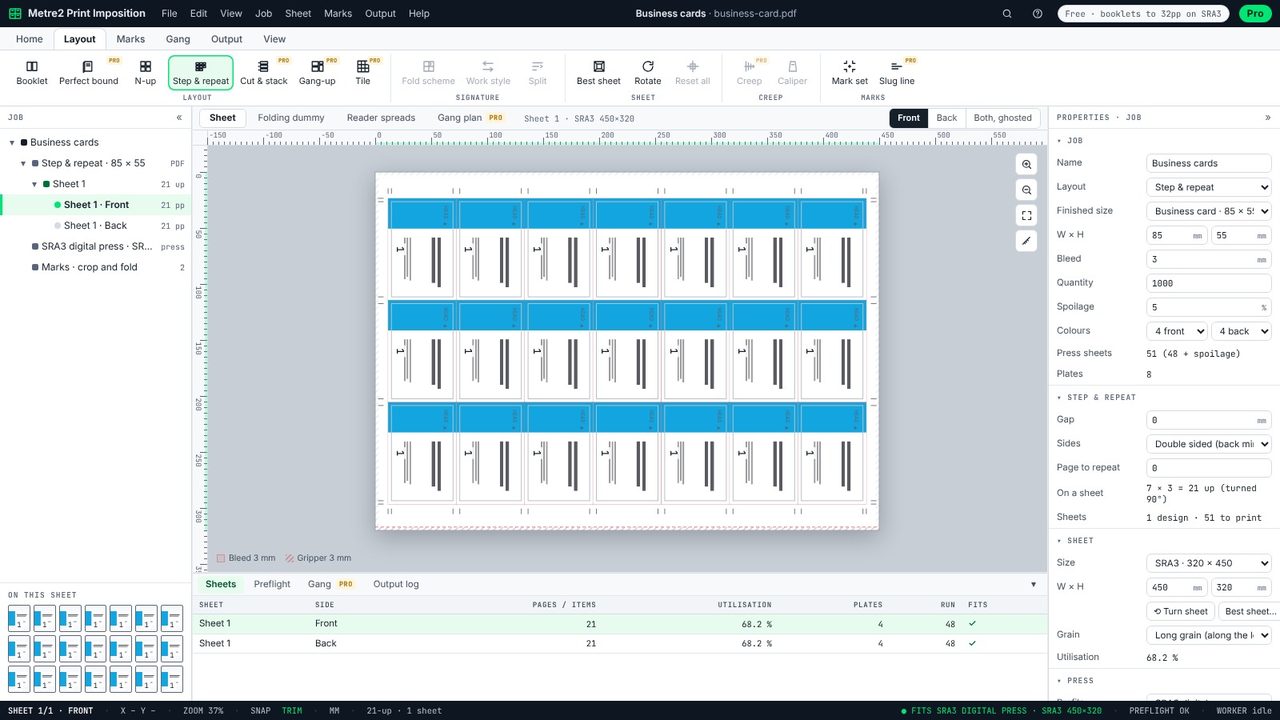
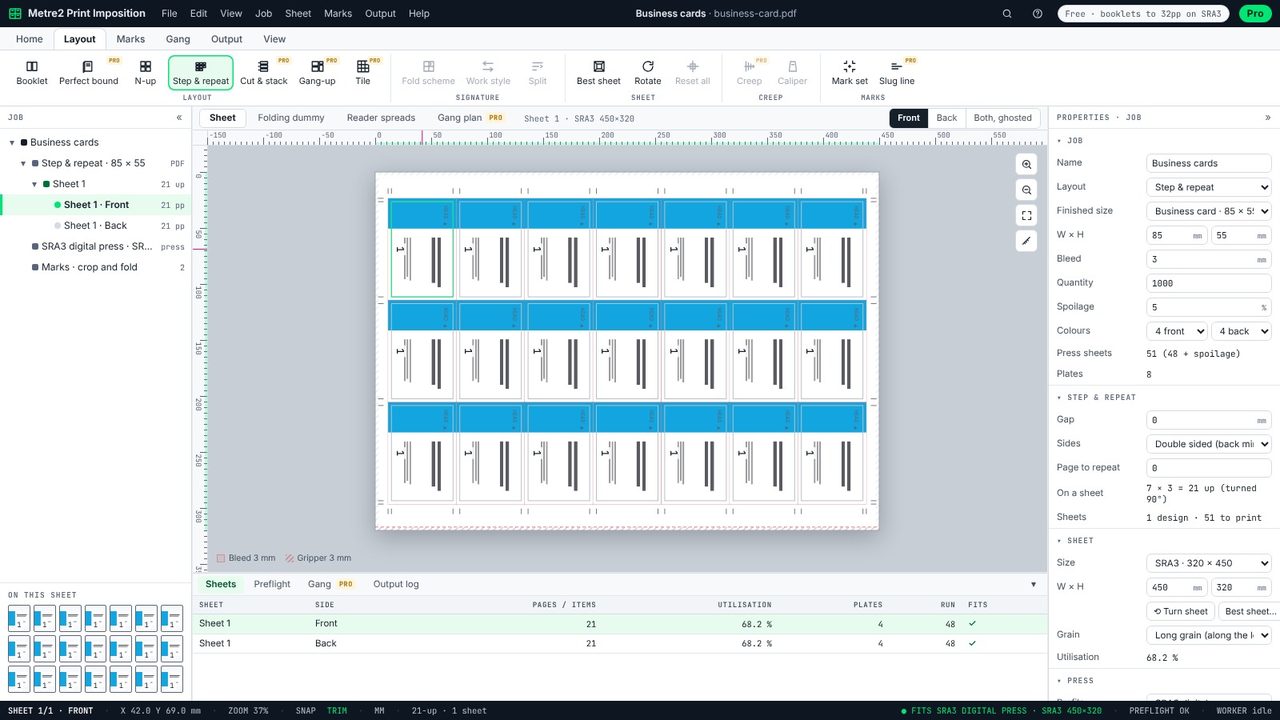
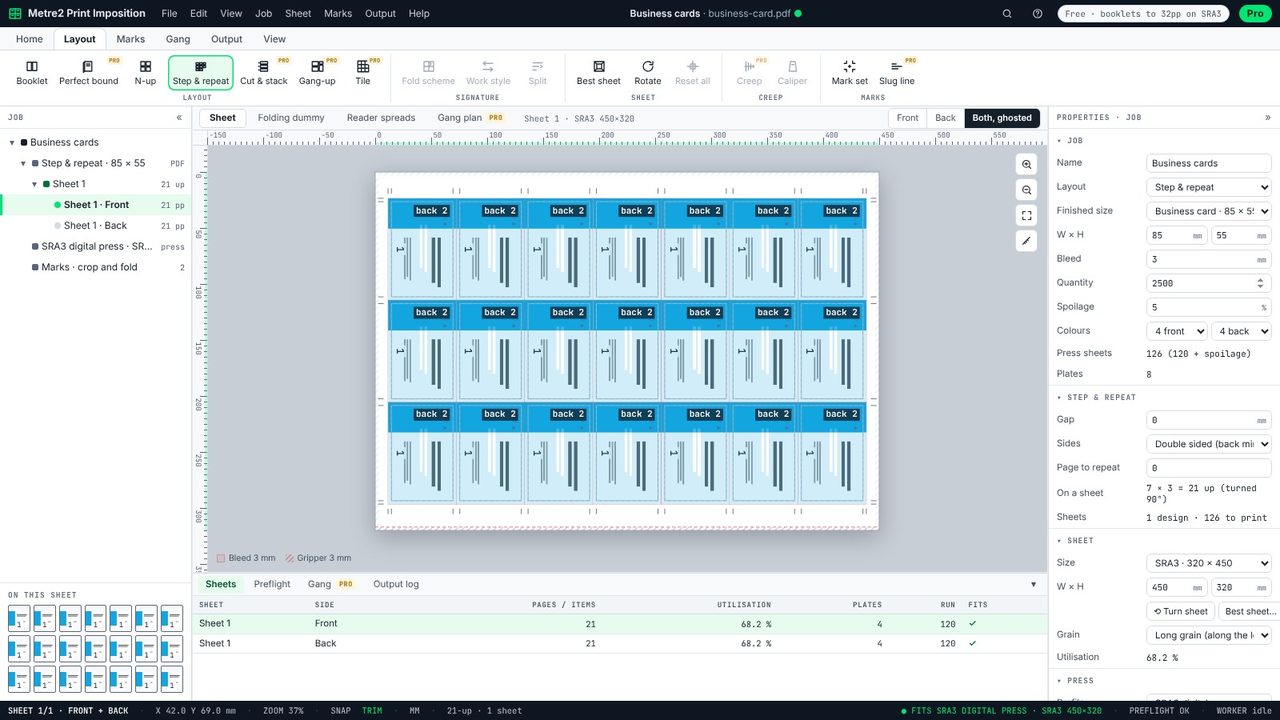
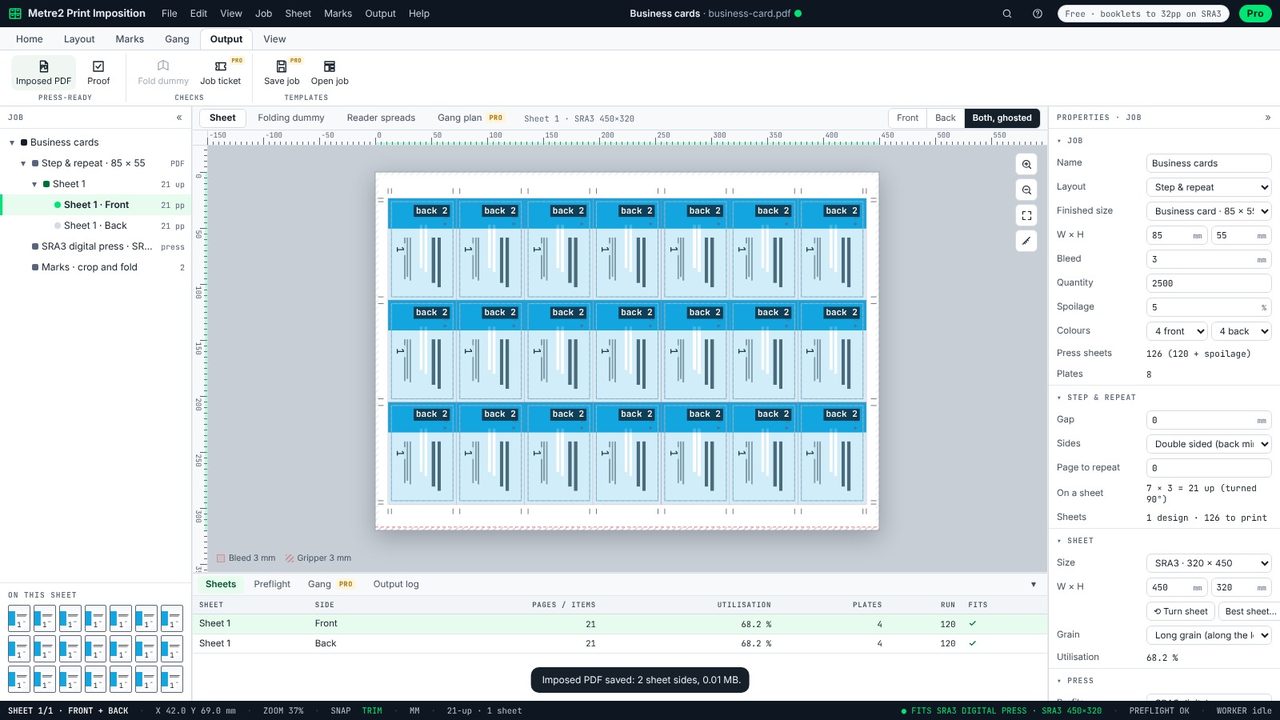
The card is repeated to fill the sheet, turned 90° when more fit that way: 21-up (7 x 3) on SRA3 with 3 mm bleed round every card. Hover a card for its exact position.
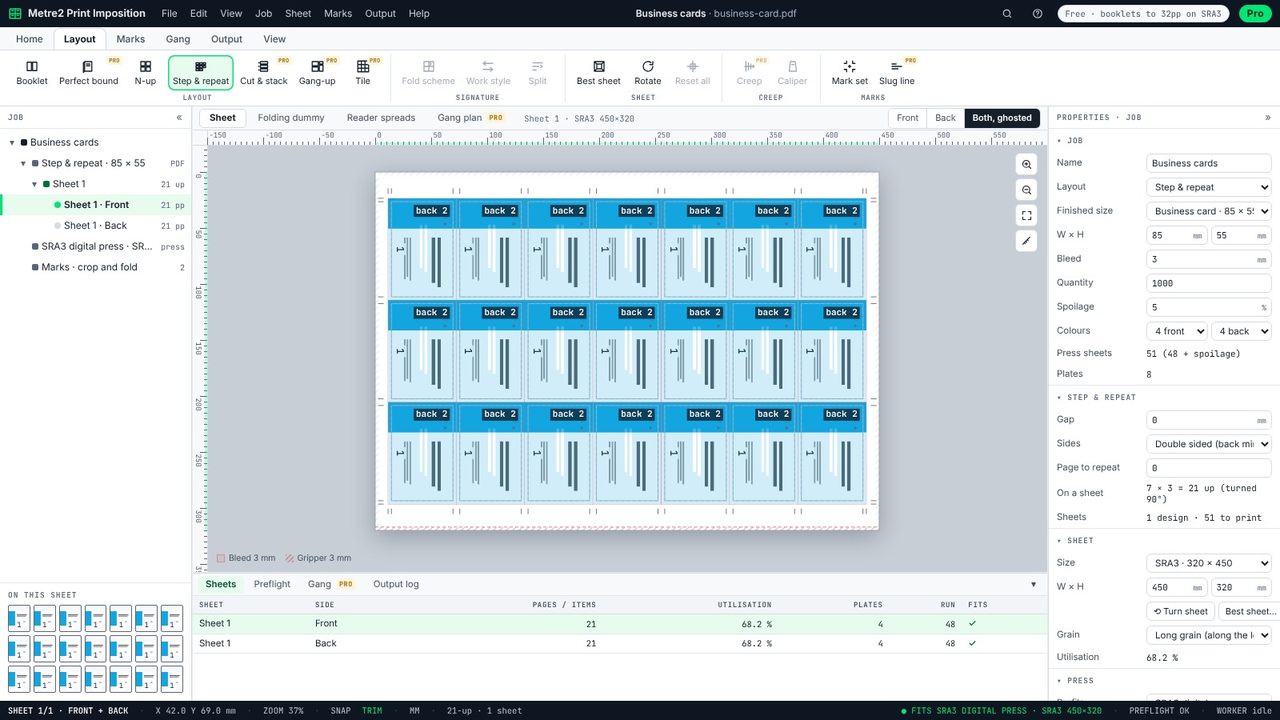
Choose Both, ghosted. Each slot shows its back showing through, labelled - the back of every card sits exactly behind its front, because the back of the sheet is mirrored.
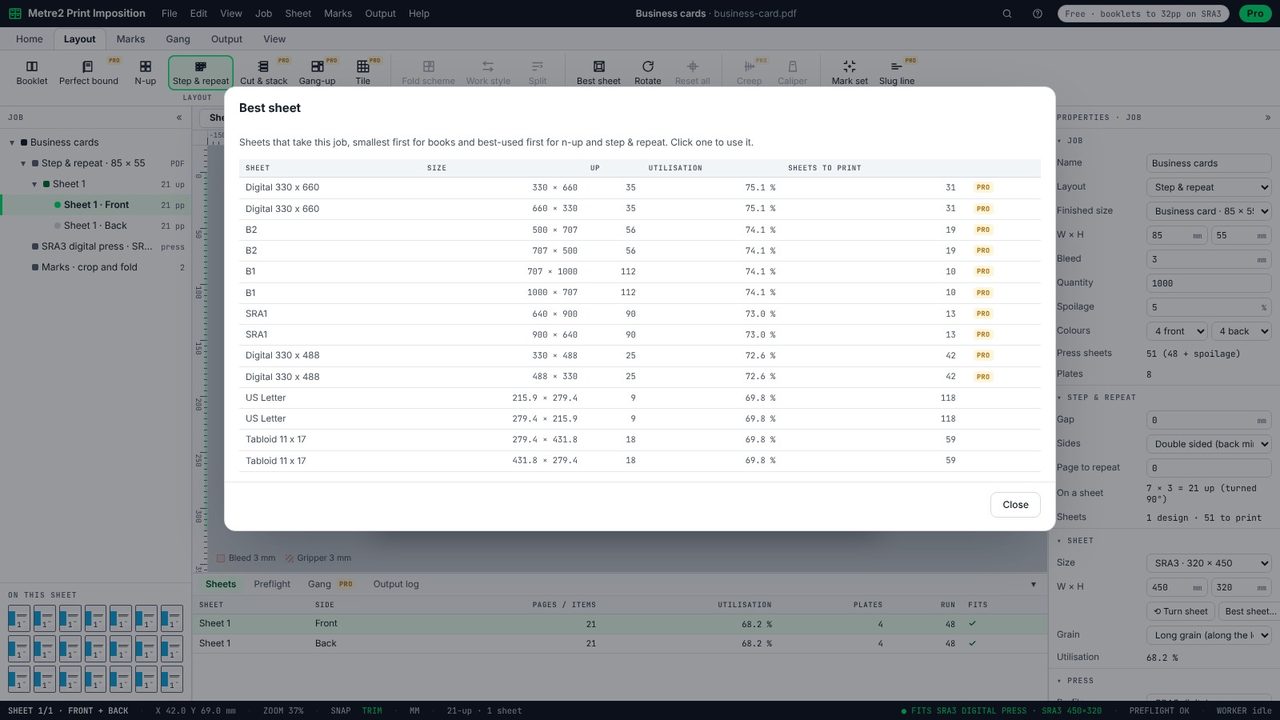
Best sheet on the Layout tab lists every sheet that takes the job, with how many fit, the utilisation and the sheets to print. Pick one to switch to it.
Type the quantity in Properties. For 2,500 cards at 21 a sheet that's 120 sheets, 126 with 5% spoilage - the press-sheet count updates as you type.
Output > Imposed PDF saves the front and back as two PDF pages with crop marks at every cut. Print the back on the reverse, flipping on the short edge.
21 standard UK cards (85 x 55 mm) with 3 mm bleed fit on SRA3 (320 x 450 mm), as 7 x 3 with the cards turned. With no bleed, more may fit.
Print the back as the second page and choose double sided. The back of the sheet is mirrored, so each back lands behind its front when you turn the sheet over on the short edge.
Yes: step and repeat of one item, both sides, on sheets up to SRA3, with crop marks and no watermark.
No. The PDF stays on your computer; Print Imposition runs in your browser.
