How-to guide
Earth has three volumes: bank (in the ground), loose (in the lorry, bigger) and compacted (in the fill, usually smaller). The bulking factor turns bank into loose; the shrinkage factor turns bank into compacted. Get them wrong and the balance is wrong. This guide adds a mudstone layer under the clay at Hollins Farm in Metre2 Earthworks Pro, places a borehole and reads the balance by material.
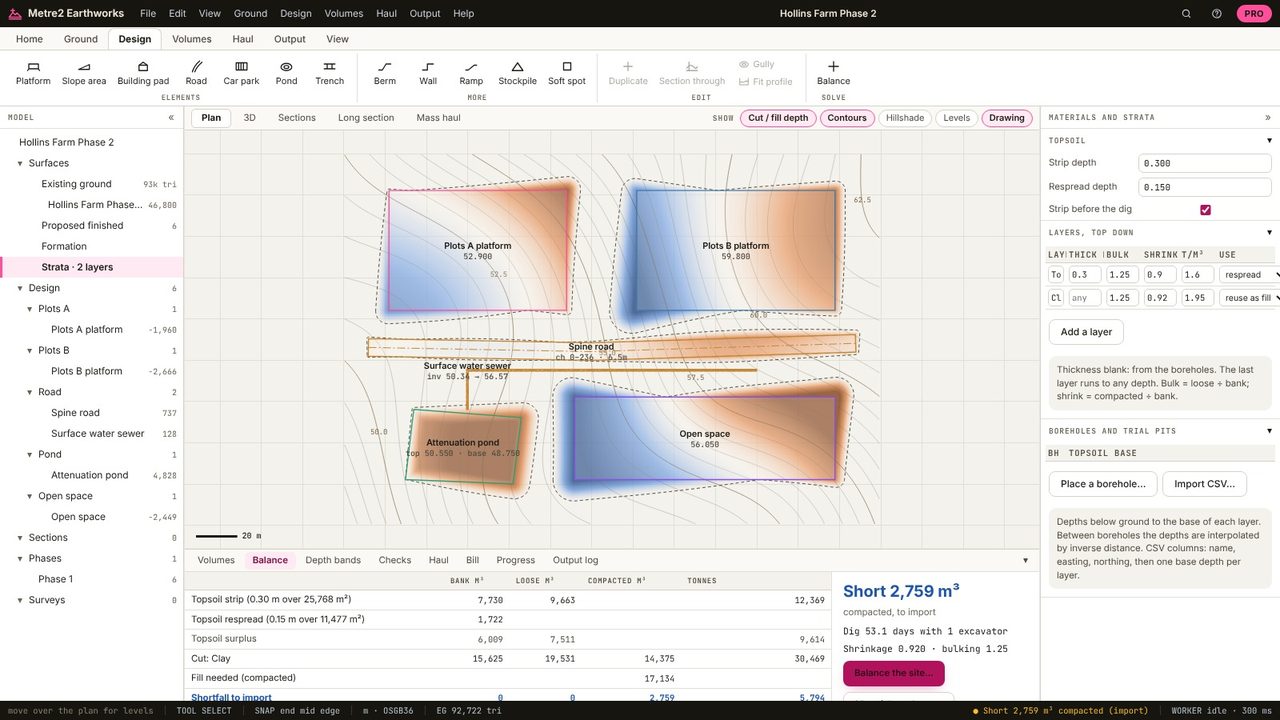
Click Strata in the model tree. Layers are listed top down: topsoil first, the last running to any depth. Each has a thickness (or comes from the boreholes), bulking, shrinkage, density and a use: reuse as fill, respread or dispose.
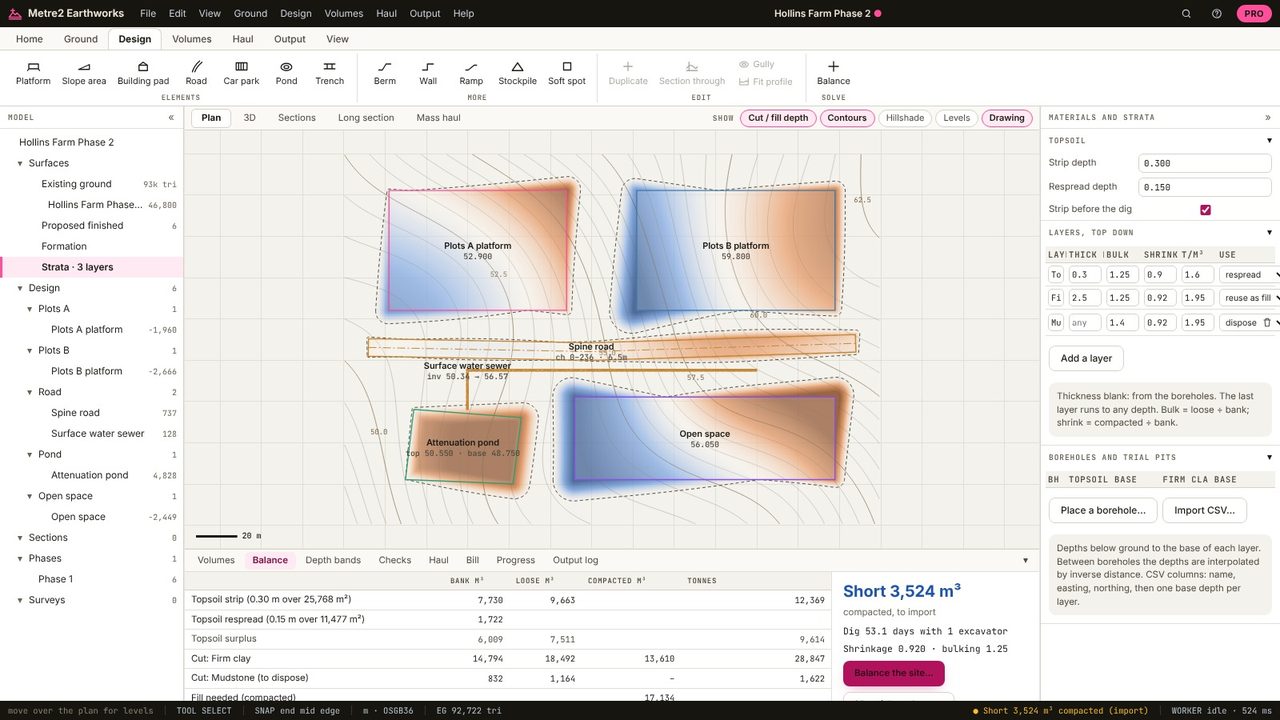
Add Firm clay 2.5 m thick over Mudstone; the mudstone bulks more (1.4) and isn't reused, so it's set to dispose.
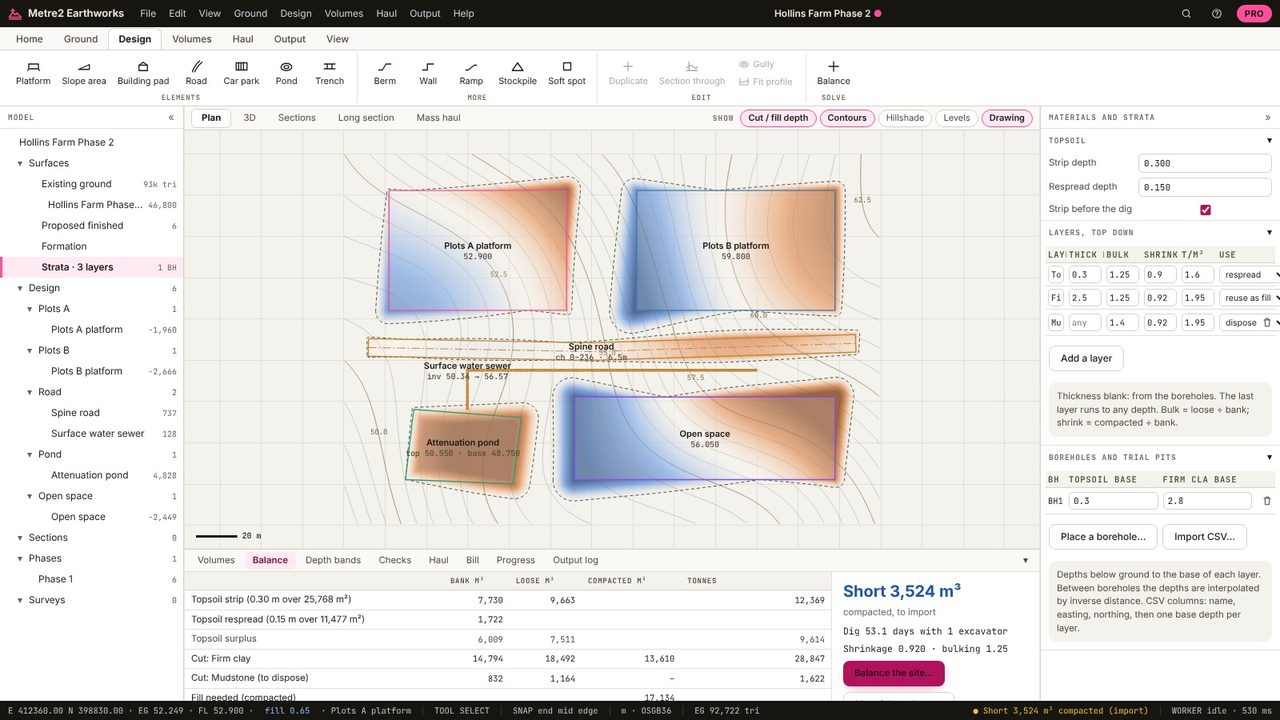
Place a borehole and type the depth to the base of each layer from the log; between boreholes the depths are interpolated. Or import them from a CSV.
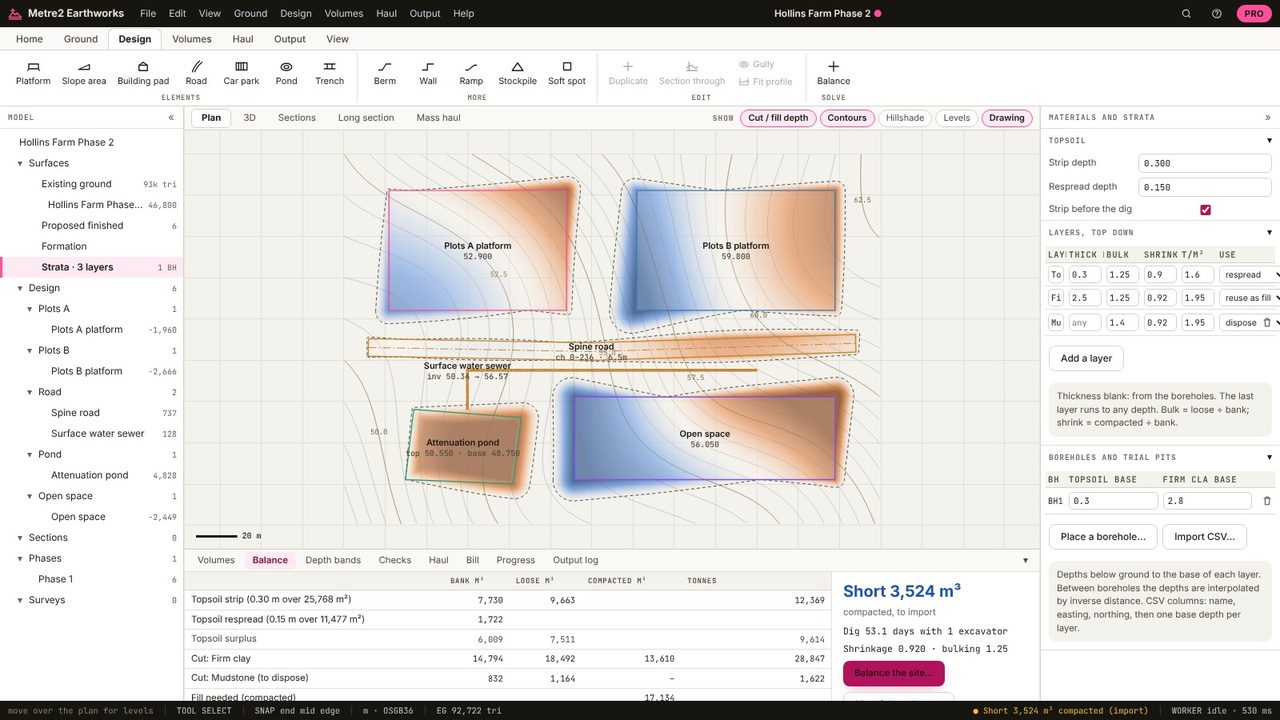
The cut is split by layer: 14,794 m³ of firm clay (18,492 loose, 13,610 compacted, 28,847 t) and 832 m³ of mudstone to dispose. With the mudstone out of the fill, the site is now 3,524 m³ short.
How much bigger soil gets when it's dug: loose volume ÷ bank volume. Clay is typically 1.2-1.3, rock 1.4-1.6.
The compacted volume ÷ bank volume when it's placed as fill: about 0.9 for clay, above 1 for rock (it doesn't compact back to its bank volume).
Layers below the topsoil, boreholes and materials are in Earthworks Pro (£19.99 a month or £179 a year, with a 7-day free trial).
No. Earthworks runs in your browser: survey files, LIDAR tiles and PDF drawings are read on your computer and the project is kept in your browser until you save it as a file.
