How-to guide
A baseline is a saved copy of the programme's dates, usually the accepted or contract programme, that every later version is measured against. Without one you can say when the job will finish, but not how far it has slipped or which activities caused it. Metre2 Programme Studio Pro keeps up to 11 baselines with each programme, draws them as grey bars under the live ones and adds baseline and variance columns.
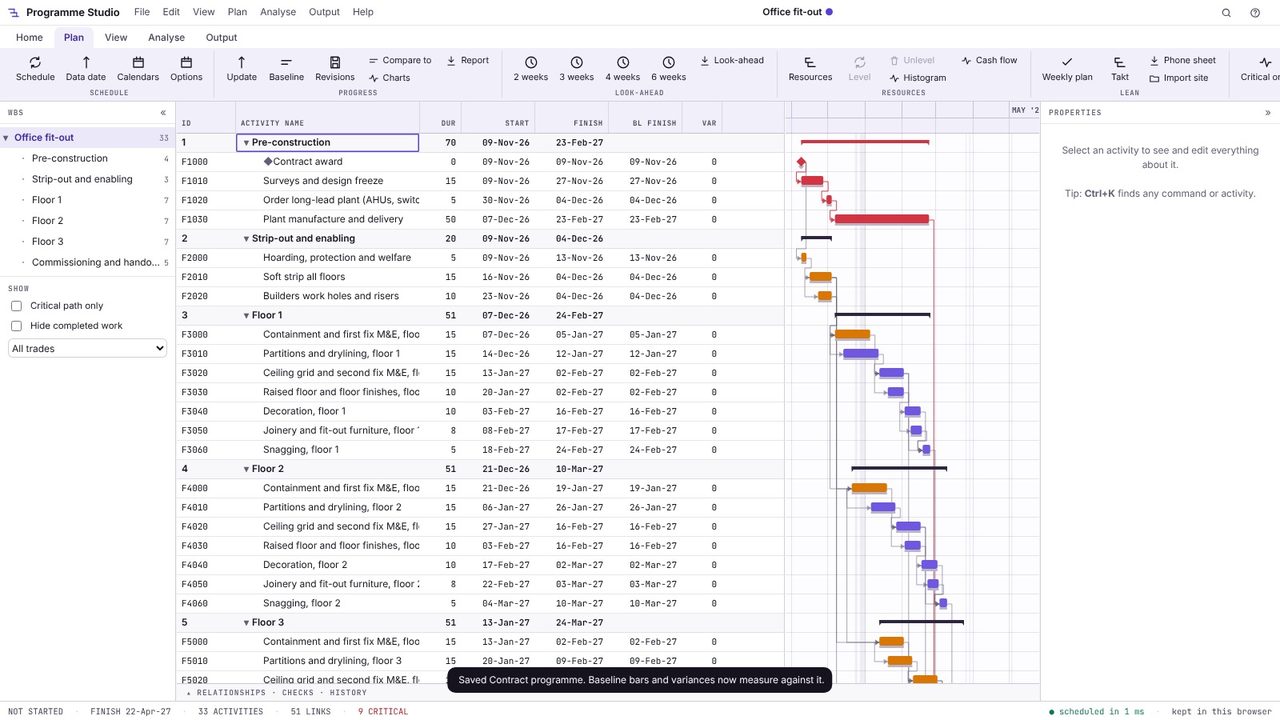
Open the programme you want to measure against: the tender programme, the contract programme or the one accepted by the client. This example starts from the Office fit-out template on the start screen.
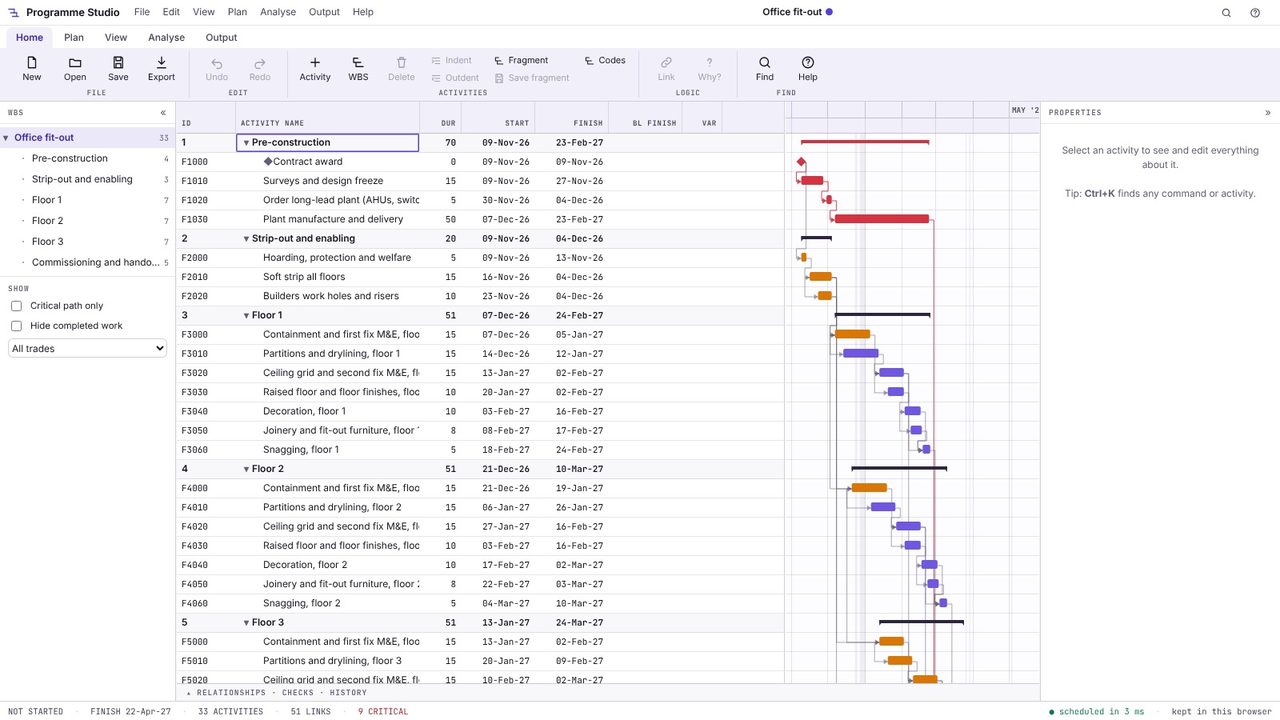
Open Plan > Baseline, choose which of the 11 baseline slots to save into and give it a name, such as "Contract programme". Programme Studio copies every activity's dates; the baseline bars, the variance columns and the S-curve now measure against it.
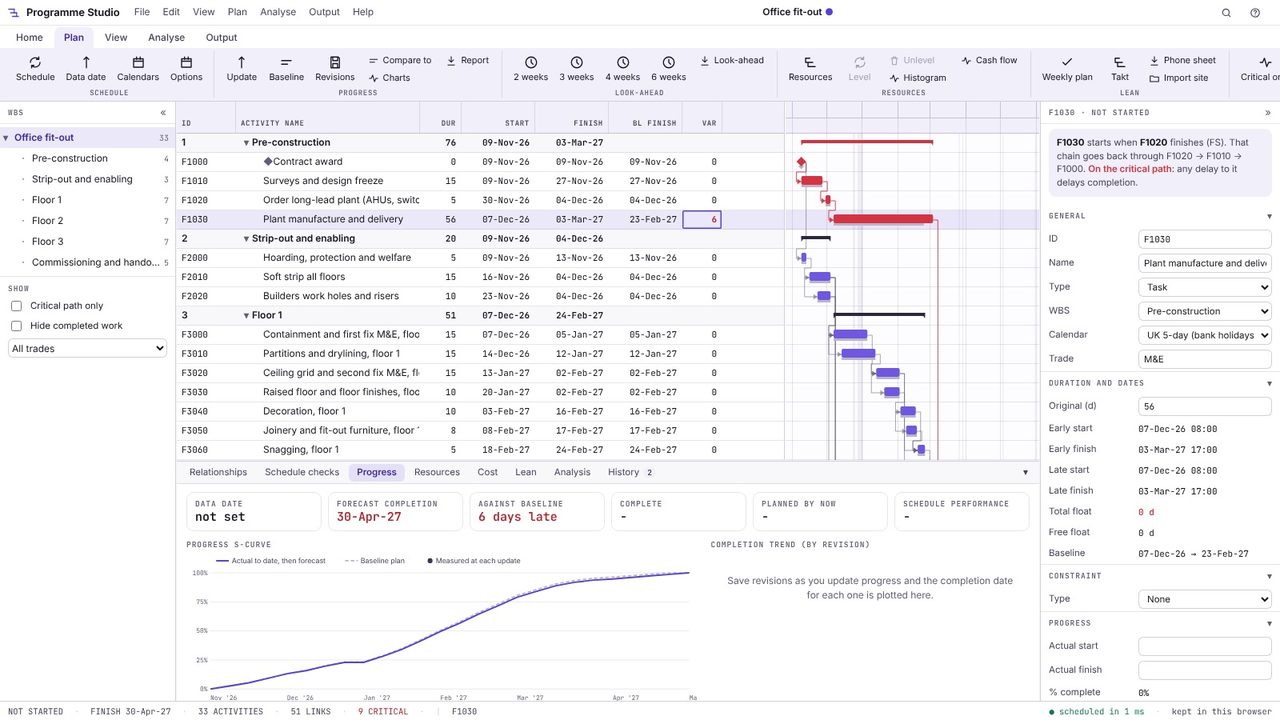
Carry on updating the programme as the job goes: progress, longer durations, new logic. Here the plant manufacture and delivery takes six days longer, and because it is on the critical path the whole programme moves.
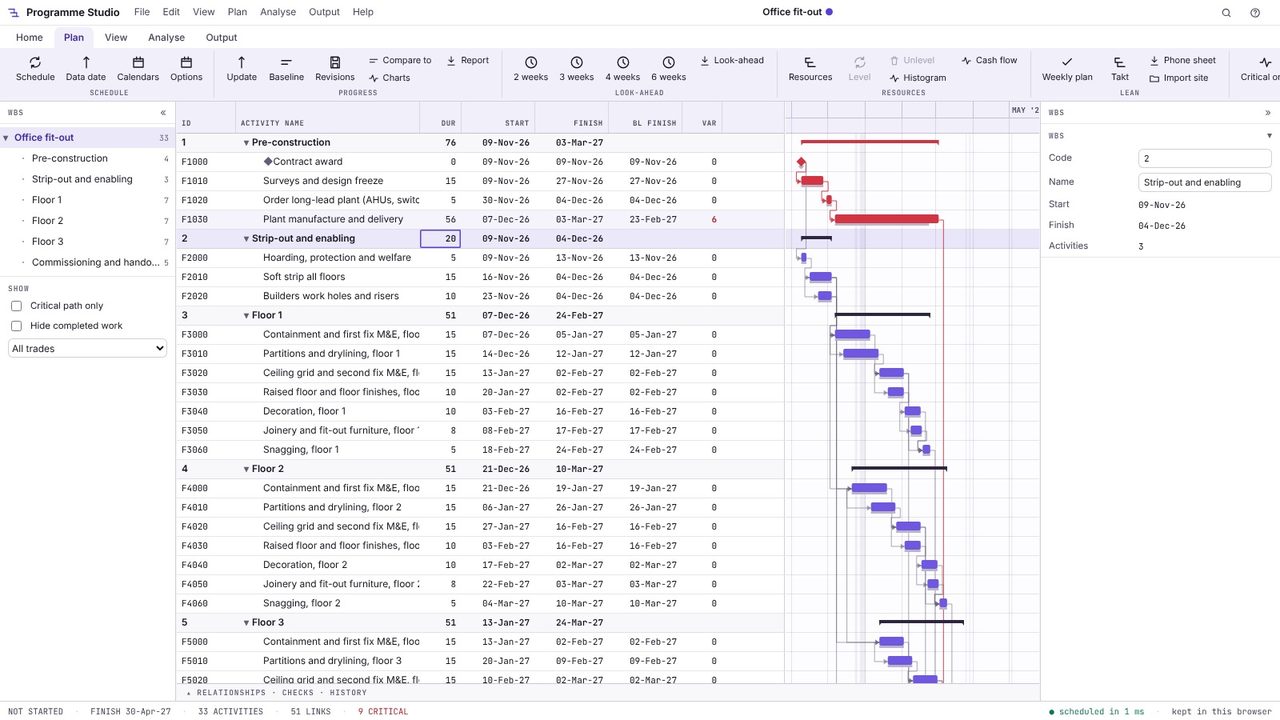
Each bar now has its baseline drawn under it in grey, so slippage shows as the gap between them. Add the BL start, BL finish and Var columns from View > Choose columns: variance is the finish against the baseline in working days, with plus meaning late. The properties panel shows the baseline dates of the selected activity.
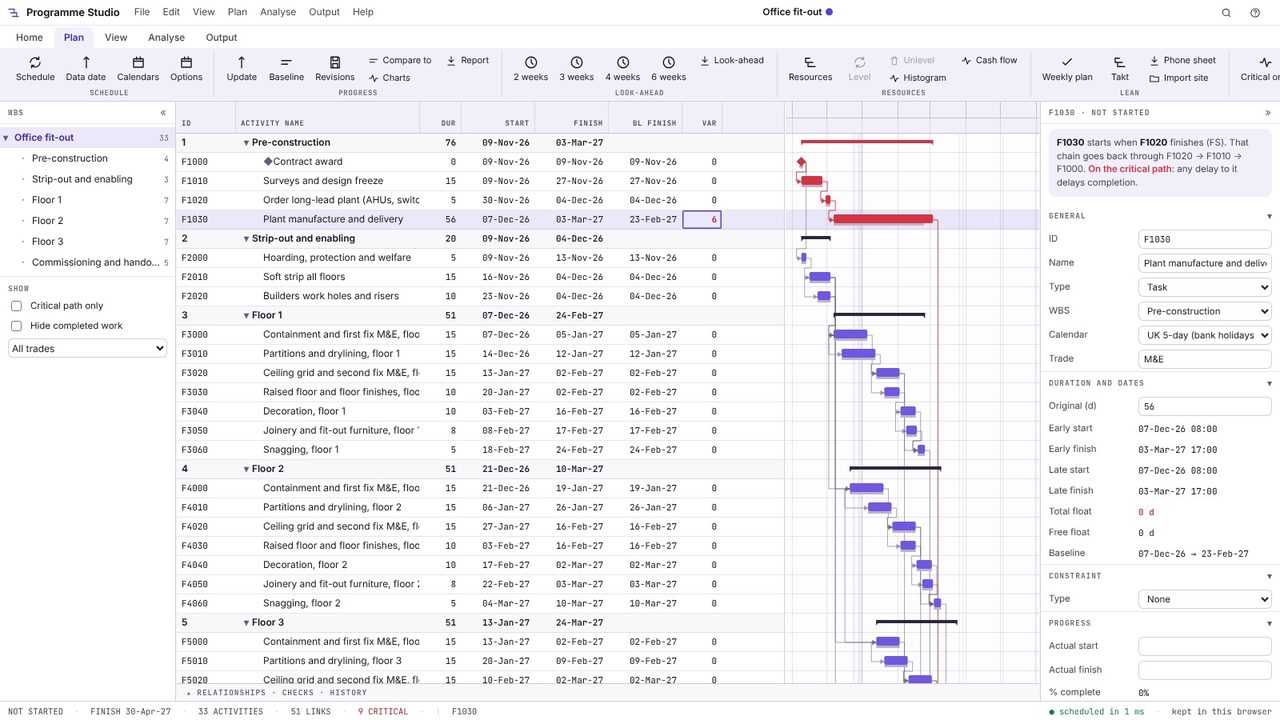
The Progress tab gives the forecast completion and how far it is against the baseline (6 days late here), with the S-curve against the baseline plan once progress is recorded.
It is a fixed copy of the programme's dates at an agreed point, usually the contract or accepted programme, kept so that later versions can be compared against it to show slippage and progress.
Programme Studio keeps up to 11 per programme, as P6 does, and you choose which one the bars and variance columns compare against.
Finish variance is the difference between an activity's current finish and its baseline finish. In Programme Studio it is in working days, positive when the activity is now later than the baseline.
Programme Studio is free to open and view programmes of any size and to build or edit programmes of up to 50 activities. Pro adds this and every other planning tool, with no activity limit, for £29.99 a month or £249 a year. The 7-day free trial needs a Metre2 account but no payment details.
