Construction PDF tools

Make drawings and documents easier to work with

Focused software for construction PDF takeoff, document search, flattening, splitting, merging and industry file conversion—without forcing every job into a single heavyweight system.

Choose the PDF workflow you need

Start with a drawing, a document set or a difficult file—and use the tool designed for that task.

Measure

Take quantities from PDF drawings

Calibrate a plan, capture measurements and export grouped quantities.

Prepare

Make PDFs reliable to share

Flatten mark-ups, split pages, merge documents and reorder a set.

Find

Get answers from project documents

Search and explore PDFs or convert industry estimate files into usable data.

PDF and file tools for construction teams

Use browser-based takeoff where you need it and small, focused Windows tools for document preparation and exploration.

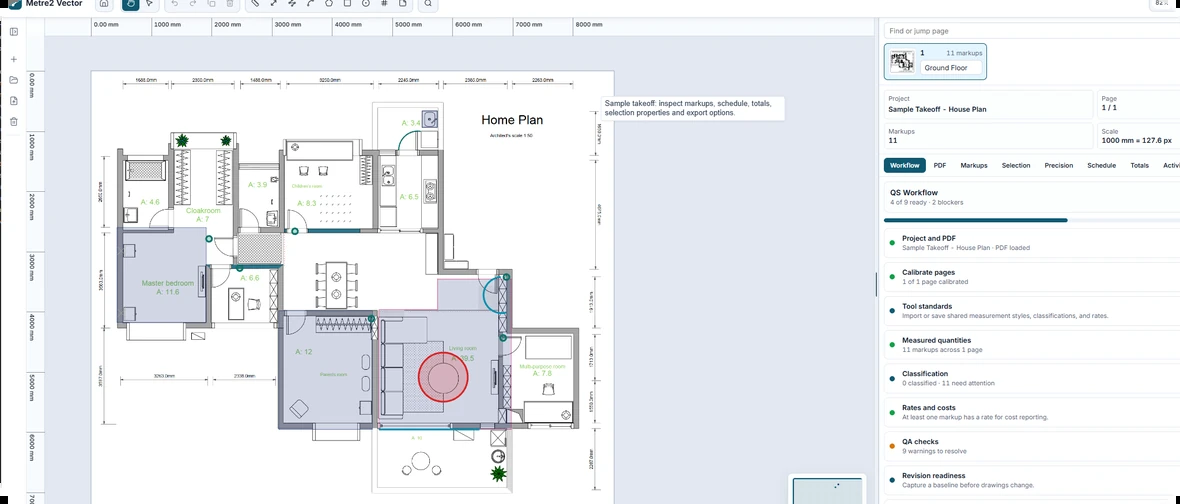
Metre2 Vector browser-based PDF takeoff workspace
Web app

Metre2 Vector

Browser-based PDF takeoff for measured drawings.

  • Measure areas, lengths and counts after scale calibration.
  • Classify mark-ups and group quantities with rates.
  • Export reports, images, marked PDFs, CSV and Excel data.
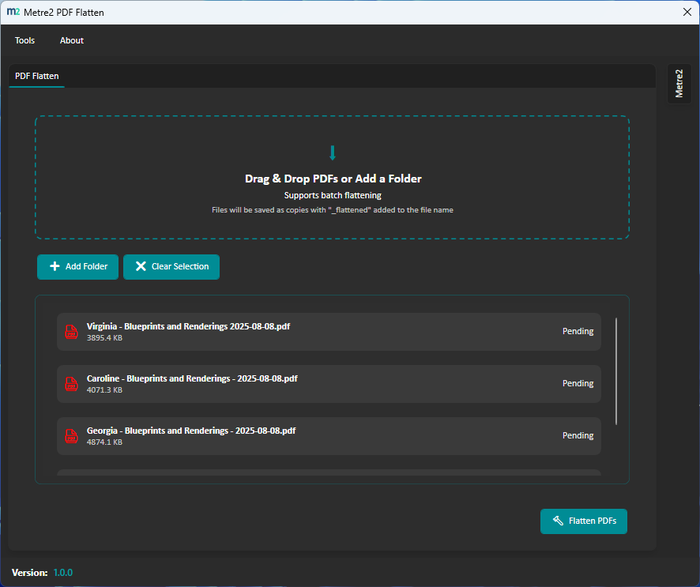
Metre2 PDF Flatten workspace
Windows app

PDF Flatten

Create clean, compatible copies of marked-up PDFs.

  • Flatten hidden elements, annotations and mark-ups.
  • Process a file or a folder in one pass.
  • Keep originals untouched with safe copy output.
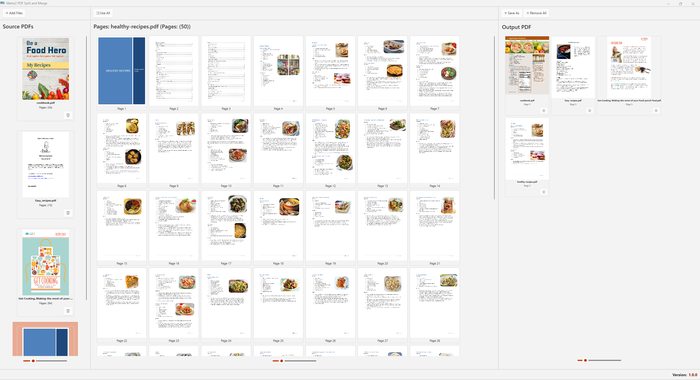
Metre2 PDF Split and Merge workspace
Windows app

PDF Split & Merge

Split, combine and reorder pages in PDF document sets.

  • Extract pages from a drawing or document set.
  • Merge multiple PDFs into a clear deliverable.
  • Reorder pages without leaving the workflow.
Metre2 PDF Context document workspace
Windows app

PDF Context

Ask questions about a PDF in a private local workspace.

  • Open a PDF and ask questions about its contents.
  • Search document information without uploading to a server.
  • Use a focused local AI workflow for document review.

Frequently asked questions

Which app should I use to measure PDF drawings?

Use Vector for browser-based PDF takeoff, or Takeoff Studio for a Windows desktop, offline-first PDF measurement workflow.

Can I flatten marked-up construction PDFs?

Yes. PDF Flatten creates a clean copy that strips hidden elements, annotations and mark-ups while leaving the original untouched.

Can I split and merge PDF drawing sets?

Yes. PDF Split & Merge is designed to extract, combine and reorder PDF pages.

Can I search or ask questions about a construction PDF?

PDF Context provides a local workspace for exploring a PDF and asking questions about its content without uploading the document to a server.

Use the right PDF tool for the job

From takeoff and document preparation to focused PDF exploration, Metre2 keeps everyday construction document work simple.