Not a business tool - just a real sky
A real, flyable 3D night sky. 8,920 real stars - every one visible to the naked eye - positioned by their actual coordinates, coloured by their actual temperature, sized by their actual brightness. The Milky Way in its real place, the Sun, Moon and planets for any date, 110 Messier objects, and all 88 official constellations with their real figure lines. Drag to look around, scroll to zoom - the camera never moves, you're always standing at the centre, exactly like looking up at the sky itself.
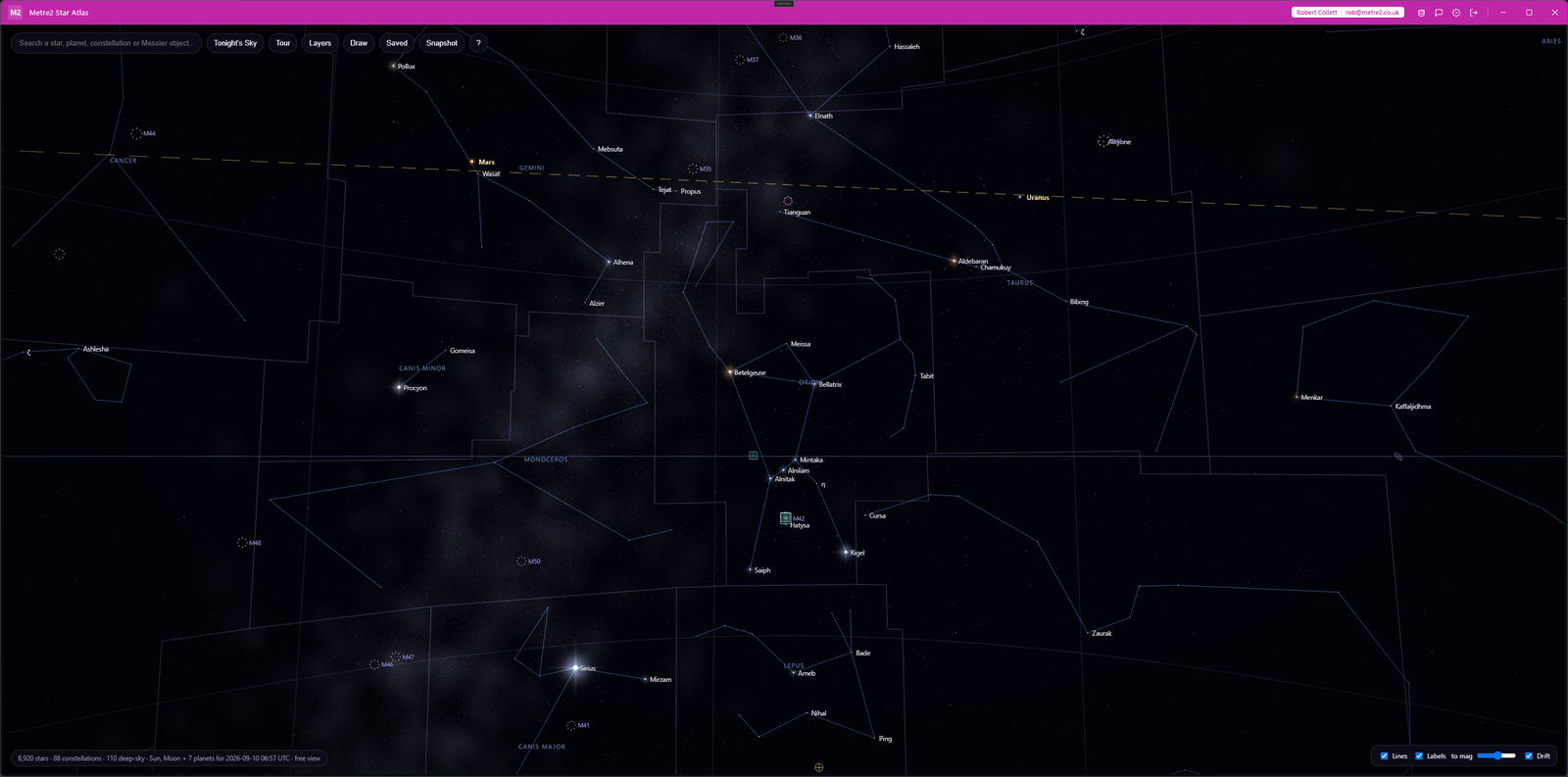
The guided tour stopping at the Moon with the Sun, Mercury and Jupiter strung along the ecliptic through Leo, and the Layers panel over the southern Milky Way around Crux and Carina.
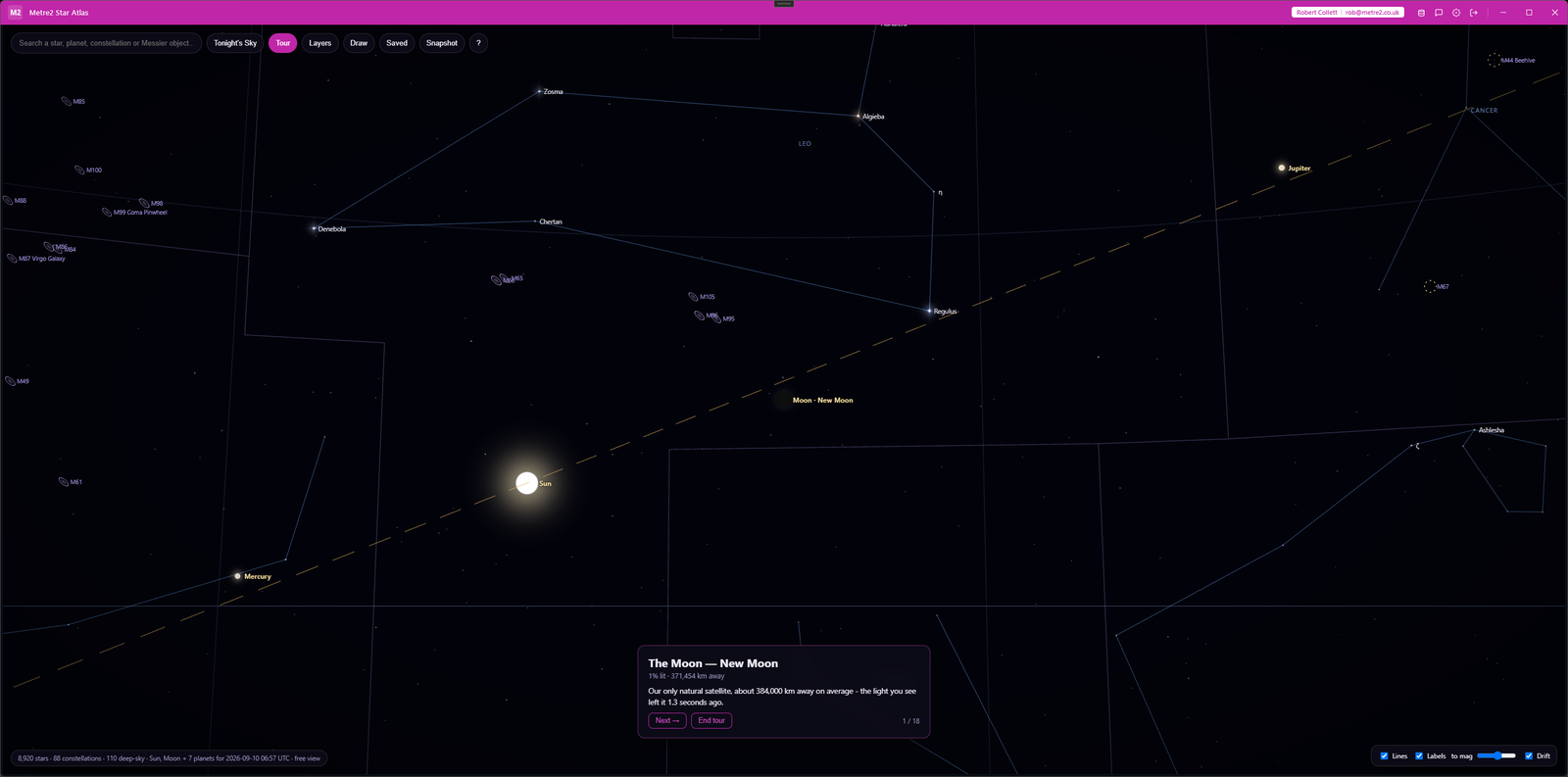
Tour - the Moon's card with its phase and distance, the Sun, Mercury and Jupiter on the ecliptic, Virgo's galaxies marked
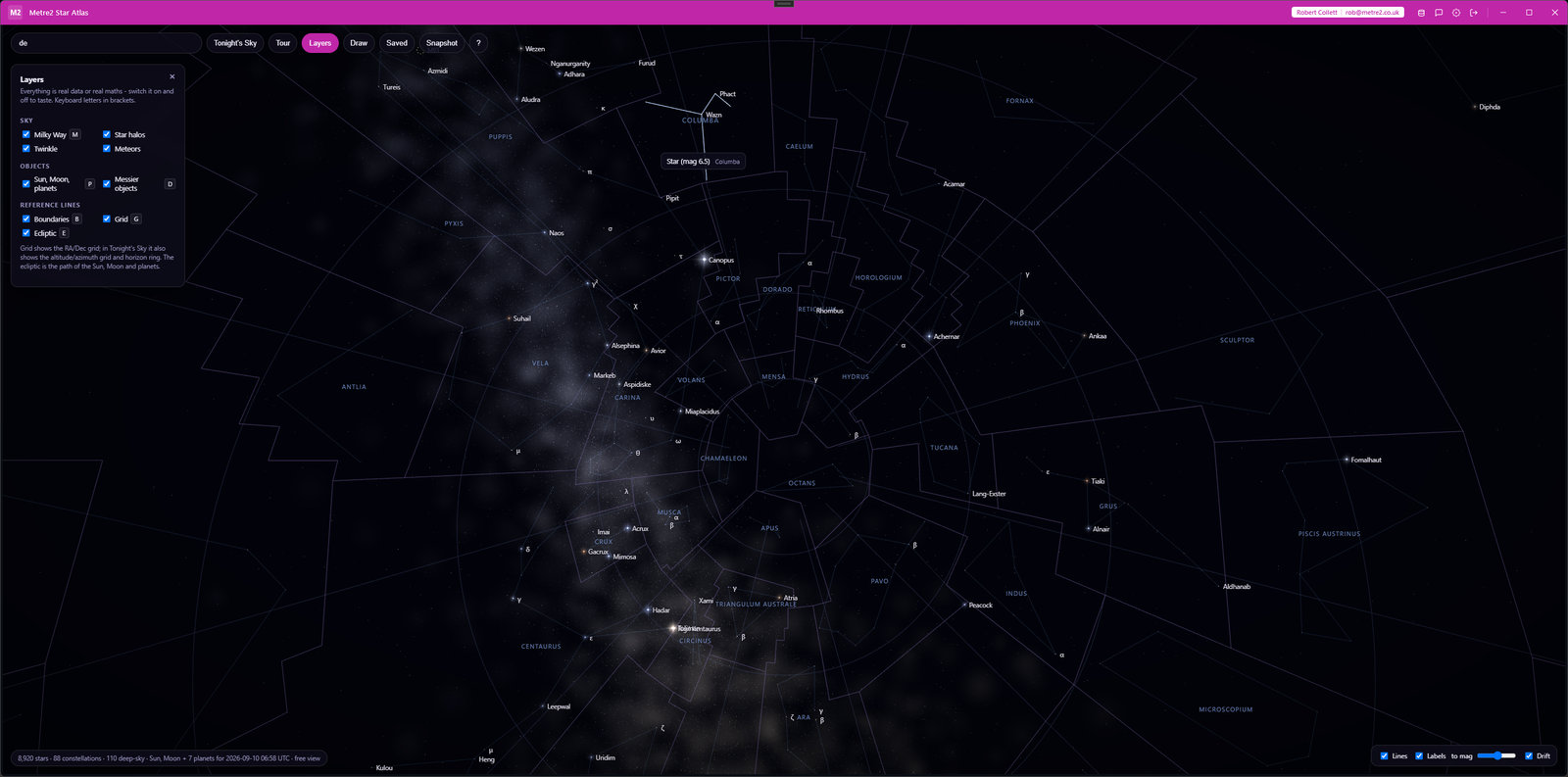
Layers - every layer toggled with a click or a key, here over the southern Milky Way with the grid and boundaries on
8,920 stars from the HYG astronomical database, positioned by their actual right ascension and declination, coloured from their real temperature, sized from their real brightness. Every one visible to the naked eye.
The real IAU figure lines, not hand-drawn approximations, toggleable with a label-density slider so you can go from just the brightest names to every star with a real designation.
Hover a star and its constellation lights up. Click for its actual name (or Bayer/Flamsteed designation), constellation, magnitude, distance in light-years, spectral type and colour - and, in Tonight's Sky, how high it is and which way to look.
Pick a UK city or any coordinates, plus a date and time, and the whole sky rotates to your real horizon, with compass points and a real twilight. Then press play and watch the Sun set, the stars come out and wheel round, and the planets creep along the ecliptic - from real time up to a day a second. Genuine astronomy, not a canned animation.
Click stars in order to connect them, name your pattern, save it, and build a gallery of your own alongside the real 88 - show, hide or delete any of them any time.
Type a star, planet, constellation, "M31" or "Pleiades" and fly straight there - a smooth camera glide, not a jump cut. Or let the guided tour take you round tonight's highlights - the Moon and planets that are up, the brightest stars, the showpiece galaxies and clusters - with a caption for each.
The Sun, the Moon with its true phase, and all seven planets, placed from a built-in ephemeris for any date. The Milky Way arching across in its real place - bulge in Sagittarius, the Great Rift through Cygnus. And 110 Messier galaxies, nebulae and clusters, each with its own symbol. Everything ships inside the app - no internet needed.
Frame a view you like - a constellation, a wide sweep of the sky, your own drawn pattern - and save it as a picture with one click.
Star positions from the HYG database (CC BY-SA 4.0), constellation figures and boundaries from d3-celestial sourced from the IAU's own pages (BSD licence), Messier objects from OpenNGC (CC BY-SA 4.0), rendered with three.js (MIT licence). Full credit in the app's own About panel.
Most stargazing apps either need a live internet connection to pull star data, or trade real astronomical accuracy for a stylised illustration. Here's how Star Atlas compares.
| Feature | Star Atlas | A web star-map | A stylised sky app |
|---|---|---|---|
| Pricing model | £4.99 one-off after a 15-day free trial | Usually free, ad-supported | Often free-to-play with in-app purchases |
| Works fully offline | ✓ | ✕ (needs a live connection) | ✓ (usually) |
| Real star positions and brightness | ✓ | ✓ (usually) | ✕ (stylised) |
| Draw and save your own constellations | ✓ | ✕ | ✕ |
| Planets, Moon phase and the Milky Way | ✓ | ✓ (usually) | ✕ (decorative at best) |
| Time-lapse and a guided tour | ✓ | ✕ (usually not) | ✕ |
| Real horizon-relative "tonight's sky" view | ✓ | ✓ (usually) | ✕ (usually not) |
General comparison as of September 2026 - features vary widely by product. Not sponsored by or affiliated with any star-map or astronomy app.
It's a Windows desktop app, available now on the Microsoft Store.
Real data. All 8,920 stars come from the HYG astronomical database (every star visible to the naked eye, to about magnitude 6.5), positioned by their actual coordinates, coloured from their actual temperature, sized by their actual brightness. The 88 constellation figures are the official IAU lines, not hand-drawn approximations.
No. The star catalog, the constellation data, the Messier catalogue, the planetary ephemeris and the 3D engine itself all ship inside the app. Nothing is fetched from the internet to fly the sky.
Pick a place (a UK city preset, or any latitude/longitude) and a date and time, and the whole sky rotates to your real horizon for that moment, with a real twilight, a ground and compass points. Press play for a time-lapse at anything from real time to a day a second. It's computed from real astronomy (Local Sidereal Time, altitude/azimuth and a real ephemeris), not a canned animation.
Yes. Click stars in order to connect them, name your pattern, and save it. A gallery panel lists everything you've saved, with a show/hide toggle for each and a delete option.
Yes. The Sun, the Moon (with its real phase) and all seven planets are placed from a built-in ephemeris for whatever date you choose, and the 110 Messier objects - galaxies, nebulae and star clusters - are drawn with their own symbols. All of it is clickable and searchable. Positions are accurate to a fraction of a degree - plenty for eyes and binoculars, not intended for telescope pointing.
Any constellations you draw and save stay in local storage on your device - nothing is uploaded anywhere. The app works entirely offline.
