Test a regex against your own text, live, with a cheat-sheet close at hand
Type a pattern and watch every match highlighted instantly in your test text - no copy-paste-refresh loop, no browser tab full of ads. A searchable cheat-sheet of common patterns sits one click away, and everything runs entirely on your device.
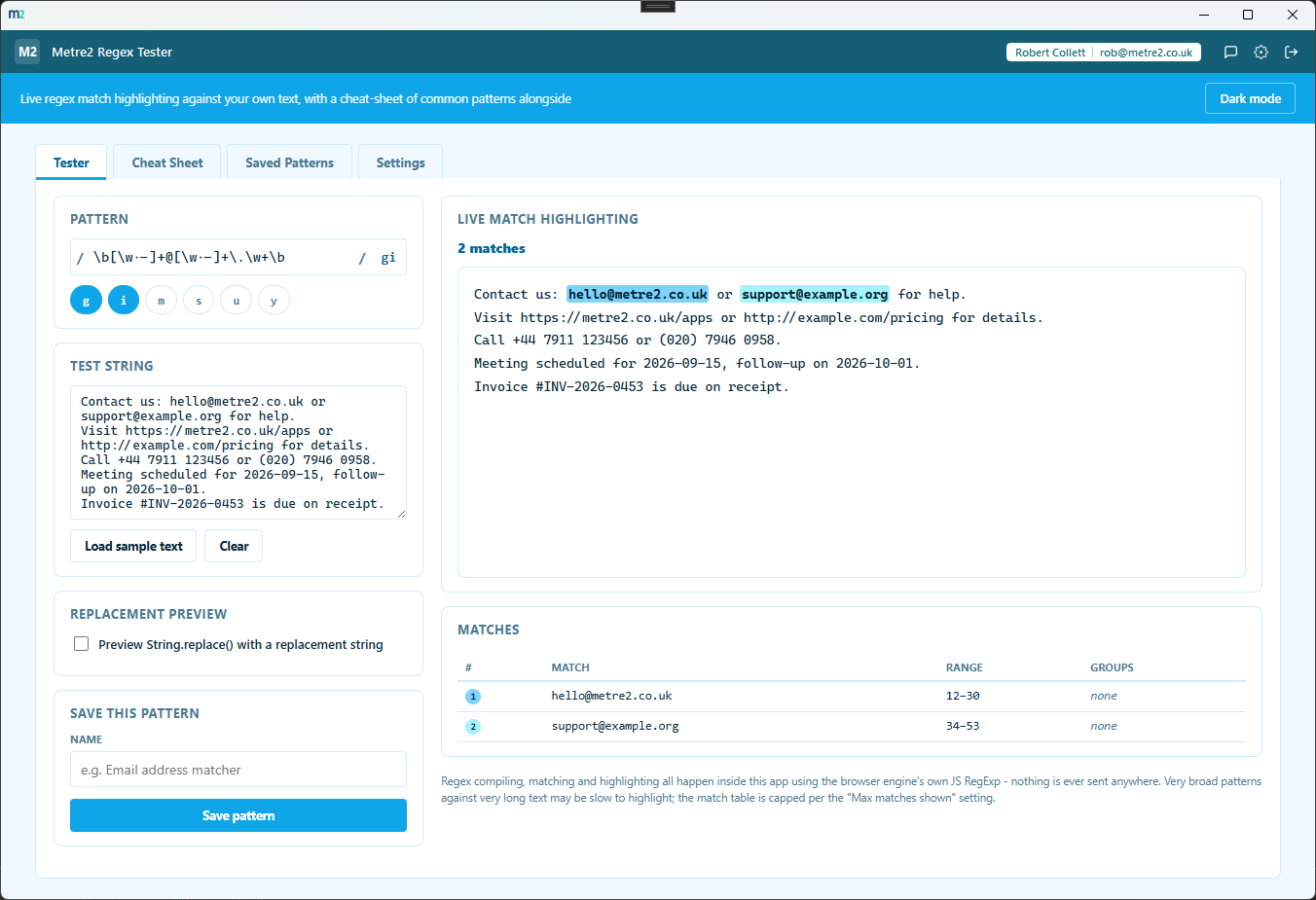
Every match is picked out in your test text as you type the pattern - a large monospace canvas with matches in rotating colours, no "run" button to click.
Every match's exact text, character range, numbered capture groups and named capture groups are laid out in a table underneath the highlight canvas.
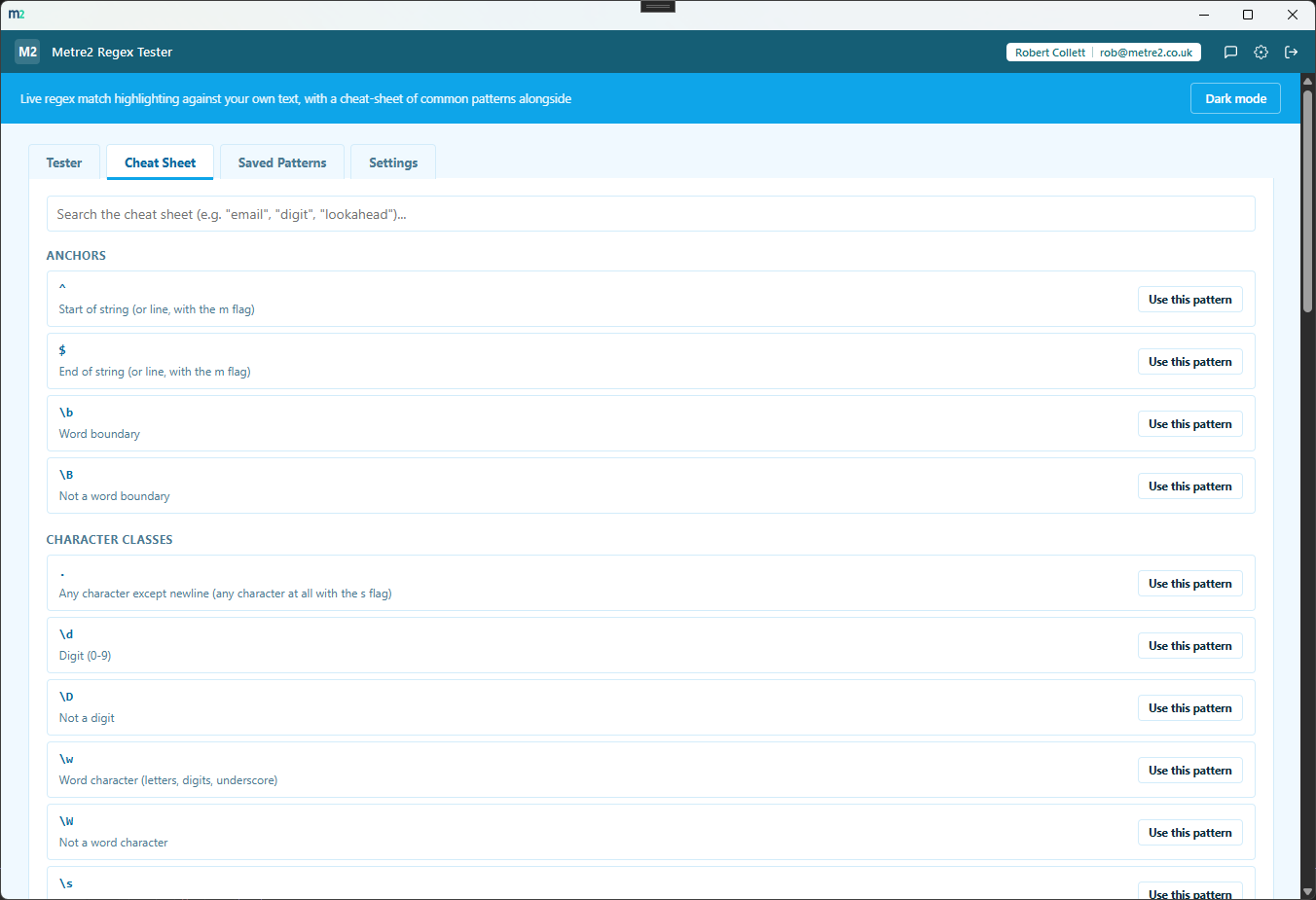
Anchors, character classes, quantifiers, groups, lookaround and a set of ready-made common patterns (email, URL, date, phone, hex colour) - search it or click "Use this pattern" to load one straight into the tester.
Toggle "Preview String.replace()" and enter a replacement string - with $1, $2... group references or $<name> named-group references - to see the exact result before using it anywhere else.
Toggle g, i, m, s, u and y as chips with an inline description of what each one does - no need to remember which letter means what.
Name a pattern and its test text and keep it in a dedicated Saved Patterns tab - search by name or pattern, rename, delete, or reload any saved pattern at any time.
An invalid pattern or an unknown/duplicated flag shows the exact JS SyntaxError message right under the pattern field - no guessing what went wrong.
Every pattern, test string and saved pattern stays on this device - no upload, no account, no telemetry. Export saved patterns as JSON whenever you want a backup.
Most people reach for a browser tab full of ads, or paste sensitive data into a site of unknown provenance. Here's how a dedicated desktop regex tester compares.
| Feature | Regex Tester | A random web regex tool | Your editor's built-in find |
|---|---|---|---|
| Pricing model | Free | Usually free, ad-supported | Bundled with the editor |
| Pattern or text ever leaves your device | ✓ Never | ✕ Sent to a server | ✓ |
| Built-in searchable cheat-sheet | ✓ | ✕ Usually a separate page | ✕ |
| Replacement preview with group references | ✓ | ✕ Not always | ✕ Rarely shows groups |
| Save and search a pattern library | ✓ | ✕ | ✕ |
General comparison as of August 2026. Not affiliated with any browser extension, web tool or code editor vendor.


No - use it straight from your browser, on a phone, tablet or PC, with no sign-up. It works offline once it has loaded, and you can add it to your home screen or desktop like an app. There is also a Windows desktop version in the Microsoft Store if you prefer an installed app.
No. The browser edition needs no account at all. Neither does the Windows app - install it free from the Microsoft Store and start, no sign-in.
No. Regex compiling, matching and highlighting all happen inside the app using the browser engine's own JS RegExp - there are no network calls anywhere in this app.
Native JavaScript RegExp - the same engine that runs in every modern browser and in Node.js - including named capture groups, lookaround, and the g/i/m/s/u/y flags.
The built-in Cheat Sheet tab covers anchors, character classes, quantifiers, groups, lookaround and a set of ready-made common patterns (email, URL, date, phone, hex colour and more) - click "Use this pattern" to load any of them straight into the tester.
Yes. Tick "Preview String.replace()" and enter a replacement string (using $1, $2... for numbered groups or $<name> for named groups) to see the exact result your pattern would produce.
Yes. Name a pattern and it's saved to the Saved Patterns tab, which lives in local storage on your device - search, rename, delete, or reload any saved pattern (with its test text) at any time. You can also export every saved pattern as JSON and import it back later.
No - Regex Tester is a free app with no trial period or in-app purchases.
