A dedicated home for recurring/retainer billing relationships - schedule each client's
weekly, monthly, quarterly or custom invoice cycle, watch a per-client billing timeline
show paid, overdue, sent and upcoming invoices at a glance, and let payment roll the
schedule and the next invoice forward automatically.
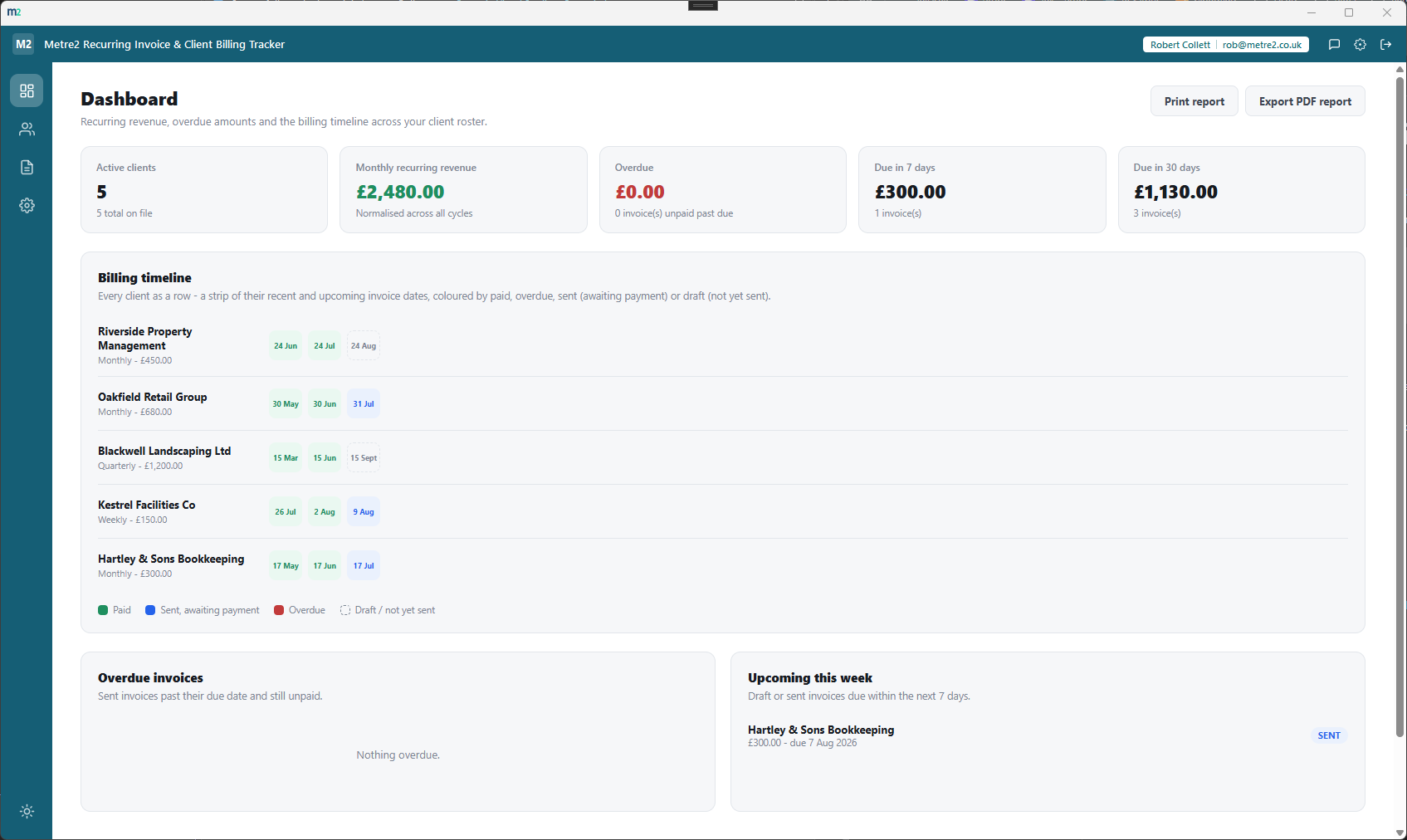
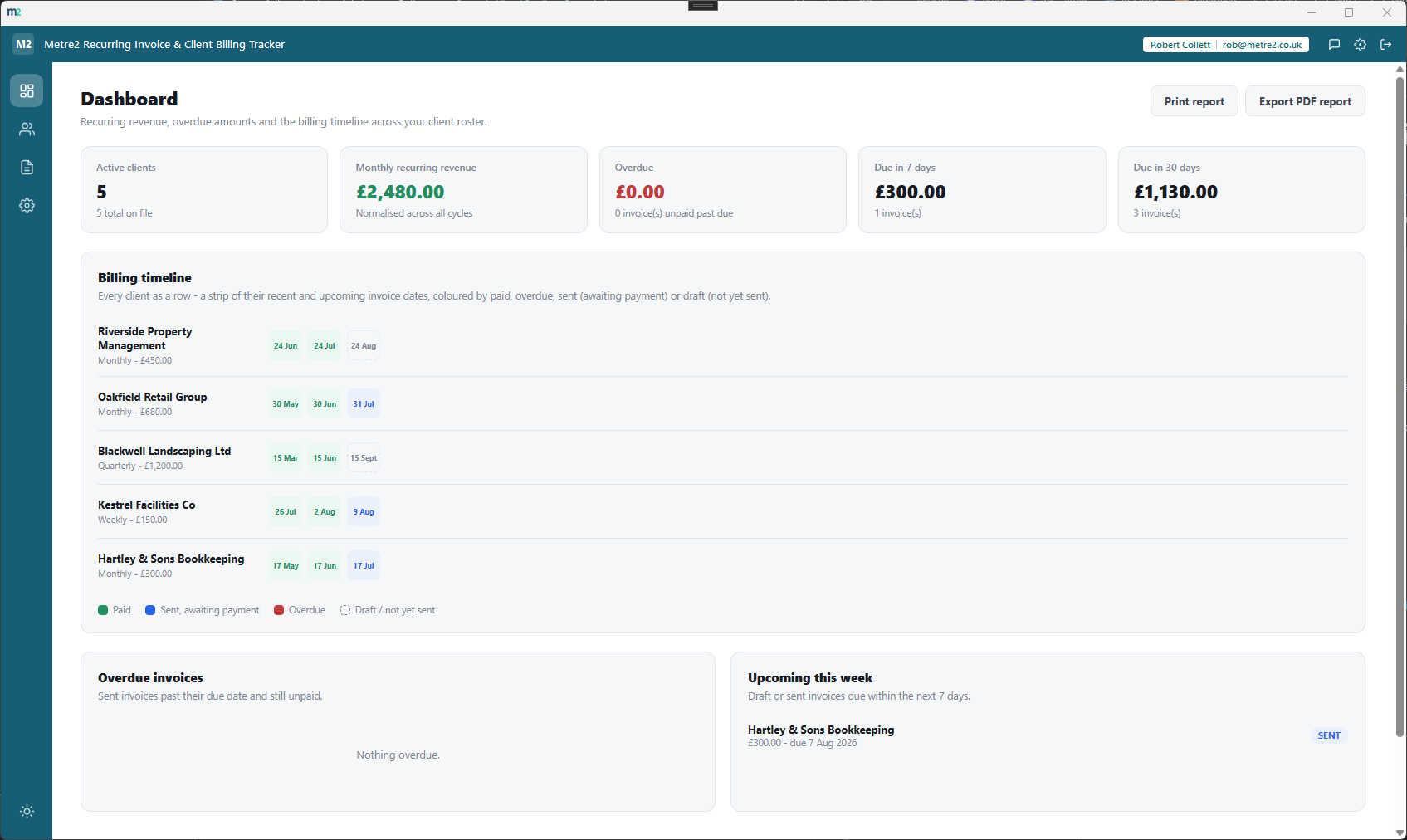
Every client as a row, a strip of their recent and upcoming invoice dates as cells -
coloured by paid, overdue, sent or draft, so you can scan your whole roster's billing
health in one panel instead of filtering a table.
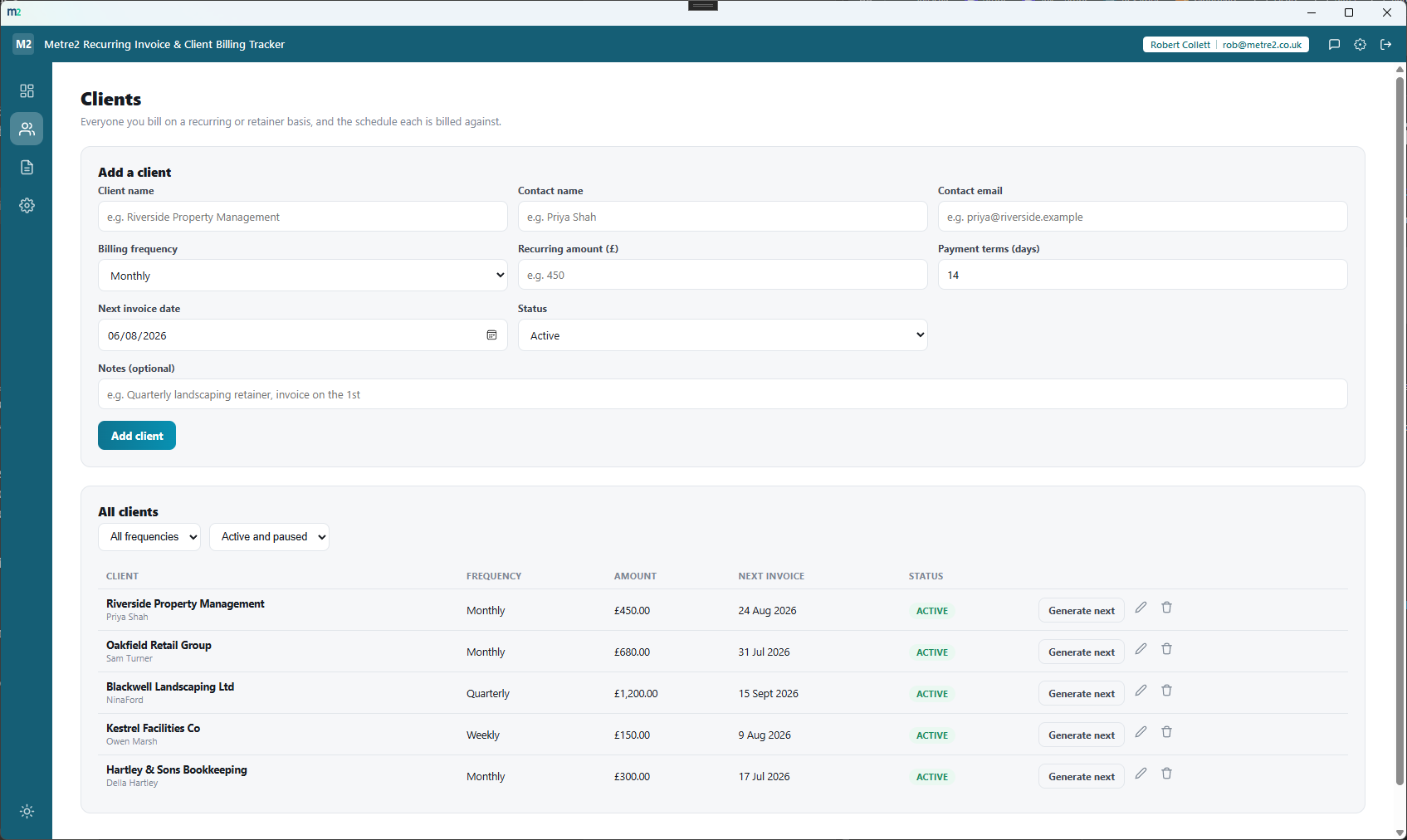
Weekly, monthly, quarterly or custom cycles
Each client gets its own billing frequency and its own next invoice date - a weekly
retainer, a monthly service fee and a quarterly landscaping contract all live side by
side, each on its own clock.
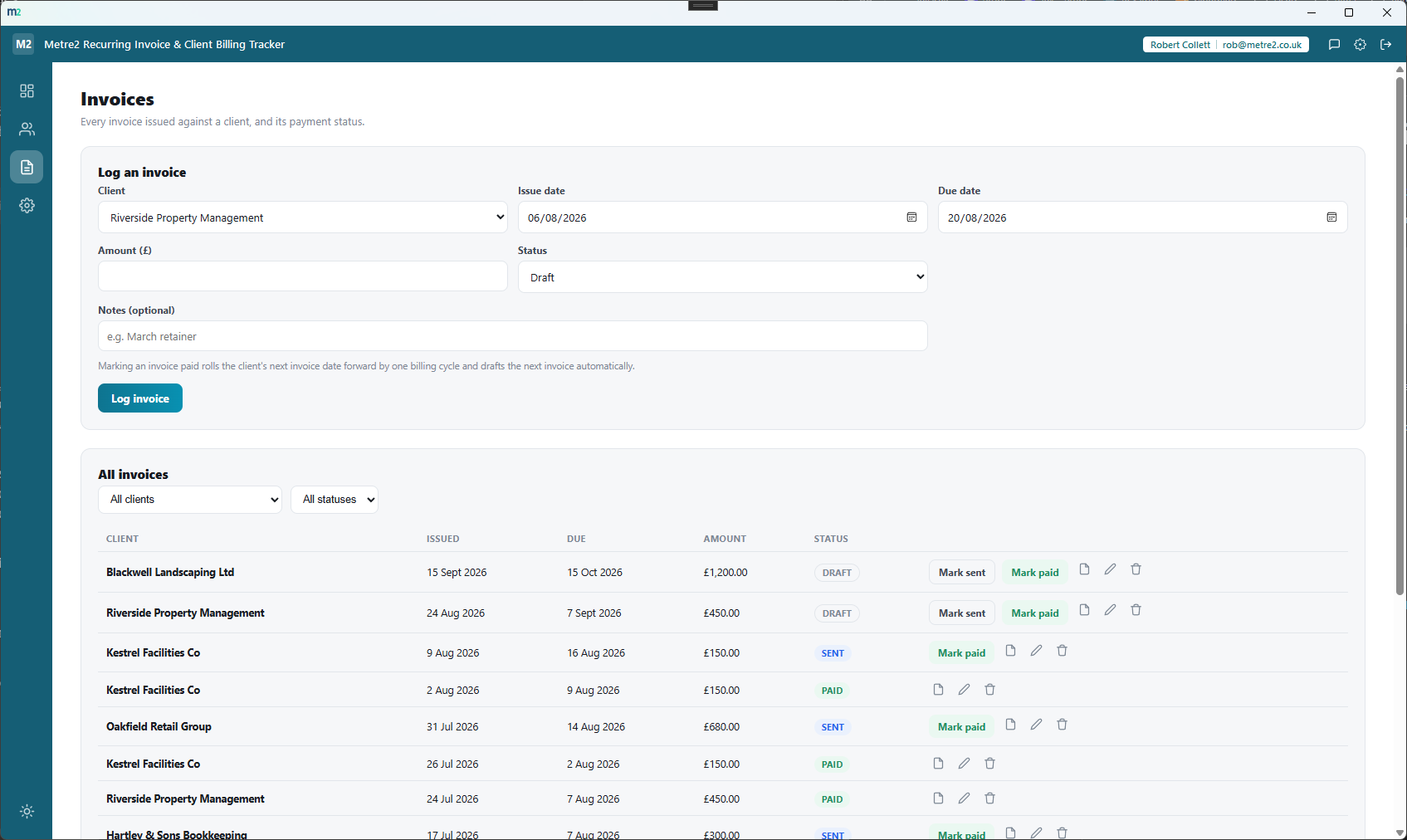
Payment rolls the schedule forward automatically
Mark an invoice paid and the client's next invoice date advances by one billing cycle,
with the next invoice drafted automatically - no manually re-typing the same retainer
invoice every month.
Overdue is worked out automatically
A sent invoice past its due date and still unpaid reads as overdue without you having
to check - drafts never read as overdue since they haven't gone out yet, and paid
invoices always read as paid.
Monthly recurring revenue, normalised across cycles
Weekly, monthly, quarterly and custom-cycle clients are all normalised to a common
monthly-equivalent figure, so the dashboard's recurring revenue total means something
real, not just monthly clients added up.
A running billing history per client
Every invoice ever logged against a client stays on file, so you can see exactly what
was billed, when it was paid and how the relationship has run over months or years -
not just the current invoice in isolation.
Works entirely offline
Every client and invoice is stored on your own device - no server dependency for
day-to-day use, just the shared Metre2 account for sign-in.
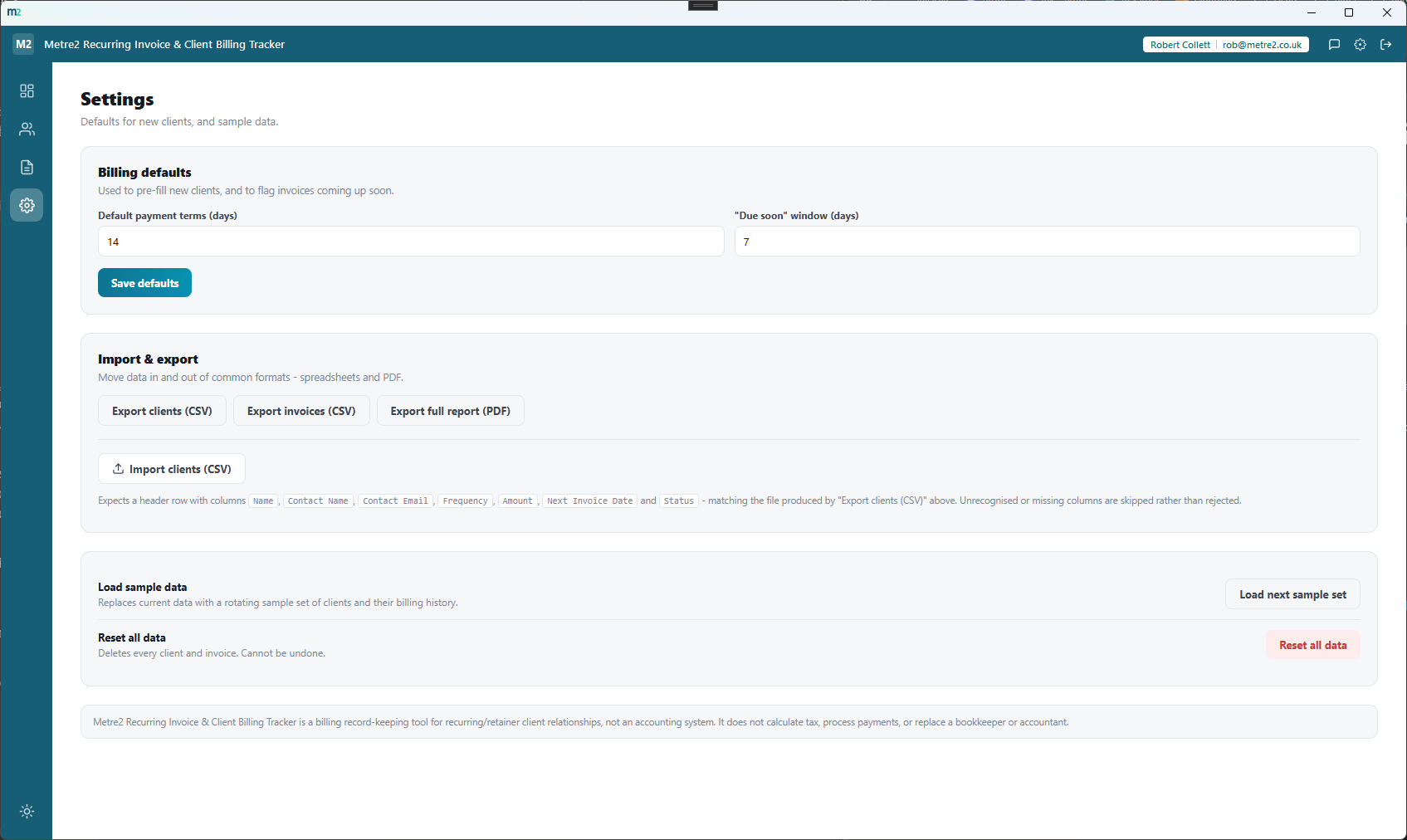
Move data in and out freely
Export clients and invoices to CSV, export a full PDF billing report or a single
invoice PDF, print the dashboard directly, and import a batch of clients from a CSV
file.
How it compares to FreshBooks
FreshBooks is a well-known cloud accounting and invoicing platform used by freelancers and
small businesses, with recurring invoices as one feature inside a much larger accounting
suite. Here's how a focused, one-off desktop billing-timeline tool compares for a
freelancer or small business whose main need is tracking recurring/retainer clients.
Feature
Recurring Invoice & Client Billing Tracker
FreshBooks
Pricing model
£4.99 one-off after trial
From $19/month (Lite, 5 clients) up to $65/month (Premium, unlimited clients)
Cost scales with client count
✕
✓
Works fully offline
✓
✕
Purpose-built billing timeline per client
✓
✕
Recurring invoices with per-client frequency
✓
~ (Plus plan and above)
Full double-entry accounting and bank reconciliation
✕
✓
Online payment collection built in
✕
✓
Time tracking and expense tracking
✕
✓
One account across a whole app portfolio
✓
✕
Comparison based on FreshBooks' publicly listed pricing and features as of August 2026
(freshbooks.com and third-party pricing trackers) - pricing and features change over
time, so check freshbooks.com for current details. FreshBooks is a trademark of its
respective owner; this comparison is for informational purposes and isn't sponsored by
or affiliated with FreshBooks.
See it in action
Frequently asked questions
Is this the same as Simple Invoice Generator or Quote-to-Invoice Converter?
No - Simple Invoice Generator builds and exports a single one-off invoice PDF with no recurrence and no client billing history, and Quote-to-Invoice Converter turns one accepted quote into one invoice, also with no recurrence. Recurring Invoice & Client Billing Tracker is specifically about scheduled recurring/retainer billing relationships with repeat clients - it has no quote-building concept at all.
Is this the same as Quoting & Invoicing Suite?
No - Quoting & Invoicing Suite is a full quote-build, invoice and payment-chasing workflow for individual jobs, not an ongoing retainer relationship. This app has no quote-building step at all; it exists to schedule and track recurring invoices against a client roster, with each client's own billing cycle and running payment history.
How does the recurring schedule work?
Each client has a billing frequency - weekly, monthly, quarterly or a custom day count - and a next invoice date. Marking an invoice paid rolls that client's schedule forward by one billing cycle and automatically drafts the next invoice, so you're never manually re-typing a retainer invoice from scratch.
How is an overdue invoice worked out?
An invoice marked "sent" that's past its due date and still unpaid reads as overdue automatically - draft invoices never read as overdue since they haven't been sent yet, and paid invoices always read as paid regardless of date.
What's the billing timeline on the Dashboard?
It's a strip per client showing their recent and upcoming invoice dates, colour-coded by paid, overdue, sent (awaiting payment) or draft (not yet sent) - a fast visual scan of exactly where every client stands without opening each invoice individually.
Can I get my data into a spreadsheet or a PDF?
Yes - export clients and invoices to CSV for a spreadsheet, export a full PDF billing report or a single invoice PDF, print the dashboard directly, and import a batch of clients from a CSV file.