How-to guide
A network sized by the Rational Method can still flood in the peaky 1 in 30 year storm or overflow its tank at 1 in 100 plus climate change. Metre2 Drainage Design simulates every storm in EPA SWMM, checks the results against Water UK's Design and Construction Guidance v2.3, and with Pro designs the network by simulation until it passes.
Open your project, or pick Housing site with attenuation on the Start screen: 24 homes, a geocellular tank and a 5 l/s vortex control.
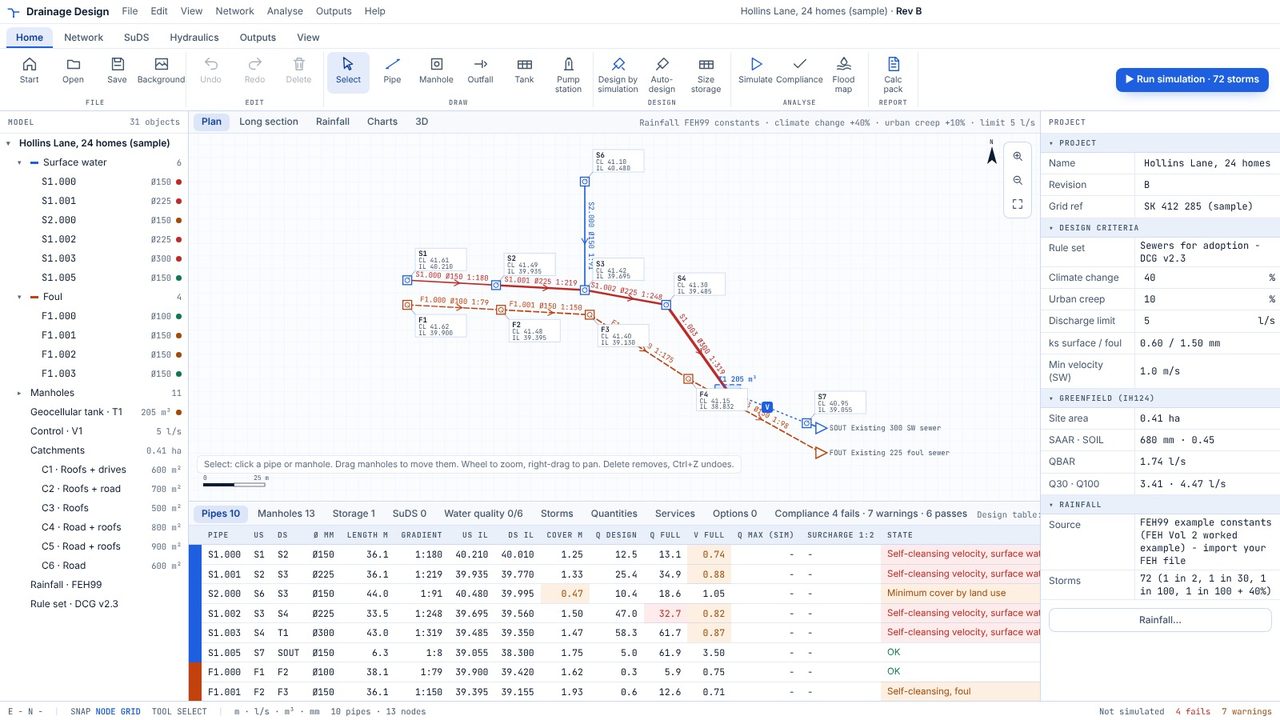
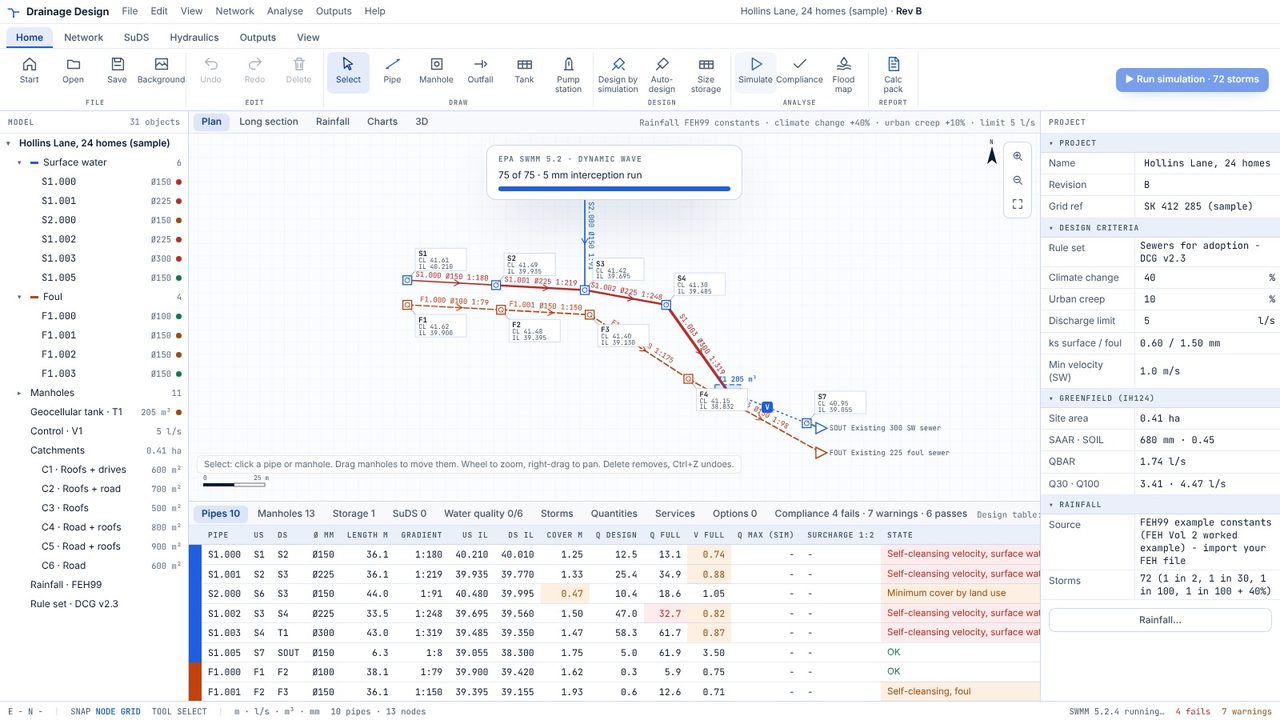
Press Run simulation. Every return period, summer and winter, and every duration goes through EPA SWMM 5.2 on your PC - 72 storms by default, in about 15 seconds.
Open the Compliance tab. Each check shows its DCG clause, what was found and what is needed. Here the head manholes flood in the 15 minute 1 in 30 storm, the tank is full at 1 in 100 + 40%, and the outfall runs above 5 l/s.
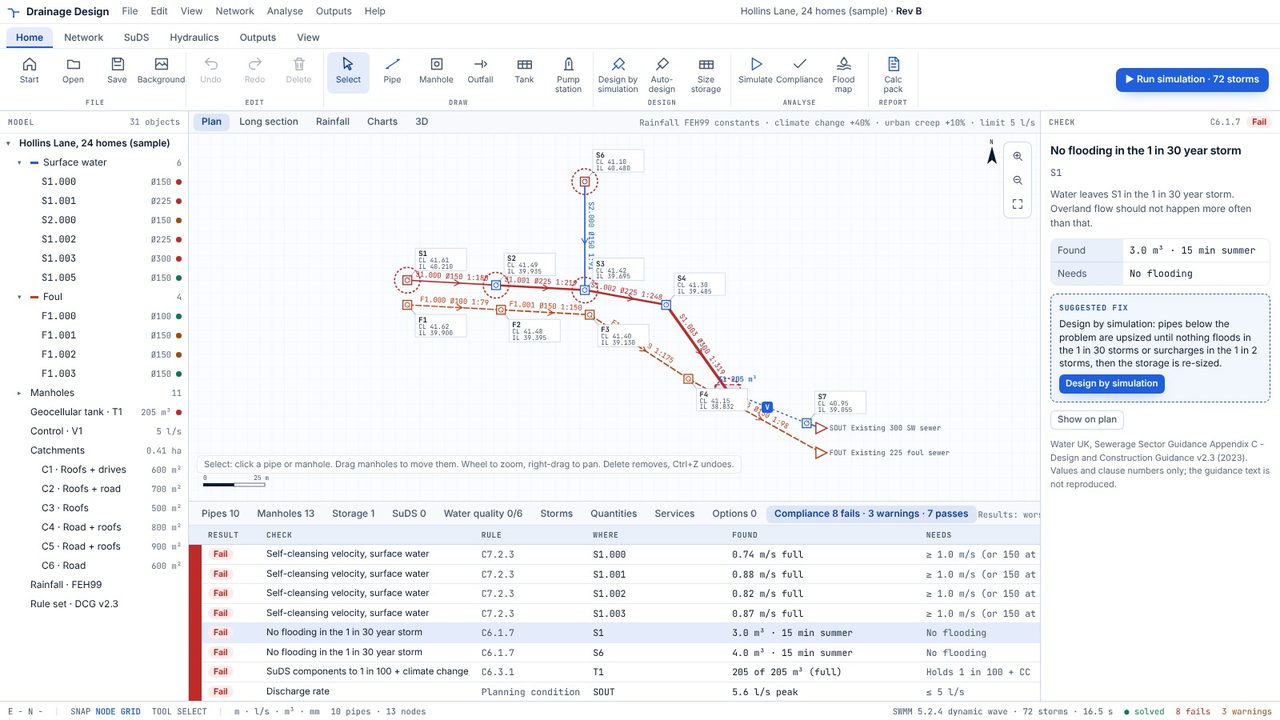
Click Design by simulation (in the suggested fix, or on the ribbon). The app sizes the tank so it peaks at the vortex's design head, then upsizes pipes below anything that floods at 1 in 30 or surcharges at 1 in 2, and sizes the tank again.
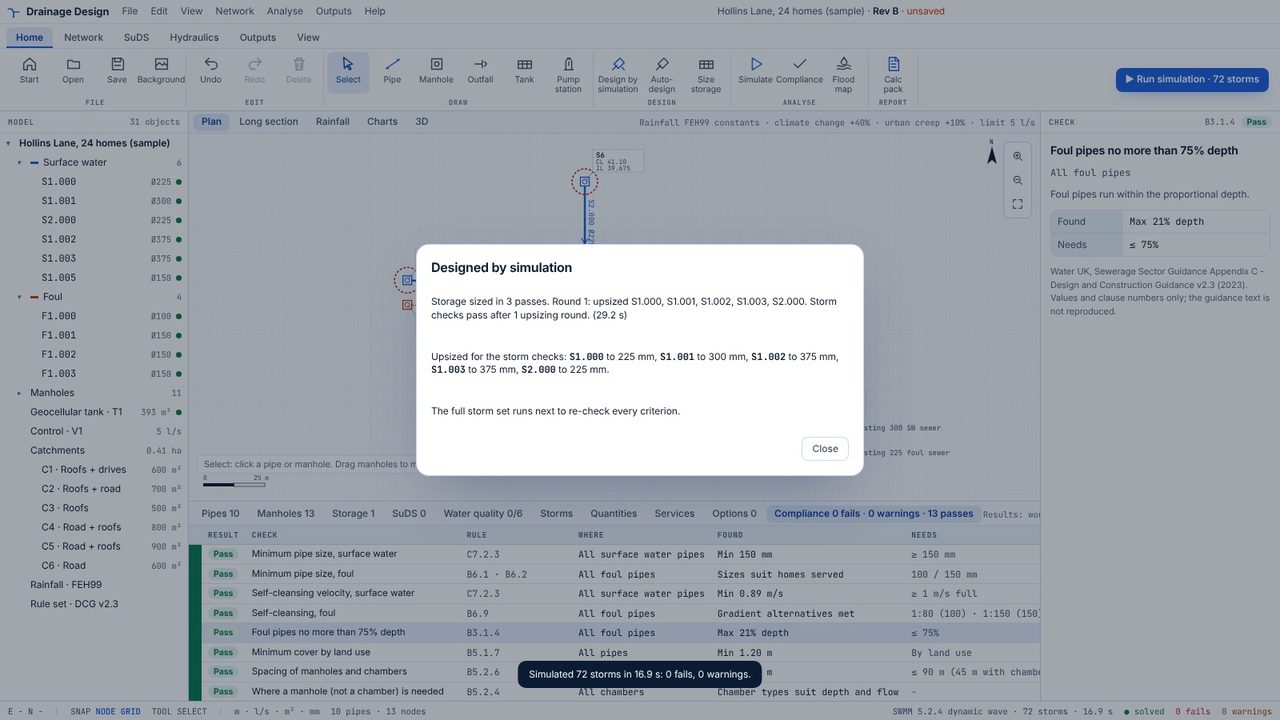
The summary lists the tank size and every pipe it upsized. The full storm set then runs again to re-check every criterion.
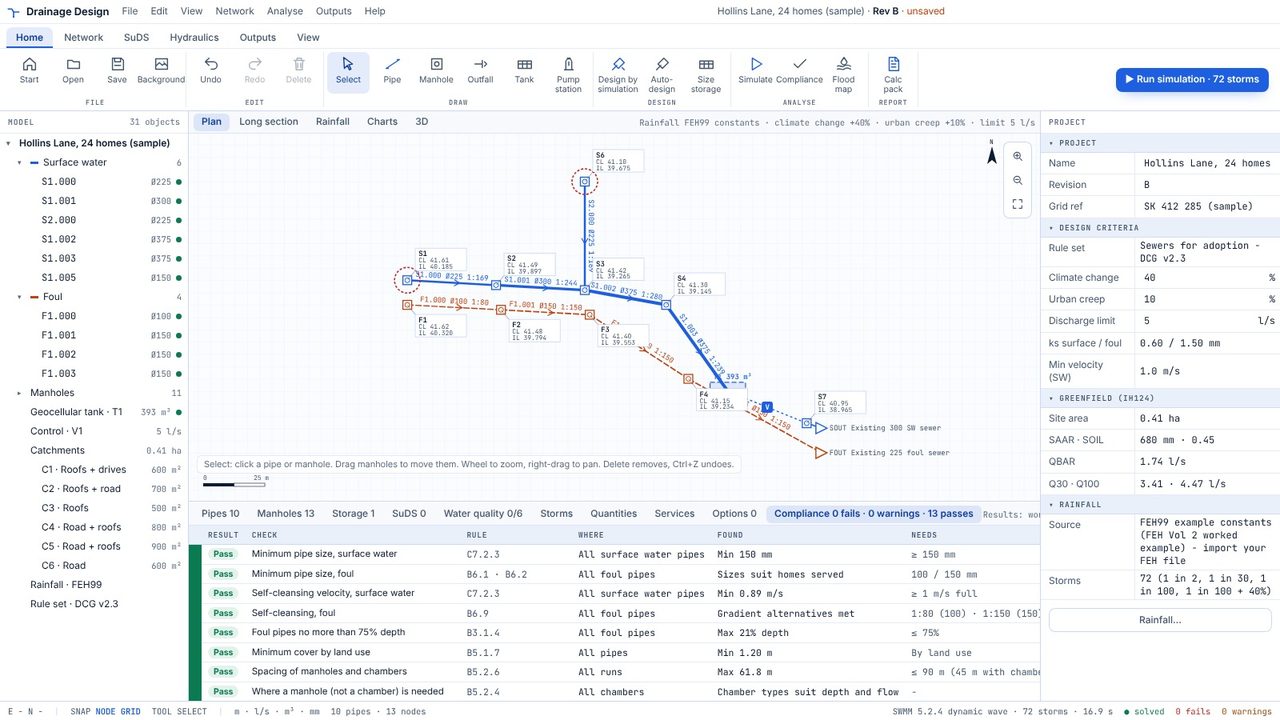
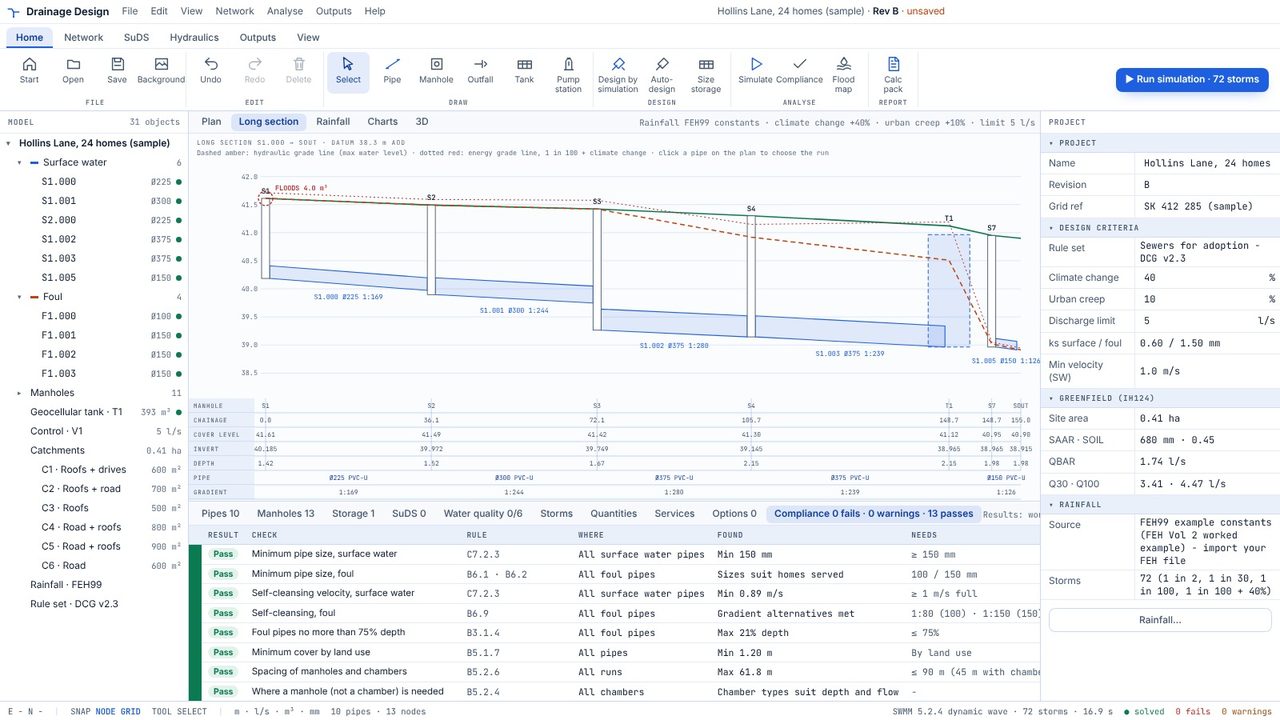
Compliance is now clear. The Long section shows the maximum water level of the 1 in 100 + climate change storms against the cover levels.
By default 1 in 2, 1 in 30, 1 in 100 and 1 in 100 plus 40%, summer and winter profiles, at nine durations from 15 minutes to 24 hours. You can change the climate change allowance in the project properties.
It's part of Drainage Design Pro, a Microsoft Store subscription with the first week free. Drawing, auto-design, long sections and the compliance checker are free.
EPA SWMM 5.2.4 with dynamic-wave routing. Each pipe's roughness is set so its capacity matches the Colebrook-White design calculation.
