How-to guide
BRE Digest 365 needs two things from site: your trial pit and how quickly the water dropped in it. Metre2 Drainage Design turns them into the soil infiltration rate, then sizes the soakaway for the area it drains and checks it half-empties within 24 hours. Free on Windows.
In the Hydraulics tab click Soakaway. It uses the project's rainfall - import your FEH file first, or use the sample's.
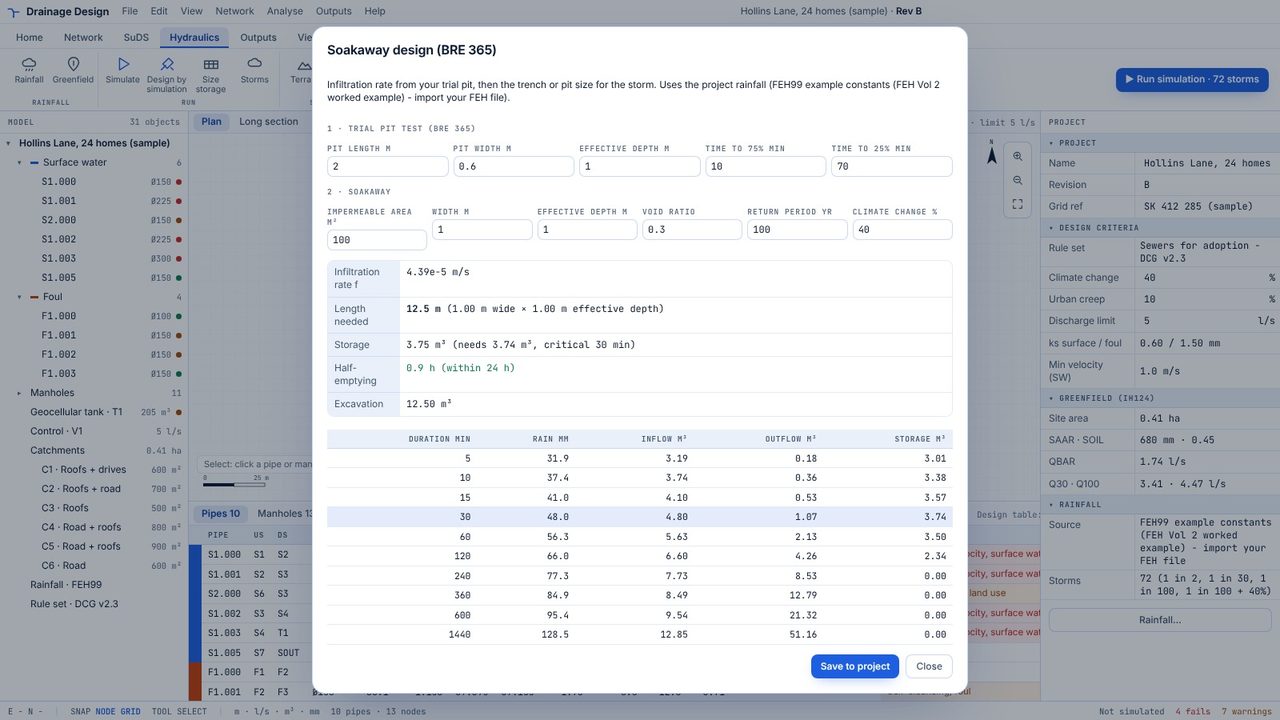
Type the pit's length, width and effective depth, and the times (in minutes from the start) when the water fell to 75% and 25% of that depth. The infiltration rate follows straight away.
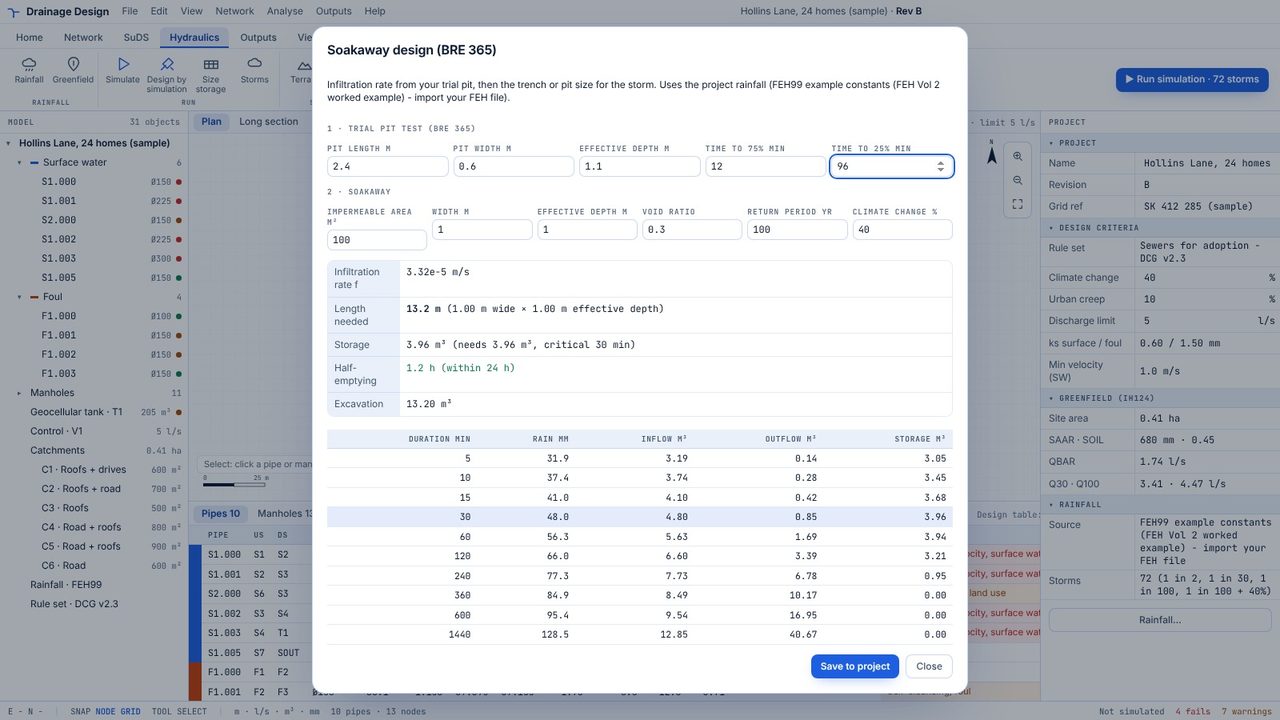
The impermeable area in m² - roofs, drives and paving that run to the soakaway.
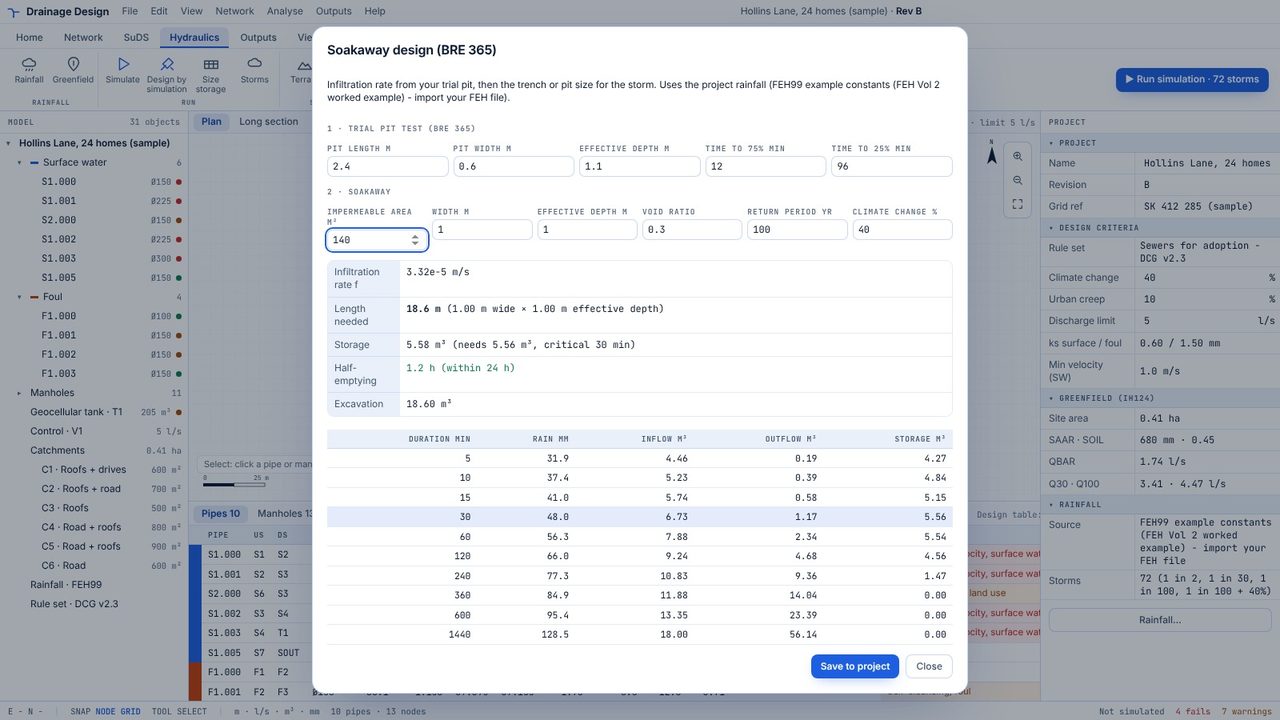
The soakaway length for your width and depth, the storage it gives, the critical storm and the half-emptying time, which must be 24 hours or less.
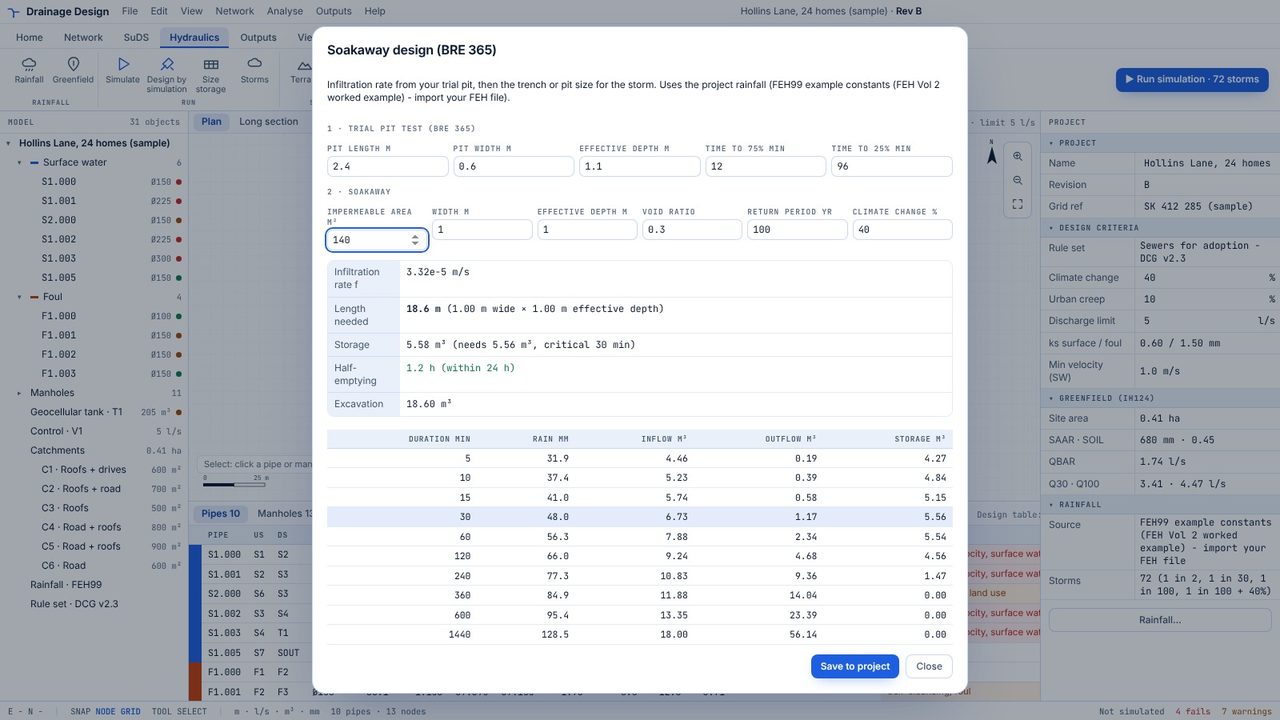
Change the width, depth or void ratio - 0.3 for gravel, about 0.95 for plastic crates - and the length updates.
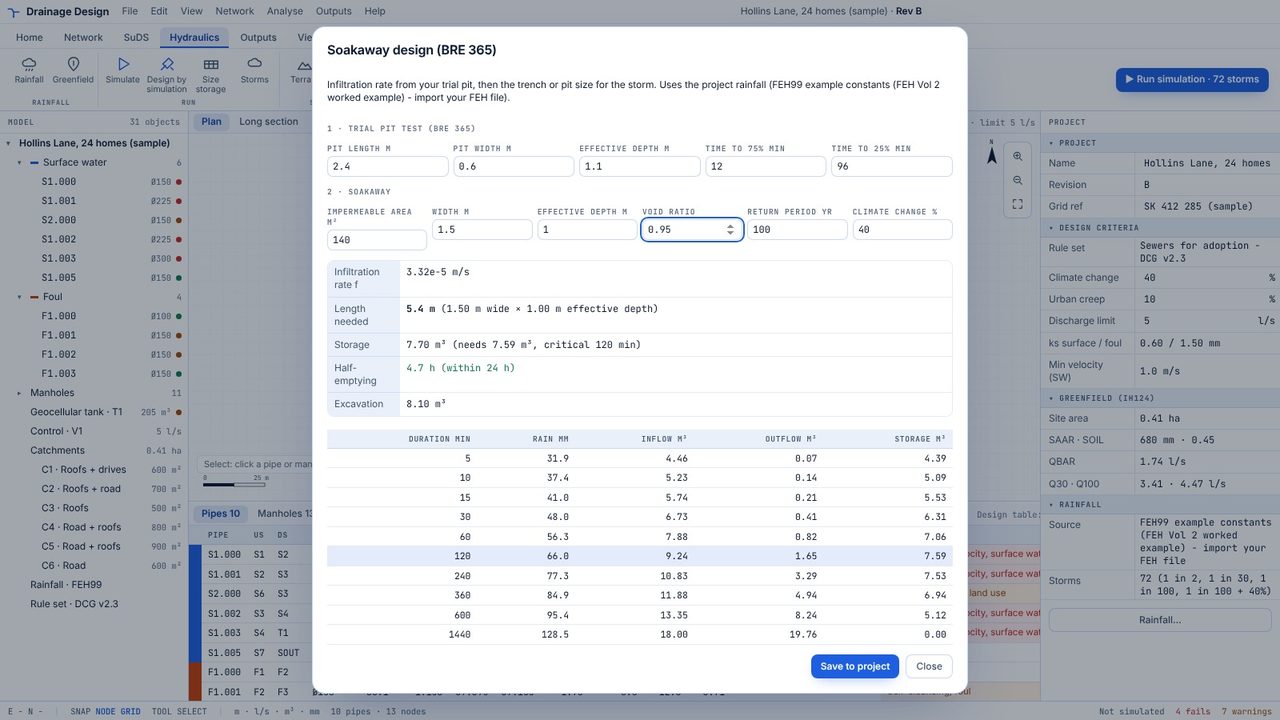
The table shows inflow, outflow and storage for each storm duration, with the critical one highlighted. Save to project keeps it with the design.
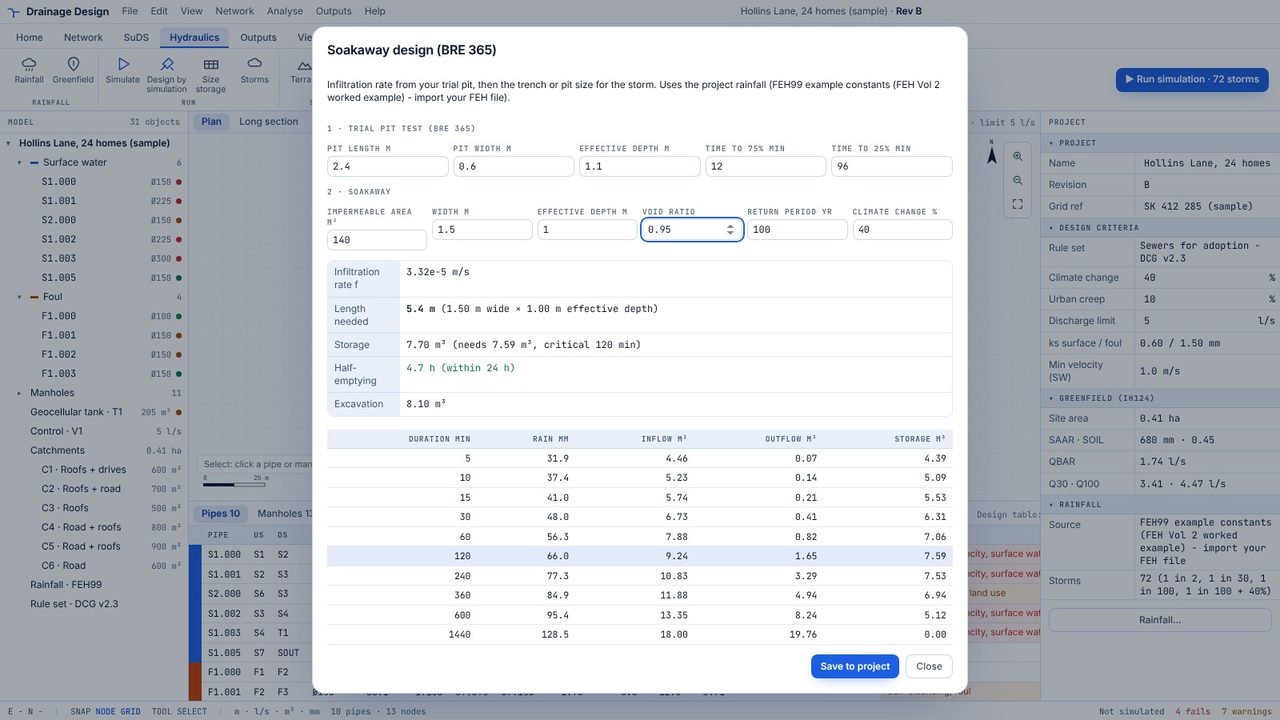
The return period and climate change allowance you choose - 1 in 100 plus 40% by default - with the project's rainfall depths at durations from 5 minutes to 24 hours.
The infiltration test uses the pit's sides and base, as BRE 365 sets out. The design counts the sides only, to half the effective depth, which is the conservative approach BRE 365 recommends.
Yes, the soakaway designer is part of the free app.
