A local-first video game collection tracker - no account required, nothing stored in
someone else's cloud. Search or scan a title to add it, track what you're playing,
finished, own, want or have lent out, rate it out of five stars, and see your whole
library laid out on a cover-art shelf grouped by platform.
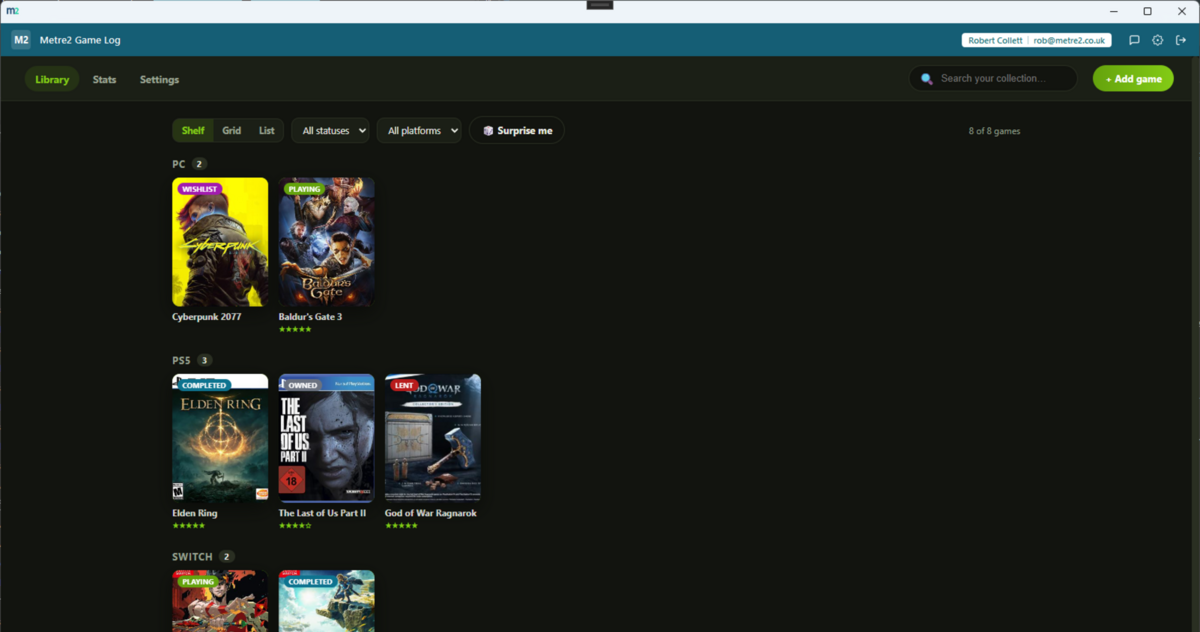
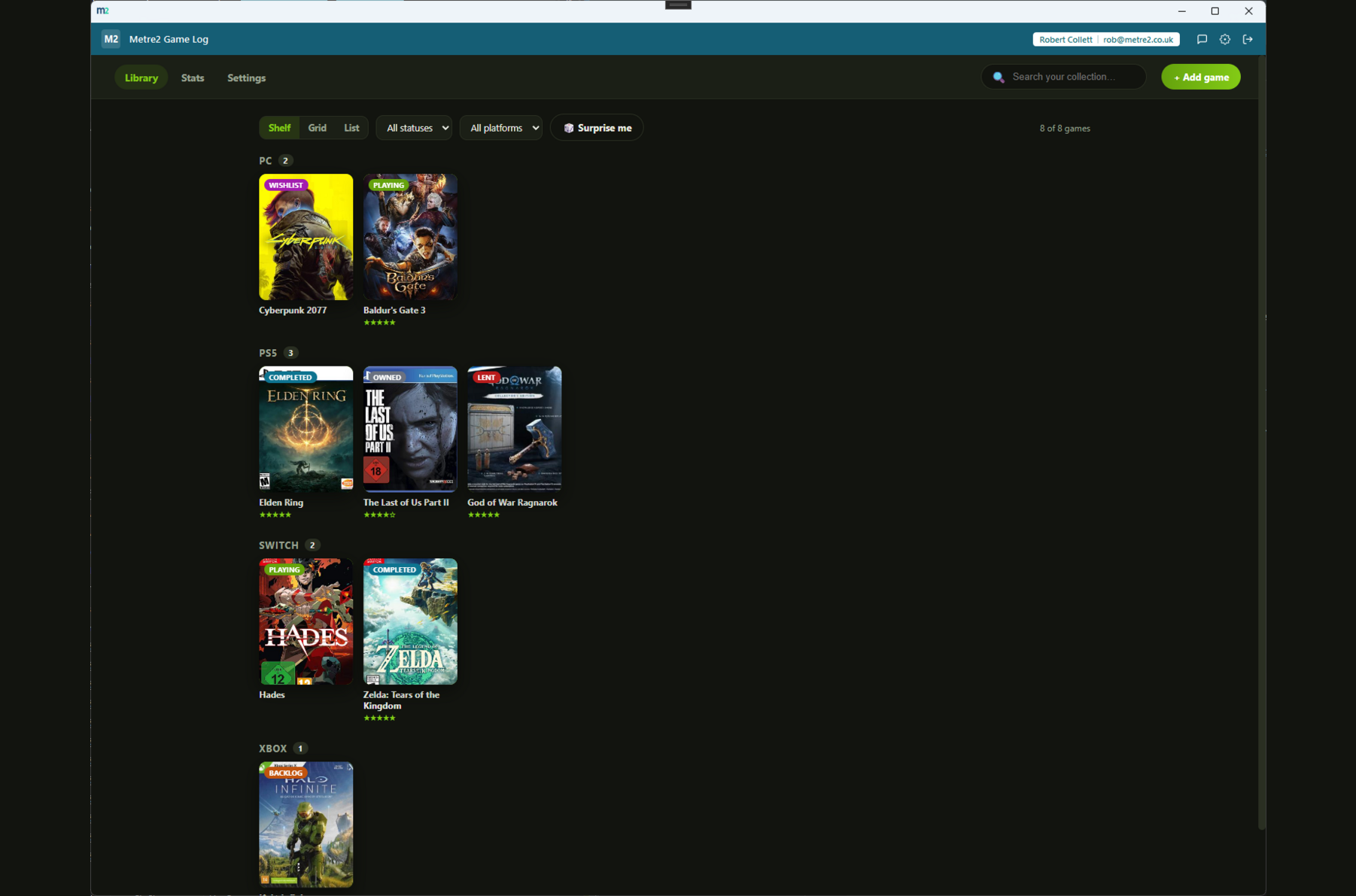
Shelf view lays your collection out like a physical game shelf - cover art, a status
pip and a star rating per title, grouped under each platform you own games on.
Search to add, not endless typing
Search by title to pull cover art, platform and release year in automatically via
TheGamesDB - no API key or setup required - or add a game manually with your own
details in seconds either way.
Six statuses, including Lent
Playing, Completed, Owned, Backlog, Wishlist and Lent - the last one so you can
actually remember who's borrowed a physical copy, not just what you own.
Five-star ratings, tags and notes
Rate anything you've played, tag titles however suits you (co-op, indie, replaying)
and keep freeform notes per game - your own record, your own words.
Stats that mean something
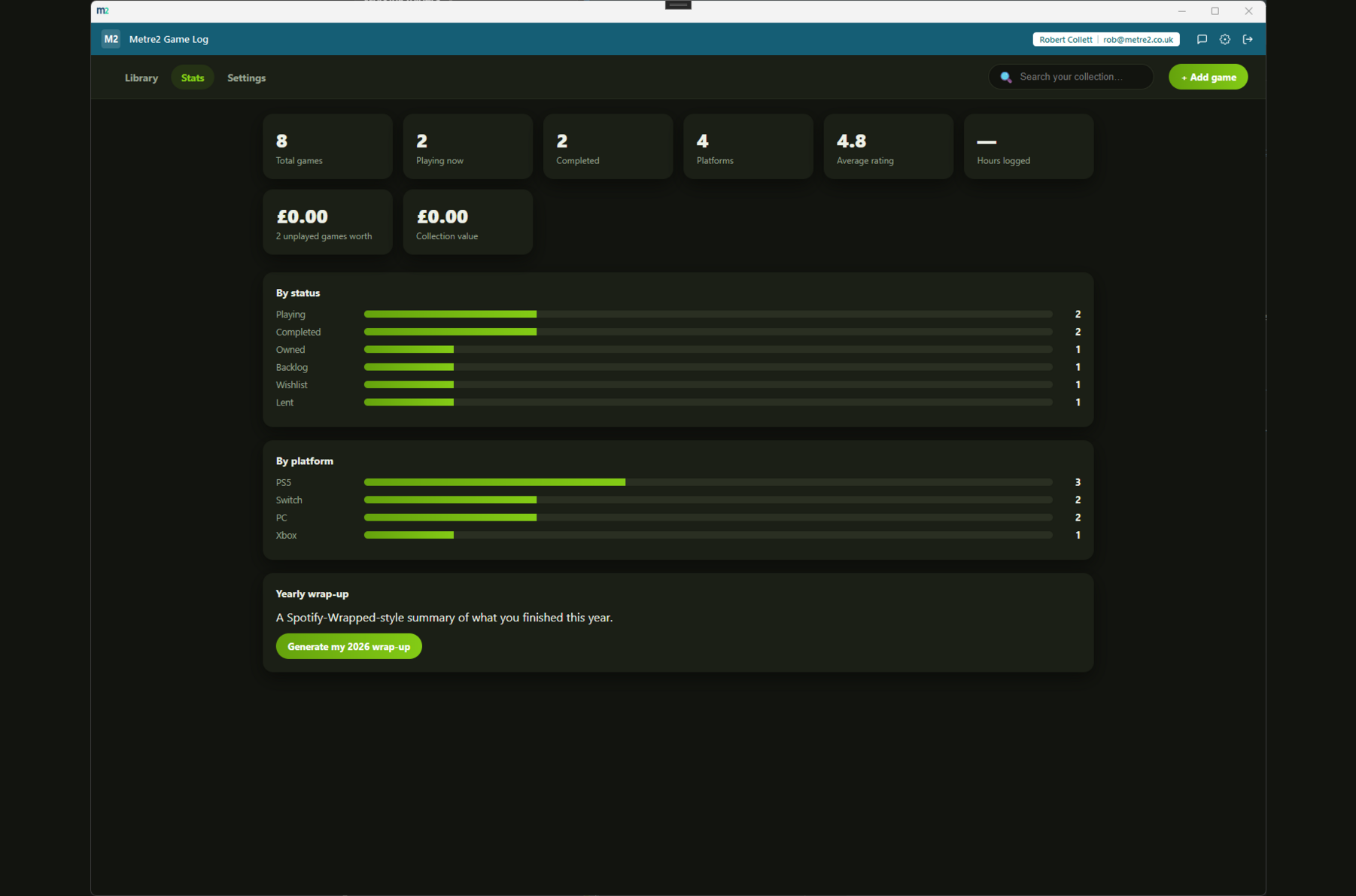
Totals, average rating, hours logged, and what your backlog and whole collection are
worth - plus a breakdown by status and platform, a heads-up on any game you own on more
than one platform, and a "worth revisiting" list of backlog titles you've forgotten about.
Never wonder what to play next
Hit "Surprise me" for a random pick from your backlog or wishlist. At year's end,
generate a shareable wrap-up card of what you completed, how many hours you logged and
your most-played platform - built entirely from your own local data.
Every game gets its own page
Click into any title for a full detail view - cover, hours played, price paid, tags,
notes - plus suggestions for similar games already in your collection, based on
shared tags.
Local-first, no account for your data
Your collection lives on your own device - no server dependency for day-to-day use,
just the shared Metre2 account for sign-in. Nobody else's cloud, nobody else's rules.
Clean JSON export, any time
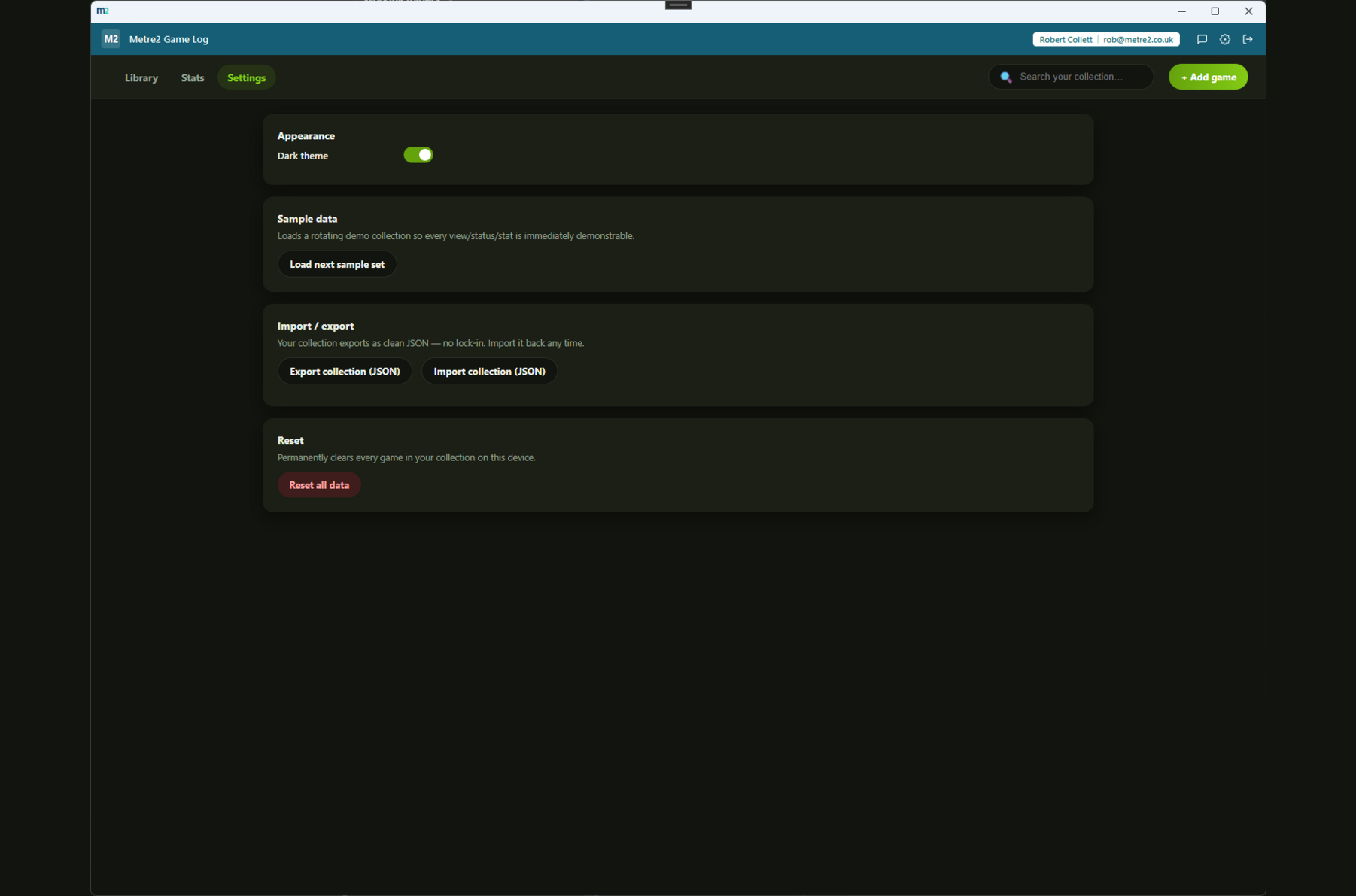
Export your whole collection to a readable JSON file whenever you like, and import it
back in later. No lock-in, no proprietary format holding your data hostage.
Three views for three moods
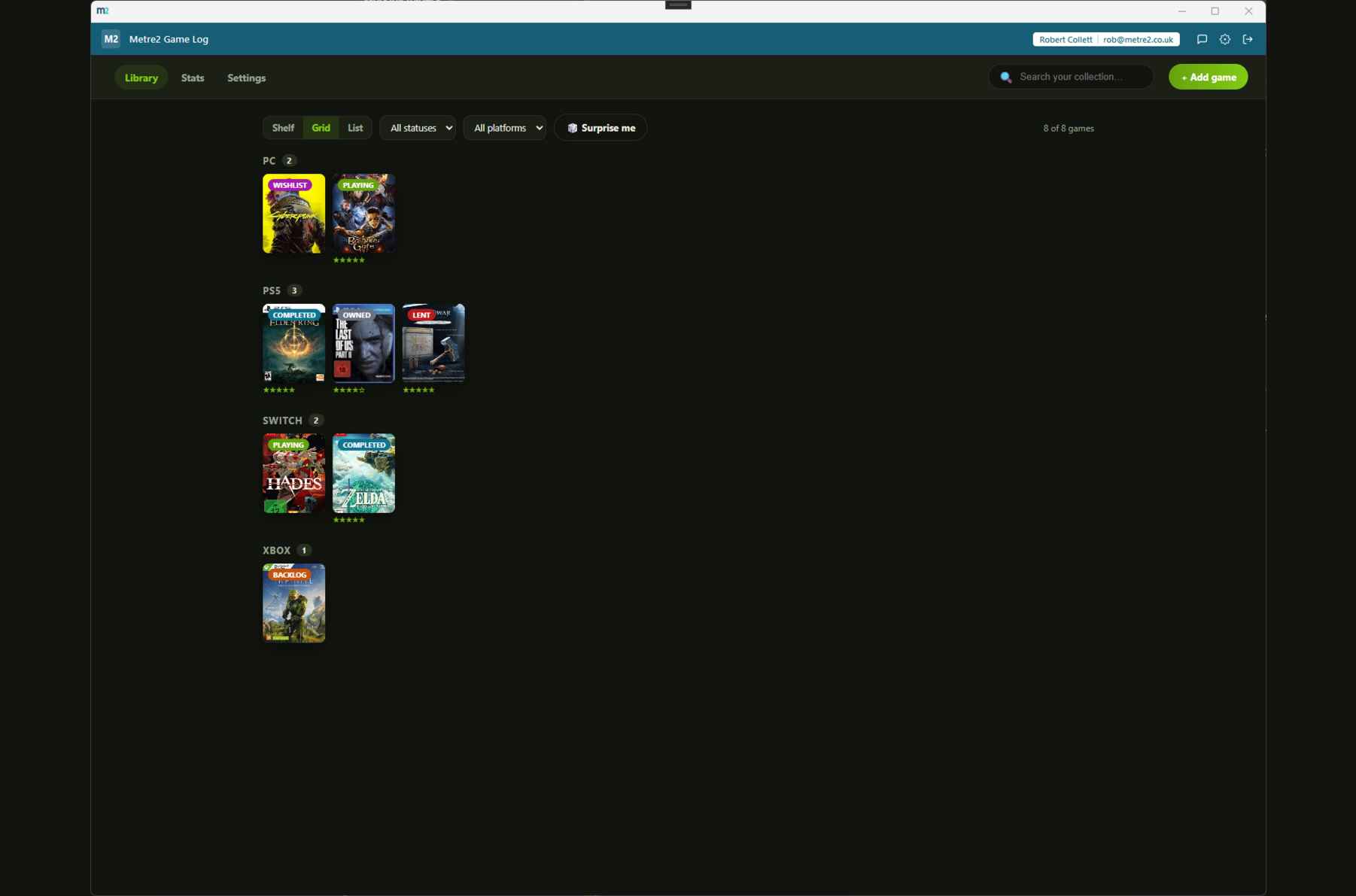
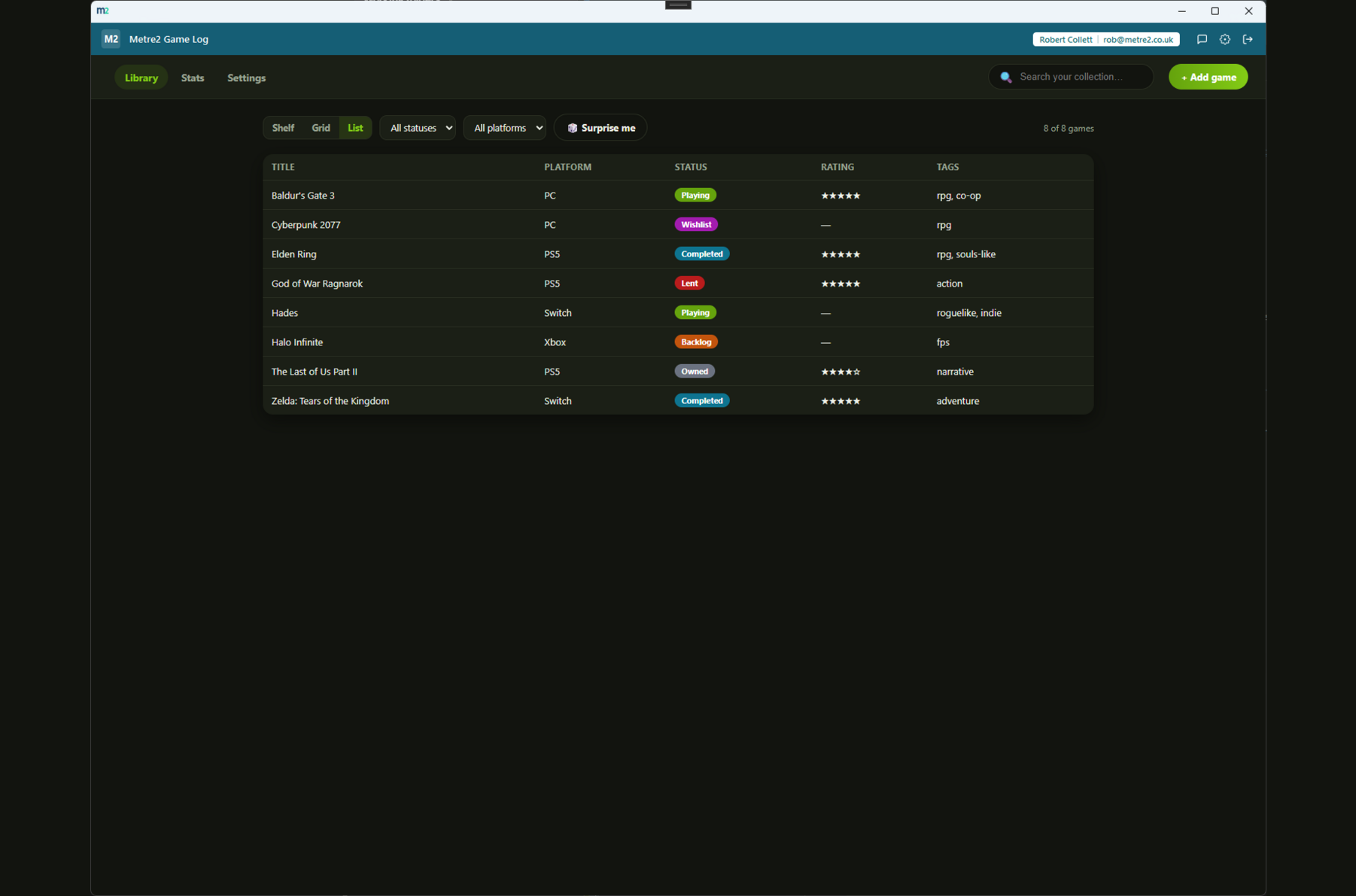
Shelf for browsing, Grid for a dense cover-art overview, List for a sortable table
with everything laid out - filter any of them by status, platform or a quick search.
Game Log, in practice
Shelf, Grid and List views, the Stats page, and Settings - a look at the actual app,
not a mockup.
How it compares to Backloggd
Backloggd is a popular free web app for logging and reviewing games, built around a
social feed of what friends are playing. Here's how a local-first Windows desktop
tracker compares for someone who wants a private collection log rather than a social
network.
Feature
Game Log
Backloggd
Pricing model
£4.99 one-off after trial
Free, with an optional paid tier for extra features
Works fully offline
✓
✕
Your data stays on your device
✓
✕ (stored on Backloggd's servers)
Social feed / following friends
✕
✓
"Lent" status for physical copies
✓
✕
Clean JSON export of your whole collection
✓
~ (CSV export on some plans)
Native Windows desktop app
✓
✕ (web app)
One account across a whole app portfolio
✓
✕
Comparison based on Backloggd's publicly listed pricing and features as of August 2026
(backloggd.com) - pricing and features change over time, so check backloggd.com for
current details. Backloggd is a trademark of its respective owner; this comparison is
for informational purposes and isn't sponsored by or affiliated with Backloggd.
Frequently asked questions
Do I need an account to use Game Log?
No separate account for your game data - it's stored on your own device. You do sign in with your one shared Metre2 account, the same login used across every Metre2 app, but your collection itself is local-first and never required to sync anywhere.
How do I add games - do I need to type everything in by hand?
Search by title to pull cover art, platform and release year automatically via TheGamesDB - no API key or setup required. Or add a game manually with your own details. Camera barcode scanning isn't wired up in this first Windows build yet.
What are the three view modes?
Shelf view groups your collection by platform with cover-art tiles, like a physical game shelf. Grid view is a denser cover-art-only layout for scanning a large collection quickly. List view is a detailed sortable table with title, platform, status, rating and tags.
Can I get my collection out again if I stop using Game Log?
Yes - export your entire collection to a clean, readable JSON file at any time from Settings, and import it back in later. No lock-in.
What statuses can I track?
Playing, Completed, Owned, Backlog, Wishlist and Lent - six statuses covering the full lifecycle of a game in your collection, including titles you've lent out to someone else.