A calm place to breathe, settle a busy mind or drift off to sleep. Pick what fits right
now, then read along on screen or close your eyes and be talked through it. Eight short
guided sessions, two narrated sleep stories, and background sound generated live so it
never loops. Free in your browser on your phone, tablet or PC, or as a Windows app - no
account, no adverts.
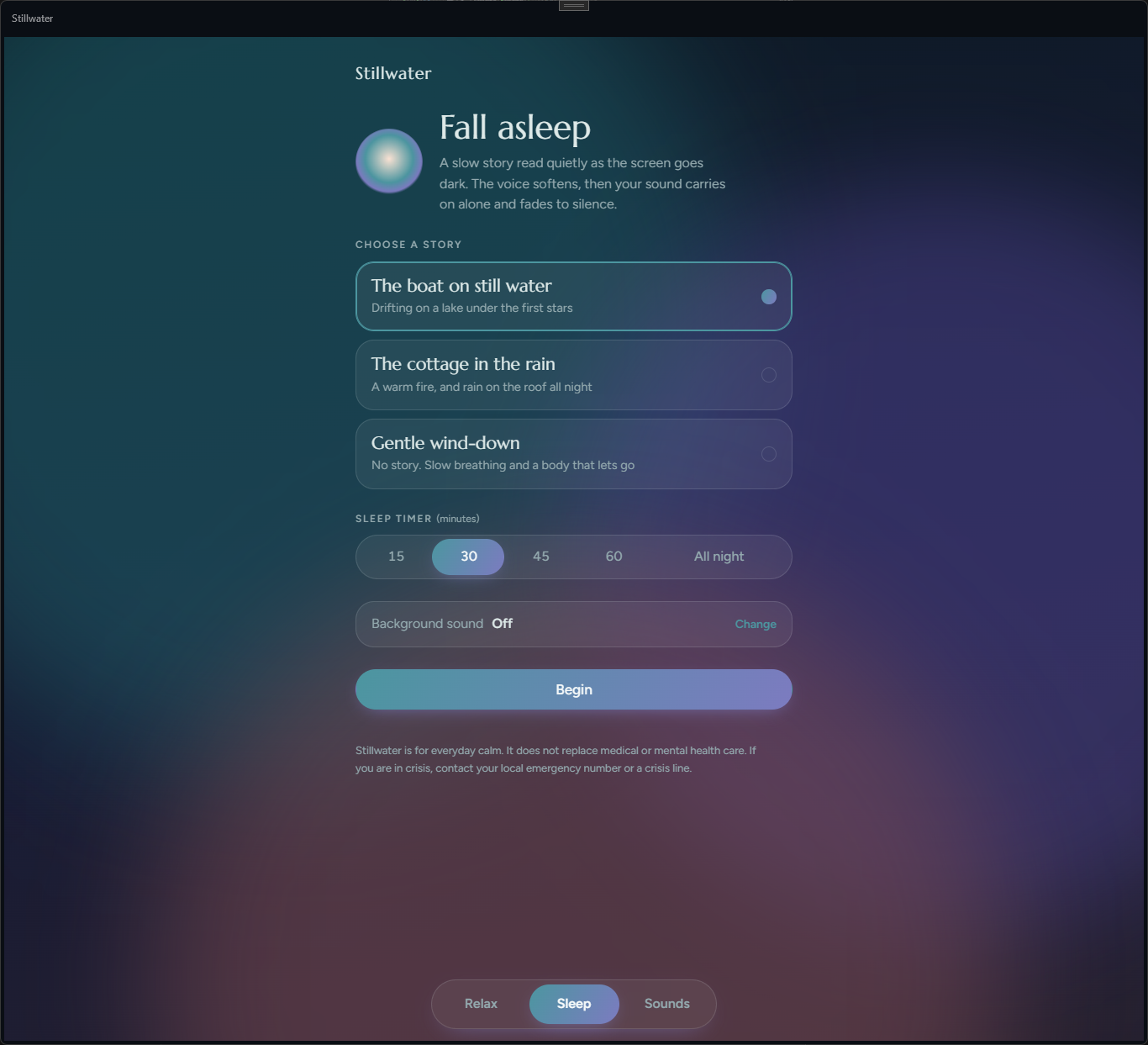
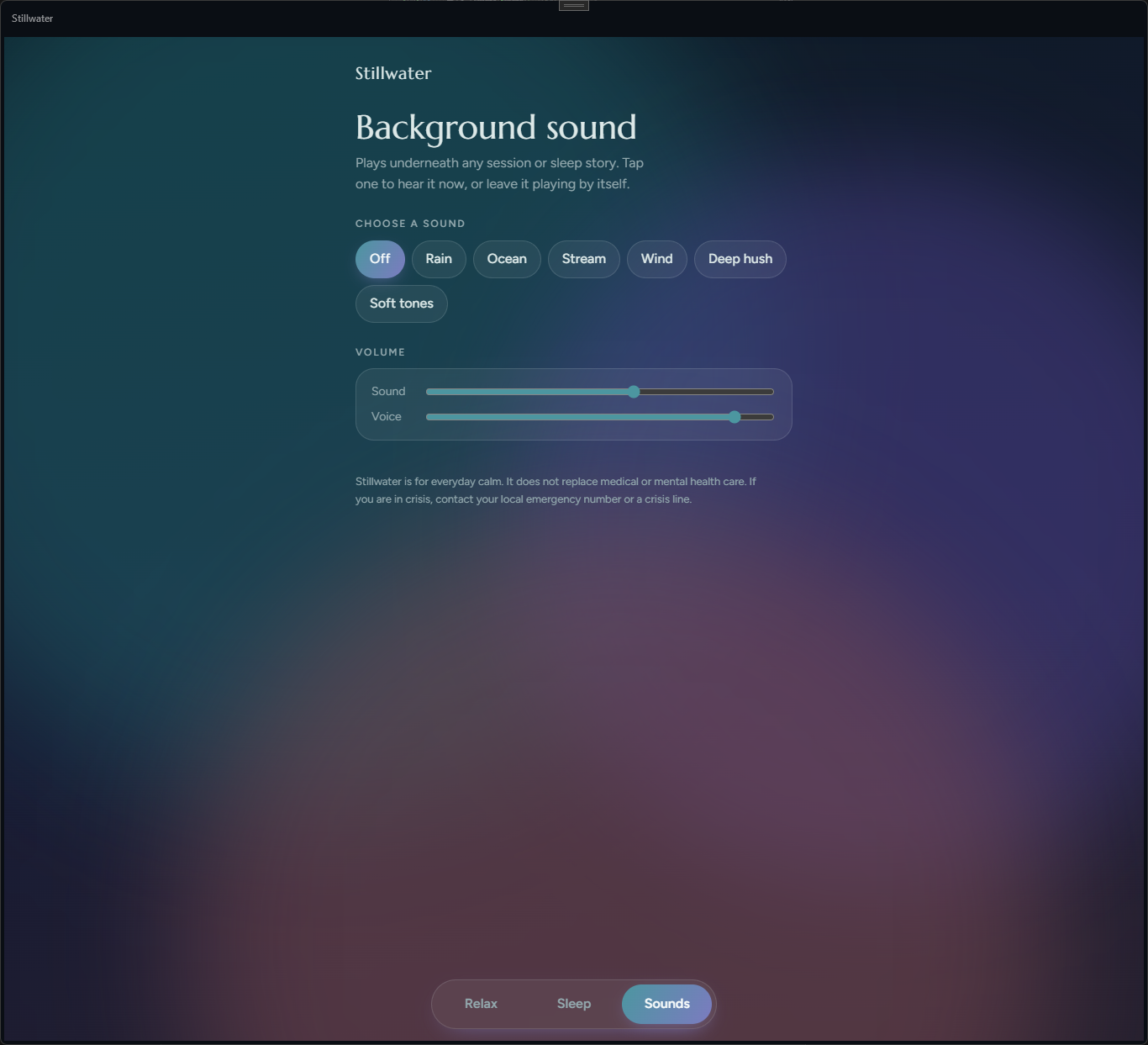
Choosing tonight's sleep story, and picking a background sound with separate volume for sound and voice.
Sleep - two narrated stories or a story-free wind-down, with a sleep timer
Sounds - six live-generated backgrounds, separate sound and voice volume
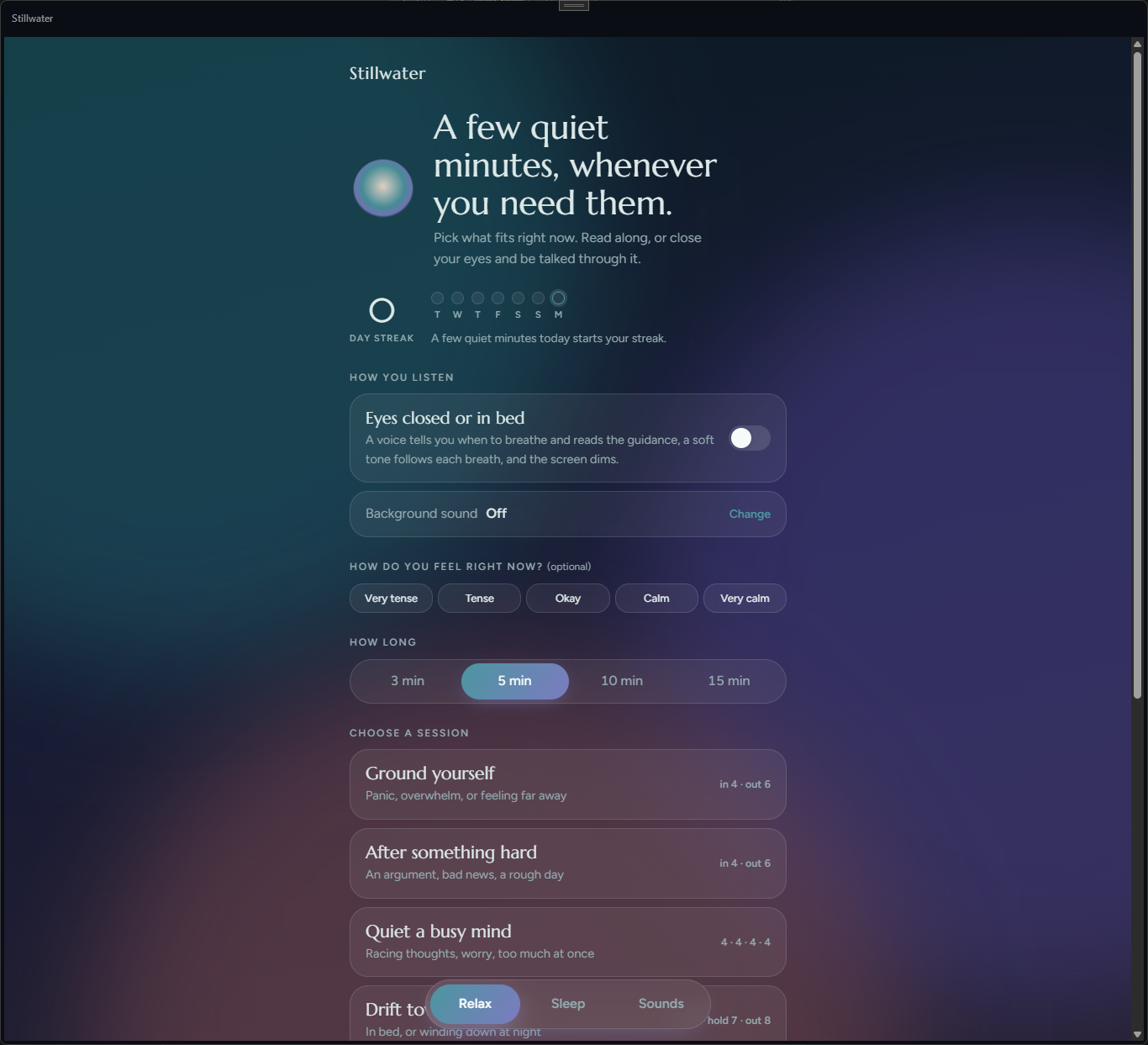
Eight short guided sessions
Ground yourself, after something hard, quiet a busy mind, drift towards sleep, a quick reset, release tension, be kind to yourself, or just breathe. Choose 3, 5, 10 or 15 minutes and the session paces itself to fit.
Breathing that fits the moment
Each session uses a rhythm chosen for it - in 4, out 6 for calming down, box breathing for a racing mind, in 4, hold 7, out 8 for sleep - with a circle that grows and shrinks to show you when.
Eyes closed or in bed
A recorded voice reads the guidance and tells you when to breathe, a soft tone rises and falls with each breath, and the screen dims so it won't light up a dark room.
Narrated sleep stories
A boat drifting on a still lake under the first stars, or a warm cottage with rain on the roof all night - or a gentle wind-down with no story at all. The voice softens as you settle.
Background sound that never loops
Rain, ocean, a running stream, wind, a deep hush or soft tones - generated live on your device rather than played from a short recording, so there's no repeating loop to notice.
A sleep timer that fades, not stops
Set 15, 30, 45 or 60 minutes, or all night. When a sleep session ends, your sound carries on alone and fades slowly to silence instead of cutting off.
A gentle streak and check-in
An optional "how do you feel right now?" before and after each session, and a quiet day streak - enough to see whether it's helping, without turning calm into a chore.
Your balance of sound and voice
Separate volume sliders for background sound and for the voice, remembered between sessions. Tap a sound to hear it on its own, any time.
Free, private, offline
No account, no subscription, no adverts. Your streak, check-ins and settings stay on your own device, in the browser or the Windows app.
How it compares to a meditation subscription or free videos
The big meditation apps have far larger libraries, but most of it sits behind a monthly
subscription and an account. Free videos cost nothing but come with adverts and need a
connection. Stillwater is small and focused, and free with neither.
Feature
Stillwater
A meditation subscription app
Free meditation videos online
Pricing model
Free - no adverts, no in-app purchases
Monthly or yearly subscription
Free, ad-supported
Size of library
8 sessions, 2 sleep stories - small and focused
Hundreds of sessions
Endless, mixed quality
Works fully offline
✓
Downloads only, usually paid
✕
No account needed
✓
✕
✓
No adverts mid-session
✓
✓
✕
Background sound that never loops
✓ generated live
Recorded loops
Recorded, often looped
Frequently asked questions
Do I need to install anything to use Stillwater?
No - use it straight from your browser, on a phone, tablet or PC, and add it to your home screen like an app. There is also a free Windows app in the Microsoft Store if you prefer an installed app.
Do I need an account to use Stillwater?
No. Neither the browser edition nor the Windows app asks you to sign up or sign in.
Is it really free?
Yes. No trial, no subscription, no in-app purchases and no adverts.
Does it need an internet connection?
The Windows app works fully offline - the narration ships inside it and every background sound is generated on your PC. The browser edition needs a connection the first time; after that, any session or story you have already played works offline too.
Do I have to look at the screen?
Only if you want to. Read along with the guidance and the breathing circle, or turn on Eyes closed or in bed: a recorded voice reads the guidance and tells you when to breathe, a soft tone rises and falls with each breath, and the screen dims.
What happens at the end of a sleep story?
The voice softens and stops, then your background sound carries on alone and fades to silence. Set a sleep timer of 15, 30, 45 or 60 minutes, or leave it playing all night.
Where does my data go?
Your streak, mood check-ins and settings are stored only on your own device. There is no account, and nothing you do in a session is uploaded anywhere.
Is Stillwater a treatment for anxiety or insomnia?
No. Stillwater is for everyday calm and does not replace medical or mental health care. If you are struggling, talk to your doctor or someone you trust, and if you are in crisis, contact your local emergency number or a crisis line.