Measure plans and elevations
Use Vector in a browser, or Takeoff Studio for a Windows desktop workflow.
Whether you are measuring PDF drawings, reviewing IFC models or working in a Windows desktop environment, Metre2 has a focused tool for the job.
The simplest way to choose is to begin with the format of your project information and how your team needs to work.
Use Vector in a browser, or Takeoff Studio for a Windows desktop workflow.
Use Forma in a browser, or BIM Explorer on Windows.
Vector and Forma work in any modern browser and support a fast team rollout.
Takeoff Studio and BIM Explorer are Microsoft Store apps for Windows 10 and 11.
Each product is purpose-built. Choose the one that matches your input, workflow and output.
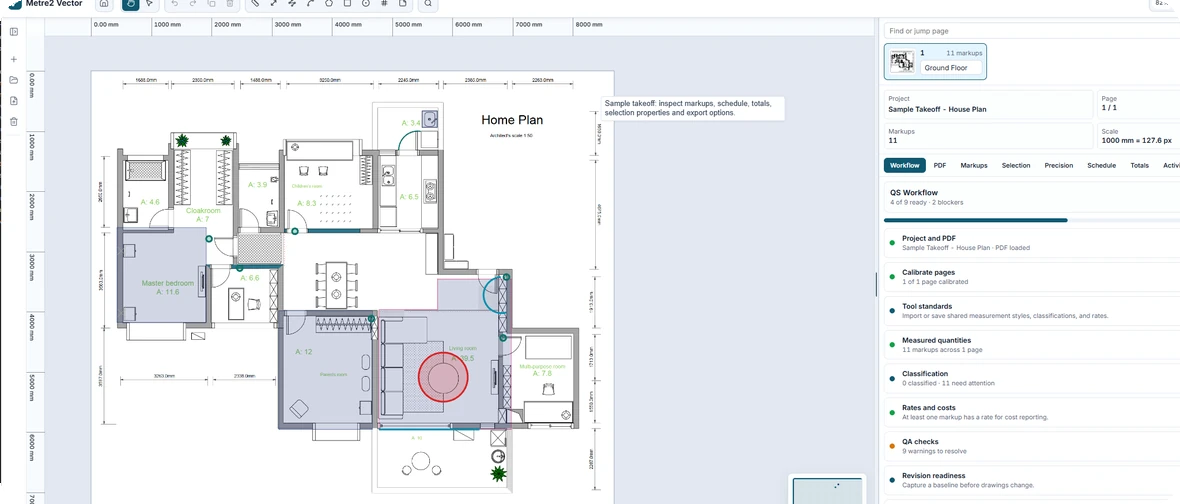
Browser-based PDF takeoff for measured drawings.
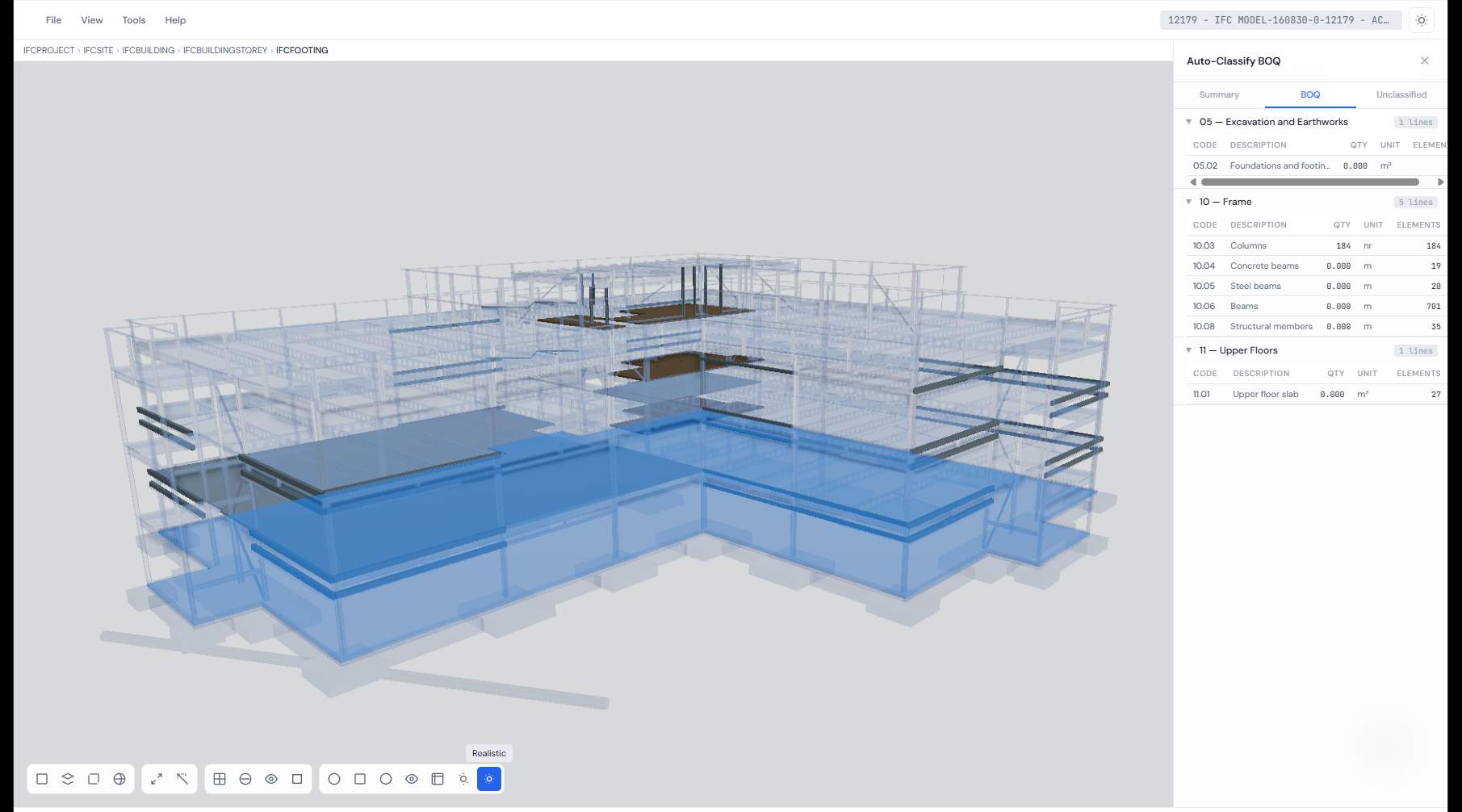
Browser-based IFC review, BIM quantities and BOQs.
Offline-first PDF takeoff for Windows.
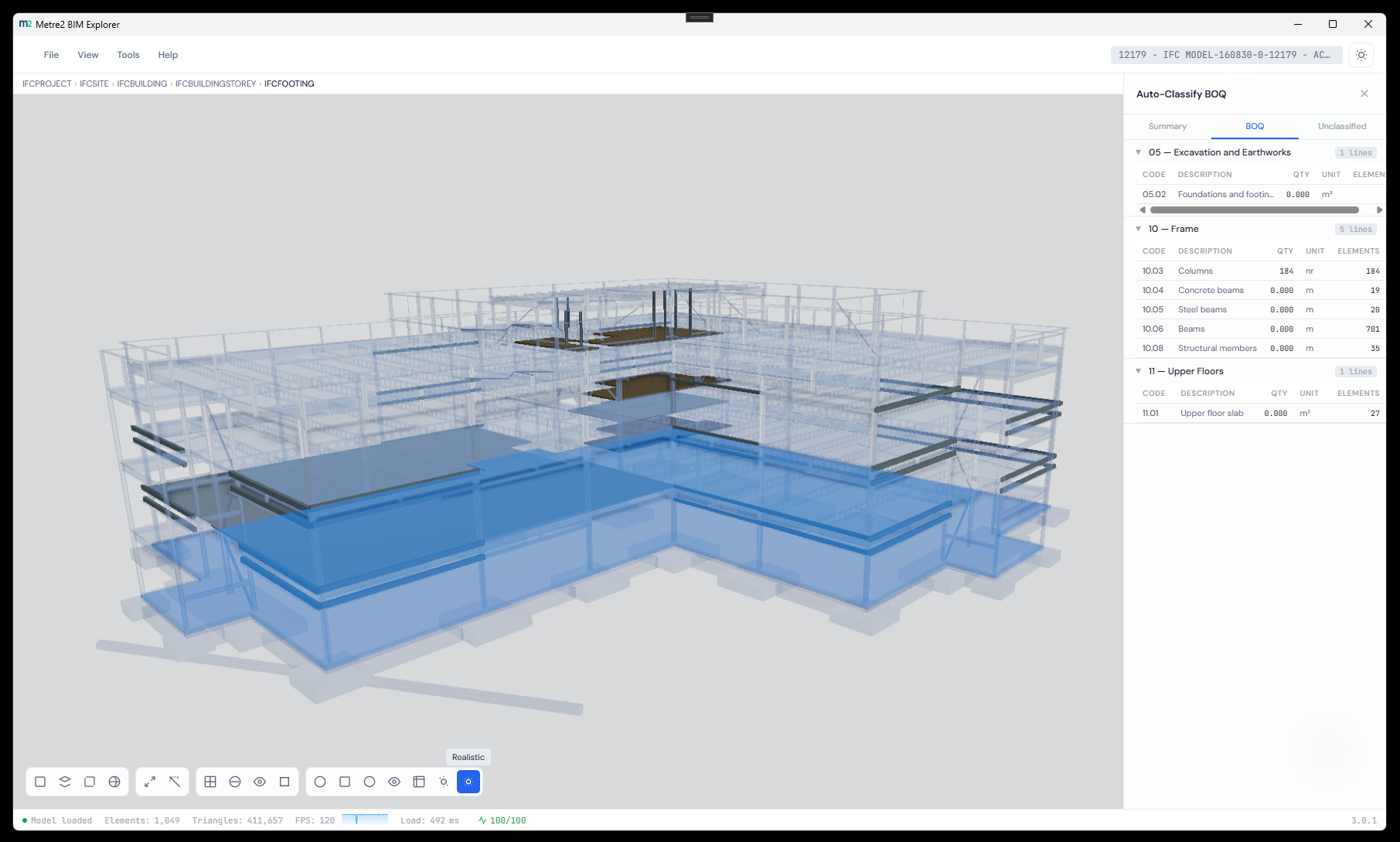
Desktop BIM measurement, classification and analysis.
Use this as a quick decision guide, then open the product that fits your workflow.
| Capability | Vector | Forma | Takeoff Studio | BIM Explorer |
|---|---|---|---|---|
| Primary input | PDF drawings | IFC models | PDF drawings | BIM models |
| Platform | Browser | Browser | Windows 10/11 | Windows 10/11 |
| PDF measurement | Yes | No | Yes | No |
| IFC properties and spatial tree | No | Yes | No | Yes |
| Linked IFC elements and BOQ rows | No | Yes | No | Model workflow |
| Revision comparison / BCF issues | PDF comparison | Yes | No | Model analysis |
| Best for | Fast web PDF takeoff | Web IFC review and traceability | Offline desktop PDF takeoff | Desktop BIM workflow |
Still unsure? These answers cover the most common choice points.
Vector is the browser option for PDF drawings. Takeoff Studio is the Windows desktop option for teams that prefer an offline-first workflow.
Forma is the browser-based workspace for IFC review, model quantities and linked BOQs. BIM Explorer is the Windows desktop alternative.
Yes. Both are browser-based web apps, so they can be opened in any modern browser.
Yes. Forma lets you create persistent BOQ rows and link them to individual IFC objects or sets of elements for an auditable workflow.
Open the browser apps now, or explore the Windows options through Microsoft Store. If you need help choosing, the Metre2 team can point you in the right direction.